
- Print Business Cards in Sugar Land – Same Day Service
- Copying Services
- Document Printing, Finishing & Lamination in Sugar Land
- Flyers
- Print Banner in Sugar Land | Same-Day Banner Printing Near Me
- Graphic Design
- Photo Printing
- Postcard Printing
- Document Printing
- EDDM Full Service Postcards
- FotoZoomer Large Format Printing


PrintScan UPS Store Fingerprinting.
Learn how PrintScan UPS Store fingerprinting works step by step. Covers appointments, ID, pricing, and tips for a smooth, accepted scan.
Businessmailboutique
11645 S. Hwy 6
Sugar land, Texas 77498 United States (US)
Email: info@businessmailboutique.com
Route
If you’re standing at home with a request form in one hand and a driver’s license in the other, wondering whether you’re booking with PrintScan or The UPS Store, you’re not alone. Most confusion around PrintScan UPS Store fingerprinting comes from the way the service is presented, the online booking flow, and the fact that the scan happens in a retail store even though the paperwork and scheduling often start somewhere else.
The easiest way to think about it is simple. PrintScan manages the fingerprinting workflow and scheduling tools, while The UPS Store is the place where the scan happens. Once you separate those two roles, the rest of the visit gets a lot easier to prepare for, from the right form to the right appointment type to the small details that keep a submission from getting kicked back.
Table of Contents
- What PrintScan UPS Store Fingerprinting Actually Is
- How to Book a PrintScan Appointment at a UPS Store
- ID and Paperwork You Need to Bring
- Digital LiveScan vs Ink FD-258 Fingerprint Cards
- Pricing and Turnaround Time for PrintScan UPS Store Fingerprinting
- Tips to Make Sure Your Prints Are Accepted the First Time
- PrintScan UPS Store Fingerprinting FAQs
What PrintScan UPS Store Fingerprinting Actually Is
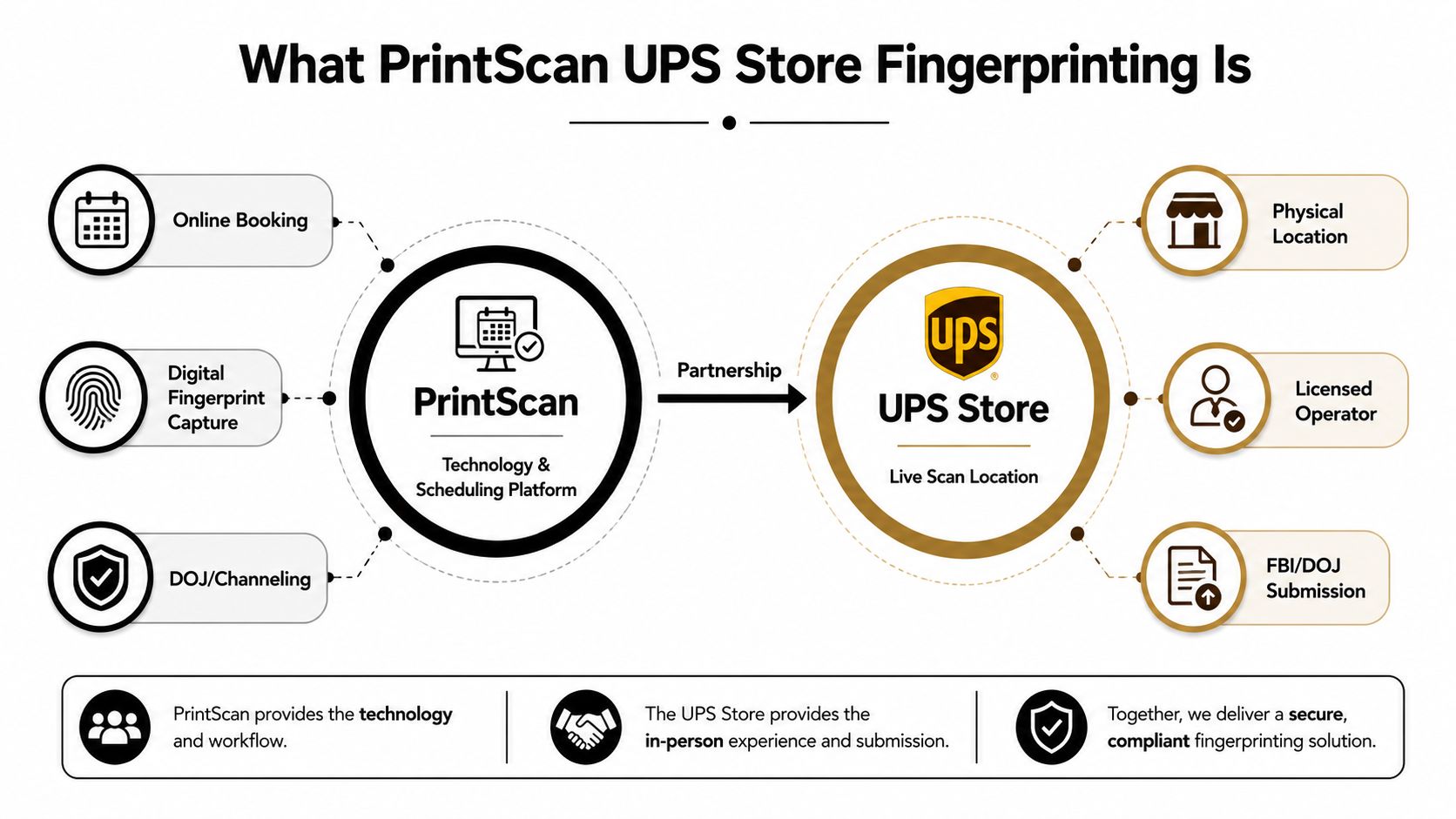
The cleanest way to understand PrintScan UPS Store fingerprinting is to split it into two parts. PrintScan is the technology and scheduling side, with online booking and electronic fingerprint workflows. The UPS Store is the storefront where the scan is taken, which is why PrintScan can show active fingerprinting sites in different markets, including New York City and Naples, Florida, and why California’s Department of Justice lists multiple UPS Store Live Scan locations with published hours and fees, including $40.00 to $45.00 at some sites. PrintScan’s New York location finder
That division matters because many assume the retail store is running everything. In practice, the store provides the physical desk, the technician, and the local appointment window, while PrintScan handles the digital side of the service. For a general overview of the broader service model, this authorized fingerprinting service center overview shows how a fingerprinting workflow can sit inside a retail business without turning that business into the same thing as the platform behind it.
Image and service map
PrintScan describes the service as an inkless fingerprinting method done electronically, which is why it fits modern Live Scan workflows more naturally than old paper-only visits. That shift from ink cards to electronic capture is the reason many people now use a UPS Store stop for employment checks, licensing, or background screening, then receive the submission electronically instead of carrying paper cards around. PrintScan’s explanation of ink fingerprinting and Live Scan
Practical rule: if the request says Live Scan, think digital capture and electronic transmission. If the request says FD-258, think paper card and agency-specific handling.
You’ll also see PrintScan associated with a broad set of fingerprinting needs, but the same appointment does not fit every agency request. Some submissions are for state background checks, some for federal checks, and some for licensing packages that need a very exact form set. The key is not the brand name on the storefront, it’s whether the service type matches the request you were given.
How to Book a PrintScan Appointment at a UPS Store
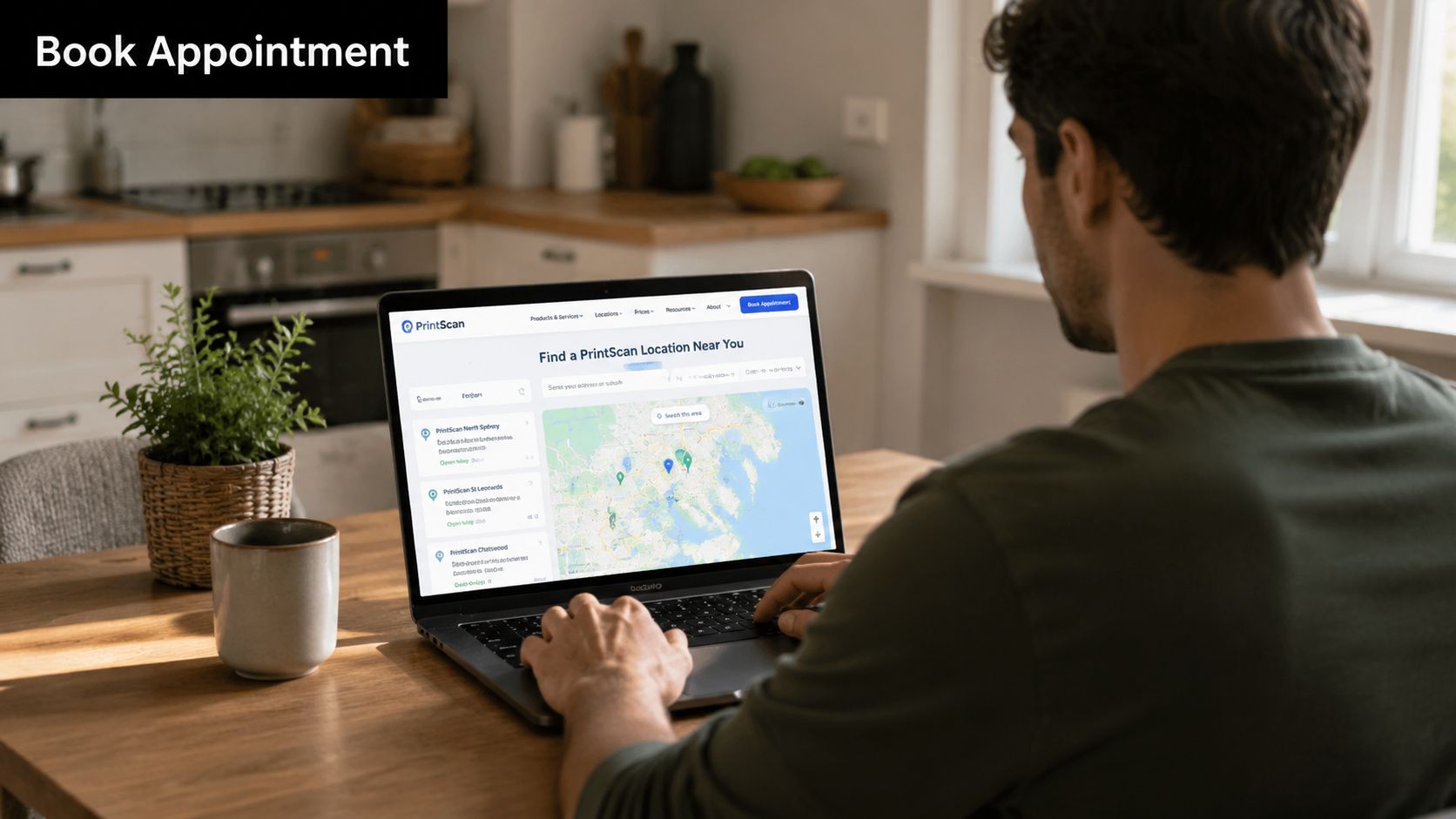
Booking starts with location, not convenience alone. A nearby UPS Store only helps if it’s one of the participating fingerprinting sites, so the first move is to use PrintScan’s location finder and confirm that the store offers the service you need. That check is especially important if you’re choosing between a city location and a suburban one, because the participating site list and the available hours can differ by store. PrintScan’s location search
The next thing to get right is the application reason. That single field can control how the fingerprints are routed, and it’s one of the easiest ways to create a rejection if the appointment is booked under the wrong purpose. If your request form says one agency and the online booking says another, the scan may complete perfectly and still miss the mark for the receiving office.
Booking path and walk-in check
Some participating locations accept walk-ins, while others work by appointment. If you’re leaning on the walk-in option, call the store first and ask whether fingerprinting is available that day, because the operating hours and service availability can change by location and by day of week. California DOJ listings show that some UPS Store fingerprinting sites publish weekday, Saturday, and even Sunday hours, so you can’t assume the same schedule from store to store. California DOJ Live Scan listings for UPS Store locations
When the online booking is right, you’ll usually receive an emailed QR code or similar check-in detail tied to the appointment. Keep that message easy to find, because the site’s front desk and the fingerprint technician may need it to pull up the booking or verify the prefilled information. If you can’t find the email on the day of the appointment, check spam, search the sender name, and open the exact inbox tied to the booking before you leave.
A smooth appointment usually looks boring. The form matches the agency, the location is open, the QR code is ready, and the store starts the scan without a lot of back-and-forth.
If you want a broader retail-service comparison, this UPS-authorized shipping outlet guide shows how a store can provide one specialized service inside a wider front-desk operation without turning every counter visit into the same process.
ID and Paperwork You Need to Bring
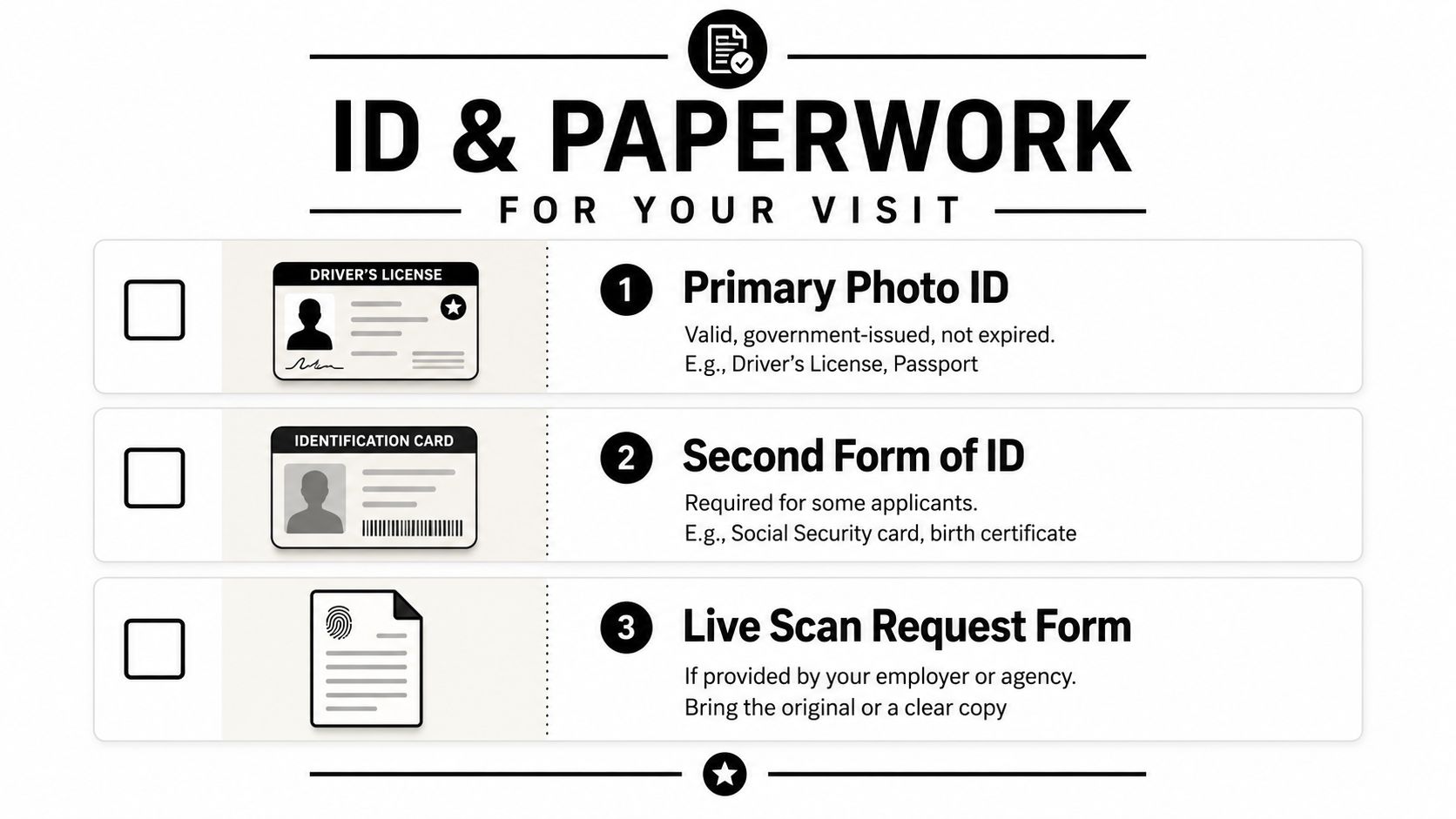
Bring a valid government-issued photo ID. That usually means a driver’s license, state ID, or passport, and it needs to be current unless the requesting agency says otherwise. If the form asks for a second identifier, bring that too, because a missing support document can slow the visit even when the fingerprint image itself is fine.
If your employer or licensing board gave you a request form, bring the original or a clear copy. Many Live Scan submissions depend on exact agency details, so the front desk staff can’t safely improvise if the form has an ORI, billing number, or applicant type printed on it. For California-style submissions, the request form is not a backup item, it’s the core document that tells the system where the prints should go.
What to place on the counter
Use this as your quick checklist before you leave:
- Primary photo ID: bring a valid, government-issued ID that isn’t expired.
- Secondary ID: bring a second form of identification if your agency requests one.
- Request form: bring the fingerprint request form from your employer, board, or agency.
- Name change support: bring legal proof if your current name doesn’t match your ID.
- Minor-related paperwork: bring parent or guardian documentation if you’re handling a child’s fingerprint visit.
If your ID is expired, don’t assume the store can override it. Most fingerprinting visits are tied to identity verification rules outside the retailer’s control, so the safest move is to renew the ID before the appointment if you can. If you’re fingerprinting on behalf of a minor, call ahead and ask what that location expects, because custody or consent paperwork can matter more than people expect.
For readers who want to compare document-handling services in one place, this fingerprinting ink and LiveScan capture page is a useful reference point for how different capture formats are usually presented at a service counter.
Digital LiveScan vs Ink FD-258 Fingerprint Cards
Live Scan and FD-258 cards solve different problems, and mixing them up is a common way to waste a trip. Live Scan is the electronic, inkless capture method, and PrintScan describes it as a nationwide option through UPS Store locations. FD-258 is the traditional fingerprint card format, where the prints are rolled onto paper and then sent to the requesting agency or used for a process that still depends on card submission.
The best choice depends on who is asking for the fingerprints. Many employment, licensing, and background-check processes now prefer Live Scan because the submission is digital and the workflow is cleaner. Some agencies still want a card, especially if the application is out of state or built around a paper packet that must travel with other documents.
| Feature | Digital LiveScan | FD-258 Ink Card |
|---|---|---|
| Format | Electronic capture | Paper fingerprint card |
| Delivery method | Submitted digitally to the receiving agency | Mailed or physically delivered as a card |
| Typical use | Employment, licensing, government screening, and other Live Scan requests | Out-of-state requests, paper-based submissions, and some special agency cases |
| Main advantage | Faster check-in and digital handling | Works when the receiving agency still needs paper |
That choice affects your whole appointment, not just the final paperwork. A mismatch can mean the scan is valid but unusable for the request you intended, which is why the application type has to be confirmed before the technician starts. If you want a practical reminder about online security while handling booking emails and uploaded forms, essential online security practices is a helpful general resource for keeping personal data and appointment links organized.
Don’t treat one successful capture as universally reusable. The receiving agency, the form type, and the delivery channel all need to line up before the appointment ends.
A store may offer both formats, but the right format still depends on the destination rules. When people get tripped up, it’s usually because they picked the most convenient option instead of the exact one the agency required.
Pricing and Turnaround Time for PrintScan UPS Store Fingerprinting
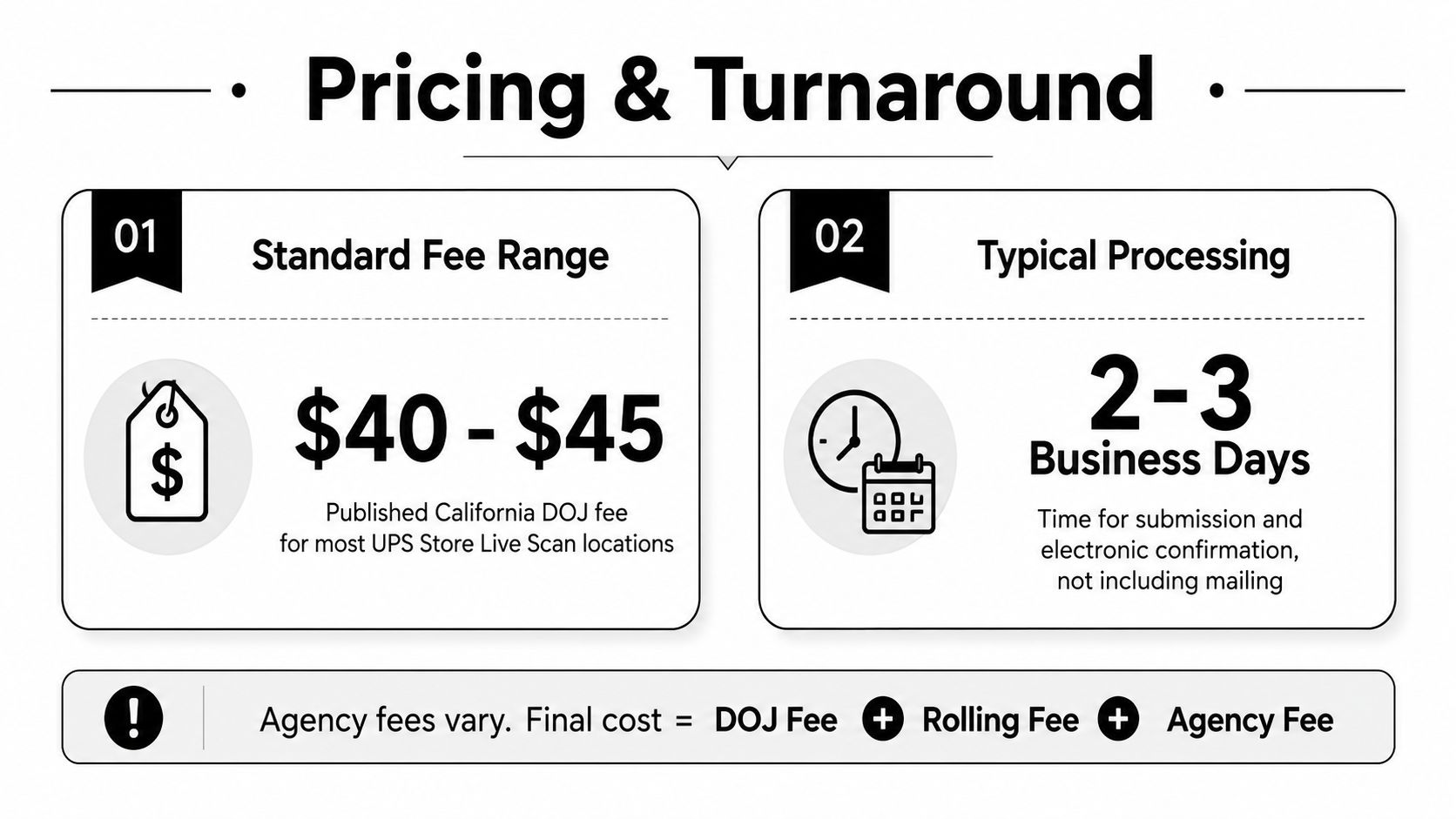
Published California DOJ listings show UPS Store Live Scan locations with prices of $40.00 to $45.00 in California, which gives you a realistic baseline for what a retail fingerprinting visit can look like when the fee is publicly posted. That price doesn’t mean every state charges the same amount, and it also doesn’t tell you whether the government portion is bundled or separate. California DOJ-linked UPS Store pricing examples
The fastest part of the process is usually the capture and transmission, not the agency review. Users report receiving an EFT file in roughly 10 minutes after scanning at a UPS location, and in some cases the email arrives before they’ve left the parking lot. That speed tells you the bottleneck is often the workflow around the scan, not the scanner itself. User-reported EFT timing after a UPS Store scan
What you pay and what finishes fast
The final cost can vary because the appointment may involve more than one fee layer. A location charge may sit beside an agency fee, and the exact total depends on the destination and the application type. That’s why it helps to ask whether the posted amount is just the store’s handling fee or the full submission cost.
Turnaround has two parts, and they aren’t the same thing. The in-store scan can be very fast, but the receiving agency still controls how long it takes to review and process the submission. In practical terms, the store can finish its job quickly, while the broader background-check outcome remains tied to the agency side.
If you want fewer surprises, confirm three things before the appointment: the exact request type, whether the fee is final or partial, and whether the store is still accepting that service on your selected day. That combination keeps the visit simple and prevents the common mistake of expecting agency processing to move at the same speed as the scan.
Tips to Make Sure Your Prints Are Accepted the First Time
The best fingerprint appointment feels uneventful. Your hands are ready, the technician checks the form, the scan completes, and the follow-up email lands in the right inbox without any panic. Most rework starts with small, boring mistakes, not with bad equipment.
Small mistakes that create rework
Clean hands matter more than people think. Dry skin, lotion residue, cuts, and ink left over from another appointment can all make the scan harder to read, so wash and dry your hands before you go, and don’t apply lotion right before the visit. If your fingertips are rough or damaged, tell the technician at the start rather than waiting for the first failed pass.
Stay focused at the counter while the technician is still checking the booking. Make sure the application reason on the screen matches the form in your hand, because that’s the point where a wrong selection is easiest to fix. Once the scan has been transmitted, correcting the destination usually means repeating work that could’ve been avoided.
The email workflow matters too. If the QR code or confirmation message is buried in a secondary inbox, the check-in process can stall while you hunt for it, and that creates stress for no good reason. Keep the message open on your phone before you walk inside, and save a screenshot if your device sometimes loses signal in the parking lot.
The limiting factor is usually workflow hygiene, not scanner throughput. Good paperwork and the right appointment details beat a rushed, half-prepared visit every time.
Don’t assume one capture can be reused across agencies. The output is often application-specific, and a valid submission for one request can still be wrong for another. That’s why repeat users should standardize the destination and form set before they book, especially if they’re submitting for a license, a credential, or a separate government process.
If the selected store is unexpectedly closed, don’t improvise with the wrong location. Keep the request form, ID, and email confirmation with you so you can call another participating site and ask whether they can take the same appointment type. A backup plan starts with the same paperwork in hand, not with guessing at a new desk.
PrintScan UPS Store Fingerprinting FAQs
Edge cases people ask about
If the chosen UPS Store is closed or unavailable on appointment day, contact the booking side first and verify whether another participating site can accept the same request. Because the scan happens in the store but the booking is tied to PrintScan’s workflow, appointment changes can involve more than one party, which is why readers often get mixed answers if they call the wrong desk first. PrintScan and UPS Store workflow overview
If you can’t find the emailed QR code, don’t assume the visit is dead. Check spam, search the inbox tied to the booking, and confirm the appointment details before you drive over. Some locations can still look up the visit by name or booking information, but you should not count on that as your only plan.
For out-of-state agencies, the safe answer is to verify the required format before you book. A Live Scan capture done at a UPS Store may be right for one agency and wrong for another, especially if the request still expects a paper fingerprint card or a different submission path.
If the form, the format, and the destination don’t line up, the fingerprint image itself won’t save the appointment.
If you want a place that handles more than one front-desk service in one visit, Business Mail Boutique LLC offers fingerprinting along with shipping, printing, and other counter services at its Sugar Land location. For anyone comparing local service providers or planning a multi-stop errand list, Business Mail Boutique LLC is a practical starting point for that kind of visit.

Related posts

Custom Memorial Glasses Engraved in Three Hours in Sugar Land
When a customer needed eight personalized glasses for a memorial, Business Mail Boutique completed the engraving or...

Custom Martini Glass Engraving in Sugar Land, TX
Custom Logo Engraving on Martini Glasses in Sugar Land, Texas.
Business Mail Boutique recently completed a beautiful custom engravin...

Custom Engraved Wine Glasses for a Golf Club Event in Sugar Land, TX
Custom Engraved Wine Glasses for a Golf Club Event in Sugar Land.
Custom wine glass engraving in Sugar Land, TX at Business Mail Bouti...