
- Print Business Cards in Sugar Land – Same Day Service
- Copying Services
- Document Printing, Finishing & Lamination in Sugar Land
- Flyers
- Print Banner in Sugar Land | Same-Day Banner Printing Near Me
- Graphic Design
- Photo Printing
- Postcard Printing
- Document Printing
- EDDM Full Service Postcards
- FotoZoomer Large Format Printing


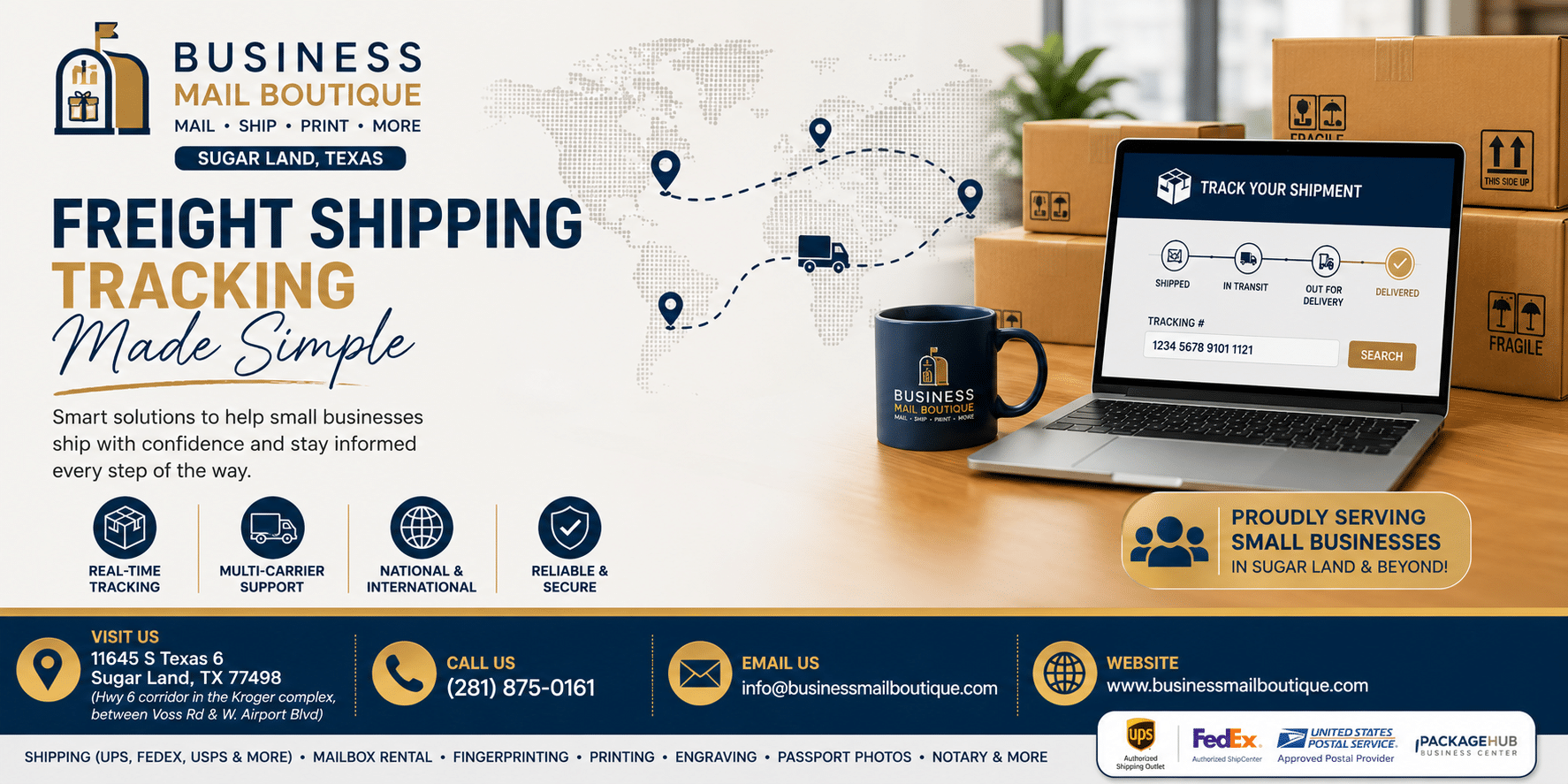
Freight Shipping Tracking Made Simple for Small Businesses.
Learn freight shipping tracking step by step: what info you need, carrier portals, status codes, and how Business Mail Boutique in Sugar Land can help.
Businessmailboutique
11645 S. Hwy 6
Sugar land, Texas 77498 United States (US)
Email: info@businessmailboutique.com
Route
You’ve got a pallet on the way, the customer has started asking for delivery timing, and the tracking page still shows the same old scan from two days ago. That’s the moment freight shipping tracking starts to feel less like a convenience and more like a guessing game. The good news is that freight usually isn’t mysterious, it’s just messier than parcel tracking, and once you know what the statuses mean, you can tell the difference between a normal quiet stretch and a shipment that needs attention.
Table of Contents
- Why Freight Tracking Feels Harder Than Package Tracking
- Gathering the Right Information Before You Track
- How to Track Your Freight Shipment
- Interpreting Freight Status Codes and Exceptions
- Troubleshooting Tracking That Stops Updating
- How Business Mail Boutique Supports Freight Shippers
- Making Freight Tracking a Habit That Works
Why Freight Tracking Feels Harder Than Package Tracking
A small business owner can feel confident shipping a box with a parcel carrier, then get thrown off when a pallet shipment seems to go silent. That silence is often normal. Freight moves through pickup, terminal handling, linehaul, cross-dock transfers, and final delivery, so scans usually arrive in bursts rather than a steady stream.
That’s why a freight page can look frozen even when the shipment is moving as planned. A package network often gives you more frequent consumer-facing updates, while freight depends on handoffs that may not generate a scan at every step. If you’re refreshing every hour, you’ll feel like something is wrong long before anything is.
Practical rule: A quiet tracking page is not automatically a bad sign. For freight, the question is less “Why didn’t it update this minute?” and more “Do I know where the shipment is supposed to be in the network?”
The Bureau of Transportation Statistics treats freight visibility as a real system-wide topic, not just an individual shipment issue. Its freight indicators include tools such as the Freight Transportation Services Index, Freight Analysis Framework, TransBorder Freight Data, and Port Performance Freight Statistics, which shows how much freight movement depends on structured reporting across modes and locations. You can use those same ideas at the shipment level by thinking in milestones, not just live location, and by understanding that updates often reflect checkpoints rather than constant motion. The U.S. transportation system also moved about 54 million tons of freight per day in 2012 in one widely cited benchmark, which helps explain why freight systems are built around throughput, not constant consumer-style pings (BTS freight indicators).
A simple way to stay sane is to treat freight shipping tracking as a process, not a single lookup. First, gather the right identifiers. Then check the carrier or shipper portal. After that, read the status carefully and decide whether the issue is a normal delay, an exception, or an escalation.
One useful side check is shipment size and billing weight, because freight services often depend on how the load was tendered and documented. If you’re still learning that part too, this guide on how to calculate dimensional weight can help you avoid one common source of confusion before the shipment even leaves your dock.
Gathering the Right Information Before You Track
Freight tracking gets easier the moment you stop hunting with the wrong number. Most “not found” errors happen because a digit is missing, a reference was typed incorrectly, or the shipment was booked under a number that nobody saved. Before you search, pull together the identifiers that can access the record.
The numbers that matter
For many LTL shipments, the PRO number is the main tracking key. The bill of lading, or BOL, is the master document that ties the shipment together, and it’s the first thing to have handy if you need to call the carrier. Some shipments also use a carrier-issued tracking number from labels or a shipper’s own PO number or reference number for internal records.
| Freight Tracking Identifiers and When to Use Them | ||
|---|---|---|
| Identifier | Where to Find It | When to Use It |
| PRO number | Carrier paperwork, label, or booking confirmation | Main lookup for many LTL shipments |
| Bill of lading, BOL | Shipping documents created at tender | Reference when calling the carrier or checking shipment details |
| Carrier tracking number | Parcel-style freight labels or booking email | Use on carrier or third-party tracking pages |
| PO or reference number | Your internal purchase order, invoice, or booking record | Helpful when your team tracks by job, customer, or order number |
A single missing digit can produce a dead end, even when the freight is moving normally. That’s why it helps to keep the BOL open while you search. If the carrier portal gives you an error, the BOL gives the tracking agent a second path to the shipment record, especially when the load was booked through a third party or passed through multiple handoffs.
Freight class can also matter when your shipping paperwork is incomplete or inconsistent, since the way a load is described affects how carriers handle it. If you want a plain-English refresher, this guide to what freight shipping class is is a useful companion before you start comparing documents and status messages.
Keep every freight document together the moment the shipment is tendered. A photo of the BOL, PRO number, and reference fields can save you a long call later.
The best habit is simple. Photograph or file every freight document as soon as the shipment leaves your hands. If something goes wrong later, you’ll already have the exact number the carrier needs.
How to Track Your Freight Shipment
Start with the source that knows the shipment best. If you booked direct with UPS, FedEx, or another carrier, use that carrier’s portal first. If a freight broker, 3PL, or shipping partner created the move, their portal often aggregates carrier data and can save you a few dead ends.

A simple workflow that works
Enter the PRO number or tracking number exactly as it appears on the paperwork. If the shipment shows activity, read the most recent milestone and the prior one together, because freight updates make more sense in sequence than in isolation. For a domestic move, you’ll usually see pickup, terminal movement, transit, and delivery-related milestones rather than a constant live map.
If the carrier portal is thin on detail, check a multi-carrier tool next. These tools can gather status from several sources at once, which helps when you’re dealing with different carriers across truck, air, ocean, or rail. For a plain overview of the concept, Peak Transport’s guide to how real time tracking works is a useful reference point because it shows why freight visibility depends on data feeds, not just one screen.
Set alerts instead of refreshing all day
Email and text notifications are worth turning on whenever the carrier offers them. They help you spot changes without staring at the page, and they make it easier to share updates with a customer as soon as something changes. If your shipment was booked through a third party, ask whether their system can send those updates too, since that platform may already be pulling carrier data into one place.
Useful habit: Treat the last scan as a checkpoint, not a live GPS position. Freight tracking often tells you where the load was seen last, not where it is this minute.
If digital tracking stalls, call the carrier tracking line and have the BOL ready. That call works better when you already know the last milestone, the date of pickup, and the reference number tied to the booking. The faster you can describe the shipment, the faster the agent can tell you whether it’s in transit, waiting at a terminal, or stuck on a paperwork issue.
Interpreting Freight Status Codes and Exceptions
A good tracking page doesn’t just tell you where a shipment is. It tells you what the next human in the chain is supposed to do. That’s why milestone statuses and exception statuses need to be read differently.

Read the normal milestones first
Picked up means the carrier has the freight. Arrived at terminal usually means it reached a hub or cross-dock. In transit means it’s moving between points in the network. Out for delivery means it’s on the final vehicle. Delivered means the handoff is complete.
Those statuses are reassuring because they follow the flow of the shipment. A gap between them can still be normal if the freight is sitting at a terminal or waiting for the next leg. The key mistake is assuming every quiet period is a problem when some updates just aren’t sent until the next scan event happens.
Separate passive exceptions from active problems
An exception is where freight shipping tracking becomes operational instead of decorative. A customs hold usually means the shipment can’t move until the paperwork clears. A delivery appointment needed status often means the freight is waiting for a receiver to schedule a time slot. A held at terminal message may be passive if it’s tied to appointment timing, but it can also signal a problem if nothing moves for too long.
Other statuses demand faster action. A missed pickup means the first handoff failed. Damaged or refused means someone at the destination or in the network has already identified a problem. Those are the cases where the question isn’t “Where is it?” anymore. It’s “Who owns the next step?”
When an ETA changes, ask three questions. Why did it change? Is the delay actionable? Which party needs to act now? If the answer points to paperwork, customs, or appointment scheduling, you may need to notify your customer while the carrier resolves the issue. If the answer points to a carrier-side delay with no clear owner, escalate to the carrier first and wait for a concrete status before promising a new delivery window.
The best tracking pages make the problem obvious. The worst ones hide a delay behind a vague date, so always look for the reason behind the ETA, not just the new arrival estimate.
For SMBs, that distinction matters. Customers can live with a delay if they know who’s handling it. They get frustrated when a business says “it’s on the way” while the freight is sitting under an exception that nobody has explained.
Troubleshooting Tracking That Stops Updating
A frozen tracking page usually sends people straight to the worst-case scenario. In practice, the first cause is often the simplest one. The number was typed wrong, one digit is missing, or the shipment was booked under a different reference than the one you entered.

Check the basics before you assume the worst
Start by re-entering the PRO, BOL, or tracking number exactly as printed. Then try the shipper’s portal if you used a broker, 3PL, or another intermediary, because the most complete record is often sitting there first. If the shipment still doesn’t show movement, call the carrier and read the BOL information slowly so the agent can match the record.
The next likely issue is that the freight hasn’t been scanned again yet. That happens when the load is still waiting to be checked into the network, or when it’s sitting at a terminal during a busy period. Freight moves through handoffs, and every handoff creates a chance for the scan trail to go quiet.
Why modern dashboards can still go stale
A modern dashboard doesn’t guarantee modern data. If a shipment changes hands, loses a scan, or enters a network with weak telemetry, the page can look current while the underlying record is stale. That’s especially common when visibility depends on multiple carriers and different levels of data access.
Recent industry coverage says freight visibility is still a work in progress for about 50% of businesses, with around 20% still relying on manual processes, and rail remains especially fragmented because operator data access is limited (Trinetix on real-time freight visibility). Sea freight adds another layer of uncertainty, since visibility problems often come from data quality rather than transport itself, and one industry analysis notes that about 30% of tracking errors stem from outdated technology while logistics data-entry error averages around 7% (Changi Logistics on sea freight tracking). That doesn’t mean your shipment is lost. It means your data feed may be weaker than your freight.
Document every call when you escalate. Write down the time, the agent’s name, and the promised next step. If the carrier says the shipment is moving but the page hasn’t updated, you now have a record you can use if the issue keeps dragging on.
If the page is silent, don’t panic first. Verify the number, check another portal, call with the BOL, and write everything down.
That order matters because it keeps you from wasting time on the wrong problem. Most silent tracking pages are slow scans, not lost freight.
How Business Mail Boutique Supports Freight Shippers
Some shippers only need a tracking number. Others need a person who can look at the shipment with them, spot what’s missing, and make the phone call. That’s where a local counter can beat a lonely portal.
Business Mail Boutique LLC is a full-service PackageHub360 Business Center in Sugar Land, Texas, and it operates as an Authorized UPS and FedEx shipper that handles freight alongside packing, tracking, and returns processing. For SMBs and e-commerce sellers, that matters because freight questions often start with paperwork and end with a carrier conversation. A staffed counter can help you start the shipment correctly, keep the right identifiers together, and move faster when the tracking page turns unclear.
What that looks like in practice
Professional packing helps protect freight-worthy items before they’re tendered. Staff can also help initiate shipments with the right tracking references and walk through the documents when a status stalls. For a business owner, that can mean fewer guesses and fewer calls spent waiting on hold.
The setup is also practical for day-to-day operations. Printing, mailbox rentals with a real street address, and document services sit under the same roof, so a small business can handle shipping, records, and correspondence in one stop. If you ship regularly, that kind of in-person support can be easier than sorting out a status code alone.
For more detail on the shipping side, their freight shipping services page lays out the types of freight support they provide. When a shipment is delayed, that kind of local help can turn a vague tracking question into a concrete next step.
Making Freight Tracking a Habit That Works
Freight shipping tracking gets easier when you stop treating it like an emergency lookup and start treating it like a routine. Save the BOL and PRO number the moment the shipment leaves. Turn on alerts, learn the difference between a normal milestone pause and a true exception, and segment your expectations by mode instead of using one rule for every load.
A simple checklist goes a long way.
- File the paperwork immediately: Keep the BOL, PRO, and any reference numbers together before the freight leaves.
- Use alerts first: Let the carrier or shipper portal push updates to you instead of refreshing manually.
- Read the status in context: A scan means more when you know the prior milestone and the mode.
- Escalate with notes: If the shipment stalls, document every call so you’re not starting over each time.
That habit protects your time and helps you speak to customers with more confidence. It also keeps you from overreacting when the network is slow.
If you’re in Sugar Land and want help with freight shipping, tracking, and carrier follow-up from people who deal with these shipments every day, visit Business Mail Boutique LLC. They can help you ship, track, and sort out the paperwork before a small delay turns into a bigger headache.
Business Mail Boutique LLC handles freight shipping, tracking support, packing, and shipping documents for local businesses that want fewer surprises and clearer status updates. If you’d rather work with a team that can look at the paperwork, explain the status, and help with the carrier call, visit Business Mail Boutique LLC and get the shipment moving with a real person on your side.

Related posts

Custom Memorial Glasses Engraved in Three Hours in Sugar Land
When a customer needed eight personalized glasses for a memorial, Business Mail Boutique completed the engraving or...

Custom Martini Glass Engraving in Sugar Land, TX
Custom Logo Engraving on Martini Glasses in Sugar Land, Texas.
Business Mail Boutique recently completed a beautiful custom engravin...

Custom Engraved Wine Glasses for a Golf Club Event in Sugar Land, TX
Custom Engraved Wine Glasses for a Golf Club Event in Sugar Land.
Custom wine glass engraving in Sugar Land, TX at Business Mail Bouti...