
- Print Business Cards in Sugar Land – Same Day Service
- Copying Services
- Document Printing, Finishing & Lamination in Sugar Land
- Flyers
- Print Banner in Sugar Land | Same-Day Banner Printing Near Me
- Graphic Design
- Photo Printing
- Postcard Printing
- Document Printing
- EDDM Full Service Postcards
- FotoZoomer Large Format Printing


You’ve got the idea already. Maybe it’s a logo sticker for your pastry boxes, a branded seal for shipping orders, or a stack of giveaway decals for an event this weekend. What usually slows the job down isn’t the concept. It’s the handoff between “I know what I want” and “I have a file that will print cleanly today.”
That gap trips up many small business owners. A logo pulled from a website looks sharp on a phone screen but turns blurry in print. Colors that looked bright on a laptop come out flatter than expected. A rush order turns into a delay because the artwork was not ready. If you’re ordering sticker printing custom for the first time, the fastest way to save money is to make good decisions before the press starts.
Custom stickers are worth that effort. For small businesses, they’re a practical branding tool, not a novelty. 72% of businesses view custom stickers as a cost-effective engagement tool, and the personalized stickers market is projected to grow from USD 4.84 billion in 2025 to USD 8.45 billion by 2035 according to personalized sticker market projections.
Table of Contents
- The Power of a Sticker for Your Business
- Choosing Your Sticker’s Foundation Materials and Finishes
- Designing for Success Print-Ready File Essentials
- Perfecting the Form Sticker Shape Size and Quantity
- Putting Stickers to Work Powerful Business Applications
- Your Local Solution Ordering at Business Mail Boutique
- Custom Sticker FAQ and Final Tips
The Power of a Sticker for Your Business
A sticker does a small job in a very visible place. It seals the bag, labels the jar, brands the mailer, tags the sample, or rides home on a customer’s water bottle. That’s why it works so well for growing businesses. You don’t need a big campaign to look more polished. You need consistent details.
A coffee shop can put a round logo seal on takeaway bags and cups. A home baker can label ingredient containers and order boxes with the same mark. An online seller can turn plain shipping cartons into branded packaging with one clean decal. Those touches make the business feel finished.
Practical rule: Use stickers where customers already pause and look. Packaging closures, product lids, laptop giveaways, and checkout handouts usually outperform random decorative use.
The reason sticker printing custom stays popular is simple. It’s flexible. You can order product labels, promo handouts, thank-you seals, event decals, or temporary campaign graphics without rebuilding your whole brand system.
That matters for a small company with limited time. You might need a short run for a market this Saturday, then a different design for holiday packaging next month. Stickers let you move fast without committing to expensive permanent packaging.
A good order usually comes down to four decisions:
- Pick the right material: Indoor paper and outdoor vinyl don’t solve the same problem.
- Prepare a real print file: Clean art prevents blurry edges and color disappointment.
- Choose the right cut style: Shape affects both appearance and ease of peeling.
- Order with timing in mind: Production speed and pickup options matter when the deadline is close.
Choosing Your Sticker’s Foundation Materials and Finishes
Think of sticker material the way you’d think about clothing fabric. A rain jacket and a dress shirt can both look good, but you wouldn’t wear them for the same job. Stickers work the same way. The right face stock and finish depend on where the sticker will live and how it will be handled.
Match the material to the job
If the sticker will go on a product, box, jar, mailer, laptop, cooler, or car, start by asking two questions. Will it get touched a lot? Will it face moisture, sun, or abrasion? If the answer is yes, vinyl is usually the safer choice.
Paper works well for dry indoor use. It’s often a sensible fit for simple packaging seals, short-term promos, or applications where the sticker doesn’t need to resist weather. Vinyl is the tougher option when you need a label or decal to keep its shape and finish under harder use.
Sticker Material & Finish Comparison
| Feature | Vinyl Stickers | Paper Stickers |
|---|---|---|
| Best use | Outdoor use, bottles, mailers, decals, long-wear branding | Indoor packaging, short-term labeling, event handouts |
| Durability | More resistant to water, scuffing, and handling | Better for dry, low-contact use |
| Look | Clean, polished, often used for premium branding | Simple, economical, practical |
| Flexibility | Good for shaped decals and product branding | Good for easy, straightforward applications |
| Cost position | Usually higher than paper | Usually lower than vinyl |
One useful production detail matters here. Digital printing supports precise registration for custom vinyl shapes up to 51” x 118”, and it also allows kiss-cut precision that keeps the liner intact for easier peeling, according to digital sticker printing specifications.
Choose the finish by feel and function
Once you know the base material, choose the finish based on how you want the sticker to feel in real use.
Gloss gives color more pop. It tends to suit food packaging, beverage branding, promotional decals, and designs with bold photography or saturated logos. If you want a sticker to catch light and feel lively, gloss usually does that well.
Matte feels quieter and more modern. It reduces glare, photographs nicely, and often pairs well with minimalist branding. If customers need to read smaller text on the sticker, matte can also feel a little calmer on the eye.
Clear works when you want the printed design to appear more integrated with the surface underneath. It can look sharp on glass, plastic containers, and smooth retail packaging. The trade-off is that clear stickers demand disciplined artwork. Pale colors and thin lines can get lost depending on the background they’re applied to.
Don’t choose a finish by sample photo alone. Choose it by where the sticker will be applied, how often it will be touched, and what surface color sits underneath it.
Designing for Success Print-Ready File Essentials
Most sticker problems start before printing. The press can’t rescue a weak file. If the logo is low resolution, if the colors were built for screens instead of print, or if the artwork was exported carelessly, the final sticker will show it.
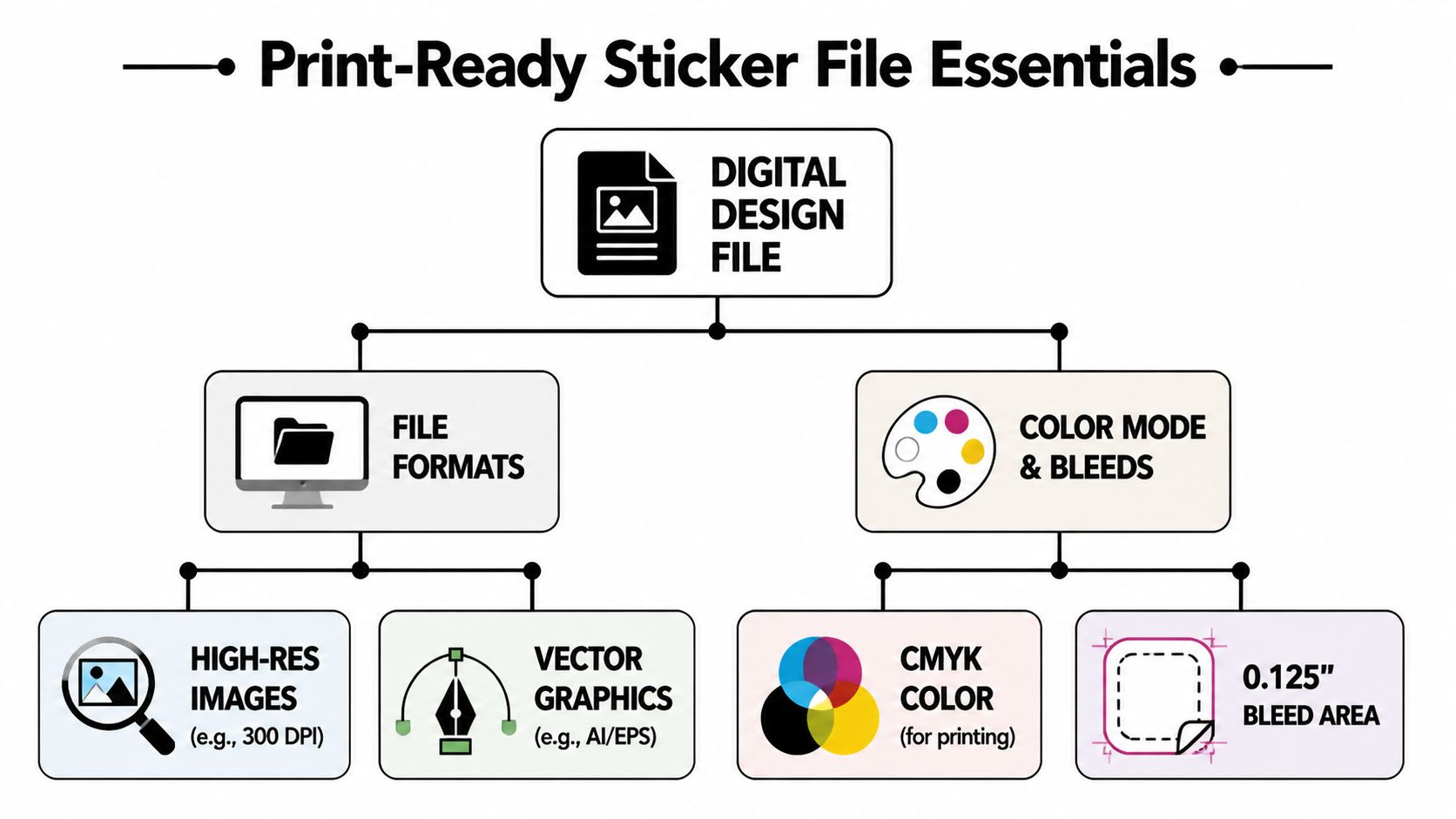
Use this as the standard. A minimum of 300 DPI is mandatory for professional-grade clarity, vector formats such as AI or SVG are superior because they scale without quality loss, and CMYK color mode is essential to reduce color shifts in printing, based on custom sticker file preparation guidance.
A quick visual helps.
Why 300 DPI is not optional
A file can look fine on a phone and still print badly. Screens forgive low resolution because they’re backlit and viewed at small sizes. Print doesn’t. Once ink hits material, every weak edge becomes visible.
If you enlarge a small web logo to sticker size, the pixels stretch. Curves look rough. Text gets fuzzy. Fine borders break down first, especially on small die-cut shapes.
Here’s the easy test. If your file came from a website, social profile, screenshot, or email signature, it usually isn’t the file you want for print.
- Use 300 DPI at final size: Build the file at the actual dimensions you plan to print.
- Avoid screenshots: They almost always create edge softness and muddy detail.
- Check tiny text carefully: A sticker may be small, but poor micro-type becomes unreadable fast.
Vector beats raster when logos matter
If your logo exists as AI, EPS, or SVG, you’re in good shape. Vector art uses paths instead of fixed pixels, so it scales cleanly. That’s why brand marks, icons, and lettering print more predictably from vector files.
Raster files like JPEG and PNG still have a place. They can work well for photos or finished artwork if they were exported correctly at full size and high resolution. The problem comes when someone grabs a small PNG and tries to stretch it into a production file.
A strong vector logo saves time on every future order. You can resize it, recolor it, and cut it into different shapes without rebuilding the art.
If your file isn’t ready, it’s often smarter to clean the artwork first instead of forcing the order through. For businesses that need help translating a rough concept into production art, graphic design support can be useful before the sticker order is finalized.
Later in the approval process, it also helps to watch a short production overview so the terminology makes sense.
CMYK prevents avoidable surprises
Design software usually defaults to RGB because screens use light. Printers use CMYK because they lay down ink. That mismatch is where surprises happen.
Bright screen blues, greens, and oranges can shift when converted for print. That doesn’t mean your design is wrong. It means the file was built for one medium and reproduced in another. Starting in CMYK keeps expectations closer to the final result.
A few habits prevent delays:
- Export a print-ready PDF when possible. It keeps layout elements more stable.
- Outline fonts or embed them. That prevents substitution problems.
- Keep cut lines separate from artwork. Production works faster when the shape is clearly defined.
- Ask for a proof if color is sensitive. Brand-critical jobs deserve one extra check.
Perfecting the Form Sticker Shape Size and Quantity
Shape changes how a sticker feels before anyone reads it. A circle looks familiar and easy. A custom contour can feel more premium. A rectangle often works hardest when you need information, ingredients, or a QR code. Good sticker printing custom isn’t only about artwork. It’s about how the piece is handled in everyday environments.
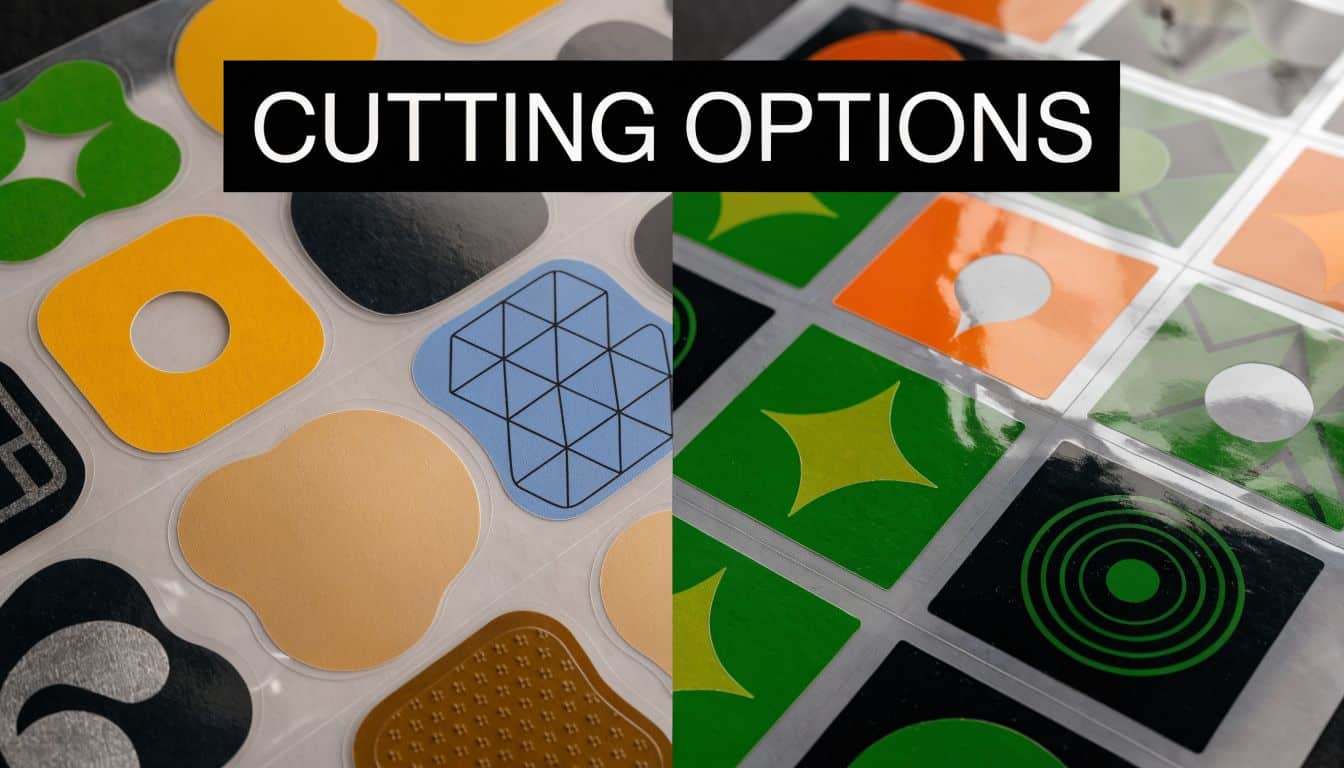
Die-cut versus kiss-cut
These two terms get mixed up all the time, but they solve different problems.
A die-cut sticker is trimmed to the exact outer shape of the design. If your logo is a cloud, bottle, or mascot silhouette, the finished sticker follows that outline. It looks clean and compact, especially for handouts, laptop decals, and retail inserts.
A kiss-cut sticker keeps the custom sticker shape, but only cuts through the sticker layer, not the backing paper. The liner stays larger and easier to hold. That makes kiss-cut pieces simpler to peel, especially for small or detailed shapes.
Choose based on use:
- Die-cut works well when presentation matters most and the sticker will be handed out one by one.
- Kiss-cut works well when ease of peeling matters, especially for intricate shapes or quick application.
- Standard shapes work well for labels that need speed, consistency, and easy placement on containers or mailers.
If staff members will apply dozens of stickers in a row, ease of peeling matters more than novelty. A shape that looks exciting but slows packing isn’t always the right production choice.
Size and quantity change the job
Sticker size affects more than appearance. It changes material use, how much artwork can fit, and how easy the sticker is to apply straight. A tiny label can look elegant, but only if the logo and text remain readable. A larger decal gives design room, but can overpower smaller packaging.
When customers are unsure, a few practical rules usually help:
- For lids and small packaging: keep the design simple and avoid cramming details.
- For shipping boxes: choose a size visible from arm’s length.
- For giveaways: bigger often feels more valuable, but only if the artwork supports it.
- For product labeling: let the container shape decide first. The sticker should fit the package, not fight it.
Quantity is the budget lever. Larger runs often make more sense when the design will stay consistent for a while. Short runs are better when you’re testing a seasonal product, trying a new brand look, or printing for one event.
Complex shapes can also influence production decisions. Fine points, thin borders, and tiny cut details may look great on screen but can become fussy in handling. In practice, simple shapes with well-spaced artwork usually deliver fewer headaches and a better finished piece.
Putting Stickers to Work Powerful Business Applications
A sticker earns its keep when it does a job beyond decoration. That could be closing a package, reinforcing a logo, identifying a product quickly, or giving a customer something they’ll actually keep.
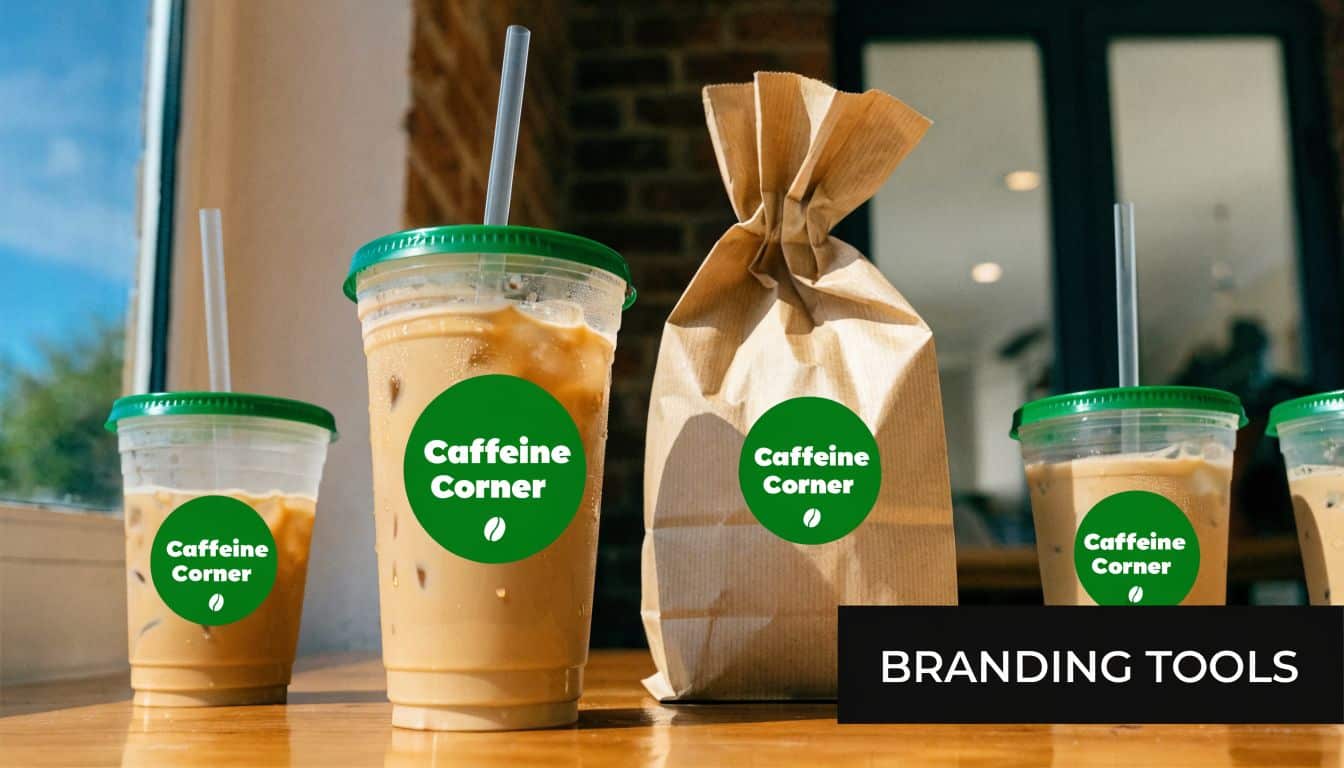
Business adoption reflects that practical value. A 2024 survey found that 72% of businesses cite stickers as a cost-effective tool for building brand identity and customer engagement, according to sticker and label market statistics.
Packaging that looks intentional
A local bakery is a classic example. Plain pastry boxes do the job, but a small branded seal on the top flap makes the package feel prepared instead of generic. It also gives the customer one more visual reminder of the brand before the box is opened.
The same goes for e-commerce sellers. A simple logo sticker on a shipping box, tissue wrap, or thank-you card can tighten the whole unboxing experience. You don’t need custom printed boxes for every order. A smart sticker placement can do a lot of that work.
For businesses that want to pair stickers with other branded handouts, promotional product options can help round out event kits, giveaways, and launch materials.
Promos events and leave-behinds
Service businesses often overlook stickers, but they can be useful after the job is done. A contractor, cleaner, tutor, or pet service can leave a branded sticker inside a folder, on a care sheet, or as part of a referral packet. It’s a low-pressure reminder that stays behind without feeling heavy-handed.
Real estate is another good fit. Open house folders, handout packets, and directional event materials all benefit from simple, readable branding. A sticker can unify those pieces fast, especially when materials come from more than one source.
A few strong uses show up repeatedly:
- Product labeling: jars, bottles, clamshell packaging, and boxed goods
- Shipping and fulfillment: box seals, thank-you decals, return packet branding
- Event promotion: giveaway stickers, sponsor table handouts, short-term campaign graphics
- Internal operations: quick brand-consistent labeling for bins, folders, and office materials
The most effective sticker is usually the one that supports an existing touchpoint. It improves a package, sign-in table, or handoff that already exists.
Your Local Solution Ordering at Business Mail Boutique
Online printers can be useful, but urgent orders often reveal their weak spot. The website may promise speed, yet the real timeline depends on proof approval, production cutoff times, and shipping. That gap matters when your event is tomorrow or the product launch is already scheduled. As noted in turnaround-time transparency concerns for sticker printing, local same-day service addresses a real problem for customers facing unexpected production or shipping delays.
Business Mail Boutique LLC serves Sugar Land customers effectively. The store handles custom vinyl stickers and related print jobs, which makes it a workable local option when you need direct file review, proofing, and pickup through custom vinyl sticker ordering in Sugar Land.
How to place the order cleanly
The smoothest orders usually follow a simple sequence.
- Start with the use case. Say where the sticker will go. Packaging, product label, box seal, window decal, or giveaway piece all point to different material choices.
- Send the best file you have. A vector logo, print-ready PDF, or full-size high-resolution art gives production a real starting point.
- Confirm size and cut style. Many delays happen at this stage. “Small” means different things to different people.
- Review the proof carefully. Check spelling, spacing, trim shape, and color intent before approval.
- Choose pickup or shipment based on the deadline. If the timing is tight, local pickup removes one major variable.
A customer ordering for the first time should also ask one plain question up front: “Is my file ready for print, or does it need cleanup?” That single question saves time.
Why local timing is different
The biggest advantage of ordering locally isn’t just speed. It’s visibility. You can clarify the job before it turns into a production issue. If the logo is too small, if the cut line is awkward, or if the chosen finish doesn’t fit the application, those problems can often be caught earlier.
That matters most for short-deadline work like pop-up events, market weekends, last-minute promos, and packaging updates after a rebrand. A direct conversation also helps when you want stickers to match other printed items, such as flyers, signs, or shipping materials.
For a first order, simplicity wins. Choose one clear design, one intended use, and one realistic deadline. Clean jobs move faster than complicated ones.
Custom Sticker FAQ and Final Tips
Can vinyl stickers handle outdoor use
Yes, vinyl is the usual choice when a sticker needs better resistance to handling, moisture, and weather. It is the material ideally suited for decals, bottle labels, and other tougher applications.
Can I use the logo from my website
Sometimes, but often not. Website files are commonly too small for print. If the only version you have came from a screenshot, social profile, or downloaded web image, expect quality issues unless the file is rebuilt or replaced with proper production art.
What file should I send first
Send the highest-quality original you have. A vector file is usually the strongest option for logos. If you don’t have that, send a full-size PDF or high-resolution image instead of a compressed image copied from the web.
What delays sticker orders most often
The usual culprits are unreadable artwork, missing approval on the proof, uncertainty about final size, and trying to force a screen graphic into print without checking quality first.
Is same-day service realistic
It can be, but only when the artwork is ready, the scope is straightforward, and production timing lines up. Rush jobs fail most often when customers assume “fast” means no file prep is needed.
Bring the deadline up first, not last. A print shop can usually tell you quickly whether the job is realistic if the file, quantity, and finish are clear.
The best final tip is simple. Treat your sticker like a real product, not a last-minute add-on. When the file is clean and the material matches the job, even a small sticker can make your business look far more established.
If you need help turning an idea into a print-ready sticker order, Business Mail Boutique LLC offers local printing, file review, and pickup options in Sugar Land. Bring the best artwork you have, your target size, and where the sticker will be used, and the order will move much more smoothly.

Related posts
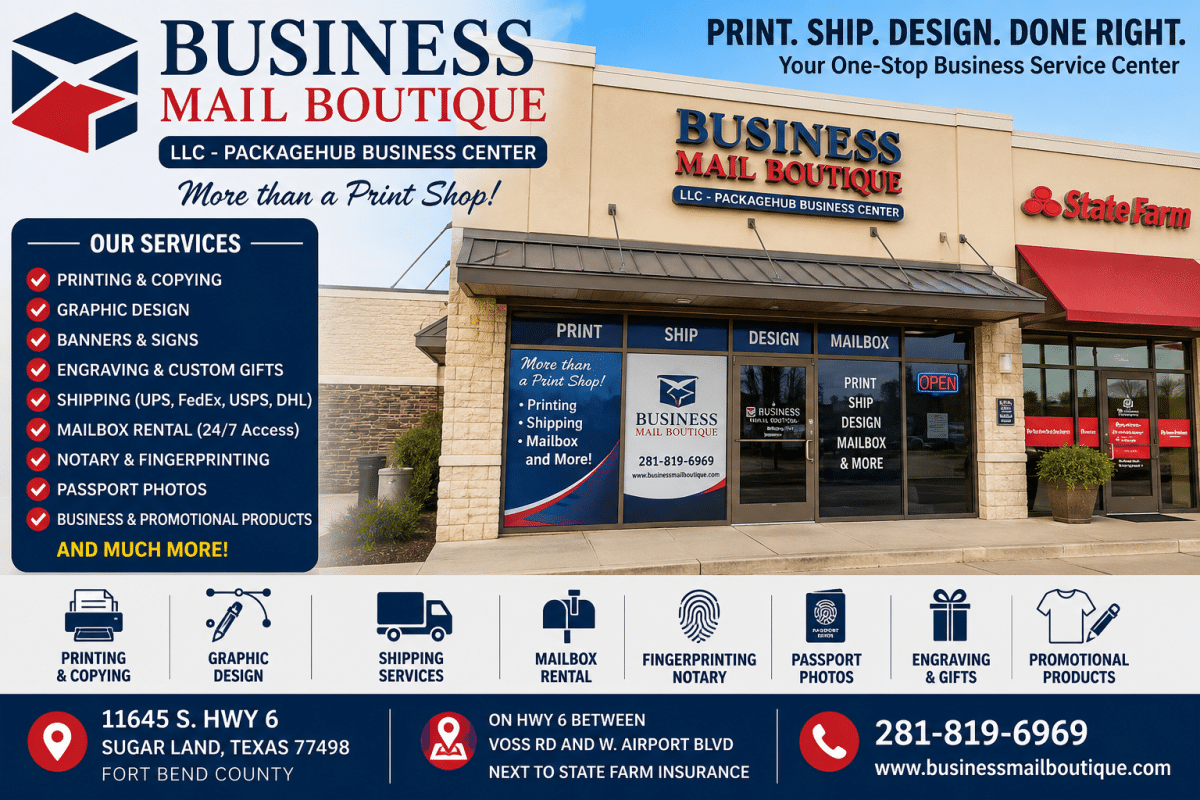

The Sugar Land Print Shop Guide for Businesses
The Sugar Land Print Shop Guide for Businesses
You’re probably here because something is due soon. The networking event is tomorrow. T...