
- Print Business Cards in Sugar Land – Same Day Service
- Copying Services
- Document Printing, Finishing & Lamination in Sugar Land
- Flyers
- Print Banner in Sugar Land | Same-Day Banner Printing Near Me
- Graphic Design
- Photo Printing
- Postcard Printing
- Document Printing
- EDDM Full Service Postcards
- FotoZoomer Large Format Printing


Trade Show Display Printing Your Complete Guide for 2026
Businessmailboutique, 11645 S. Hwy 6, Sugar land, Texas 77498, United States (US) - Phone: 281-875-0161 Email: info@businessmailboutique.com
Route
You’re probably staring at a booth order form, a floor plan, and a design file that looked fine on a laptop screen. Then the questions start piling up. What size backdrop fits the space? Will a fabric wall look sharp enough? How heavy is too heavy once shipping, drayage, and setup are involved? And if the printer says your file isn’t production-ready, how much time do you lose?
That’s where most first-time exhibitors get tripped up. They budget for the printed graphic, but not for the crate, the handling fees, the venue rules, the rushed corrections, or the extra labor caused by a display system that looked simple online and turns into a puzzle on the show floor. Trade show display printing isn’t just about getting something that looks good. It’s about choosing a setup that prints cleanly, travels well, goes up fast, and can be reused without constant repair or replacement.
A good display earns attention. A smart display also protects margin. If you treat the project as total cost of ownership instead of just print price, you’ll make better decisions from the start.
Table of Contents
- First Impressions Your Trade Show Foundation
- Choosing the Right Display Type and Size
- Preparing Flawless Print Ready Artwork
- Selecting Materials and Finishes That Last
- Budgeting for the Total Cost of Ownership
- Managing Production Timelines and Logistics
First Impressions Your Trade Show Foundation
A trade show booth has a short job description. Stop people, explain who you are fast, and make starting a conversation feel easy. If the booth looks improvised, attendees assume the business is improvised too.
That matters even more now because in-person events have regained their weight in B2B marketing. The U.S. B2B trade show market reached $15.8 billion in 2024, and 95% of exhibitors prefer in-person events according to trade show recovery data compiled by Wave CNC. If you’re showing up at all, you’re competing in a channel businesses are actively investing in again.
First-time exhibitors often focus on the hero graphic and ignore the operational side. That’s backwards. The better approach is to treat your display as a working asset with four jobs:
- Attract attention: Your booth has to read from the aisle.
- Support the sales conversation: Attendees should understand the offer in seconds.
- Travel without drama: Cases, hardware, and graphics should survive transport.
- Set up without surprises: Your team shouldn’t need an installer to fix basic fit issues.
Practical rule: If a display looks impressive online but needs specialized packing, complicated assembly, or constant touch-ups, it may be the wrong first purchase for a small business.
The best booths borrow from retail discipline. Clean hierarchy, restrained messaging, and clear sightlines work better than trying to cram every service onto one wall. If you want a useful primer on arranging products, visuals, and attention flow, these essential visual merchandising tips are worth reviewing before you finalize any artwork.
For many small businesses, the booth package also connects to the rest of their event collateral. Handouts, counter signs, flyers, sell sheets, and branded inserts should feel consistent with the main display, especially if you’re ordering multiple items through one marketing material printing service. Consistency makes a modest booth feel more established than a larger booth with mismatched pieces.
Choosing the Right Display Type and Size
The display type controls more than appearance. It affects how much you spend upfront, how you ship, how fast you set up, and whether the system still makes sense after your third event.
According to trade show display market analysis from Shelf Trend, 48% of exhibitors identify eye-catching displays as the most effective booth attraction strategy, and banner stands represent the highest opportunity segment because they’re versatile and portable. That tracks with what works in real booths. Portable systems win often because they lower risk, not because they’re flashy.
Match the display to the booth and the team
A banner stand works when you need a fast message near the aisle, a light travel load, and a setup one person can handle. A pop-up or modular backwall works when the booth itself needs stronger visual structure. Tabletop displays make sense when your event is tight on space or the show format keeps most interactions at the table.
The mistake is buying a large backdrop before answering two simple questions:
- Who is physically setting this up?
- How often will this display travel?
If the answer is “my small team” and “several times a year,” choose hardware that packs compactly, uses replaceable graphics, and doesn’t require tools or guesswork.
Trade Show Display Comparison
| Display Type | Best For | Portability | Avg. Cost | Setup Time |
|---|---|---|---|---|
| Retractable banner stand | First-time exhibitors, aisle messaging, secondary offers | High | Lower | Fast |
| X-banner stand | Short-term events and backup messaging | High | Lower | Fast |
| Tabletop display | Small booths, community events, check-in tables | High | Lower | Fast |
| Pop-up backdrop | Standard inline booths needing a branded rear wall | Medium | Medium | Moderate |
| Modular fabric wall | Repeated trade show use with a more polished footprint | Medium | Medium to higher | Moderate |
| Rigid panel display | Premium presentation where structure matters most | Lower | Higher | Slower |
The exact price depends on size, hardware grade, substrate, and shipping method, so I’d avoid choosing based on print price alone. “Lower” hardware that fits in a carry case can still be a better value than “medium” hardware that needs freight handling.
A first exhibitor looking for a low-risk option should take a hard look at retractable banner printing for portable roll-up displays. A good retractable banner won’t replace a full booth system, but it can anchor a small space, support a table setup, or act as a reusable side message even after you upgrade your main wall.
What usually works for first-time exhibitors
For a small inline booth, these combinations tend to be practical:
- Lean setup: One backdrop, one branded table cover, one banner stand.
- Travel-friendly setup: Two retractable banners and a table treatment.
- Conversation-led setup: Tabletop sign, counter graphic, and one vertical banner with a single call to action.
The best first booth is usually the one your team can assemble correctly without stress at the end of a long setup day.
What doesn’t work well is mixing too many display formats with too many messages. One main claim, one supporting proof point, and one next step usually outperform a wall filled with text.
Preparing Flawless Print Ready Artwork
A surprising number of booth problems begin before anything is printed. The file is too low resolution, the colors were built in RGB, the logo is embedded in a flattened image, or the fonts aren’t outlined. Then the printer has to stop, ask for revisions, and your timeline gets tighter.
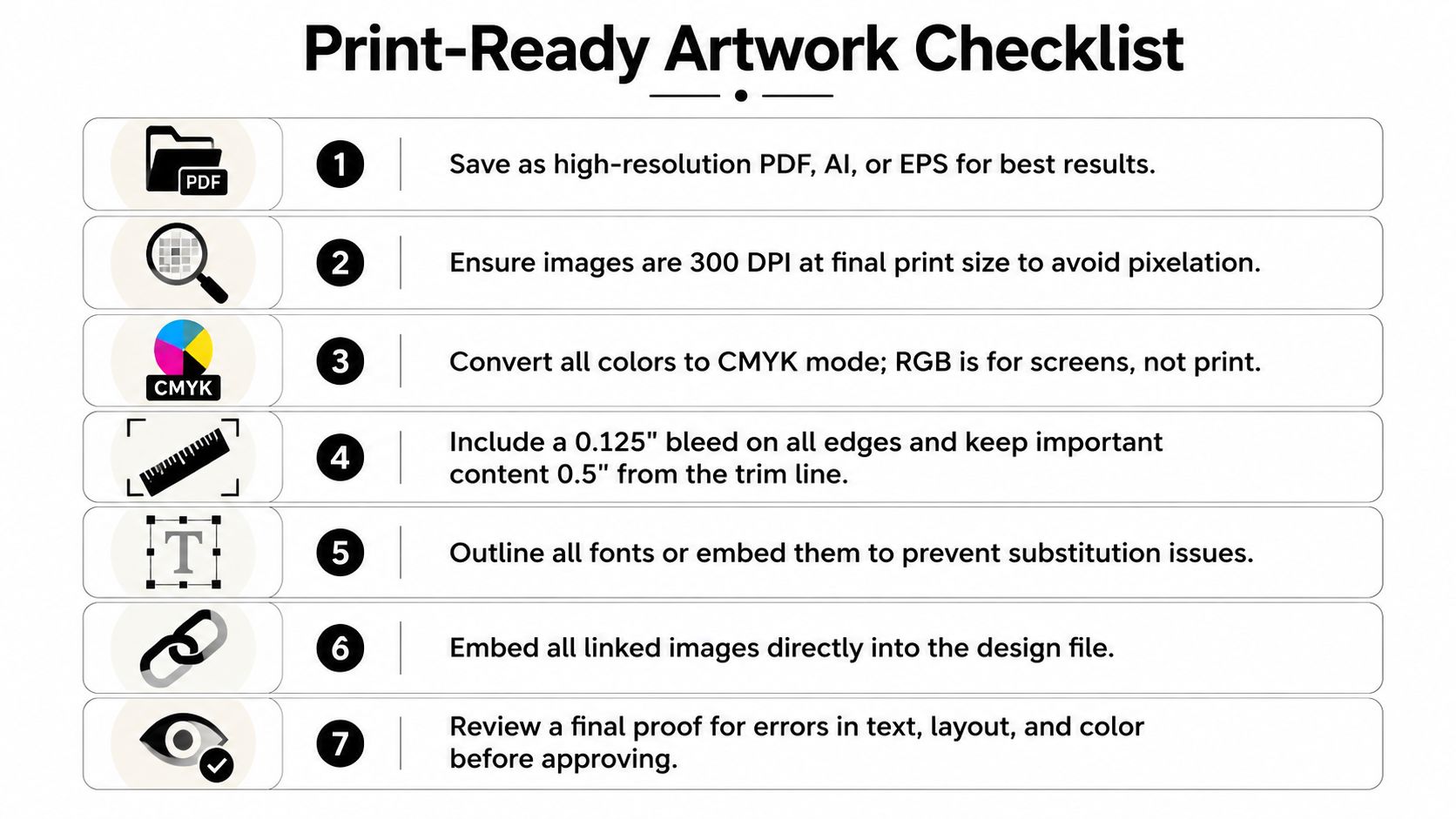
For large-format graphics, the standard benchmark is 100 dpi at full output size, and converting fonts to outlines prevents 30% of common preflight reworks according to print-ready guidance for trade show displays. That one step alone saves a lot of avoidable back-and-forth.
Build the file for print, not for a screen
The safest workflow starts in Adobe Illustrator or InDesign, especially if the display includes logos, icons, line art, or small text. Vector elements stay crisp at scale. Bitmapped images don’t. If you’re enlarging a web image to fill a backdrop, it will usually fail.
Use this working method:
- Set the file at scale. Large walls are often designed at a reduced percentage to keep the file manageable.
- Keep logos and text as vectors. Don’t flatten them into a low-quality image.
- Place photos carefully. Background photos can be bitmap, but they need enough effective resolution at final size.
- Export in the format your printer requests. AI, EPS, and press-ready PDF are common. For bitmap-heavy components, a clean TIF can also be appropriate.
A lot of beginners send a JPG exported from an online design app and assume that’s enough. Sometimes it is for a small poster. It often isn’t for trade show display printing, where the graphic may be viewed from several distances and stretched across hardware seams.
Use color and typography rules that prevent rework
Color problems show up fast under convention center lighting. If your brand uses a specific blue, red, or green, don’t leave that interpretation open to the printer.
Use Pantone values for critical colors when possible, and include the CMYK equivalents requested by your print partner. Keep in mind that screens lie. A file that looks right on a laptop can print differently on fabric, vinyl, or rigid board.
Typography deserves the same discipline. Before you package files:
- Outline all fonts: This turns text into shapes and avoids missing-font substitutions.
- Package linked assets: Include every linked image and support file.
- Check hierarchy at distance: A headline that reads well at desktop zoom may disappear in the aisle.
If your smallest text can only be read when someone is standing directly in front of the booth, it’s not booth messaging. It’s brochure copy.
A simple preflight routine before you send files
Use a short checklist before approval:
- Resolution check: Confirm images meet the required output quality for the final size.
- Color check: Make sure the file isn’t still in RGB if the printer needs CMYK and Pantone references.
- Outline check: Convert fonts before export.
- Link check: Don’t leave missing or outdated linked images in the package.
- Proof check: Review spelling, phone numbers, URLs, QR codes, and logo versions.
One more rule matters in real life. View the design as a person on the show floor will see it. Stand back from a printed proof if one is available, or at least reduce the layout to headline-level reading. If the value proposition doesn’t register quickly, revise the copy before print.
Selecting Materials and Finishes That Last
Material choice changes how the booth looks, how it packs, and how much abuse it can take between shows. In this situation, first-time buyers often chase the cheapest graphic option and end up with a display that creases easily, reflects too much light, or costs more to handle than expected.
Fabric and vinyl solve different problems
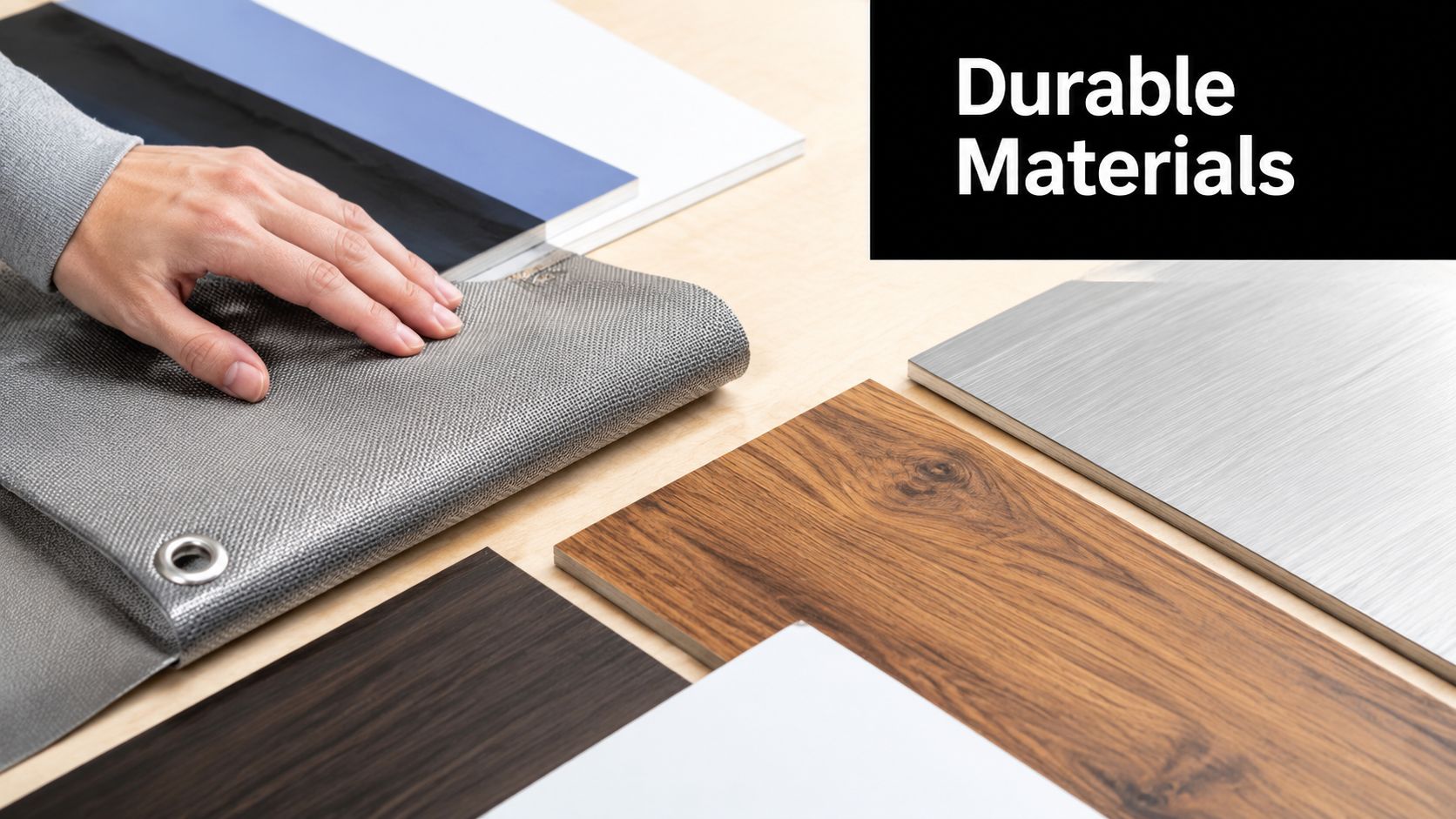
Fabric works well when you want lighter packing, a softer finish, and easier storage for repeat travel. It’s common for tension fabric systems, pillowcase-style backdrops, and modular walls. A wrinkle-resistant fabric graphic can also be easier to live with than a rigid piece that shows every scuff.
Vinyl is useful when you need a durable banner face, strong color density, or a more economical graphic for stands and hanging applications. But vinyl can be heavier, and some finishes show glare under overhead lights.
The substrate also affects color. The Pantone Matching System has a 95% success rate for color accuracy when values are included in design files, but color still needs to be checked on the chosen material because fabric and vinyl absorb ink differently, as noted in this guidance on banner color accuracy and Pantone workflow.
Finish affects readability more than most buyers expect
Gloss can make colors feel punchy, but it can also create reflections that fight your message. Matte usually reads better under harsh show lighting, especially for text-heavy graphics. Satin often lands in the middle.
Use these rules when deciding:
- Choose matte for readability: Better for text, product diagrams, and information-dense displays.
- Choose gloss carefully: Better for simple, bold visuals where shine won’t block the message.
- Ask for a material proof: Don’t approve color from a screen alone if brand consistency matters.
- Match the finish to the venue: Bright halls punish reflective surfaces more than controlled environments do.
A display isn’t durable just because the graphic stock is thick. Real durability comes from the combination of substrate, finishing, edge treatment, hardware fit, and how often the system will be packed and unpacked.
Budgeting for the Total Cost of Ownership
Most first-time budgets are wrong for one reason. They stop at the print quote.
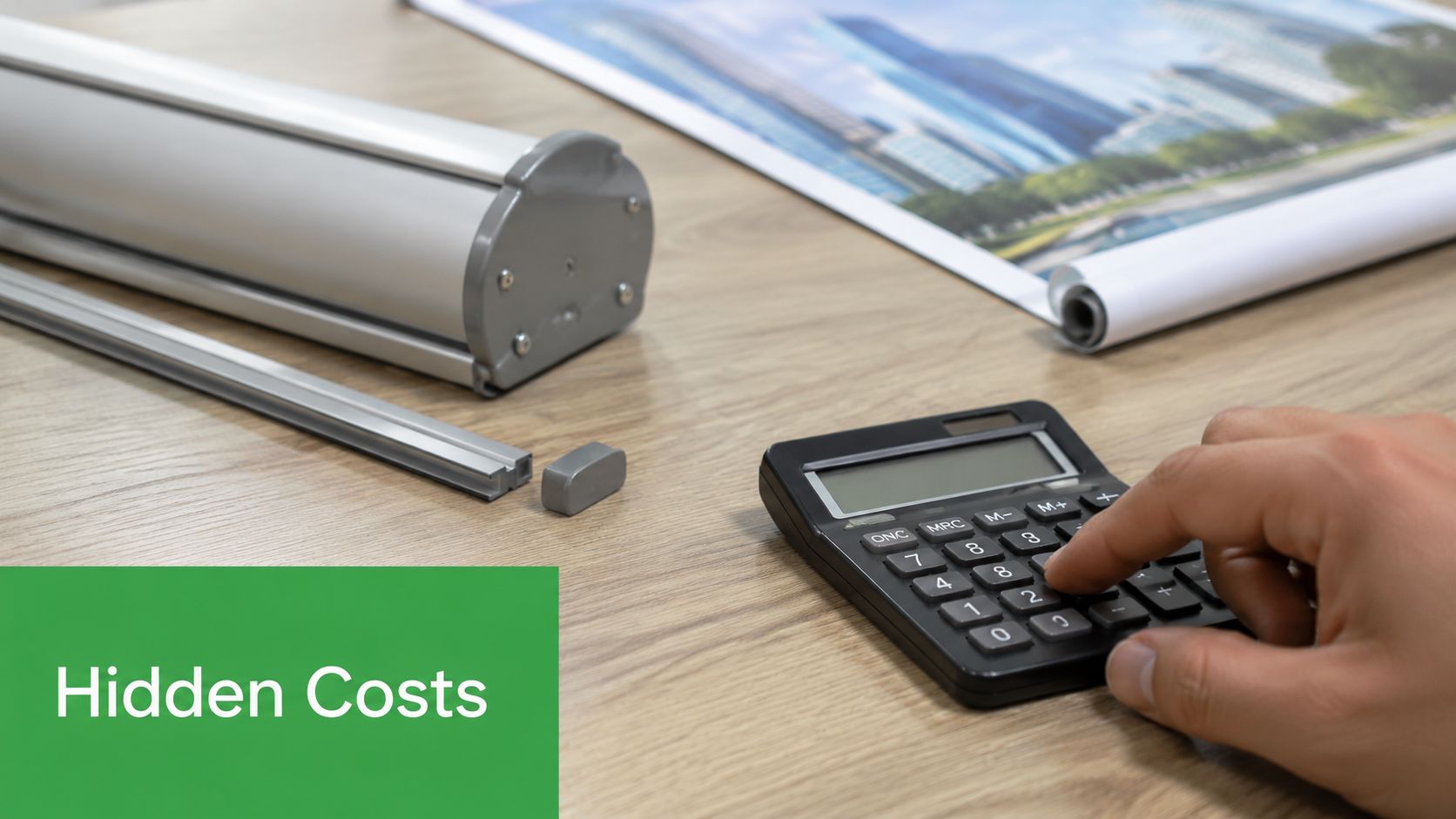
That’s a problem because hidden logistics costs can overtake the savings from buying a lower-cost display. A recent study found that 68% of small exhibitors underestimate their total display costs by over $2,400 due to hidden logistics expenses, often tied to shipping weight, crating size, and assembly labor. The source for that figure appears in the earlier print-prep research, and the lesson is straightforward: the cheapest display to buy isn’t always the cheapest display to own.
The print invoice is only one line item
When I help new exhibitors think through trade show display printing, I tell them to split the budget into two buckets.
The first bucket is what you buy. Hardware, graphics, replacement panels, protective cases, and proofs.
The second bucket is what the display makes you pay later. That includes freight class, oversized shipping, venue material handling, storage, setup labor, dismantle labor, and replacement costs when the system gets damaged or packed badly.
Here’s where the trade-off gets real:
- A larger rigid system may look impressive, but it often needs bigger cases, more careful packing, and more labor on site.
- A modular fabric system may cost more than a very basic banner setup, but it usually travels more efficiently and is easier for a small team to handle.
- A portable banner package may not create the same visual wall, but it can dramatically reduce stress for companies testing events for the first time.
Cost filter: Before approving any display, ask how it ships, who can assemble it, what replacement graphics cost, and whether the booth can be reused without hiring outside help.
A practical way to budget before you order
Use a simple ownership worksheet with five lines:
| Cost Area | What to ask |
|---|---|
| Print and hardware | Is the quoted system complete, or are accessories separate? |
| Packing and shipping | Does it ship parcel, oversized parcel, or freight? |
| Venue handling | Will the crate or case trigger higher handling complexity? |
| Labor | Can your staff install it, or will you need show labor? |
| Reuse and updates | Can you replace only the graphic later, or the whole system? |
This approach changes buying decisions fast. A startup doing one local expo may be best served by a retractable banner, table cover, and lightweight backdrop. A company with a yearly event calendar may be better off buying a reusable modular frame once and swapping graphics as campaigns change.
What doesn’t pencil out is paying for premium presentation while ignoring all the support costs that follow it around.
Managing Production Timelines and Logistics
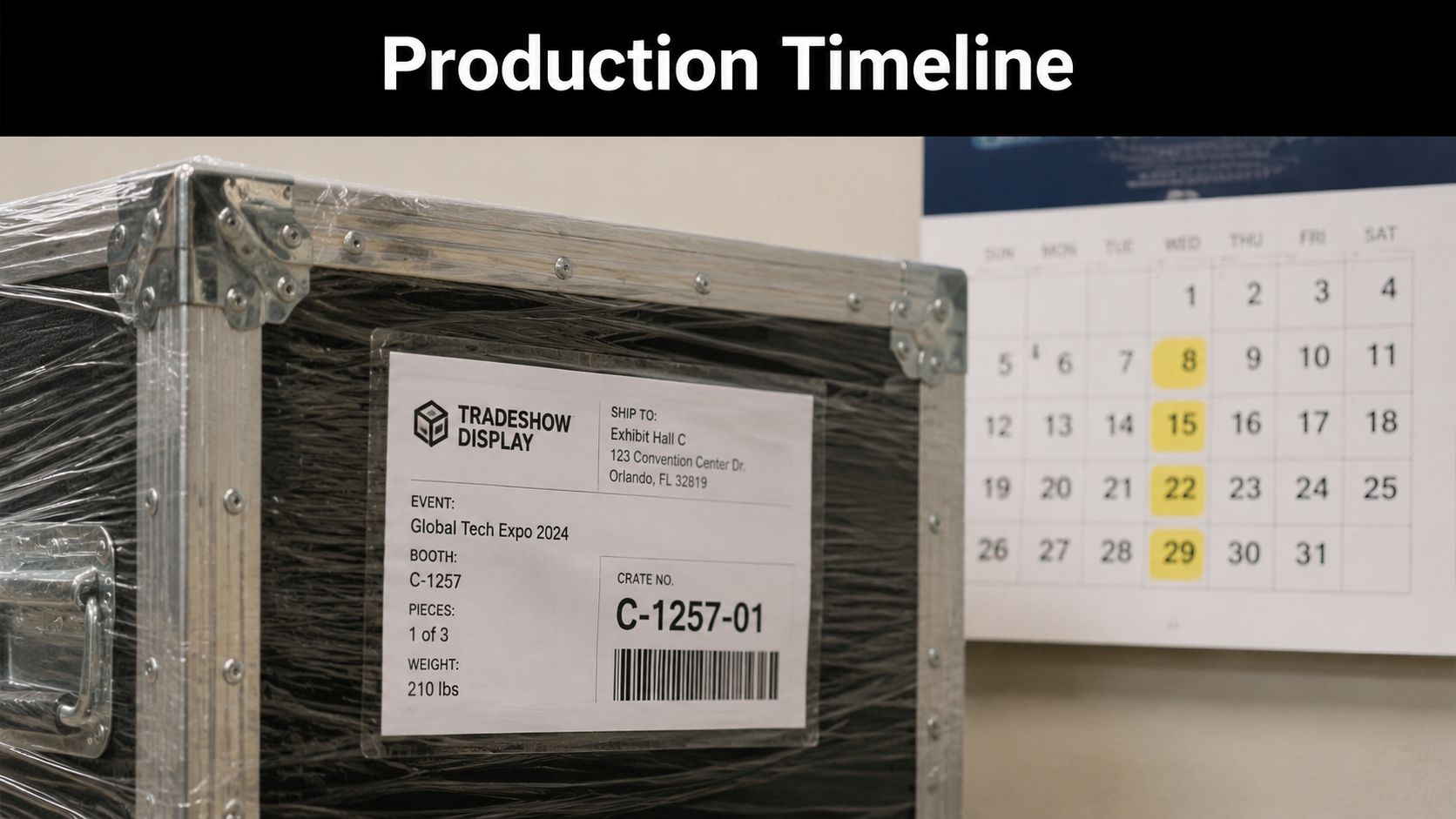
Late files create expensive problems. Even a good printer can’t protect you from a chain reaction that starts with delayed approvals, missing logos, or artwork revisions after production has already been scheduled.
Build buffer into every handoff
Trade show work always involves multiple handoffs. Design approval, file check, printing, finishing, packing, shipment, venue receipt, and booth setup. If one stage slips, the next one gets compressed.
Build extra time into the schedule for:
- File corrections: Even well-prepared art sometimes needs adjustment.
- Proof approval: Decision delays are common on team projects.
- Shipping surprises: Weather, carrier delays, and venue receiving cutoffs can all interfere.
- Replacement needs: A missing bracket or damaged panel is less painful when you’re not already out of time.
For local exhibitors, pickup can be easier than shipping because it removes a whole layer of risk. If you’re working on a compressed timeline, it also helps to understand how rush printing options can support same-day or urgent jobs.
Final logistics checks before show day
Run a final checklist before anything leaves for the event:
- Confirm venue rules: Check delivery windows, receiving labels, and material handling instructions.
- Label every component: Cases, graphics, hardware, and setup instructions should all be easy to identify.
- Print a setup guide: Photos of the assembled booth save time on site.
- Pack repair basics: Bring spare fasteners, tape, cleaning cloths, and one backup graphic if the show matters enough.
- Verify return packing: Make sure the team knows how to repack the booth correctly after the event.
A booth rarely fails because the design was weak. It usually fails because the process was loose.
If you need a local partner for banners, event graphics, packing, shipping, or last-minute print support, Business Mail Boutique LLC offers one-stop help in Sugar Land. That combination matters when a trade show project involves more than ink on a substrate. It involves deadlines, safe packing, pickup coordination, and getting every piece ready to travel without guesswork.

Related posts

Perfume Bottle Engraving Sugar Land | Same-Day Service
Same-Day Perfume Bottle Engraving in Sugar Land.
Custom Perfume Bottle Engraving in Sugar Land — Same-Day Personalized Gifts
Make a...

Leather Portfolio Engraving in Sugar Land | Custom Initials
Custom Leather Portfolio Engraving in Sugar Land: Personalized Initials for Corporate Gifts
A professional portfolio is something ...

Corporate Watch Engraving in Sugar Land | Business Mail Boutique
Custom Watch Engraving in Sugar Land: Meaningful Gifts for Employee Appreciation
A personalized watch can turn a company’s thank-you i...