
- Print Business Cards in Sugar Land – Same Day Service
- Copying Services
- Document Printing, Finishing & Lamination in Sugar Land
- Flyers
- Print Banner in Sugar Land | Same-Day Banner Printing Near Me
- Graphic Design
- Photo Printing
- Postcard Printing
- Document Printing
- EDDM Full Service Postcards
- FotoZoomer Large Format Printing


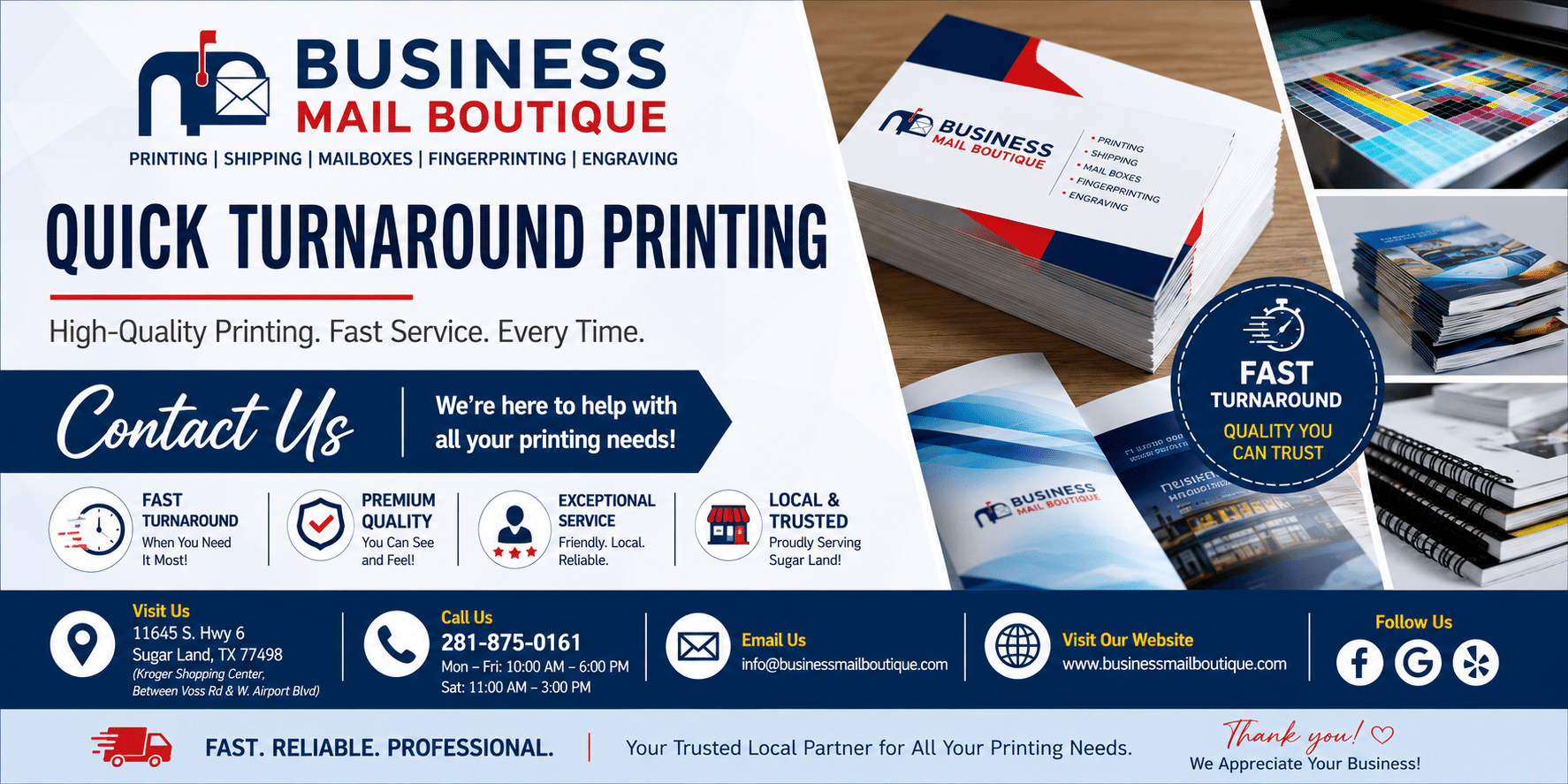
Quick Turnaround Printing
Need quick turnaround printing? Our 7-step guide covers file prep, materials, and rush orders to get business cards, banners, and flyers fast in Sugar Land.
Businessmailboutique
11645 S. Hwy 6
Sugar land, Texas 77498 United States (US)
Email: info@businessmailboutique.com
Route
Need prints now? That rush feeling usually starts with a client call, a venue change, or a stack of business cards that’s suddenly gone. In a fast-moving week, quick turnaround printing is less about convenience and more about keeping a meeting, launch, or event from slipping. The best way to avoid a scramble is to know which print services move fast, what slows them down, and which local options can get a job finished without wasting time.
Table of Contents
- 2. Step 2: Use Wide-Format for Oversized Needs
- 2. Step 2 Leverage Wide-Format for Oversized Needs
- 4. Step 4 Use Online Ordering for 24/7 Convenience
- 4. Step 4 Use Online Ordering for 24/7 Convenience
- 5. Step 5 Add a Personal Touch with Variable Data Printing
- 6. Step 6 Don’t Forget Express Finishing Services
- 7. Step 7 Plan for Rush Orders and Priority Processing
- 7-Point Quick-Turnaround Printing Comparison
- Your Local Partner for Quick Printing in Sugar Land
2. Step 2: Use Wide-Format for Oversized Needs
A rush job stops being simple the moment the piece has to be read from across a room. Blueprints, site plans, maps, posters, and presentation boards depend on wide-format printing when the file needs to be enlarged without losing clarity or becoming hard to read. For contractors, developers, and event teams, that can keep a meeting, review, or on-site presentation on track instead of stalling while someone waits on a reprint.
Local production makes that faster. Business Mail Boutique offers wide-format printing services for Sugar Land businesses and FotoZoomer support for enlarged photos and technical documents, which helps when clarity matters as much as turnaround time. That matters for construction teams carrying plans to a jobsite, engineers sharing technical drawings with clients, and marketers ordering large graphics without risking shipping delays.
Send the right file type early. Convert CAD or drawing files to PDF before submission, confirm the final dimensions, and choose a finish that fits the setting. If the piece will be viewed under bright lights or handled often, matte stock can reduce glare and make details easier to see. Glossy stock can give photos more punch, but it may reflect light in a way that works against readability.
If the piece will sit under bright lights or get carried around, matte usually avoids the glare that can hide fine lines and notes.
2. Step 2 Leverage Wide-Format for Oversized Needs
Oversized printing changes the game when the job isn’t a stack of handouts but a visual that has to be seen from across a room. Blueprints, site plans, maps, posters, and presentation boards all benefit from wide-format printing, especially when the original file needs to be enlarged without turning blurry or unreadable. A well-run wide-format workflow also helps contractors and developers avoid printing delays that can throw off a site meeting or permit review.
Local production matters. At Business Mail Boutique, wide-format output and FotoZoomer support enlarged photos and technical documents for customers who need clarity as much as speed. That matters for construction teams carrying plans to a jobsite, engineers showing technical drawings to clients, and marketers ordering large event graphics that can’t be left to shipping delays.
The easiest way to keep an oversized job on schedule is to send the right file type early. Convert CAD or drawing files to PDF before submission, confirm exact dimensions, and choose a finish that matches the room or environment.
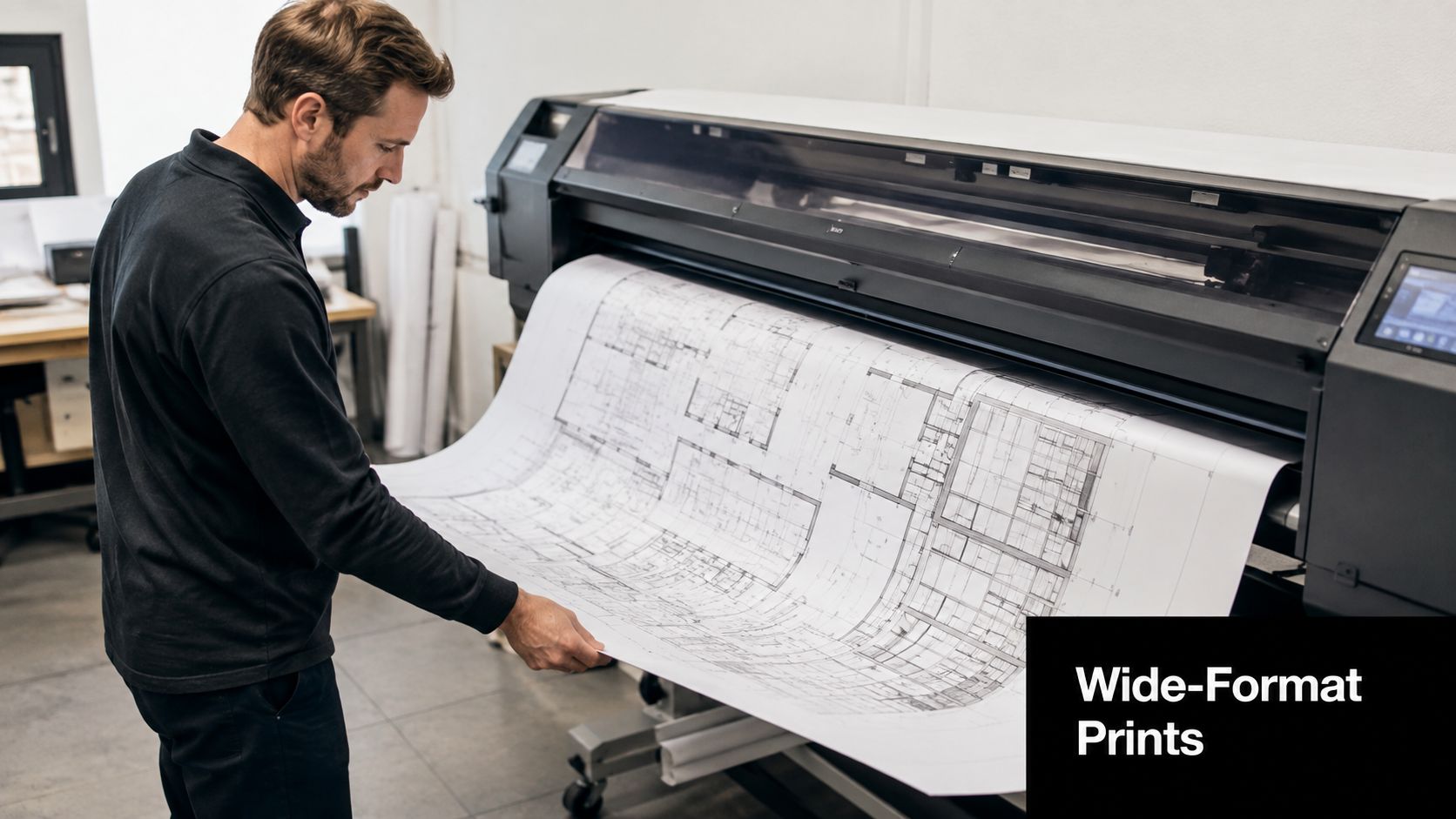
If the piece will sit under bright lights or get carried around, matte usually avoids the glare that makes technical details harder to read.
A few field-tested habits keep wide-format jobs from getting redone:
- Confirm the finished size first: Measure the wall, stand, board, or easel before you submit the file.
- Check legibility at distance: What reads on your laptop may not read across a conference room.
- Ask about storage and transport: Rolled prints stay cleaner when they’re kept vertical rather than flattened and creased.
- Use local pickup for deadlines: A courier miss is still a miss, even if the print itself was done on time.
For Sugar Land businesses, wide-format printing services are a practical answer when the deadline is tight and the output has to look clean at large scale.
4. Step 4 Use Online Ordering for 24/7 Convenience
Online ordering cuts a lot of friction out of rush printing. You can upload files, choose specs, and submit payment without waiting for a counter visit, which helps when you are finishing a presentation late at night or pulling together event materials before the shop opens. It also keeps remote approvals moving, since the person signing off on the order does not need to be in the store.
The main advantage is control. You can save default settings, reuse past jobs, and avoid the back-and-forth that comes with an incomplete order. For a rush job, that saves time in the part of the process that usually slows people down before the press even starts.
At Business Mail Boutique in Sugar Land, I see this work well for businesses and residents who need quick turnaround without extra trips across town. A sales team can reorder approved collateral in a few clicks, and a small business owner can place a same-day request from home, then choose local pickup instead of waiting on shipping. That keeps the job inside the same day and removes one more point where delivery can slip.
Online ordering also helps if you handle digital files regularly. If you sell artwork, manage downloadable assets, or keep print-ready files organized for repeat use, the Exclusive Addons selling guide is a useful reference for keeping those assets easy to store, retrieve, and submit when a print request comes in fast.
Use a few habits to make online ordering work in your favor:
- Create the account early: Save your contact info and default sizes before the urgent job shows up.
- Upload complete files: Rough drafts slow the order down, and missing fonts or low-resolution images can create a hold.
- Name files clearly: Use a format that tells the shop what the piece is, what version it is, and which size you need.
- Choose pickup if timing is tight: Local pickup avoids shipping delays and gives you a direct handoff when the job is ready.
- Save approved versions: Keep the final file and order details together so the next reprint moves faster.
4. Step 4 Use Online Ordering for 24/7 Convenience
Online ordering takes a lot of friction out of rush printing because it lets you upload files, choose specs, and submit payment without waiting for a counter visit. That matters when you’re finishing a presentation at night or pulling together event materials before the shop opens. It also helps remote teams, because the person approving the order doesn’t need to be standing in the store to keep the process moving.
The biggest advantage is control. You can save default settings, reuse past jobs, and avoid the back-and-forth that happens when someone calls with an incomplete order. For a rush job, that speed matters just as much as press time.
Businesses that rely on repeat collateral get the most out of this setup. A sales team can reorder approved pieces in a few clicks, while a small business owner can submit a same-day request from home and choose local pickup instead of waiting on shipping. That keeps the job inside the same day instead of letting delivery add another variable.

Use a few habits to make online ordering work in your favor:
- Create the account early: Save your contact info and default sizes before the urgent job shows up.
- Upload complete files: Rough drafts create delays that often wipe out the benefit of online submission.
- Pick local pickup when timing matters: Shipping can turn a same-day goal into a next-day problem.
- Watch for confirmation messages: Proof approval, payment, and completion updates should all be easy to find.
Business Mail Boutique’s online ordering flow is useful for customers who need a quick local handoff, especially when the job has to move before noon. The point of the system is simple, fewer steps between your file and the print queue.
5. Step 5 Add a Personal Touch with Variable Data Printing
Variable Data Printing, or VDP, gives you a fast way to personalize a piece without slowing the press down for each individual version. Names, addresses, codes, photos, and custom messages can change from one printed piece to the next while the production run keeps moving. That makes VDP a smart option for direct mail, event invitations, conference packets, and neighborhood outreach.
The best use cases are the ones where personalization supports action. A real estate agent can send address-specific mailers, an agency can customize invitations by attendee, and a conference team can put attendee names or track information on event materials. The printed piece feels more relevant, and the workflow still stays efficient.
The catch is data quality. A clean VDP job depends on a clean spreadsheet, consistent field names, and proofing before the full run starts. If the list has messy entries, mismatched columns, or missing names, the production team has to stop and fix problems that should have been caught earlier.
I always recommend a sample proof with real-looking variations before the run begins. It’s a small step that can save a much larger reprint problem later, especially when QR codes or tracking numbers need to land in the exact right place. If the layout is tied to response tracking, make sure the identifiers are unique and readable before you approve anything.
Good VDP saves time because the personalization is prepared before printing starts, not corrected after the job is underway.
The practical value here is simple. You can still move quickly, but the message feels more targeted than a generic run of the same brochure or card.
6. Step 6 Don’t Forget Express Finishing Services
A printed sheet is not always a finished product. Lamination, binding, collating, and similar finishing steps turn a stack of pages into something ready for a client meeting, counter display, fundraising packet, or training handout. When the print shop can handle finishing the same day, you avoid the common mistake of getting the pages printed only to discover the final assembly will take another trip.
The right finish depends on how the piece will be used. Laminated menus and price lists hold up better on counters and in busy hands. Bound programs look far more polished for conferences and community events. Collated packets save staff time because the pages arrive in the right order instead of in mixed stacks.
This is also where planning ahead pays off. Binding style affects layout, lamination can change the effective edge of the design, and some pieces need bleed room so the final trim doesn’t cut into important text. A small sample piece can catch problems before the whole run is processed.
If you’re handling a rush job for an outdoor event or a piece that gets touched often, finishing is not optional. It’s what protects the print from moisture, fingerprints, and wear. That’s why businesses often combine the print and finish in one order instead of treating them as separate errands.
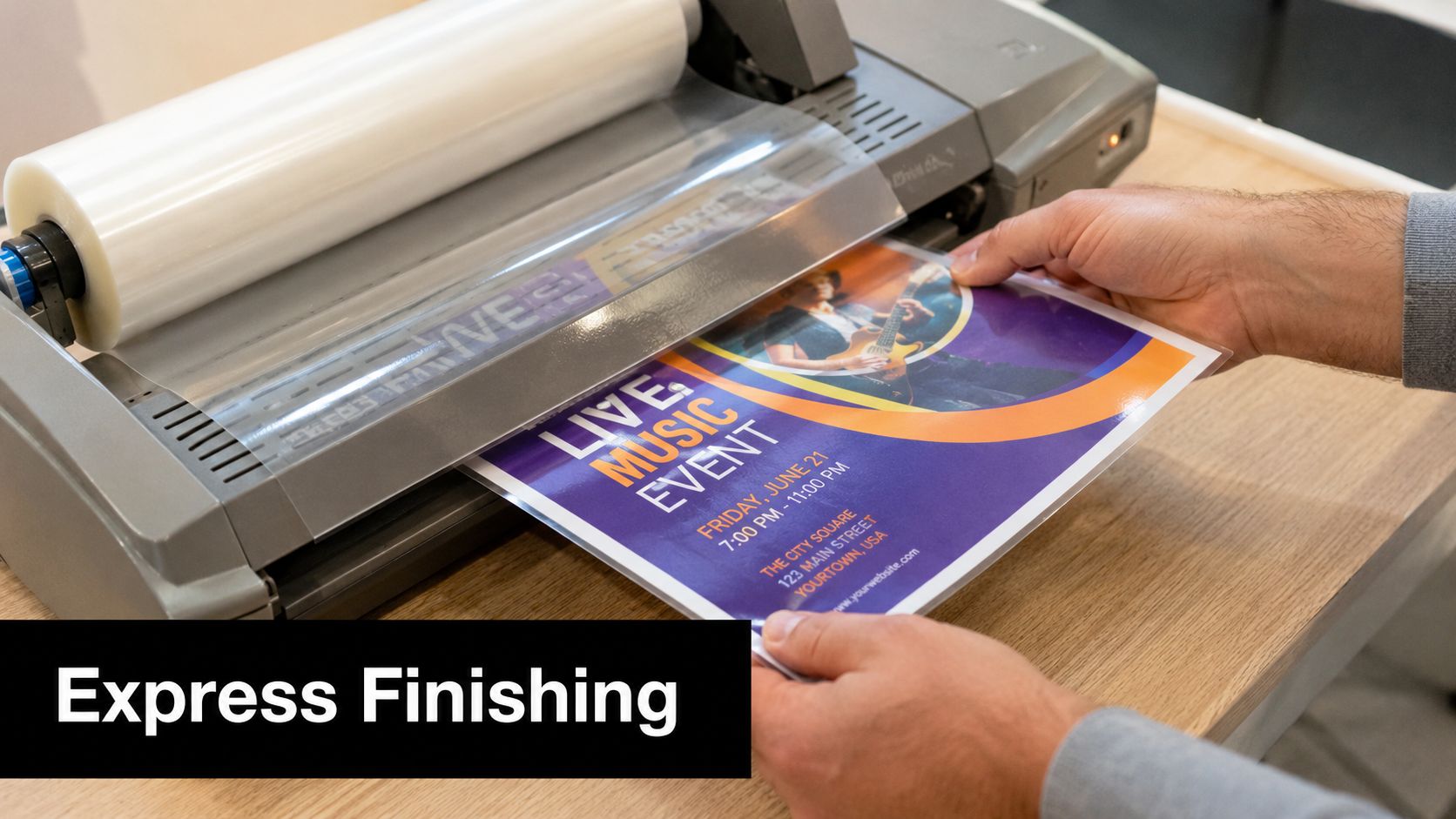
When the shop can do it all together, the result feels finished instead of improvised. That’s a better outcome for anyone handing materials to a client, a board, or a room full of guests.
7. Step 7 Plan for Rush Orders and Priority Processing
Rush printing works best when the shop knows the job is urgent before the file hits production. Priority processing usually depends on clear communication, a complete file, and a realistic completion time that the printer can honor. If the order is missing art, proof approval, or pickup details, the clock starts working against you immediately.
Call ahead before you submit the job, especially when the deadline is same-day. That call lets the shop confirm capacity, ask for the right file format, and tell you whether the request fits the schedule. It also prevents the common mistake of assuming every “rush” request gets the same treatment.
Business Mail Boutique’s rush printing guide fits the way real deadlines work in Sugar Land. A business owner may need cards for a morning meeting, a marketing team may need an emergency banner after an event change, or a sales rep may need corrected collateral before a presentation. In those moments, the goal is not just speed. It’s a confirmed finish time.
A few habits keep rush processing clean:
- Send final files only: A rough draft invites proof cycles you may not have time for.
- Ask for confirmation in writing: A clear pickup time avoids confusion later.
- Choose local pickup whenever possible: It removes shipping risk from the deadline.
- Build a working relationship: Repeat customers are easier to help quickly because the shop already knows their standards.
Fast jobs go smoother when the printer is treated like a production partner, not a last-minute rescue line.
That mindset matters in local print work. When the communication is clear, the file is ready, and the timing is realistic, a rush order can move from stressful to routine.
7-Point Quick-Turnaround Printing Comparison
| Service | Core features | Speed & Quality | Value & Price | Best for | Unique selling point |
|---|---|---|---|---|---|
| Step 1: Same-Day Digital Print-on-Demand | Zero-plate setup; variable-data; multiple stocks; direct file-to-print | Same-day (2–4 hrs) ★★★★, good quality, limited Pantone | ? Cost-effective for 50–5,000; no plate fees | ? Small businesses, startups, event organizers | ✨ Instant turnaround; ? Ideal for urgent short runs |
| Step 2: Wide-Format for Oversized Needs | Up to 56″ prints; high-res (up to 2400 DPI); CAD/PDF support | Fast same-day for standard sizes ★★★★★, technical accuracy maintained | ? Moderate (equipment-backed); cost-effective vs traditional blueprints | ? Contractors, architects, engineers, real estate pros | ✨ FotoZoomer large-format clarity; ? Precision for technical prints |
| Step 3: Pre-Made Design Templates | Hundreds of templates; drag-and-drop; pre-sized; brand kit | Design in minutes ★★★, professional output if customized | ? $0–50 per template; very affordable vs custom design | ? Entrepreneurs, small business owners, non-designers | ✨ Rapid DIY design; ? Cuts design time dramatically |
| Step 4: Online Ordering (24/7) | 24/7 uploads; real-time status; automated preflight; mobile payments | Convenient, faster processing than phone ★★★★; tracking & confirmations | ? Transparent pricing; saves time, rush fees may apply | ? Busy entrepreneurs, remote workers, distributed teams | ✨ Order anytime + real-time tracking; ? Remote rush ordering |
| Step 5: Variable Data Printing (VDP) | Auto text/image swap; CSV/Excel import; barcode/QR per item | High-volume personalization in hours ★★★★, boosts response rates | ? Same per-piece cost; setup fees $50–200 for projects | ? Marketers, real estate agents, event organizers | ✨ One-pass personalization at scale; ? Higher campaign ROI |
| Step 6: Express Finishing Services | Lamination, binding, die-cut, scoring, collating; same-day options | Polished, durable results; may add 2–4 hrs ★★★★ | ? Extra per-piece cost; increases perceived value | ? Professionals, event planners, marketing teams | ✨ Same-day finishing; ? Delivers ready-to-use finished products |
| Step 7: Rush Orders & Priority Processing | Priority queue; expedited proofing; guaranteed completion tiers | Guaranteed same-/next-day turnaround ★★★★★, dedicated rush handling | ? Premium pricing (+20–50%); limited capacity during peaks | ? Event organizers, sales teams, emergency requests | ✨ Guaranteed turnaround & direct production contact; ? Reliability under time pressure |
Your Local Partner for Quick Printing in Sugar Land
Successfully getting quick turnaround printing done comes down to preparation, clear communication, and choosing a local printer that can handle both the press run and the finish. Digital printing, wide-format output, templates, online ordering, variable data, express finishing, and rush processing all help, but they only work when the file is ready and the deadline is realistic. The fastest jobs are usually the ones that arrive complete, not the ones that need to be rebuilt after submission.
In Sugar Land, Business Mail Boutique serves as a practical one-stop option for urgent print needs. The shop handles same-day business cards, flyers, banners, posters, yard signs, decals, photo prints, and wide-format engineering blueprints through FotoZoomer, along with other office services that help local businesses and residents keep moving. That makes it a useful stop when a deadline is close and you’d rather solve the whole job in one place than split it across multiple vendors.
Local service also matters when timing is tight. A nearby storefront gives you a chance to confirm details, avoid shipping delays, and pick up finished materials without waiting on a carrier. For many rush jobs, that local handoff is the difference between making the deadline and missing it by a day.
If you’ve got an event tomorrow, a meeting this afternoon, or a print piece that can’t wait, bring the file in as soon as it’s ready and ask the shop what can be produced today. The earlier the order is placed, the easier it is to protect your deadline and keep the job simple.
Need a rush print job handled in Sugar Land without the guesswork? Business Mail Boutique LLC can help with same-day business cards, flyers, banners, blueprints, finishing, and local pickup when time matters most. Visit Business Mail Boutique LLC to get your file moving and talk through the fastest path for your order.

Related posts

Custom Memorial Glasses Engraved in Three Hours in Sugar Land
When a customer needed eight personalized glasses for a memorial, Business Mail Boutique completed the engraving or...

Custom Martini Glass Engraving in Sugar Land, TX
Custom Logo Engraving on Martini Glasses in Sugar Land, Texas.
Business Mail Boutique recently completed a beautiful custom engravin...

Custom Engraved Wine Glasses for a Golf Club Event in Sugar Land, TX
Custom Engraved Wine Glasses for a Golf Club Event in Sugar Land.
Custom wine glass engraving in Sugar Land, TX at Business Mail Bouti...