
- Print Business Cards in Sugar Land – Same Day Service
- Copying Services
- Document Printing, Finishing & Lamination in Sugar Land
- Flyers
- Print Banner in Sugar Land | Same-Day Banner Printing Near Me
- Graphic Design
- Photo Printing
- Postcard Printing
- Document Printing
- EDDM Full Service Postcards
- FotoZoomer Large Format Printing


Concealed Carry Fingerprinting.
Learn everything you need to know about concealed carry fingerprinting, including requirements, process, and tips for a smooth application in 2026.
Businessmailboutique
11645 S. Hwy 6
Sugar land, Texas 77498 United States (US)
Email: info@businessmailboutique.com
Route
You’re at the counter with a government ID in one hand and a permit form in the other, and the clerk is pointing at a fingerprint box you’ve never seen before. That’s the moment you realize concealed-carry paperwork isn’t just about filling in names and dates. The fingerprint step is where the application becomes an identity check, and if you get the method wrong, you can waste a trip, slow the file down, or force a resubmission.
Table of Contents
- What Concealed Carry Fingerprinting Actually Does
- Live Scan vs Ink and Card Fingerprinting
- What to Bring and How to Prepare Before You Go
- Your Appointment From Check-In to Capture
- Costs, Fees, and Real Processing Timelines
- Where Your Prints Go After You Leave
- Common Mistakes That Get Prints Rejected
What Concealed Carry Fingerprinting Actually Does
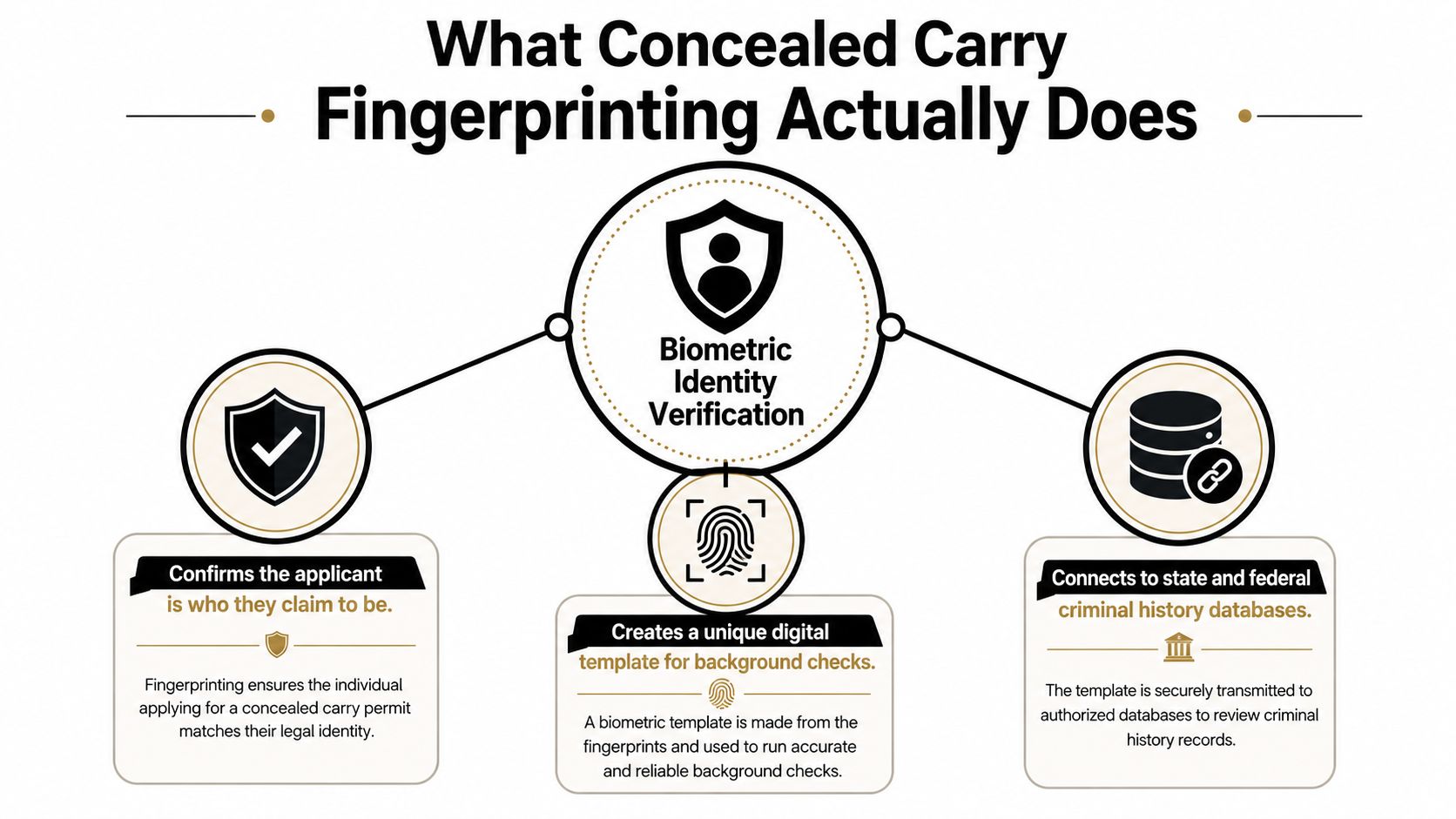
A lot of applicants walk up to the counter thinking fingerprinting is just another box to check. It isn’t. It’s the step that connects the person standing there to a criminal-history record system that’s broader and more automated than a name-only search can be.
The identity check behind the paperwork
The reason concealed-carry fingerprinting matters is simple, it ties an applicant to a unique biometric identity. That matters because U.S. fingerprint-based criminal-history systems grew dramatically from the mid-1990s to the mid-2010s, and that growth made identity checks much more reliable. In 1995, state criminal-history repositories held over 49 million records, and 86% were automated. By the end of 2014, those repositories held almost 106 million records with a 95% automation rate. Over the same period, the number of individual offenders in state files increased by 112%, while the number of person records accessible through the FBI’s Interstate Identification Index rose by 473%. OJP historical criminal-history repository data
That’s the practical reason fingerprinting exists in the permit workflow. It links the application to a much larger, more standardized identity network than a handwritten name ever could.
Why this step still matters at the counter
I’ve seen applicants arrive with every form completed except the fingerprint rule for their state. That’s where delays start. Some jurisdictions want prints electronically, some want a card, and some want the prints routed to a state agency before any licensing decision moves forward.
If you’re wondering how a permit-related print issue can become a legal issue, a review from Fiscella Law LLC is a useful reminder that concealed-carry rules and firearm-related charges can intersect fast when paperwork goes sideways. The point isn’t to scare anyone, it’s to treat the fingerprint step as part of the compliance chain, not as an afterthought.
The decisions that matter next are basic but important: which capture method your issuing authority accepts, what you need to bring, and where the prints go after the appointment.
Live Scan vs Ink and Card Fingerprinting
Applicants often ask for the “better” option, but the answer is the one your issuing authority accepts. Live Scan is digital capture, ink-and-card is physical capture on a card such as FBI FD-258, and the state or agency decides which one fits the submission rule. Guessing is how people show up twice.
The two capture methods side by side
| Factor | Live Scan | Ink and Card (FD-258) |
|---|---|---|
| Capture method | Digital scanner | Inked roll on fingerprint card |
| Submission path | Usually transmitted electronically | Mailed or hand-delivered as a physical card |
| Best fit | Jurisdictions that accept digital submission | Out-of-state submissions and agencies that still require a hard card |
| Applicant experience | Usually faster and cleaner at the point of capture | Slower and more manual, but sometimes required |
| Common use case | Texas-style digital workflows and many regulated licenses | Nonresident or legacy paper-based workflows |
Live Scan tends to reduce re-takes because the technician can see the image quality immediately. Ink-and-card takes more care with pressure and rolling technique, and it’s less forgiving if the print is smudged or clipped. For that reason, applicants should read the agency rule first, then choose the method second.
Why the issuing authority wins
The provider doesn’t decide the format, the licensing body does. That’s why one county may send you straight to a digital scanner, while another still wants the old hard card. If the form or online instructions call for a specific card or transmission method, that’s the one that matters.
The practical trade-off is straightforward. Live Scan is usually the smoother path when it’s allowed, while ink-and-card remains the fallback when the destination agency requires it. For a more technical overview of both capture styles, the comparison at fingerprinting ink and LiveScan capture is useful because it breaks out the workflow differences without the usual jargon.
What to Bring and How to Prepare Before You Go
The best fingerprint appointment is the one that doesn’t require a second trip. That usually comes down to two things, showing up with the right paperwork and keeping your hands in a condition that scans cleanly. A little prep saves a lot of awkward rework.
Your pre-appointment checklist
- Government-issued photo ID: Bring the exact ID your issuing authority accepts, and make sure the name matches your application.
- Agency form or reference number: If your state or licensing office issued a request form, bring it filled out exactly as instructed.
- Payment method: Many providers take card, but it’s smart to confirm in advance whether cash is accepted at that location.
- Prior fingerprint card, if applicable: Renewals, resubmissions, or out-of-state filings sometimes need the earlier card or a reference from the prior submission.
- Clean, dry hands: Wash off lotion, grease, and ink residue before you arrive, because print quality drops fast when the skin is slick or dirty.
The FBI’s recording guidance matters here because clean, well-rolled ridge detail is what keeps a print readable. The same guidance points to the 4-4-2 method, which means the right four fingers, then the left four, then both thumbs. If your hands are dry or flat, a technician may need to lightly work the skin to bring the ridges up before rescanning.
Practical rule: Don’t assume the provider knows your agency’s exact submission format. Confirm whether the state wants a digital transmission or a hard card before you leave home.
If you’re coming from outside Texas, or if you have skin conditions that make ridge detail faint, call ahead and ask what the location can do on the spot. A short conversation before the drive often prevents a rejected submission later.
For a plain-English prep checklist, the complete fingerprinting FAQ guide is a good companion piece because it covers the basics people usually forget.
Your Appointment From Check-In to Capture
At the Sugar Land counter, the workflow is simple because the technician handles the sequence for you. You check in, hand over your ID and form, and the operator confirms which capture method your paperwork requires. If the request calls for digital capture, the scan starts right away. If it calls for a card, the technician sets up the ink or card process first.
What happens during the capture
The fingerprint sequence follows the 4-4-2 method. The technician captures the right four fingers together, then the left four, then both thumbs. Each finger needs a full nail-to-nail roll when a card is used, because clipped edges and half-prints are a common reason submissions come back unreadable.
That’s where a skilled operator matters. If the ridge detail looks too light, the technician can rescan or re-ink on the spot instead of sending you home with a questionable card. That single adjustment often saves a second appointment.
The difference between a clean print and a rejected one is usually pressure, rolling angle, and patience.
At a PrintScan-equipped Sugar Land location like Business Mail Boutique’s setup, the appointment is usually a short stop rather than a long errand. The in-chair portion is typically around 10 to 15 minutes, and walk-ins are welcome at the store’s 11645 S. Hwy 6 location during the 10:00 AM to 6:00 PM Monday-to-Friday window. If you want to confirm the right service before driving over, the store’s direct number is 281-875-0161.
A walkthrough of the local setup is available on the PrintScan UPS Store fingerprinting page, which helps if you want to see how the appointment is handled in a real storefront rather than a generic office.
Costs, Fees, and Real Processing Timelines
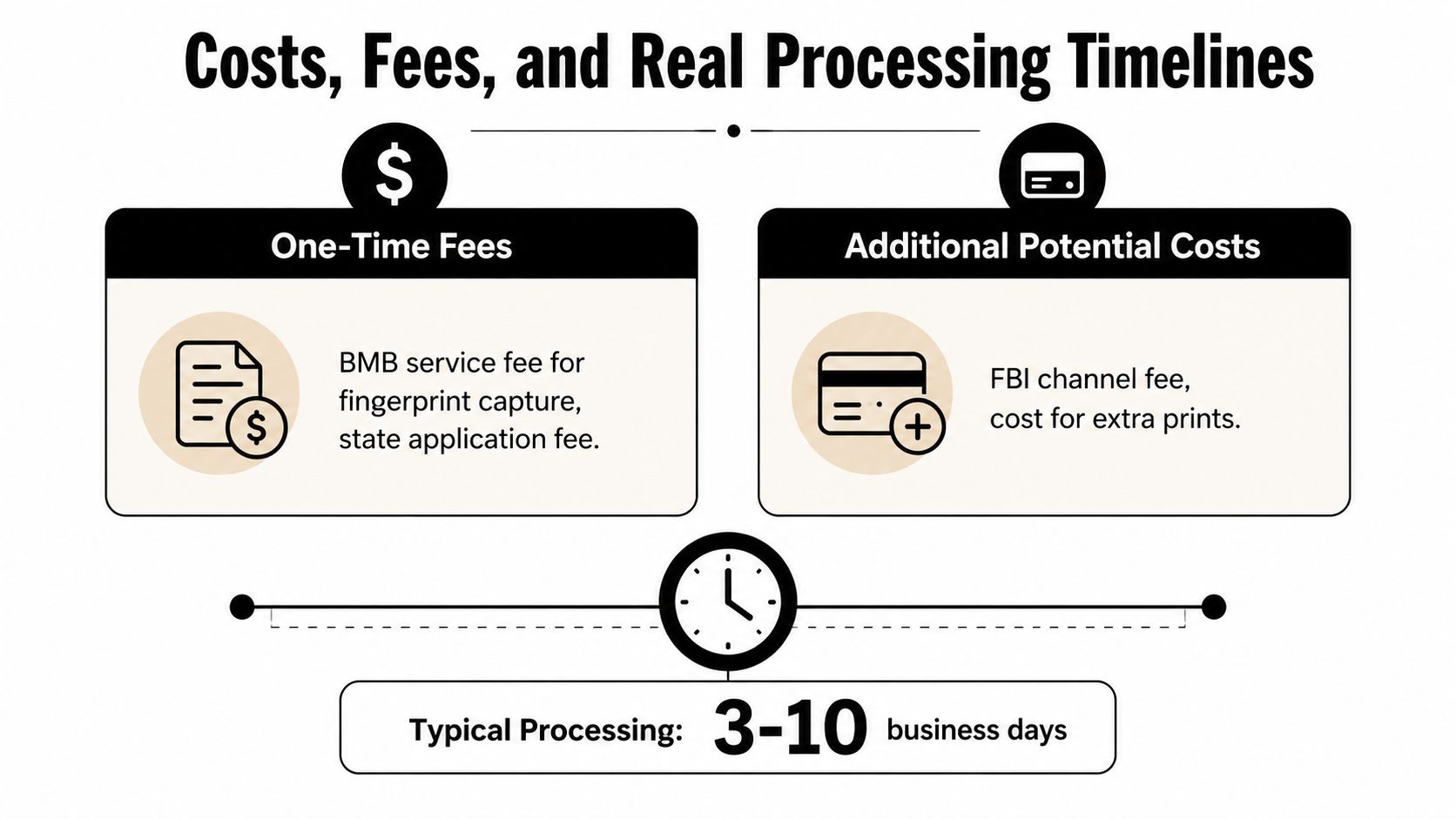
People usually ask for one number, but fingerprinting has at least two cost layers. There’s the capture-time fee, which is what the provider charges for the appointment, and there may be a separate state or FBI channel fee that gets paid when the prints are submitted. If a hard card needs mailing or extra handling, that can add another charge.
What you’re actually paying for
The provider fee covers the technician’s time, the capture equipment, and the re-take if the print quality needs fixing. The channel fee belongs to the requesting agency or the fingerprinting pathway itself. Those are different charges, and mixing them up is where applicants get confused.
For Texas-area applicants, the important thing isn’t chasing the cheapest desk. It’s knowing what the provider fee includes and what still has to be paid when the prints leave the counter.
What “expedited” really means
Processing time is controlled mostly by the agency that receives the prints, not by the person who captured them. Live Scan submissions often move faster because the data is transmitted electronically, while ink cards move through mail and manual handling. If a guide says fingerprinting “expedites” a permit, that usually means the prints can reach the reviewing office faster, not that approval is guaranteed.
That distinction matters because some applicants expect the fingerprint appointment itself to shorten every part of the permit process. In reality, it can remove a bottleneck, but it can also add one if the appointment is hard to get or the card has to be redone. A fingerprint step helps when it’s the format the agency wants and the submission is clean on the first try.
Where Your Prints Go After You Leave
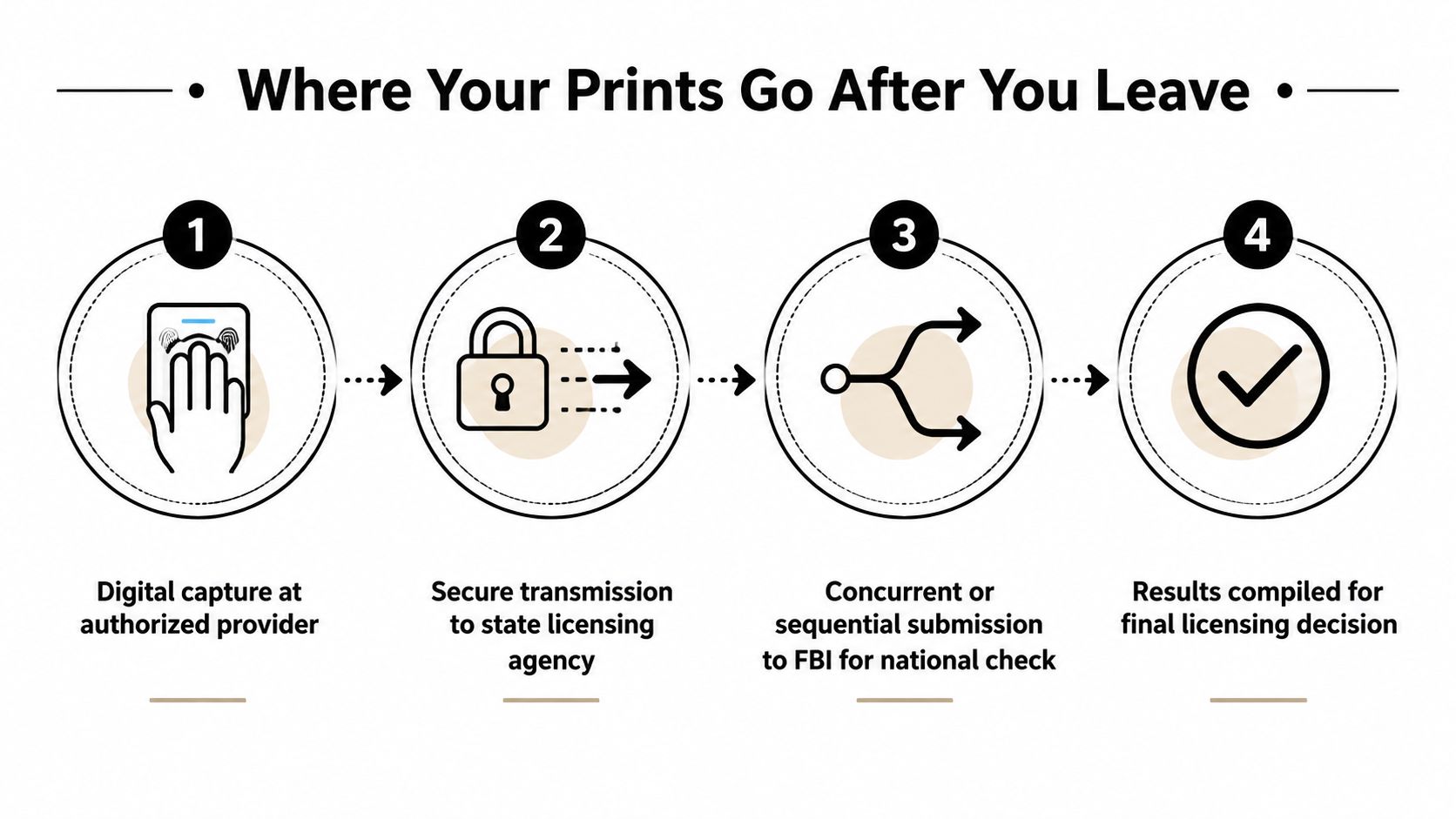
Once the technician finishes, the prints don’t just disappear into a black box. They’re routed to the agency named by your jurisdiction, and that agency decides what happens next. If you’re on a digital workflow, the transmission usually goes to the state licensing body and, where applicable, through the FBI channel used for national checks. If you’re on a paper workflow, the card goes to the destination agency by mail or hand delivery.
The routing step most people never see
For a Texas resident, the prints usually go to the Texas Department of Public Safety or the licensing body that requested them. For an out-of-state submission, the card goes to the state’s designated agency, not to whatever office happens to be nearest to you. That’s why the mailing address or electronic destination on the form matters so much.
A good technician gives you a receipt, a transaction reference, or some kind of confirmation that the submission left the counter. Keep that record. If nothing comes back in the expected window, that reference number is the first thing the agency will ask for.
If you want a broader look at how identity checks fit into Texas cases, the Texas criminal background check guide is a solid companion because it shows how background screening fits into the larger legal process.
Renewals and nonresident friction
Not every applicant gets fingerprinted the same way every time. Tennessee’s support guidance says original applicants must be fingerprinted, while renewals, duplicates, and certain upgrades do not require new fingerprints. That’s a real reminder that a prior submission doesn’t always have to be repeated.
Arkansas shows the other side of the issue. Nonresidents can’t submit prints electronically to its AFIS for concealed-handgun carry licenses, and they have to use an FD-258 hard card if they’re submitting to an out-of-state agency. That kind of rule makes interstate applications feel fragmented fast, especially for people who move or renew in another jurisdiction.
The broader trend is clear, concealed-carry fingerprinting is becoming a recurring, jurisdiction-specific compliance step instead of a one-time formality. The open question is how many states will eventually move more renewal processes to Live Scan, but for now, the rule is still local, not universal.
Common Mistakes That Get Prints Rejected
Most rejected prints aren’t mysterious. They’re the result of a few repeat problems that a decent technician can usually catch before the submission leaves the building. If you know the failure points, you can spot them before they cost you time.
The capture errors that show up again and again
- Over-inking: Too much ink blurs the ridge detail into a dark smear. A technician can wipe the card and restart if the print is still fresh enough.
- Too little pressure: Faint prints happen when the finger barely touches the platen or card. The fix is a steadier roll, not harder force.
- Smudging during movement: Sliding the finger even a little can distort the pattern. The answer is to roll, pause, and lift cleanly.
- Clipped ridge detail: If the finger isn’t rolled nail-to-nail, the edge detail gets cut off. The technician should re-position the finger and recapture it.
- Dry or flat skin: Ridge detail can go flat when the finger is too dry. The FBI’s guidance notes that “milking” the finger can help raise the ridges before rescanning or re-inking.
The administrative mistakes that waste trips
A clean print can still get rejected if the paperwork is wrong. Missing signatures, the wrong card version, a payment that didn’t transmit, or a form sent to the wrong address can stop the file even when the biometrics are fine. Those are preventable errors, and they’re easier to fix before you leave than after the card is mailed.
The safest habit is to keep the transaction receipt or control number and save the provider’s contact details. That matters at renewal time too, because fingerprinting is increasingly a recurring compliance step rather than a one-and-done task.
Keep the receipt. If the agency can’t find your file, that tiny piece of paper becomes the fastest way to prove the submission happened.
If you want a practical stop that handles both digital and ink fingerprinting, Business Mail Boutique LLC in Sugar Land offers fingerprint capture alongside shipping, mailbox, and document services, so applicants can handle the appointment without bouncing between multiple counters.
If you need concealed-carry fingerprinting handled in one stop, visit Business Mail Boutique LLC in Sugar Land for fingerprint capture, ID support, and help choosing the right submission format before you drive across town. Bring your form, your ID, and your payment method, and the front desk can help you get through the appointment cleanly the first time.

Related posts

Custom Memorial Glasses Engraved in Three Hours in Sugar Land
When a customer needed eight personalized glasses for a memorial, Business Mail Boutique completed the engraving or...

Custom Martini Glass Engraving in Sugar Land, TX
Custom Logo Engraving on Martini Glasses in Sugar Land, Texas.
Business Mail Boutique recently completed a beautiful custom engravin...

Custom Engraved Wine Glasses for a Golf Club Event in Sugar Land, TX
Custom Engraved Wine Glasses for a Golf Club Event in Sugar Land.
Custom wine glass engraving in Sugar Land, TX at Business Mail Bouti...