
- Print Business Cards in Sugar Land – Same Day Service
- Copying Services
- Document Printing, Finishing & Lamination in Sugar Land
- Flyers
- Print Banner in Sugar Land | Same-Day Banner Printing Near Me
- Graphic Design
- Photo Printing
- Postcard Printing
- Document Printing
- EDDM Full Service Postcards
- FotoZoomer Large Format Printing


Photo Gift Printing: A Guide to Perfect Results
Businessmailboutique
11645 S. Hwy 6
Sugar land, Texas 77498 United States (US)
Email: info@businessmailboutique.com
You’ve got a photo on your phone that would make a great gift. Maybe it’s a family shot with everyone smiling, a pet photo with real personality, or a travel image that deserves better than living in your camera roll. The problem usually isn’t the idea. It’s figuring out how to turn that image into something that looks polished once it’s printed on a mug, plaque, canvas, or keepsake.
That’s where photo gift printing gets easier when you think like a print shop, not like a social app. The file matters. The crop matters. The material matters. And the production method matters more than commonly realized. A gift can feel thoughtful and personal, but still disappoint if the photo is too tightly cropped, the colors shift, or the wrong substrate gets paired with the image.
This is also a much bigger category than many people realize. The global photo printing market was valued at US$19.23 billion in 2023 and is projected to reach US$38.86 billion by 2031, while North America is projected to grow from USD 7.11 billion in 2025 to USD 12.49 billion by 2033, according to The Insight Partners photo printing market report. People still want physical, personal items. They just want them done well.
If you’re building a coordinated gift set, small add-ons can help tie the presentation together. For example, a window decal or branded extra from Custom Sticker Shop’s Insta decals can make sense for creator gifts, storefront gifts, or event bundles where the photo gift is only one piece of the package.
Table of Contents
- From Digital Memory to Tangible Treasure
- Preparing Your Photo for Flawless Printing
- Choosing the Right Product and Material
- Selecting the Best Printing Method
- Finalizing Your Order and What to Expect
- Caring for Your Custom Photo Gift
From Digital Memory to Tangible Treasure
A digital image becomes more meaningful when it moves into the physical world. On a screen, a photo competes with everything else. In print, it gets space, scale, and permanence. That shift is why photo gifts work so well for birthdays, thank-you gifts, memorial keepsakes, office displays, and branded personal items.
The challenge is that a good photo gift isn’t created by pressing “upload” and hoping for the best. Print changes the way an image behaves. A photo that looks fine on your phone can fall apart on a larger item, or look awkward when a square crop cuts into a face or removes the part that made the image special in the first place.
A strong photo gift feels intentional. The image, product, and finish all need to agree with each other.
That’s why the smartest approach is simple. Pick the image first, decide how it will be used, and only then choose the product. A coffee mug for daily use asks different things from a photo than a wall plaque, a puzzle, or a desk display. When customers reverse that order, they usually run into avoidable problems.
A useful way to think about it is this:
- Memory gift: Family portraits, pet photos, vacation images, baby photos
- Functional gift: Mugs, keychains, coasters, phone accessories
- Display piece: Plaques, canvas prints, metal prints
- Mixed-media gift: A photo plus a name, date, logo, or short message
That last category matters more than people expect. Sometimes the cleanest result isn’t a full-photo product. It’s a photo on one side, or a photo paired with engraved text that adds context without crowding the design.
Preparing Your Photo for Flawless Printing
File quality is where most successful photo gift printing starts or fails. If the digital file isn’t right, no material or machine can rescue it completely. A sharp, well-prepared image gives you options. A weak file limits everything.
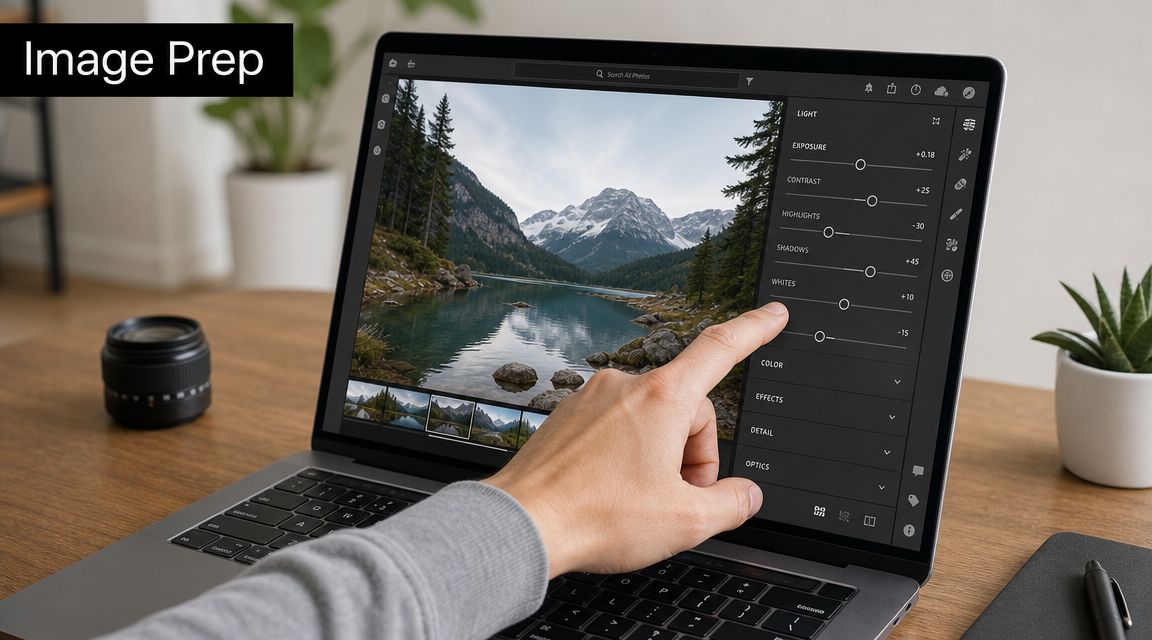
Start with the crop, not the filter
Editing color often comes first. In print, crop comes first.
A mug, plaque, canvas, puzzle, or framed print has a fixed printable shape. If your original image is tall and narrow, but the product is wide, something has to give. Usually that means the edges get cut off, and those edges often contain hands, hair, background text, or scenery that made the photo work.
A better workflow is:
- Choose the final product size first
- Crop the image to that matching ratio
- Check that faces, text, and horizon lines still look right
- Sharpen for output only after the crop is final
- Export the finished file for print
If you’re printing larger wall pieces, it helps to review examples of large-format behavior before you order. Business Mail Boutique has a practical page on FotoZoomer large-format prints that’s useful when you’re deciding whether a favorite file should stay small or be enlarged.
Practical rule: If an image barely works as a crop on screen, it usually won’t look better once it’s forced onto a product.
Resolution also matters, but the easiest non-technical test is this: zoom in on the image at the size you plan to use. If skin, eyes, text, or fine edges already look soft on your device, print will make that softness more obvious, not less.
For portrait-style files, especially AI-generated or heavily edited headshots, it’s worth reviewing Secta Labs on AI headshot resolution before sending a file for production. The point isn’t just pixel count. It’s whether facial detail still looks natural when printed.
Use the file format labs expect
Professional labs commonly expect JPEG delivery in the sRGB color space, and a reliable export range is 10–12 in Photoshop or 85–100% in Lightroom, as explained in MyClick Magazine’s guide to preparing digital images for printing. That’s the standard because it keeps workflow simple and predictable across many print environments.
Here’s the practical version of that advice:
- Use JPEG for most orders: It’s widely accepted and easy to process.
- Stick to sRGB: It’s the safest color space for consistent output.
- Avoid repeated re-saving: Every extra save can degrade a file.
- Send the final version only: Don’t upload screenshots, social media downloads, or files pulled from a messaging app if you still have the original.
A short visual walkthrough can help if you’re not used to export settings:
One more point that saves a lot of rework. Don’t build text too close to the edge of the printable area. Products that wrap, curve, or trim can turn a clean layout into a cramped one fast.
Choosing the Right Product and Material
Picking the gift is the enjoyable part, but it’s also where many weak decisions happen. People naturally choose the object they like first. In practice, the image should choose the object.
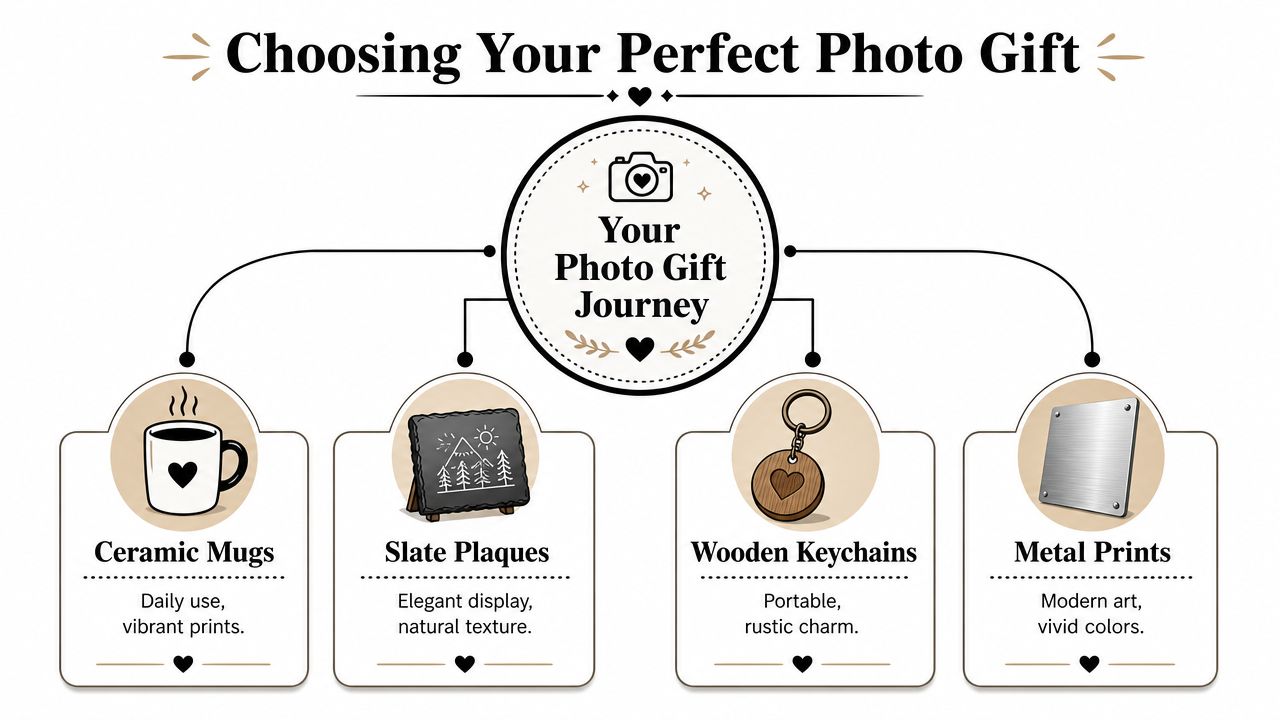
Match the image shape to the object
A common and under-addressed problem is product fit. Many gift catalogs show what’s available, but not whether your specific image suits the format. That can lead to faces or text being awkwardly cropped on square products or wrapped canvases, as noted by Nations Photo Lab’s panoramic prints page.
That matters because not every strong photo is versatile. A panoramic vista might look excellent on a horizontal plaque and terrible on a narrow tumbler. A centered portrait might look right on a mug or ornament, but lose impact on a wide canvas where empty side space takes over.
Use this quick guide when you’re deciding:
| Photo type | Usually works well on | Often struggles on |
|---|---|---|
| Wide landscape | Plaques, panoramic prints, metal prints | Tall narrow items |
| Tight portrait | Mugs, framed prints, small desk pieces | Extra-wide formats |
| Group photo | Rectangular prints, photo books, larger displays | Small keychains or heavily cropped squares |
| Text-heavy design | Flat plaques, prints, signs | Curved or wrapped products |
If you’re considering a wall piece, canvas printing options in Sugar Land are a good example of how display products change the look of the same file. Canvas can soften an image in a pleasing way, but it also changes edge behavior and cropping.
Think about where the gift will live
Material choice should reflect actual use. A desk display lives differently than a keychain in a pocket or a mug in a kitchen cabinet.
Consider the product in three ways:
- Handled often: Mugs, keychains, coasters, daily-use accessories
- Viewed up close: Small plaques, ornaments, framed desk pieces
- Seen from across a room: Canvas, metal wall art, larger display items
That usage tells you what kind of image works best. Fine-detail portraits often suit close viewing. Cleaner, simpler compositions tend to hold up better at a distance. Busy backgrounds can make a small product feel cluttered, while a minimalist image can look too empty on a large display piece.
More personalization isn’t always better. A clean image on the right product usually beats an overloaded layout with too many names, dates, and design elements.
If you want a more tactile or gift-like finish, mixing photo printing with a secondary element can work well. A printed image paired with engraved text often feels more balanced than trying to cram everything into the image area itself.
Selecting the Best Printing Method
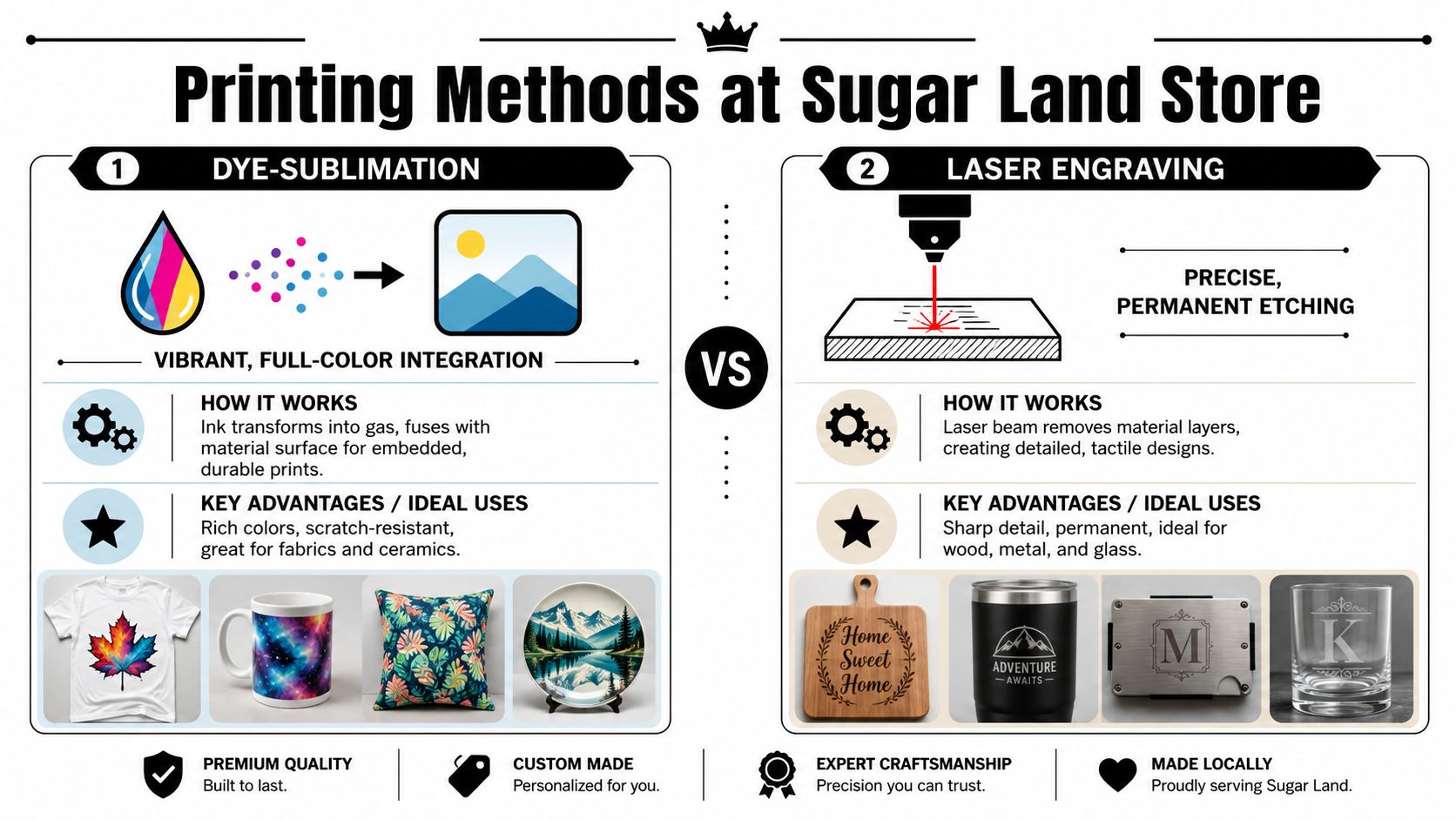
The printing method shapes the final result as much as the image does. Two popular approaches for gift products are dye-sublimation and laser engraving, but they solve different problems.
When dye-sublimation makes sense
Dye-sublimation is a strong choice for photo gifts because it produces instant-dry, durable output, which is especially useful for mugs, plaques, and other handled items, according to Mordor Intelligence’s photo printing market analysis. It’s a strong fit when you want full color, photo detail, and a surface that stands up to regular contact.
In simple terms, sublimation is the method to choose when the image itself is the star.
A local shop’s actual equipment matters. In Sugar Land, Business Mail Boutique LLC offers sublimation printing along with laser engraving, which makes it practical for customers choosing between full-photo gifts like mugs and more text-driven or material-driven pieces like engraved keepsakes.
Sublimation usually makes sense for:
- Photo mugs: Good when you want color, faces, scenery, or branding
- Plaques with full-image backgrounds: Better for vivid photos than etched looks
- Items handled often: Useful because the result is dry immediately and built for use
- Photo gifts with gradients or subtle color shifts: Better than engraving for tonal range
When laser engraving is the better fit
Laser engraving is a different aesthetic. It doesn’t reproduce a full-color photograph the way sublimation does. Instead, it creates a permanent etched mark in the material. That makes it ideal for names, dates, logos, line art, memorial text, monograms, and simple graphic treatments.
Choose engraving when you want the material to show through as part of the design. Wood grain, metal sheen, glass, and leather all add character that a printed photo doesn’t.
A side-by-side comparison helps:
| Need | Better method |
|---|---|
| Full-color photo reproduction | Dye-sublimation |
| Tactile, etched look | Laser engraving |
| Daily-use mug with photo | Dye-sublimation |
| Nameplate, logo, or commemorative text | Laser engraving |
| Detailed scenery and skin tones | Dye-sublimation |
| Minimal design with premium material feel | Laser engraving |
A lot of customers do best with a simple decision rule. If you want the recipient to recognize the photo immediately, choose sublimation. If you want the object itself to feel refined and permanent, engraving is often the better direction.
Finalizing Your Order and What to Expect
The last stage is where small preventable mistakes get locked in. This is when you slow down for a minute and proof the details, especially if the item includes names, dates, or placement choices that can’t be corrected after production.
Proof the details before production
Before approving an order, check these items carefully:
- Spelling: Names, dates, initials, and short messages
- Placement: Is the face centered correctly, or too close to the edge?
- Crop safety: Are hands, hair, logos, or important background details getting clipped?
- Orientation: Portrait versus horizontal format mistakes are more common than people think
- Material expectations: Make sure you understand whether the result is glossy, matte, etched, textured, or wrapped
A proof review catches the problems customers regret most. The photo may be fine, but if the wrong crop gets approved, the finished gift still feels wrong.
If text is involved, read it once for meaning and once for spelling. Those are not the same check.
Ask about turnaround in plain language
Speed claims can be misleading in custom printing. Many shoppers assume same-day applies to every item, but retailers often exclude products based on size, quantity, or production method. Larger posters, banners, and more complex personalized items may not qualify, as described on Office Depot OfficeMax photo services.
The practical takeaway is simple. Ask three direct questions before you order:
- Is this exact product eligible for the timeline I want?
- Does that timeline include proofing and production, or only pickup?
- Will a faster turnaround change the material or finish?
That last question matters. A last-minute gift can still work, but speed sometimes narrows your options. A simple photo print may move quickly. A specialty substrate, engraved item, or more customized setup often needs more prep.
Clear timing is better than optimistic timing. If you’re ordering for a birthday, event, office milestone, or holiday, give yourself room for proofing, production, and pickup or shipping.
Caring for Your Custom Photo Gift
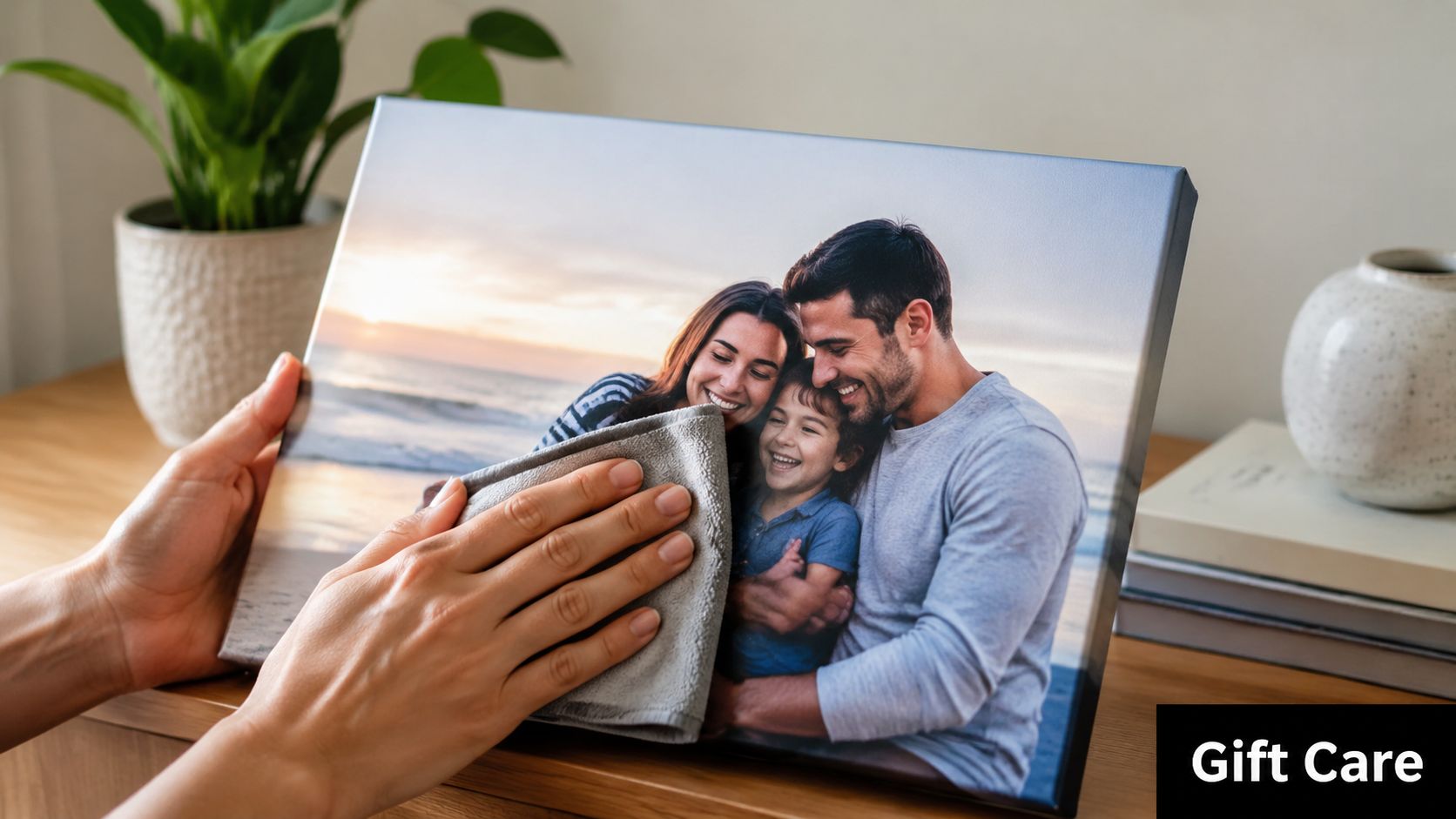
A good photo gift should still look good after the excitement of opening it wears off. Care matters because different products age differently. A mug, plaque, keychain, canvas, and engraved item don’t all want the same treatment.
Care by material, not by habit
The safest maintenance routine depends on what the item is made from and how the design was applied.
A few reliable habits help most products:
- Use a soft cloth: Good for plaques, frames, and engraved surfaces
- Skip abrasive cleaners: They can scratch surfaces or dull finishes
- Keep items out of harsh conditions: Heat, moisture, and friction wear products differently
- Handle display pieces by the edges: That reduces fingerprints and surface rubbing
For apparel and soft goods, gentler washing usually preserves the print longer. For ceramic or hard-surface items, hand cleaning is usually the lower-risk approach when you want to preserve appearance over time.
Protect the image for the long run
Display products benefit from placement as much as cleaning. Don’t hang or store a photo gift where it takes constant direct sun, repeated moisture, or frequent rubbing from hands, bags, or keys unless the product is meant for that level of use.
Engraved products usually need less visual maintenance because the design is cut into the material rather than sitting on top of it. Photo-based products ask for more attention, especially if they’re handled every day.
A simple rule works well. Treat decorative gifts like display objects, and treat functional gifts like items that still deserve care. That balance keeps the image looking intentional instead of worn down.
The longest-lasting photo gift usually isn’t the one hidden away. It’s the one matched to the right use, then cared for in a way that makes sense for the material.
If you’re in Sugar Land and want help choosing the right product, crop, or printing method for a personal gift, Business Mail Boutique LLC handles photo printing, sublimation, laser engraving, packing, shipping, and pickup in one place. Bring the image you have, even if you’re not sure it’s ready, and start with the product you want the gift to become.

Related posts

Graduation Gift Engraving Sugar Land | Business Mail Boutique
Graduation Gift Engraving Sugar Land | Business Mail Boutique.
A Personalized Texas A&M Graduation Gift: Custom Glass Engraving in...

Custom Name Tags in Sugar Land | Business Mail Boutique
Custom Name Tags in Sugar Land | Business Mail Boutique.
Custom name tags in Sugar Land with magnetic or pin backs and many colors. Ap...

SpeedX Drop-Off & Pickup in Sugar Land | Business Mail Boutique
Business Mail Boutique Is Now an Authorized SpeedX Drop-Off and Pickup Location in Sugar Land, Texas
Finding a convenient place to dro...