- Print Business Cards in Sugar Land – Same Day Service
- Copying Services
- Document Printing, Finishing & Lamination in Sugar Land
- Flyers
- Print Banner in Sugar Land | Same-Day Banner Printing Near Me
- Graphic Design
- Photo Printing
- Postcard Printing
- Document Printing
- EDDM Full Service Postcards
- FotoZoomer Large Format Printing


Businessmailboutique
11645 S. Hwy 6 Sugar land, Texas 77498 United States (US)Phone: 281-875-0161
Email: info@businessmailboutique.com
PrintScan Sugar Land Location of Business Mail Boutique
Businessmailboutique
11645 S. Hwy 6
Sugar land, Texas 77498 United States (US)
Email: info@businessmailboutique.com
If you need the printscan sugar land location of business mail boutique, the location is 11645 S. Hwy 6, Sugar Land, Texas 77498, open Monday through Friday from 10:00 AM to 6:00 PM, and walk-ins are welcome. That means you can handle fingerprinting, shipping, printing, and other business errands in one stop instead of driving across town for each task.
Individuals searching for this location are typically trying to solve a same-day problem. You may need fingerprints for a background check, a notarized document before close of business, a banner for an event, and a package sent out before pickup. When your day already feels packed, a one-stop business center matters because it cuts out extra parking lots, extra lines, and extra chances for something to get delayed.
This Sugar Land location is in the Kroger Complex on Hwy 6 between Voss Rd and W. Airport Blvd, which makes it practical for both local residents and business owners moving between appointments. If you’re coming in for the first time, the simplest approach is to arrive with your documents, ID, files, or packages ready, then take care of everything in one visit.
Table of Contents
- Your One-Stop Business Center in Sugar Land
- Find Our Sugar Land Location Hours and Directions
- Complete List of Services at Business Mail Boutique
- Same-Day Printing and Professional Design Services
- Expert Packing and Multi-Carrier Shipping Solutions
- Private and Digital Mailbox Rental Guide
- Official PrintScan Fingerprinting and Notary Services
- Frequently Asked Questions
Your One-Stop Business Center in Sugar Land
You have a lunch break, a return that has to go out today, a hiring packet that needs fingerprints, and a form waiting on a notary stamp. Running those errands across three or four stops wastes time fast. At Business Mail Boutique, customers handle those jobs under one roof and get back to work or home sooner.
That one-stop setup matters because the tasks are often connected. A customer might print a document, sign it with a notary, make a copy for their records, and ship the final packet in the same visit. Another might come in for PrintScan fingerprinting, then ask us to pack and send a fragile item before they leave. We built the store around that real-world workflow, not around a single service counter.
Our Sugar Land shipping and business service center also gives customers practical shipping choice in the same location. As a UPS Authorized Shipping Outlet and FedEx Authorized ShipCenter, we can compare options at the counter based on delivery speed, destination, box size, and how fragile the contents are. That saves you from driving to one store for rates, another for packing help, and a third for printing or document services.
The trade-off is simple. One stop usually saves the most time, but the visit goes best when you arrive prepared.
Bring these items if you want a faster visit:
- A valid ID and your paperwork for fingerprinting or notary service.
- Print files ready to send if you need same-day printing.
- Your item or package if you want help choosing the box, padding, and carrier.
The biggest delays usually come from missing documents, unsigned forms that need review first, or print files that are still on a device with no easy way to send them. A few minutes of prep before you come in usually turns a long errand list into one efficient stop.
Find Our Sugar Land Location Hours and Directions
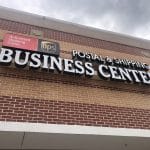
The address is 11645 S. Hwy 6, Sugar Land, Texas 77498. The storefront is in the Kroger Complex on Hwy 6 between Voss Rd and W. Airport Blvd, which makes it easier to spot than a standalone office tucked behind another building.
The core hours are Monday through Friday, 10:00 AM to 6:00 PM, and walk-ins are welcome. If you’re planning a visit around a deadline, coming earlier in the day usually gives you more room for printing, packing, or document issues that need a quick fix on the spot.
How to get there without circling the lot
If you’re driving on Highway 6, look for the Kroger shopping center entrance and turn into the complex rather than continuing past it. If you’re coming from Voss Road or W. Airport Blvd, head toward the Highway 6 retail corridor and enter the center from the most convenient side street access.
A simple way to avoid confusion is to use the storefront reference point, not just the street address. This is especially useful if you’ve never been to the plaza before.
For a broader look at the location and available business services, you can review the PackageHub shipping and business services page.
Parking and entrance tips
Parking is usually the easiest part of the trip because the location sits within a retail complex rather than a high-rise or office tower. For the smoothest visit:
- Park close to the storefront if you’re carrying boxes, poster tubes, or framed items.
- Use a side-by-side unload approach for bulky print orders so you can move them in one trip.
- Keep IDs and forms in hand before you walk in if fingerprinting or notary is your main reason for coming.
If you’re bringing multiple errands into one visit, lead with the service that has the most requirements. Fingerprinting and notary usually depend on ID and documents, while printing and shipping can often be adjusted on the spot.
Best way to plan a first visit
First-time customers do best when they group services by urgency. If a shipping cutoff matters, handle that first. If you need prints and fingerprints on the same stop, make sure your print files are already saved in a usable format before you leave home.
That’s the primary benefit of the printscan sugar land location of business mail boutique. You don’t need a complicated route plan. You just need to arrive prepared.
Complete List of Services at Business Mail Boutique
Some customers come in for one task and realize they can knock out three more before they leave. That’s the value of an all-in-one business center. You can handle shipping, printing, mailbox needs, and identity-related errands in a single visit.
The easiest way to understand the service mix is to see it grouped by use case.

Business Mail Boutique Service Offerings
| Service Category | Available Services | Best For |
|---|---|---|
| Shipping | UPS, FedEx, USPS drop-offs, packing, returns, shipping supplies | Residents, online sellers, offices sending outbound packages |
| Printing | Business cards, flyers, posters, banners, signs, decals, blueprints, photo prints | Marketing, events, presentations, same-day visual materials |
| Mailboxes | Private mailbox rental, street address use, mail receiving, forwarding, package receiving, digital mailbox options | Small businesses, freelancers, travelers, home-based operators |
| Identity Services | PrintScan fingerprinting, FBI background check support, passport and ID photos | Licensing, employment, compliance, application paperwork |
| Notary Services | In-person notary and remote online notary support | Legal forms, affidavits, authorizations, business documents |
Best way to use the one-stop model
The fastest visits usually combine related tasks. A freelancer might print materials, ship a contract package, and ask about a street-address mailbox. A job applicant might complete fingerprinting, get passport-style photos, and notarize a supporting form if needed.
What doesn’t work as well is treating each service as a separate errand on separate days. If you already know you’ll need more than one item handled, bundle it into one trip and save yourself the repeat drive.
Same-Day Printing and Professional Design Services
Printing usually becomes urgent for one of two reasons. Either the deadline moved up, or the file wasn’t ready until the last minute. In both cases, the fastest jobs are the ones that arrive with clean files, clear size instructions, and realistic expectations about finishing.

What same-day printing is best for
Same-day service makes the most sense for materials tied to a live deadline. Common examples include:
- Business cards for a meeting, conference, or interview.
- Flyers and brochures for promotions, handouts, or announcements.
- Posters and banners for events, presentations, school functions, or retail displays.
- Blueprints and large-format prints when you need oversized documents readable at full scale.
- Decals and stickers for branding, labeling, or product packaging.
- Custom engraved items like plaques, mugs, and gift pieces when personalization matters.
File prep that saves time
If you want a same-day job to move quickly, send or bring a file that doesn’t need repair. PDF is usually the safest choice for layout-heavy jobs. JPG or PNG can work for simple image prints, but low-resolution screenshots often look rough when enlarged.
Use this checklist before you place an order:
- Confirm final size so the print isn’t resized incorrectly.
- Spell-check names, dates, and phone numbers before approval.
- Leave enough margin so trim lines don’t cut off important text.
- Use high-quality originals if you need posters, banners, or photo-based prints.
A print job rarely gets delayed because of the printer. It gets delayed because the file has the wrong size, wrong spelling, or poor image quality.
Specialty work and custom orders
Standard paper prints are only part of the mix. If you need something more customized, this location also handles custom items such as engraved gifts, plaques, decals, and sublimation products.
That’s useful for schools, local organizations, event planners, and small business owners who need branded or personalized pieces without placing separate orders through multiple vendors. One practical advantage is consistency. Your print materials, signs, and custom presentation items can be produced through the same shop instead of pieced together from different places.
What doesn’t work for rush printing
Customers lose the most time when they bring in editable files with missing fonts, design files that depend on unsupported software, or photos pulled from text messages and social platforms. Those files may still be usable, but they often need cleanup.
If the deadline is tight, the best move is simple. Bring the final file, confirm the quantity, and be clear about whether the piece is for indoor display, handout use, mailing, or presentation. That helps match the material to the job without unnecessary back-and-forth.
Expert Packing and Multi-Carrier Shipping Solutions
A rushed shipping errand can eat up an hour fast. You drive to one counter for a drop-off, realize the box is too weak, then head somewhere else for packing supplies or a different carrier. At Business Mail Boutique in Sugar Land, customers avoid that loop by handling packing, label processing, and carrier options in one stop.

The practical question is simple. Are you dropping off a shipment that is already prepared, or do you need help getting it packed correctly the first time?
When to drop off and when to ask for packing help
Drop-off works best for sealed, pre-labeled packages that are boxed properly and ready to move. That covers routine returns, monthly account shipments, and repeat orders for online sellers who already know their packaging setup.
Packing help saves time when the item can break, shift, bend, or get crushed in transit. I recommend asking for help with framed pieces, electronics, ceramics, gift baskets, and anything with an odd shape or weak retail packaging. A box that looks fine on the counter can fail once it gets stacked, scanned, and moved through multiple trucks.
Use this quick guide:
| Situation | Best choice |
|---|---|
| Pre-labeled return in a sturdy box | Drop it off |
| Fragile item with empty space inside the box | Repack it |
| Heavy package near the limit | Have the weight and packaging checked |
| Odd shape or soft-sided outer wrap | Ask for boxing options first |
Choosing between speed and cost
The fastest service is not always the best value. Deadline-driven legal documents, replacement parts, or time-sensitive client materials may justify express service. Standard inventory transfers, non-urgent returns, and many personal shipments are often better sent by ground.
Having more than one carrier available at one counter helps you choose based on delivery date, price, and package type without making multiple stops across town. That matters for busy professionals who are already printing, notarizing, or handling fingerprints during the same visit.
Packaging also affects cost more than many customers expect. Oversized boxes, poor weight distribution, and extra empty space can push a shipment into a higher rate category or increase the chance of damage.
Common customer scenarios
For online sellers, consistency matters. Use box sizes you can reorder easily, protect edges and corners, and avoid forcing products into padded mailers when a carton will hold shape better. A repeatable packing process cuts down on returns and replacement costs.
For returns, bring the item, the return label or QR code if you have it, and the original packaging if it still offers real protection. Manufacturer packaging is not always shipping-grade packaging. If the outer box is worn, crushed, or thin, replacing it is usually the safer move.
For personal shipments, focus on movement inside the box. Mugs, plaques, framed prints, and similar items need cushioning that keeps them from shifting during transit. Good packing is not about filling space randomly. It is about holding the item in place through handling.
Here’s a short walkthrough on packing and shipping workflow before you stop by:
What works for smoother shipping visits
- Bring the item unsealed if you want the packaging checked before it goes out.
- Have the full destination ready so the label can be processed quickly.
- Separate multiple shipments clearly to avoid mix-ups at the counter.
- State any delivery deadline upfront so the right service can be quoted first.
- Mention fragile or high-value contents early so the packing method matches the risk.
The biggest delays usually start with preventable packaging mistakes. If you are not sure whether a box, mailer, or internal padding is good enough, ask before sealing it. That quick check can save a damaged shipment, a missed deadline, and a second trip.
Private and Digital Mailbox Rental Guide
A private mailbox solves a different problem than a standard P.O. Box. It gives you a real street address, which matters if you want a more professional business presence or you need a stable mailing address that doesn’t look temporary.
For entrepreneurs, consultants, and home-based operators, that helps separate personal life from business operations. For individuals, it adds security and convenience because packages and mail can be received in one managed location instead of sitting outside at home.
Why a private mailbox beats a basic box
A street-address mailbox is easier to use for business cards, websites, registrations, and client communication. It looks like a business address, not a restricted postal pickup point.
It also works better if you receive shipments from multiple carriers. That matters for customers who order supplies, ship frequently, or travel enough that home delivery isn’t always practical.
Who benefits most
Different customers use mailbox service for different reasons:
- Freelancers and consultants want a cleaner public address.
- Small businesses need mail handling that doesn’t depend on someone being at home.
- Frequent travelers want mail received securely while they’re away.
- Residents with package theft concerns want a safer delivery point.
A mailbox is most useful when it removes friction from your routine. If you’re constantly juggling missed deliveries, address privacy, or mixed personal and business mail, it usually pays for itself in saved hassle.
How to set it up and use it well
The setup process is straightforward. Bring the required identification and be clear about whether you need basic receiving, forwarding, or digital mailbox support.
Once the box is active, the biggest benefit comes from using it consistently. Put the address on your business materials, reroute recurring deliveries, and decide early whether you want mail held, forwarded, or reviewed digitally. Customers who use all three systems at once without a plan usually create confusion for themselves. Simpler is better.
Official PrintScan Fingerprinting and Notary Services
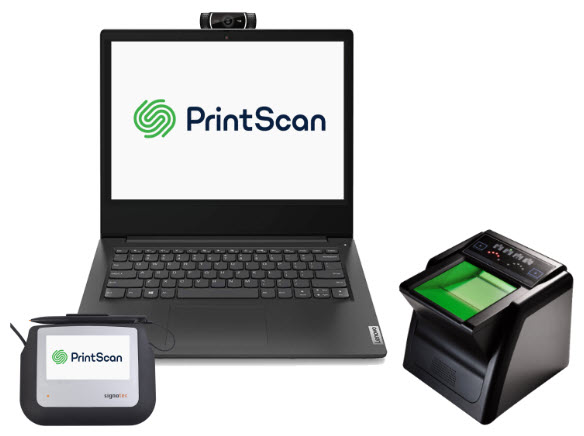
If you searched specifically for the printscan sugar land location of business mail boutique, this is likely the service you need most. The location is an authorized PrintScan center for fingerprinting, which is used for items such as FBI background checks, licensing, employment processing, and other compliance-driven requirements.
The biggest operational difference is the technology. According to the fingerprinting guide for the Sugar Land location, the live-scan process can reduce processing times from weeks to 24-72 hours and can reduce rejection rates by up to 95% compared to traditional ink methods.
Live scan versus ink cards
Live scan is usually the better option when the receiving agency accepts electronic submission. It’s faster, cleaner, and less prone to smudging or incomplete capture.
Ink cards still have a place when a form specifically requires them or when a receiving body wants physical prints on a card format. If you’re unsure which version you need, confirm that before you arrive. The wrong format creates more delay than the appointment itself.
Customers who need card-based prints can review the FD-258 card service details in Sugar Land.
What to bring for fingerprinting and notary
Bring the documents and identification required for your specific purpose. For fingerprinting, that often means your ID and any instructions or request details tied to the background check or application.
For notary work, don’t sign the document in advance unless the document instructions explicitly allow it. The signer usually needs to appear with valid ID and sign in the notary’s presence.
A practical checklist:
- Government-issued ID
- The full document set
- Any agency instructions or request forms
- A clear understanding of whether you need live scan or ink
What works and what slows people down
The smoothest fingerprinting visits happen when the customer already knows the receiving agency’s requirement. Live scan or card. Federal background check or licensing file. Walk in with that answer and the process is much easier.
What slows things down is arriving with partial instructions, screenshots without context, or forms from an employer that don’t explain the submission method. If your paperwork is unclear, pause and verify before your visit. A five-minute confirmation call to the requesting agency can save a wasted trip.
Frequently Asked Questions
Can I drop off a pre-labeled Amazon return package
Yes, if it’s already labeled and packed appropriately, drop-off is usually the fastest option.
What file formats should I bring for printing
PDF is the safest choice for most print jobs. High-quality image files can work for simpler pieces.
Do I need an appointment for fingerprinting
Walk-ins are welcome, but bring your ID and any required instructions so the visit doesn’t stall.
What should I bring for notary service
Bring valid identification and the unsigned document, unless your paperwork says otherwise.
For more fingerprinting-specific questions, review the complete fingerprinting FAQ guide.
If you want one place in Sugar Land for fingerprinting, printing, shipping, mailboxes, and notary support, contact Business Mail Boutique LLC and handle the errand list in one stop.

Related posts
ATF Form 23 Fingerprinting
ATF Form 23 Fingerprinting.
Learn how to complete ATF Form 23 fingerprinting with FD-258 cards, find local providers, and avoid common...
Find Fingerprint Near Me
Find Fingerprint Near Me: Your 2026 Guide
You got the email, the hiring portal update, or the licensing checklist. It says you nee...
Get Fingerprinting for the board of Nursing in Sugar Land
Are you seeking fingerprinting services for the Board of Nursing in the Sugar Land area? Look no further than Business Mail Boutique, s...