
- Print Business Cards in Sugar Land – Same Day Service
- Copying Services
- Document Printing, Finishing & Lamination in Sugar Land
- Flyers
- Print Banner in Sugar Land | Same-Day Banner Printing Near Me
- Graphic Design
- Photo Printing
- Postcard Printing
- Document Printing
- EDDM Full Service Postcards
- FotoZoomer Large Format Printing


Color Copy Services.
Master color copy service with file specs, paper choices, pricing and turnaround tips for perfect prints at your local print shop.
Businessmailboutique
11645 S. Hwy 6
Sugar land, Texas 77498 United States (US)
Email: info@businessmailboutique.com
Route
You’ve got a client meeting in the morning, the brochure is approved, and the file is sitting on your laptop. The deadline sounds manageable until you notice the logo looks soft, the back page shows through the paper, and the color you chose on screen doesn’t look right in the proof. A cheap color copy can become expensive when it creates a reprint, a missed delivery, or a stack of materials you can’t confidently hand to a customer.
A dependable color copy service handles more than pressing Print. It checks the file, matches the job to a suitable paper and production method, confirms the proof, and coordinates finishing and handoff. For small businesses, marketers, and individuals ordering short runs, those decisions often matter more than the lowest price per page.
Introduction to Professional Color Copy Service
Modern color copying is built around direct-from-file production. The launch of the world’s first digital color printing press in 1993 helped move color work away from plate-based reproduction and made short-run jobs faster and more practical, as described in this history of digital printing. That change is why a local print counter can often produce a small batch of flyers, presentation pages, or business cards without the setup associated with traditional offset work.
The workflow starts before the machine runs. A print professional checks whether images have enough resolution, whether the page size includes the necessary trim allowance, whether fonts will substitute, and whether the selected stock can pass through the copier reliably. A good operator also looks at the finished use. A handout for a meeting has different requirements from a folded brochure, a double-sided menu, or a customer-facing proposal.
Practical rule: The fastest order is usually the file that needs the fewest decisions after upload.
That’s why a full-service local shop can be useful for small batches. You can submit a prepared PDF, review a proof, choose pickup or delivery, and ask questions about paper or finishing before production begins. If you’re comparing creative production resources, Image Studio can also help with the visual side of a project before it reaches the print counter.
A reliable order follows a simple path: prepare the file, confirm paper and quantity, approve the proof, produce the copies, then finish and hand them off. The equipment matters, but file preparation and workflow discipline prevent more reprints than machine specifications alone.
Preparing Files for Perfect Color Copies
Most print problems are created in the design file, not on the copier. Before uploading, open the document at its final size and inspect every image, logo, background, and text element at close view.
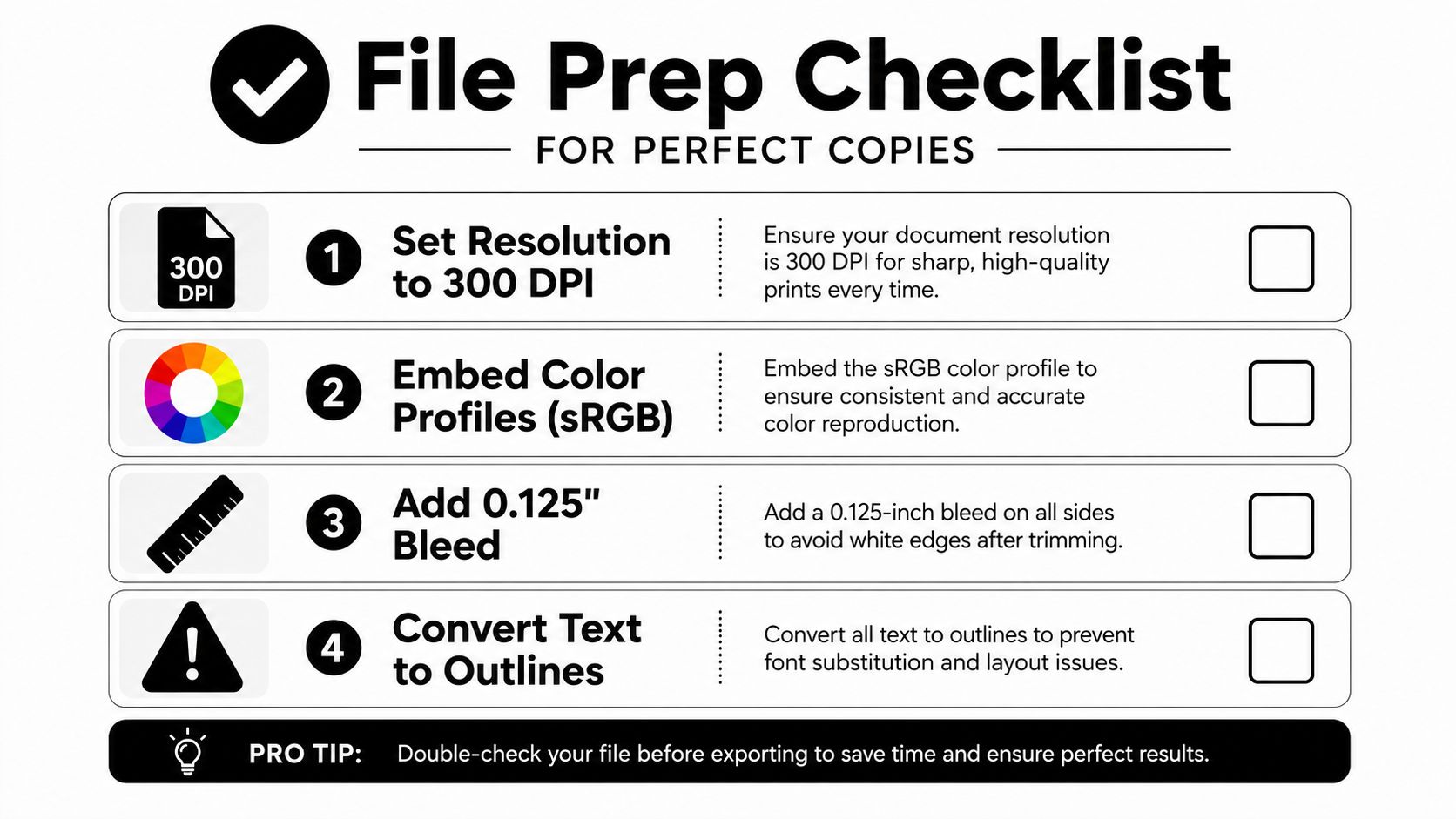
Set resolution for the finished size
For business cards, flyers, brochures, and other close-viewed materials, 300 DPI is a practical input benchmark because lower-resolution originals can look soft when enlarged or copied, according to this print resolution guide. Standard office copies commonly work well at 600 DPI, while workflows requiring especially sharp text, photos, or marketing pieces may call for 1200 DPI, as the same guide explains.
Resolution applies to placed images, not just the document canvas. A low-resolution logo stretched across a flyer will remain fuzzy even if the PDF page itself is large. Check the effective resolution of each image after scaling.
Control color and edge setup
Use an embedded color profile, commonly sRGB for a straightforward office workflow, and ask the shop whether it prefers a different profile before converting the file. RGB colors that look bright on a backlit screen can print with less intensity, especially when the design contains neon tones or highly saturated gradients.
If artwork reaches the edge, add bleed beyond the final trim and keep important text inside a safe margin. Bleed gives the finishing equipment room to cut without leaving a thin white line. Keep contact details, logos, and headings away from the trim edge so small cutting variation doesn’t damage the layout.
Export a stable production file
A print-ready PDF is usually easier for a shop to inspect than an editable design file. Embed fonts where possible, or convert display text to outlines when the design requires exact lettering and the shop has confirmed that workflow. Review the PDF for missing fonts, shifted line breaks, transparent effects, and accidental crop marks.
Before ordering, verify:
- Final size: The PDF page matches the finished piece.
- Images: Photos and logos remain sharp at their placed size.
- Color: Profiles are embedded and screen colors have been reviewed with realistic expectations.
- Bleed: Edge-to-edge artwork extends beyond the trim.
- Text: Fonts display correctly and critical text stays within safe margins.
- Pages: Front and back pages are in the correct order and orientation.
For broader production options, review these digital printing services and compare them with the digital printing options at Business Mail Boutique. A quick preflight conversation can save more time than correcting a rejected file after the deadline has arrived.
Choosing Paper Finishes and Weight That Actually Work
Paper selection should begin with the finished use, then move to copier compatibility. A heavy sheet may feel premium in your hand but still be a poor choice if the machine’s tray or duplex path doesn’t support it.
| Use case | Practical weight guidance | Finish considerations |
|---|---|---|
| Everyday color work | 90 to 120 gsm | Matte or uncoated for readable text |
| Presentation pieces | 120 to 170 gsm | Matte for a restrained look, coated stock for stronger image impact |
| Premium prints | 200 gsm or higher | Confirm tray, feeding, trimming, and duplex limits first |
These ranges come from printer and device guidance on GSM selection. The same source notes that a major office color copier may support stock from 52 to 300 gsm, depending on the tray and duplex mode. That range isn’t a universal promise. Your specific copier, paper path, and finishing setup control what will run successfully.
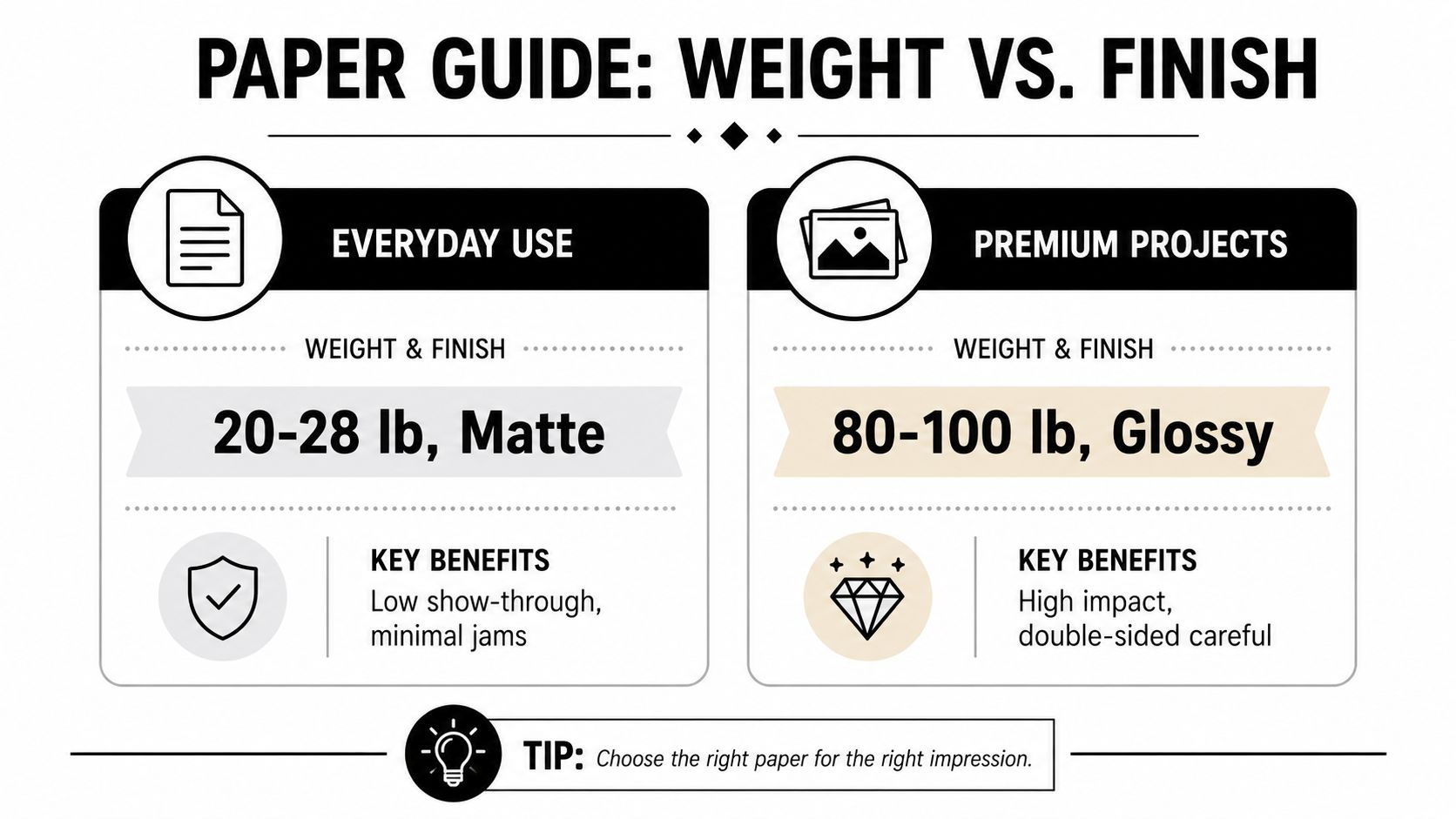
Matte stock is easier to read under office lighting and usually suits reports, proposals, menus, and handouts. Glossy paper makes photographs and saturated graphics feel more vivid, but fingerprints, glare, and slower handling can matter. Uncoated paper has a natural writing surface, though ink or toner appearance may feel less intense than on a coated sheet.
Duplexing adds another decision. A heavier sheet can reduce show-through, but it may create feeding or registration problems if the duplex path isn’t rated for it. Ask the provider whether the selected weight will run double-sided through the intended tray, not merely whether the copier can accept the sheet in a manual-feed mode.
For a brochure, choose based on folds, readability, opacity, and finishing rather than appearance alone. This guide to professional brochure printing for small businesses can help you frame the job around its final use.
Ordering Smart and Understanding Pricing and Turnaround
A fast order begins with a complete specification. Send the final PDF, state the finished size, identify single-sided or double-sided printing, select the paper and finish, give the exact quantity, and list any folding, trimming, binding, or packaging requirements.
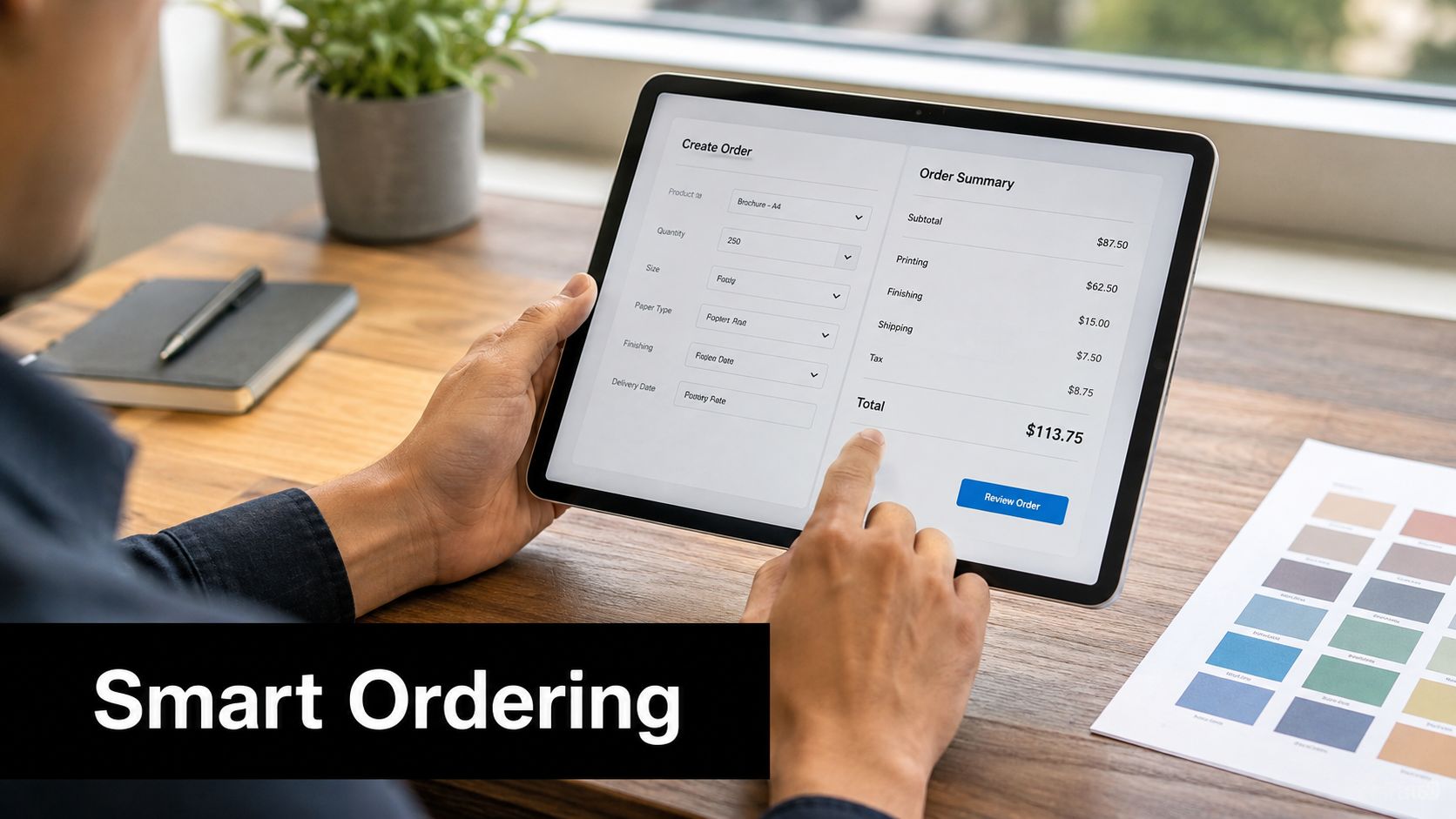
Quantity affects value, but ordering extra copies isn’t automatically economical. If the materials contain a date, price, address, or event detail, excess copies can become unusable. If the content is evergreen, a modest reserve may be practical. Ask for pricing at the quantity you need and compare it with a nearby quantity only when the additional copies have a clear purpose.
Put turnaround decisions in writing
Same-day production can be realistic for a clean file, a standard size, available stock, and uncomplicated finishing. It becomes less predictable when the job needs a proof correction, specialty paper, folding, lamination, outsourced finishing, or shipping. Ask four direct questions:
- Proof timing: When will you receive the first proof or file approval notice?
- Production window: Does the quoted time begin after approval?
- Finishing time: Is cutting, folding, binding, or laminating included?
- Handoff method: Is the completion time for pickup, shipment, or dispatch?
Industry coverage identifies 2026 projected trends that include AI-assisted prepress, automated file checks, color correction, imposition, and increased print-on-demand purchasing, according to this coverage of 2026 printing trends. Those tools can reduce repetitive checks, but they don’t replace a clear specification or human approval of the finished result.
Watch this ordering walkthrough for a practical view of how online print configuration can organize job details:
For a useful cost comparison, review the factors discussed in this guide to the cost to print in color. The lowest quote only saves money if the provider can meet the required quality, quantity, and handoff time without forcing a second production run.
Pickup Shipping and Drop Off Made Simple
The final handoff deserves the same attention as file preparation. A completed order can still miss its purpose if the customer arrives before notification, shipping information is incomplete, or outsourced finishing hasn’t returned to the shop.
A dependable sequence looks like this:
- Approve the proof: Confirm pages, orientation, colors, quantity, and finishing.
- Confirm the production window: Ask when the job enters production and whether stock is already available.
- Choose the handoff: Select pickup for urgent local jobs, shipping for convenience, or a drop-off arrangement when another vendor must complete finishing.
- Watch for notification: Keep the phone number and email address current so completion messages reach you.
- Inspect at handoff: Check the first and last copies, page order, trimming, folds, and double-sided alignment before leaving.
Pickup usually offers the greatest control when a deadline is tight and the shop is nearby. Shipping makes sense when travel time would cost more than the delivery window, but the address must include the correct business name, suite information, and receiving instructions. If a business center is receiving the order, confirm whether someone will sign for it and how the package will be identified.
Drop-off work needs a clear chain of responsibility. Ask who handles cutting, folding, laminating, binding, or mailing, and find out whether the job returns to the original location for pickup or ships directly to the final recipient.
The larger equipment ecosystem supports ongoing document reproduction, marketing collateral, and customer-facing materials. The global color printers market was valued at US$27,992.6 million in 2023 and is projected to reach US$37,337.0 million by 2030, implying a CAGR of about 4.3% from 2024 to 2030, according to Grand View Research’s color printer market data. That scale makes local workflow coordination increasingly important, not less.
Troubleshooting Common Color Copy Issues
A disappointing print doesn’t always mean the copier is faulty. The visible symptom often points to a file, paper, scanner, or calibration problem.
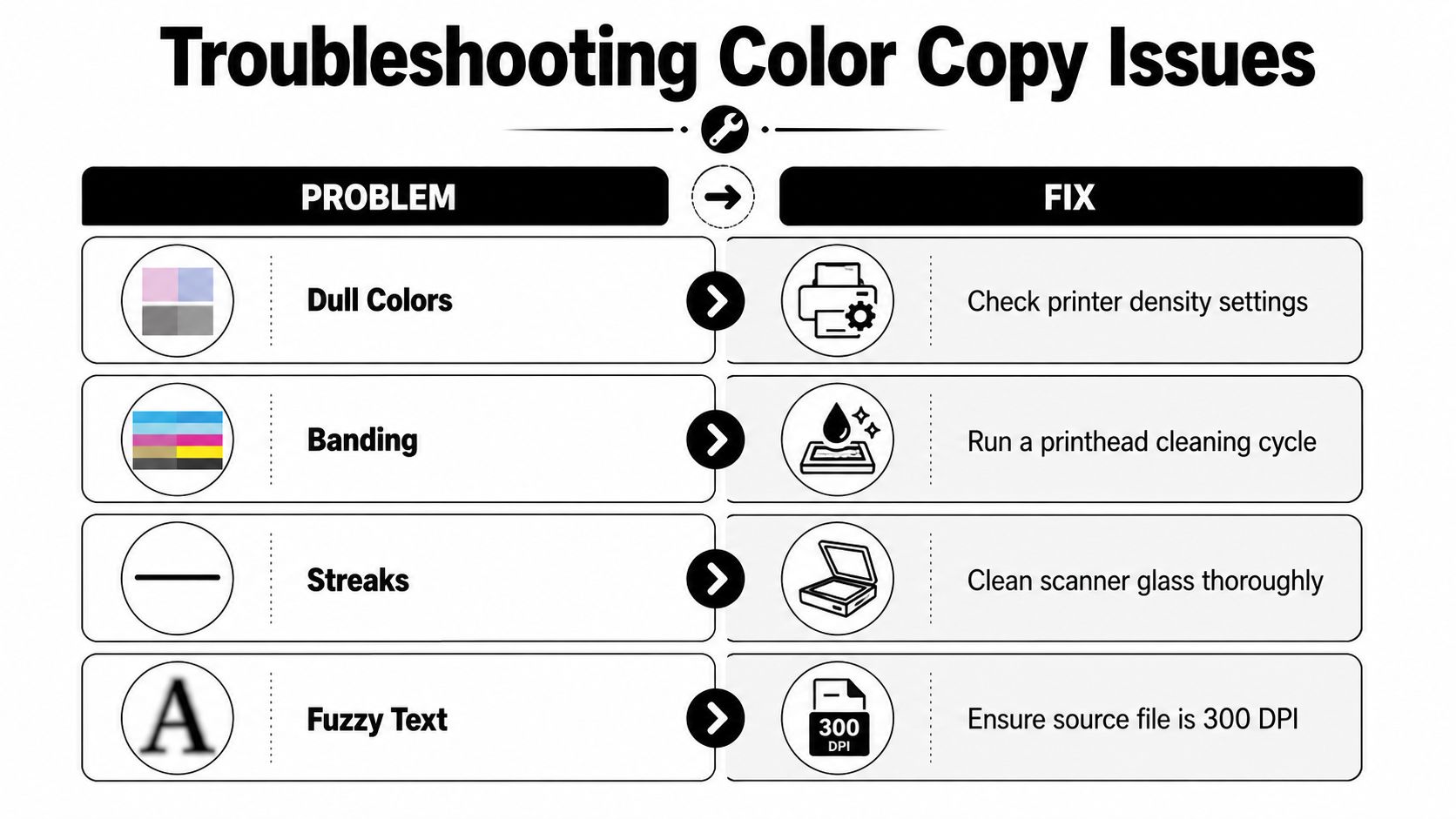
Dull colors often begin with a mismatch between screen color and the print workflow. Ask the operator to check density and color settings, then compare a proof against the approved file. Don’t judge only by the glow of a monitor.
Fuzzy text or soft logos usually point to a low-resolution source or an image enlarged beyond its effective quality. Replace the asset with a higher-quality original and verify it at its placed size. The 300 DPI benchmark discussed in the file-preparation guidance is especially relevant for close-viewed marketing pieces.
Streaks can come from a dirty scanner glass when the source is being copied rather than printed from a clean PDF. Clean the glass and rerun the original. If the mark remains in a digital file, inspect the artwork itself before blaming the machine.
Banding may indicate a maintenance or printhead issue in the device workflow. A cleaning cycle can help, but persistent banding needs an operator’s inspection and possibly recalibration.
Paper can also create the wrong diagnosis. Show-through on a double-sided job may come from insufficient opacity, while jams may result from using stock that exceeds the selected tray or duplex path. Test the paper in the actual production mode rather than relying on its label.
Offset still tends to provide stronger color stability on coated stocks. One technical comparison reports offset variation of about ±0.5 ΔE*ab over two-hour runs, while digital systems using aqueous inks can drift to about ±2.1 ΔE*ab after 30,000 impressions without recalibration, as documented in this offset and digital quality comparison. For short runs, digital remains practical, but larger color-sensitive work may require tighter calibration control and an approved proof.
Business Mail Boutique LLC offers color and black-and-white copies, document finishing, same-day business printing, and shipping support from its Sugar Land storefront. Visit Business Mail Boutique LLC with your prepared file or contact the team to confirm paper compatibility, turnaround, finishing, and pickup or delivery options before placing your order.

Related posts

Custom Memorial Glasses Engraved in Three Hours in Sugar Land
When a customer needed eight personalized glasses for a memorial, Business Mail Boutique completed the engraving or...

Custom Martini Glass Engraving in Sugar Land, TX
Custom Logo Engraving on Martini Glasses in Sugar Land, Texas.
Business Mail Boutique recently completed a beautiful custom engravin...

Custom Engraved Wine Glasses for a Golf Club Event in Sugar Land, TX
Custom Engraved Wine Glasses for a Golf Club Event in Sugar Land.
Custom wine glass engraving in Sugar Land, TX at Business Mail Bouti...