
- Print Business Cards in Sugar Land – Same Day Service
- Copying Services
- Document Printing, Finishing & Lamination in Sugar Land
- Flyers
- Print Banner in Sugar Land | Same-Day Banner Printing Near Me
- Graphic Design
- Photo Printing
- Postcard Printing
- Document Printing
- EDDM Full Service Postcards
- FotoZoomer Large Format Printing


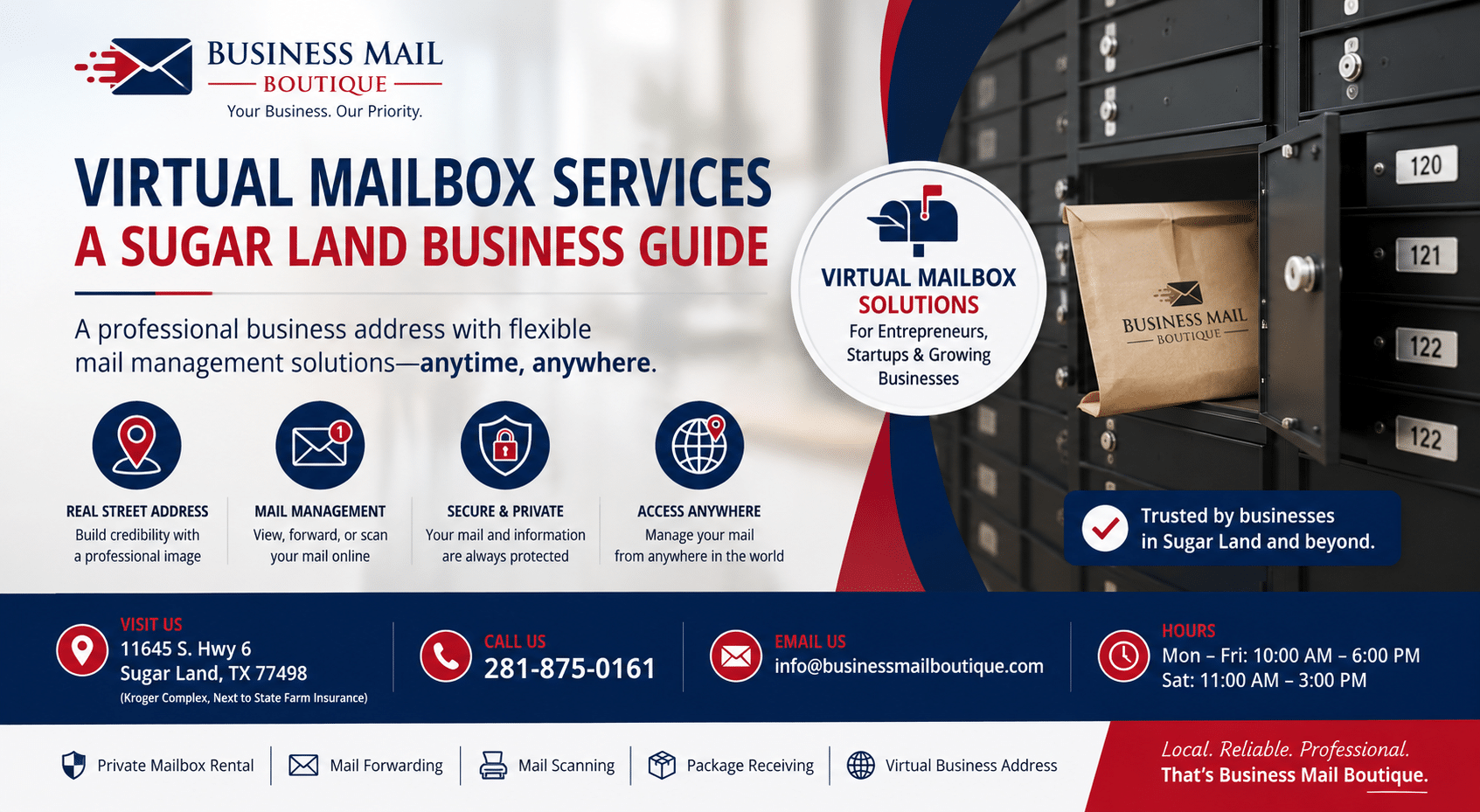
Virtual Mailbox Services: A Sugar Land Business Guide
Businessmailboutique
11645 S. Hwy 6
Sugar land, Texas 77498 United States (US)
Email: info@businessmailboutique.com
Route
Discover virtual mailbox services in Sugar Land. Our guide explains how they work for business, plus shipping, packing, and choosing the right local partner.
You might be running a business from your kitchen table in Sugar Land, but your mail still lives in the physical world. Customer returns show up while you’re out. A supplier sends an invoice to your home address. A bank letter lands in the same stack as birthday cards and grocery coupons. If you sell online, consult from home, or manage a side business after work, that mix gets old fast.
A virtual mailbox service helps, but the most practical setup usually isn’t digital only. For many local business owners, the stronger option is a hybrid setup that combines online mail access with a real shipping and business service center you can visit when something needs hands-on help.
Table of Contents
- The Modern Challenge for Sugar Land Businesses
- What Is a Virtual Mailbox Service
- The Hybrid Advantage Combining Digital Mail with Physical Services
- A Complete Guide to Packing and Shipping Supplies
- How to Choose the Right Mail and Shipping Partner
- Why Sugar Land Businesses Choose Business Mail Boutique
- Frequently Asked Questions About Mailbox Services
The Modern Challenge for Sugar Land Businesses
A lot of small businesses start the same way. Someone launches an Etsy shop, a consulting practice, a bookkeeping service, or a small online store from home because it’s flexible and keeps overhead low. Then the practical issues show up. They need a professional address, they don’t want clients seeing their home address, and they need a reliable place for mail and packages that doesn’t depend on somebody being home at the right time.

For Sugar Land business owners, that problem isn’t theoretical. A local seller might be printing labels at night, taking customer calls between errands, and checking the porch to make sure an important delivery wasn’t left in plain sight. A home-based consultant may want a cleaner business image than a residential address gives. A growing e-commerce shop may need returns received, mail sorted, and outgoing packages handled without turning the house into a stockroom.
That’s one reason demand keeps moving toward more flexible mail solutions. The global virtual mailbox software market is projected to grow from $2.06 billion in 2026 to $3.67 billion by 2035, driven by home-based businesses and e-commerce sellers that want professional mail management without paying for full office space, according to Business Research Insights on the projected virtual mailbox software market.
Daily friction that slows people down
The pain points usually look small on their own. Together, they create drag every week.
- Privacy slips first: Once a home address goes on invoices, websites, vendor forms, or marketplace paperwork, it’s hard to pull back.
- Packages become a scheduling problem: Missed deliveries, porch exposure, and carrier confusion can interrupt a normal workday.
- Mail piles up without a system: Time-sensitive documents don’t always look urgent until they’re opened.
- Shipping turns into a separate job: Finding the right box, padding, label, and carrier often takes longer than people expect.
Practical rule: If mail, returns, and outgoing shipments all touch your business, they should be managed as one workflow, not three separate errands.
Why the old setup stops working
A residential mailbox works fine until the business starts behaving like a business. The moment you need package receiving, forwarding, scanning, and occasional in-person help, the home setup starts showing its limits. That’s where virtual mailbox services enter the picture, and where a local hybrid model often makes more sense than a digital dashboard alone.
What Is a Virtual Mailbox Service
A virtual mailbox service is a digital front desk for physical mail. Your mail goes to a real street address managed by a provider. Instead of driving over to check a box, you log in and see what arrived. Then you decide what should happen next.
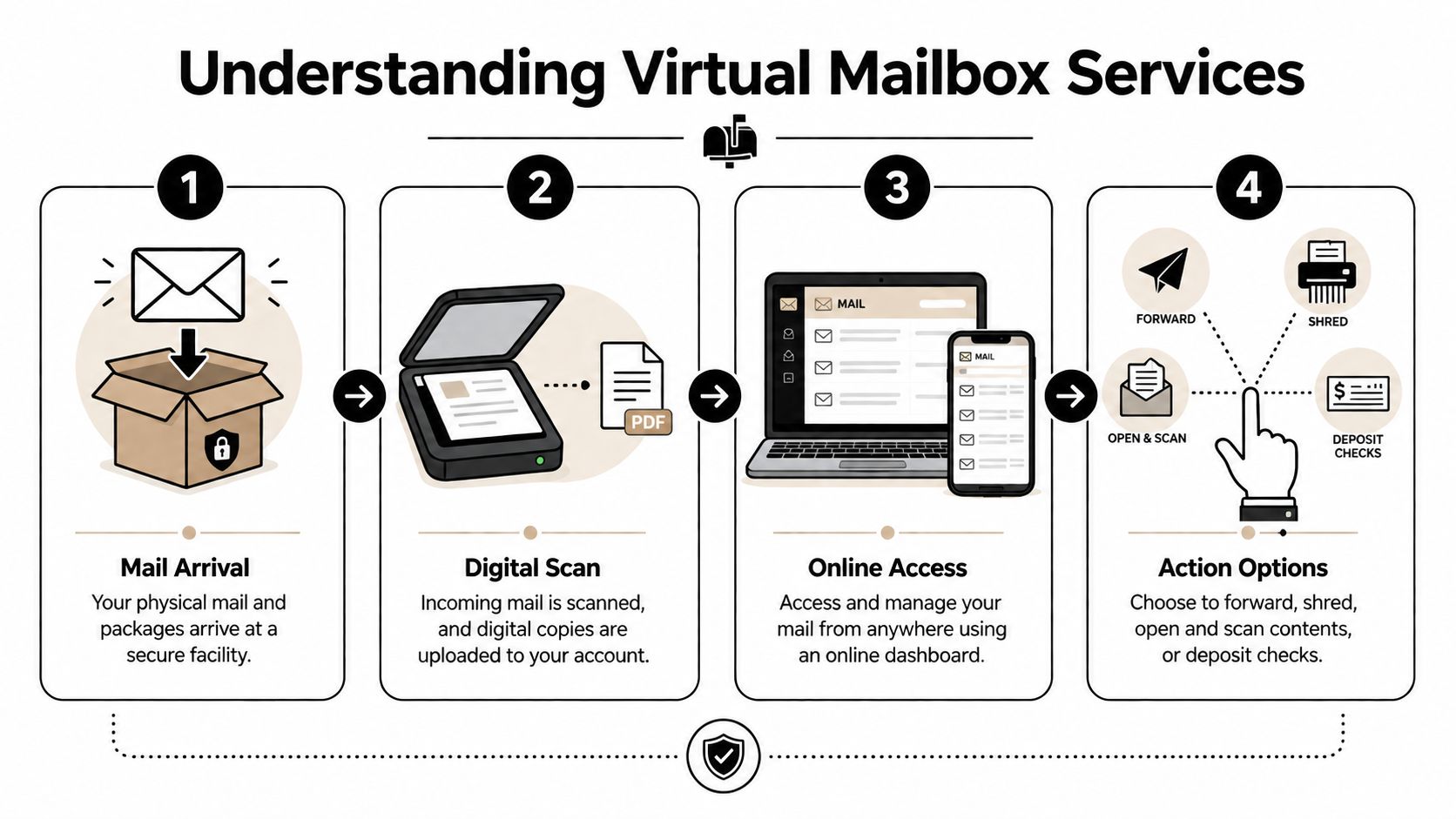
That simple shift changes how people handle business mail. The envelope reaches a secure facility, staff scan the outside by default, and the image is uploaded to your account through a cloud-based system so you can review it remotely. Depending on the service, you can request an internal content scan, forwarding, shredding, storage, or other actions. Typical add-on pricing can include $1 to $3 for content scans and $5 to $15 plus postage for shipment fees, as explained in Mail World Office’s overview of how virtual mailboxes work.
How the process works day to day
The easiest way to think about it is as a mail triage system.
- Mail arrives at your assigned address. That can include letters and, with many providers, packages from major carriers.
- The system logs the item. Usually the envelope exterior is scanned first so you can identify the sender.
- You review it online. You check your dashboard from a phone or laptop.
- You choose the next action. Open and scan, forward, hold, shred, or store.
Many providers now operate networks with over 2,500 physical street address locations worldwide, with features such as mail scanning, package receipt from major carriers, and mobile app-based management, according to HTF Market Insights on the virtual mailbox software market.
For a closer look at the address side of the service, this guide on how a virtual address works for business use is useful if you’re comparing mailing options.
A quick visual helps if you’re new to the idea:
What you can actually do with the mail
The value isn’t just seeing the envelope. It’s deciding what deserves attention.
- Open and scan important documents: Good for contracts, notices, checks, and paperwork you need the same day.
- Forward selected items: Useful when originals matter, such as signed documents or product samples.
- Shred what you don’t need: That keeps junk mail from becoming clutter.
- Store items for pickup: Helpful if you’re local and want to collect several pieces at once.
A virtual mailbox works best when you need visibility first and physical handling second.
What doesn’t work as well is expecting every provider to solve broader business logistics. A digital dashboard can help you manage incoming mail from anywhere, but it doesn’t automatically give you packing advice, printing support, same-day shipping help, or a person who can solve a last-minute return problem at the counter.
The Hybrid Advantage Combining Digital Mail with Physical Services
The strongest setup for many Sugar Land businesses isn’t online-only mail management. It’s a hybrid model that combines digital access with a real local center that handles physical tasks well.
A purely online service is convenient when everything goes according to plan. You receive a notification, click a button, and the item gets scanned or forwarded. That sounds efficient, and often it is. But businesses don’t run on ideal scenarios. They run on late supplier packets, customer returns, damaged packaging, urgent print jobs, mislabeled shipments, and the occasional package that needs a real person to inspect it before it goes anywhere.
Where online-only services fall short
Remote-first platforms can be useful, but they’re narrow by design. They usually handle incoming mail workflow. They don’t always help with the practical chain that follows.
A few common examples:
- A package arrives damaged: You may want a local team to assess it, repack it, or help route it back out.
- You need to ship the same day: A dashboard request isn’t the same as walking into a center that can pack and label it immediately.
- Your business needs printed materials too: Labels, inserts, forms, and signs often become part of the same errand.
- You want accountability: When you know the physical location and can speak to staff directly, small issues get resolved faster.
Why one local partner changes the workflow
A hybrid center creates operational continuity. Your address, incoming mail, package receiving, forwarding, packing, and shipping can all live in the same place. That’s easier to manage than stitching together one online mailbox company, one office supply store, and one separate shipping counter.
This matters most for e-commerce sellers, consultants, service businesses, and home-based owners who need flexibility but still work in the physical world. A local center can receive returns, hold packages securely, prepare outgoing shipments with the right materials, and handle edge cases that don’t fit neatly into an app.
The hybrid advantage isn’t about adding more services. It’s about removing handoffs.
There’s also a trust factor. If a shipment needs special handling, or if you need to confirm what kind of street address you’re using for business paperwork, a local provider can answer in plain language. That kind of clarity is hard to replace with an account portal and a support queue.
A Complete Guide to Packing and Shipping Supplies
Shipping problems usually start before the label is printed. They start when the wrong box, padding, or tape gets used because it was the closest thing on hand. If you ship often, keeping the right supplies nearby saves time and reduces preventable damage.
What to keep on hand
A simple supply shelf covers most business shipments.
| Supply Item | Best For | Pro Tip |
|---|---|---|
| Corrugated shipping boxes | Everyday products, apparel, books, general merchandise | Choose a box that leaves room for cushioning without letting the item slide around |
| Heavy-duty boxes | Dense or fragile items | Use these when weight or impact is a concern, especially for multi-stop transit |
| Mailers | Soft goods, flat items, lightweight non-breakables | Padded mailers work well for items that don’t need rigid wall protection |
| Bubble wrap | Glass, ceramics, electronics, framed pieces | Wrap individual items first, then cushion the empty space in the carton |
| Kraft paper | Void fill for sturdy items | Good for blocking movement when the product itself isn’t delicate |
| Air pillows | Lightweight shipments with open space | Best for filling gaps, not for protecting sharp or heavy edges |
| Packing peanuts | Irregular shapes | Useful when an item has contours that are hard to brace with flat materials |
| Packing tape | Sealing cartons | Use shipping-grade tape, not household tape, on carton seams |
| Labels and document pouches | Outbound shipments and customs paperwork | Keep labels flat and visible, away from seams and edges |
How to match the supply to the shipment
The right material depends on what can go wrong in transit.
For non-fragile retail items, standard corrugated boxes with kraft paper often do the job. Apparel, sealed office supplies, and boxed accessories usually need protection from movement more than from impact.
For breakables, bubble wrap should touch the item before any loose fill does. Glassware, mugs, framed items, and electronics need cushioning at the product level, not just around the outside of the box.
For heavy shipments, strength matters more than appearance. A polished-looking box that’s too weak is worse than a plain heavy-duty carton that stays intact. Reinforced seams and the right tape matter here.
For odd shapes, don’t force a bad fit. Tubes, specialty boxes, and custom packing can save money in the long run by reducing damage claims and re-shipments.
- Use snug sizing: Too much empty space invites movement. Too little space crushes the cushioning layer.
- Protect edges first: Corners take impact quickly, especially on heavier items.
- Seal for travel, not for the handoff: A package may be lifted, stacked, and shifted several times before delivery.
- Think about returns: If a customer might send the item back, choose packaging they can realistically reuse.
If you ship internationally, paperwork quality matters almost as much as packaging. Clear item descriptions and organized documentation can help prevent customs delays with proper documentation, especially when you’re sending merchandise rather than personal gifts.
A local resource can also help if you’re deciding what to stock versus what to buy as needed. This Sugar Land guide to shipping supplies near me for boxes, cushioning, and packing materials is useful for planning around routine business shipments.
Good packing doesn’t mean using the most material. It means using the right material in the right place.
One more practical point. If you’re shipping often, it helps to standardize a few package formats. Most small sellers don’t need every box size on the shelf. They need a short list they trust, plus access to specialty packing when an unusual order comes in.
How to Choose the Right Mail and Shipping Partner
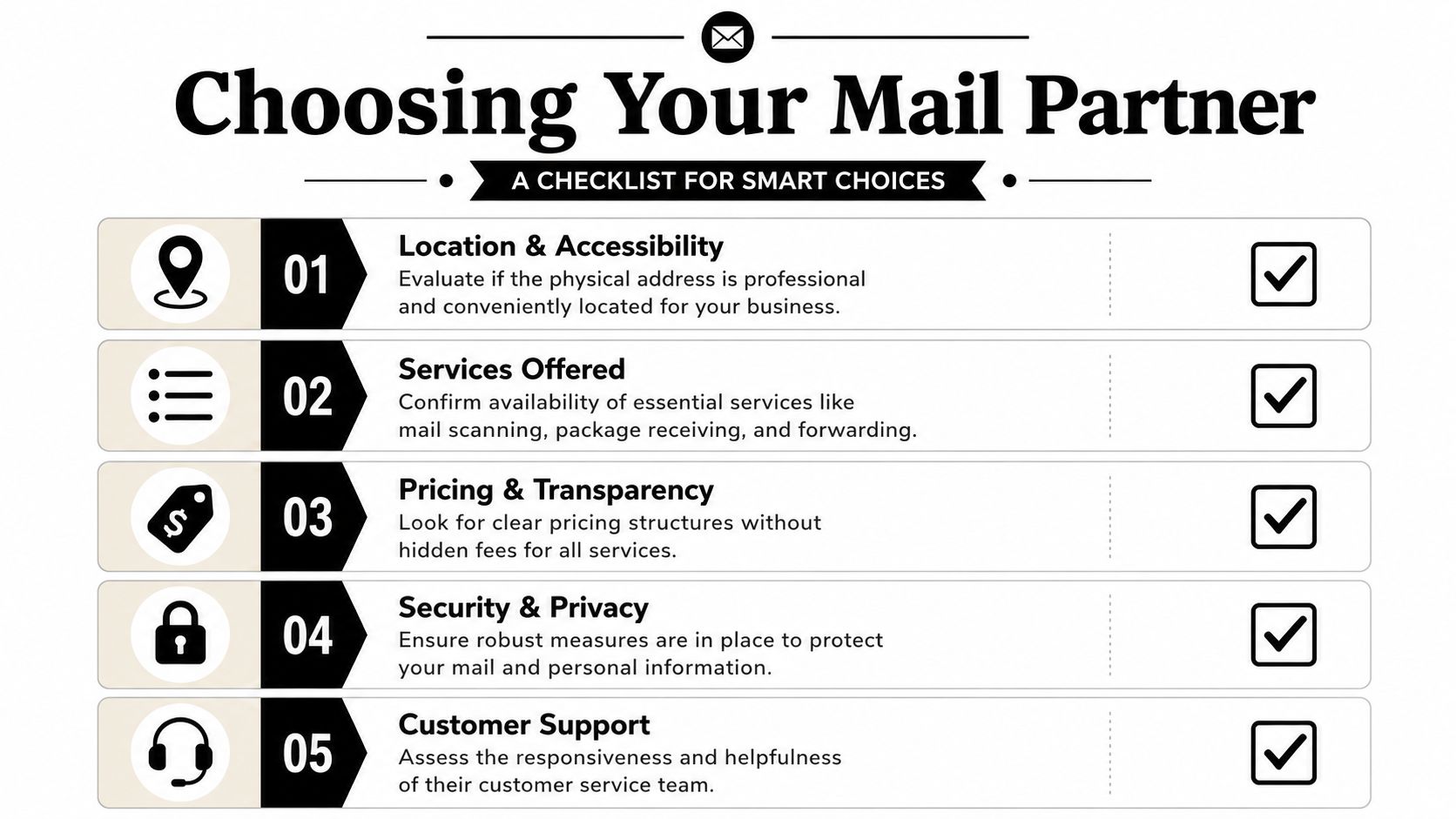
A mailbox provider can look great on a pricing page and still be a poor fit for how your business runs. The right partner should support mail handling, package flow, compliance, and the messy real-world exceptions that happen every month.
Questions worth asking before you sign up
Start with operational questions, not marketing promises.
- Which carriers do you work with: If you receive and send through UPS, FedEx, and USPS, ask whether the location supports that mix in practice.
- How are packages handled: Some providers are comfortable with regular package receiving. Others treat packages as an extra that quickly becomes inconvenient.
- What gets scanned by default: Many services scan the outside first, but you should confirm how internal scans are requested and billed.
- How transparent are the fees: A low monthly plan can become expensive if every action carries a separate charge.
- Can I talk to a real person locally: That matters when a shipment is urgent, damaged, misaddressed, or time-sensitive.
If your operation includes inventory, returns, or recurring outbound orders, it also helps to understand the bigger fulfillment picture. This overview of ECORN’s guide to ecommerce fulfillment gives a useful framework for thinking about storage, shipping flow, and customer expectations before you choose a provider.
What separates a usable address from a risky one
Many people find this confusing: a virtual mailbox isn’t just a convenience product. It’s also a regulated mail-handling arrangement.
An essential compliance step is the notarized USPS Form 1583 plus two forms of ID, which reputable providers use to comply with federal mail-handling rules, as outlined in Office Evolution’s explanation of virtual mailbox verification requirements. If a provider treats identity verification casually, that’s a warning sign.
You also need to ask a harder question: what kind of address is this for legal and business purposes? Some users assume any virtual address works everywhere. It doesn’t. Business registration, banking, licensing, and lender requirements don’t always treat mailing addresses the same way.
A practical checklist helps:
- Confirm the address format. You want a real street address, not something that functions like a PO Box in disguise.
- Ask how mail authorization is handled. This is not optional.
- Review package receiving policies. Especially if you expect returns or carrier mix.
- Look for related services. Packing, forwarding, printing, and notary support can save repeated trips elsewhere.
- Test support before you buy. Call with a specific question and see how clear the answer is.
Choose the provider that can explain edge cases clearly, not just the one with the cleanest signup page.
Why Sugar Land Businesses Choose Business Mail Boutique
A Sugar Land seller gets three customer returns on a Friday, needs a document notarized before close, and wants Monday’s inbound mail scanned without making another stop across town. That is the kind of week that pushes people away from online-only mailbox services and toward a local provider that can handle both digital mail and physical business tasks.
What local owners usually need in one place
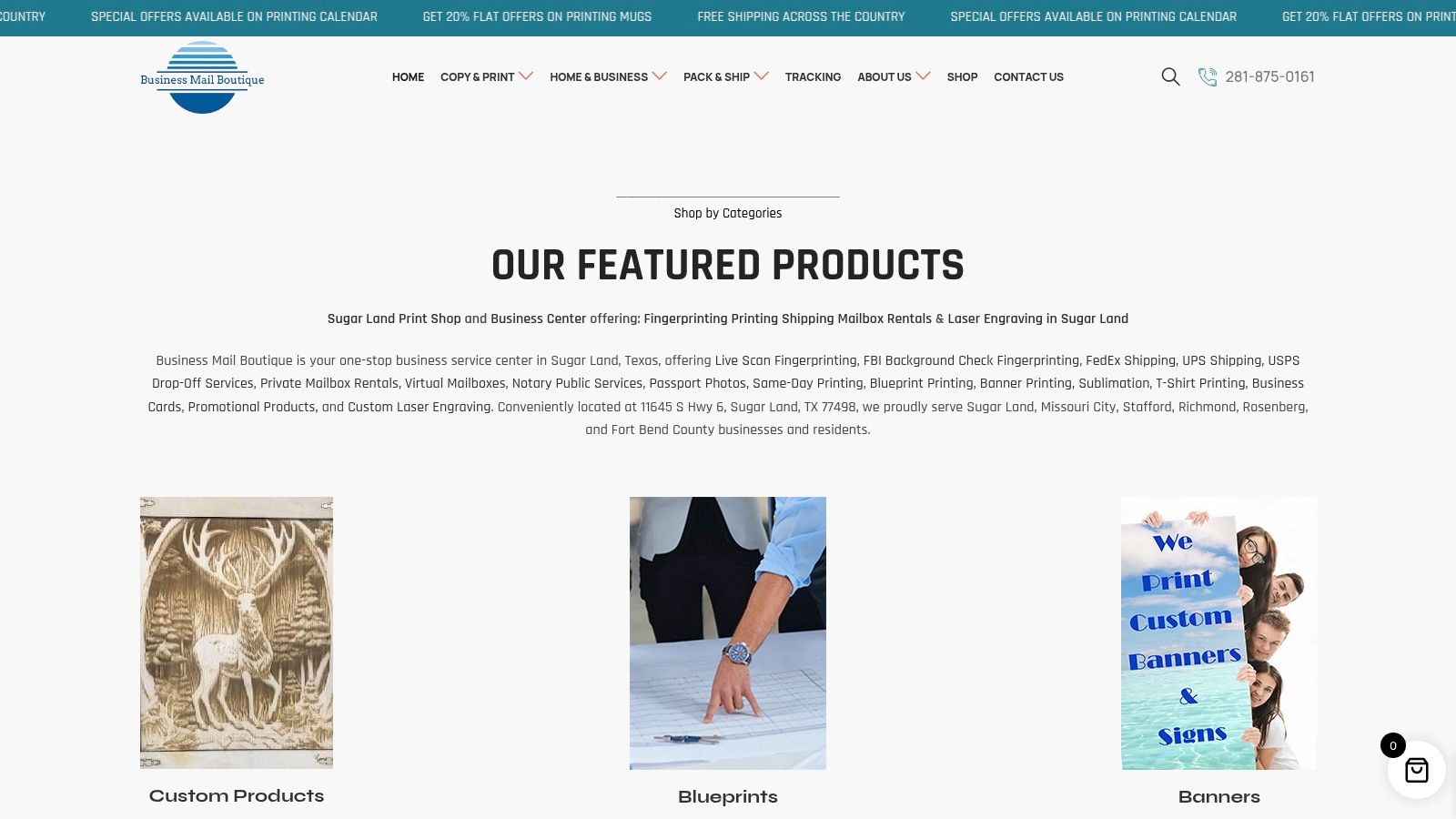
Sugar Land businesses often do not need a fancy office. They need one dependable place to receive mail, accept packages, ship orders, print documents, and solve small operational problems quickly.
A hybrid business center fits that reality. In the same week, a home-based brand may need a professional street address, package receiving, UPS or FedEx drop-off help, USPS mailing, printing, notary service, and forwarding for travel. Splitting those jobs across separate providers usually looks fine on paper and wastes time in practice.
That is why some local owners choose Business Mail Boutique LLC. The appeal is practical. Digital mailbox access handles the mail you want to review remotely, while the storefront handles the packages, shipping supplies, printing, and in-person service that online platforms cannot provide on their own.
Why the hybrid model works better for many local businesses
Pure virtual mailbox companies are useful if your needs stop at mail scans and forwarding. Many small businesses in Sugar Land need more than that.
E-commerce sellers deal with returns, mislabeled shipments, packing questions, and carrier cutoffs. Consultants and real estate professionals may need a clean business address, quick document printing, and a notary on short notice. Families managing mail for a student, traveler, or older parent often want a real person they can call if a package arrives damaged or time-sensitive documents need special handling.
Those are local service problems, not just software problems.
The hybrid model solves them in one relationship. You can review mail online, then walk in to ship inventory, buy packing materials, pick up a package, or finish paperwork the same day. For many users, that removes the biggest weakness of online-only mailbox services. They digitize the envelope, but they cannot help much once the task becomes physical.
Why setup confidence matters
Mail service is easier to trust when the provider can explain the rules clearly and handle the follow-through in person. If you are comparing options, it helps to review the requirements for USPS Form 1583 and mailbox authorization before you sign up.
That clarity matters for local businesses that cannot afford mail disruptions. A missed package, a delayed return, or confusion about pickup procedures creates real friction for customer service and daily operations.
For Sugar Land businesses that want one local partner instead of a patchwork of apps, carriers, and storefronts, that is the reason this model stands out. It covers the digital side of mail management and the physical side of running a business.
Frequently Asked Questions About Mailbox Services
Is a virtual mailbox the same as a PO Box
No. A virtual mailbox typically gives you a real street address and online mail management. A PO Box is a box at a post office. That difference matters for image, carrier acceptance, and some business uses.
Can these services receive packages from major carriers
Many can, but you should verify it before signing up. If your business receives shipments from multiple carriers or handles customer returns, ask specifically how package receiving, holding, and pickup work.
Why do I need USPS Form 1583
It authorizes a provider to receive and handle mail on your behalf. If you want a plain-English explanation of what’s required, this guide to the USPS Form 1583 for virtual mailbox authorization helps clarify the process.
Are daily uploads always realistic
They can be for routine domestic mail, but timing isn’t always perfect in practice. Cross-border mail, compliance checks, and shipping exceptions can slow things down, so it’s smart to ask how the provider handles delays and notifications rather than relying on broad marketing language.
Who gets the most value from virtual mailbox services
Home-based businesses, e-commerce sellers, consultants, traveling professionals, and anyone who wants a professional address without leasing office space usually benefit most. The fit gets even better when the provider also handles packing, shipping, and local support.
If you need a real street-address mailbox plus practical help with packing, shipping, printing, and business services in Sugar Land, Business Mail Boutique LLC is worth a look. A hybrid setup keeps your mail accessible online while giving you a local counter for the tasks that can’t be solved with an app alone.

Related posts

Perfume Bottle Engraving Sugar Land | Same-Day Service
Same-Day Perfume Bottle Engraving in Sugar Land.
Custom Perfume Bottle Engraving in Sugar Land — Same-Day Personalized Gifts
Make a...

Leather Portfolio Engraving in Sugar Land | Custom Initials
Custom Leather Portfolio Engraving in Sugar Land: Personalized Initials for Corporate Gifts
A professional portfolio is something ...

Corporate Watch Engraving in Sugar Land | Business Mail Boutique
Custom Watch Engraving in Sugar Land: Meaningful Gifts for Employee Appreciation
A personalized watch can turn a company’s thank-you i...