
- Print Business Cards in Sugar Land – Same Day Service
- Copying Services
- Document Printing, Finishing & Lamination in Sugar Land
- Flyers
- Print Banner in Sugar Land | Same-Day Banner Printing Near Me
- Graphic Design
- Photo Printing
- Postcard Printing
- Document Printing
- EDDM Full Service Postcards
- FotoZoomer Large Format Printing


How Does a Virtual Address Work
Businessmailboutique
11645 S. Hwy 6
Sugar land, Texas 77498 United States (US)
Email: info@businessmailboutique.com
You’re probably dealing with one of these problems right now. Your business is new, so your home address is showing up on invoices, registrations, or your website. Or you work from different places, but your mail still needs to land somewhere stable. Or packages keep arriving when no one is there to receive them.
That’s where people usually start asking, how does a virtual address work, and whether it’s just another name for a mailbox. It isn’t. A virtual address gives you a real street location for mail handling, even if your business operates somewhere else. The provider receives the mail there, then scans, forwards, stores, or discards it based on your instructions. That model has become more important as remote and hybrid work expanded, because businesses can keep a physical mailing presence without leasing office space, as described by PostScan Mail’s overview of virtual addresses and remote work.
For a new entrepreneur, that can mean one simple change with a big daily payoff. Your business mail stops following your personal life around, and starts running through a system.
Table of Contents
- Beyond the Home Office Mailbox
- What Exactly Is a Virtual Business Address?
- The Mail Handling Workflow From Receipt to Shred
- Choosing Your Mailbox Type Virtual Address vs PO Box
- Practical Use Cases and Legal Considerations
- Getting Started With Your Business Mail Boutique Address
Beyond the Home Office Mailbox
A lot of businesses begin at the kitchen table. That part is normal. The trouble starts when the kitchen table becomes your shipping desk, your returns department, and the public address tied to your business.
A new consultant might register a company with a home address, then realize clients can now see that address on documents. An online seller might list the same address for returns, then spend afternoons waiting for packages. A freelancer might miss time-sensitive mail because they’re working at a client site, a coffee shop, or on the road.
Those headaches don’t mean you need a traditional office. They usually mean you need a better mail system.
A virtual address solves that by giving your business a real street location for mail handling while you work elsewhere. The mail goes to the provider’s physical location, and the provider handles it according to your instructions inside a remote workflow.
Practical rule: If your business can operate from anywhere but your mail can’t, you need a location for the mail, not a lease for yourself.
That’s one reason virtual addresses have become more common in remote and hybrid work. Businesses want a physical mailing presence without taking on office space they don’t use.
For many owners, the emotional benefit matters too. Your home goes back to being your home. Your business starts looking and operating like a business.
What Exactly Is a Virtual Business Address?
A virtual business address is a real street address provided by a mail service, not an online-only address and not a fake location. The provider assigns you that address for receiving mail and packages, while you manage what happens next through an app or web portal.
The easiest way to picture it
The simplest analogy is this. Think of it as a digital remote control for your physical mail.
Your mail still arrives in the physical world. Envelopes and packages are delivered to a physical commercial location. But instead of you standing there to sort everything, the provider receives the item, logs it, and gives you a digital way to decide what happens next.
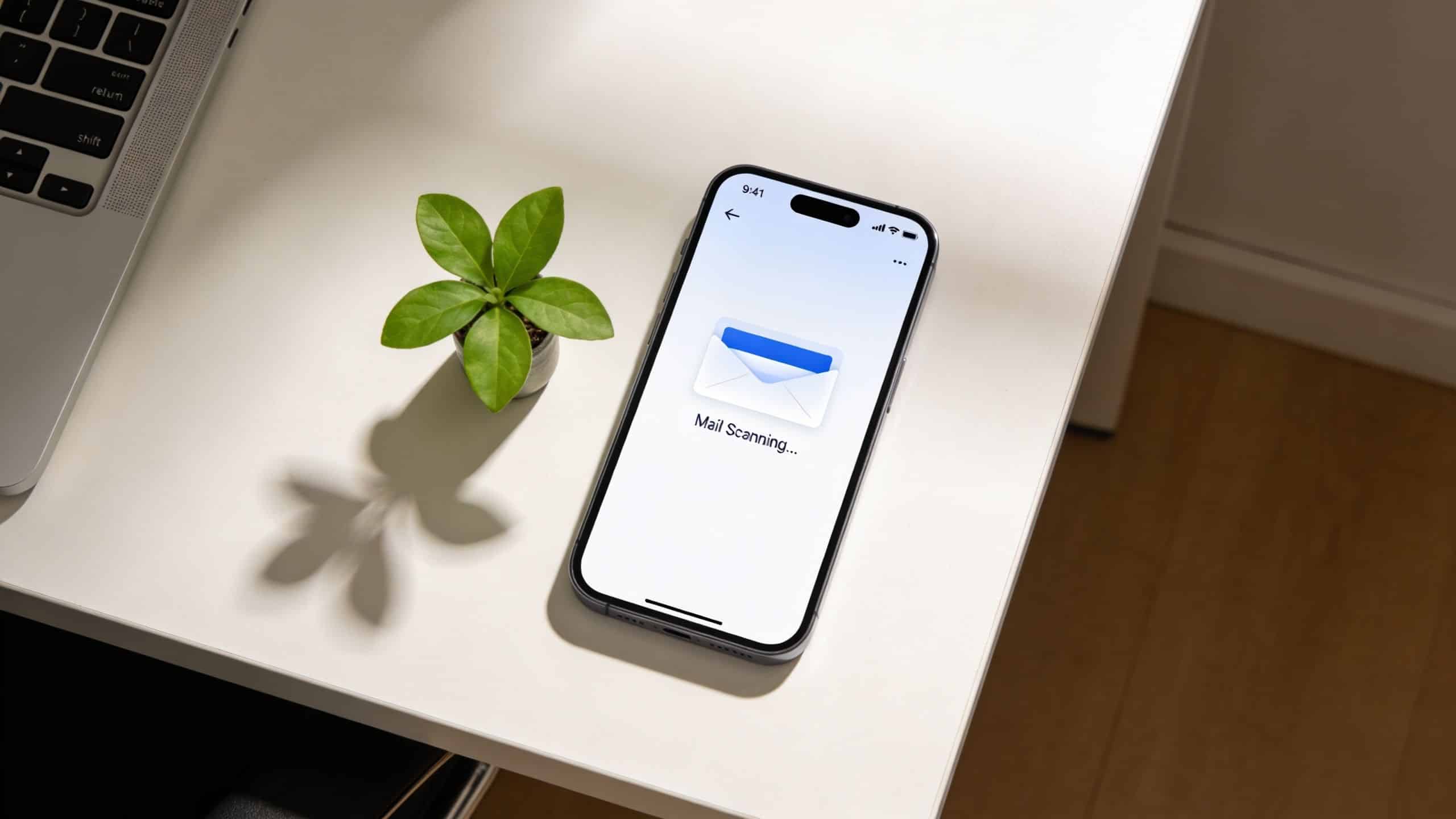
That’s the core answer to how does a virtual address work. It combines two things:
- A physical street address: a place where mail can be delivered.
- A digital management layer: a dashboard where you review mail activity and send instructions.
Without the physical address, nothing can be received. Without the digital dashboard, it’s just a mailbox.
What makes it different from a PO Box
Many first-time users get confused here. A virtual address is not a PO Box. According to iPostal1’s explanation of how a virtual mailbox works, a virtual address is a real street address assigned by a provider, which lets businesses and individuals receive mail and packages without physically occupying the location. The provider’s mail center receives each item, logs it, and exposes it through a digital workflow.
That difference matters because a street address usually looks more professional on business materials, and the remote management layer changes the day-to-day experience.
Here’s the practical distinction:
- A PO Box gives you a place to receive mail that you usually need to check manually.
- A virtual address gives you a place to receive mail plus a process for viewing and managing it remotely.
Most people don’t need “a box.” They need a system for handling mail when they’re not physically present.
For a small business owner, that’s often the biggest mental shift. You’re not renting a slot. You’re setting up outsourced mail intake with digital control.
The Mail Handling Workflow From Receipt to Shred
This is the part many business owners want spelled out clearly. What happens after someone sends a letter or package to your virtual address?
The process is easier than it sounds once you follow one piece of mail from start to finish.
Step one when mail arrives
A letter, check, legal notice, contract, or package arrives at the provider’s location. Staff receive it at the front end of the mail process, identify the mailbox customer it belongs to, and log it into the system.
That intake step matters because it creates a record. Instead of mail disappearing into a pile on a counter, it enters a tracked workflow.
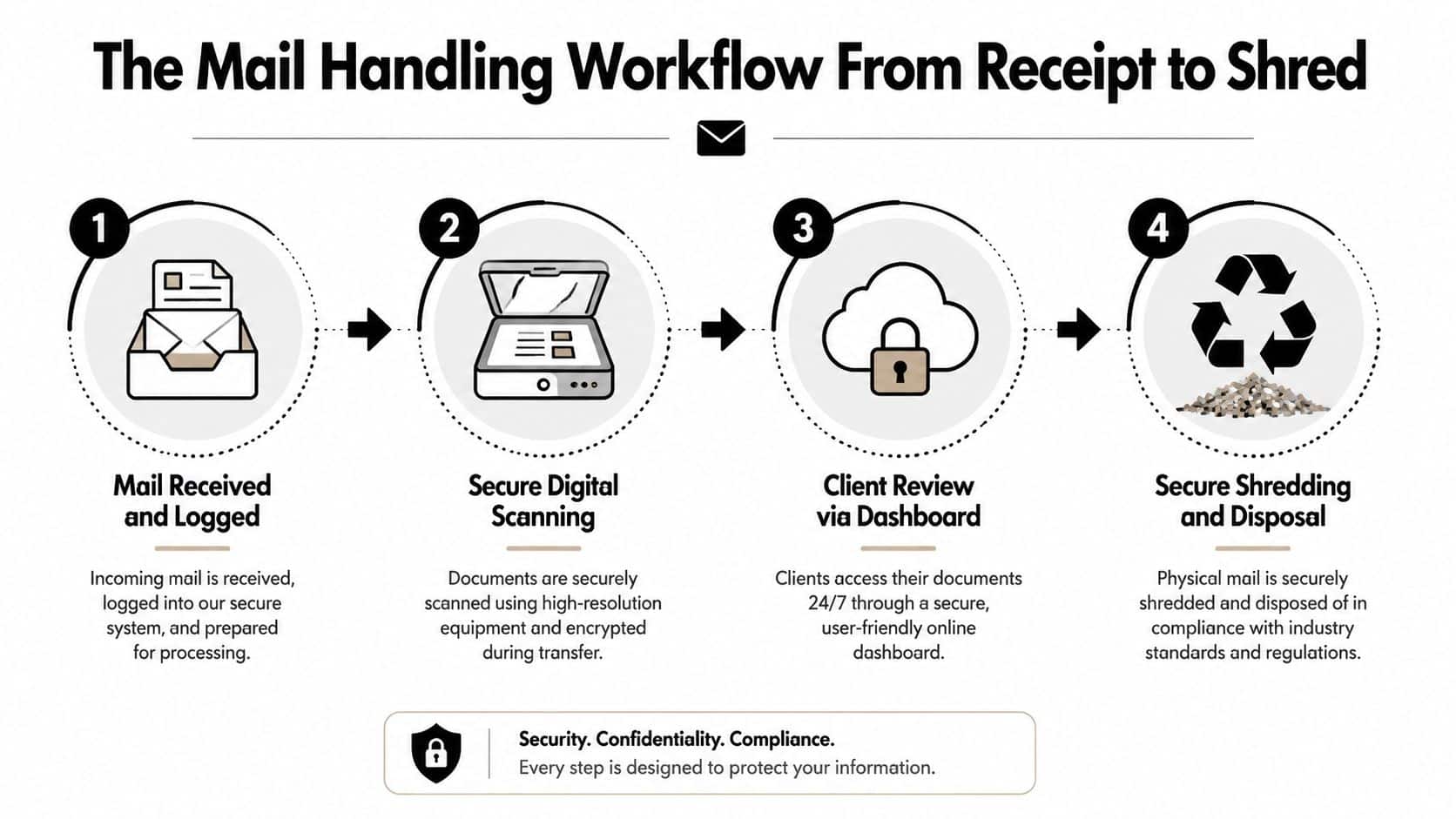
In a well-run operation, staff don’t just receive mail. They sort it, associate it with the right account, and prepare it for digital review.
What you see in your dashboard
Once the mail is logged, you typically get a notification. When you sign in to your dashboard, you’ll usually see the outside of the envelope or package listed as a new item.
At this stage, you’re not reading the contents yet. You’re seeing that something arrived, where it came from if visible, and waiting to decide what to do next.
That single step clears up a common misunderstanding. A virtual address doesn’t teleport your paper mail into email automatically. The provider first receives the physical item, then gives you digital visibility and control over it.
The provider handles the physical side. You handle the decision side.
For business owners, that’s useful in ordinary moments. If you’re at a client meeting, traveling, or working from home, you can still keep up with incoming mail without driving anywhere first.
Your main action options
Once an item appears in your dashboard, you usually choose from a short list of actions. Different providers may name them slightly differently, but the working logic is similar.
-
Open and scan
If the contents matter more than the envelope, you can request that staff open the item and scan what’s inside. This is useful for forms, notices, statements, and signed documents you need to review quickly. -
Forward it
If you need the physical original, you can have it forwarded to your home, office, accountant, attorney, or another location. This is common for checks, original contracts, product samples, and certain official documents. -
Hold or store it
Some items don’t need immediate action. You may want them kept for pickup or short-term storage until you’re ready. -
Shred or discard it
Junk mail, duplicates, or low-value paper can be removed from your workflow so it doesn’t keep piling up.
A single week of business mail shows why this matters. You might scan a bank letter, forward a customer return, hold a package, and shred two marketing flyers. The service isn’t about one dramatic action. It’s about dozens of small decisions made cleanly.
Why provider workflow matters more than most people expect
Two virtual address services can sound similar on paper and feel very different in practice.
One provider may be quick and organized, with clear notifications and easy action choices. Another may offer the same basic features but make the process clunky, slow, or confusing. That’s why it helps to ask operational questions before signing up.
Use questions like these:
- How is mail logged: Do they enter items into a dashboard promptly and consistently?
- What can be scanned: Can you request interior scans when needed?
- How are packages handled: Can they receive parcels along with envelopes?
- What happens to unwanted mail: Do they offer secure shredding or disposal options?
- Can you pick up in person: If you’re local, can you collect items directly?
That last point is especially useful when you choose a neighborhood provider instead of a distant national service. The closer the mail center is to your real working life, the easier it is to switch between digital management and physical pickup when needed.
Choosing Your Mailbox Type Virtual Address vs PO Box
Once you understand the workflow, the next question is usually practical. Should you get a virtual business address or keep it simple with a PO Box?
The answer depends on what role the address needs to play in your business.
Mailbox Service Comparison
| Feature | P.O. Box | Virtual Business Address |
|---|---|---|
| Address format | PO Box number | Real street address |
| Professional appearance | Limited for many business uses | Stronger business presentation |
| Package receiving | Can be more limited depending on service and carrier | Commonly designed for mail and packages |
| Remote mail management | Usually not the main feature | Built around digital review and instructions |
| Mail actions | Basic pickup | Scan, forward, hold, shred, discard |
| Business registration use | May not fit some business needs | Can support registration and documentation where permitted |
| In-person pickup option | Yes | Often yes, depending on provider |
If you want a deeper side-by-side explanation, this guide on private mailbox vs PO Box differences is useful.
Which option fits a small business better
A PO Box can still work for very simple personal mail needs. If all you want is a place to collect envelopes yourself, and you don’t care much about remote access or business presentation, it may be enough.
Small businesses usually need more than that.
They need an address that looks appropriate on invoices, formation paperwork, contact pages, and customer-facing material. They may also need package receiving, mail visibility when traveling, and a way to act on items without stopping work to go check a box.
That’s where the virtual option usually wins.
Here are the actual decision points:
-
Professional identity
A street address tends to look more like a business location than a box number. For many owners, that matters on websites, business cards, and forms. -
Operational convenience
A virtual address is built for people who aren’t on-site all day. You manage mail from your phone or laptop instead of making special trips. -
Package flexibility
Businesses don’t just get letters. They receive samples, returns, documents, and supplies. A provider that handles both mail and packages often fits daily business better. -
Administrative uses
Some entrepreneurs need an address that can support LLC registration or related documents where local law allows it. A provider-based street address can be more useful than a PO Box for that purpose.
Choose the option that matches your workflow, not just your budget line. The cheapest mailbox often becomes the most inconvenient one.
Another way to think about it is this. A PO Box is mainly a destination. A virtual address is a destination plus a handling process.
If your business is remote, mobile, growing, or customer-facing, that process usually matters more than people expect at signup.
Practical Use Cases and Legal Considerations
The best way to judge a virtual address is to look at how real businesses use one week after week.
According to Opus Virtual Offices’ explanation of virtual addresses, virtual addresses are commonly used by startups and entrepreneurs, remote teams and digital nomads, and companies expanding into new markets. The address can also support LLC registration and other business documentation where local law permits.
Three common business scenarios
A home-based startup is one of the most common examples. The owner wants a business address for registration paperwork, vendor correspondence, and a website footer, but doesn’t want a home address tied to every public-facing record. In that case, the virtual address gives separation between personal life and business operations.
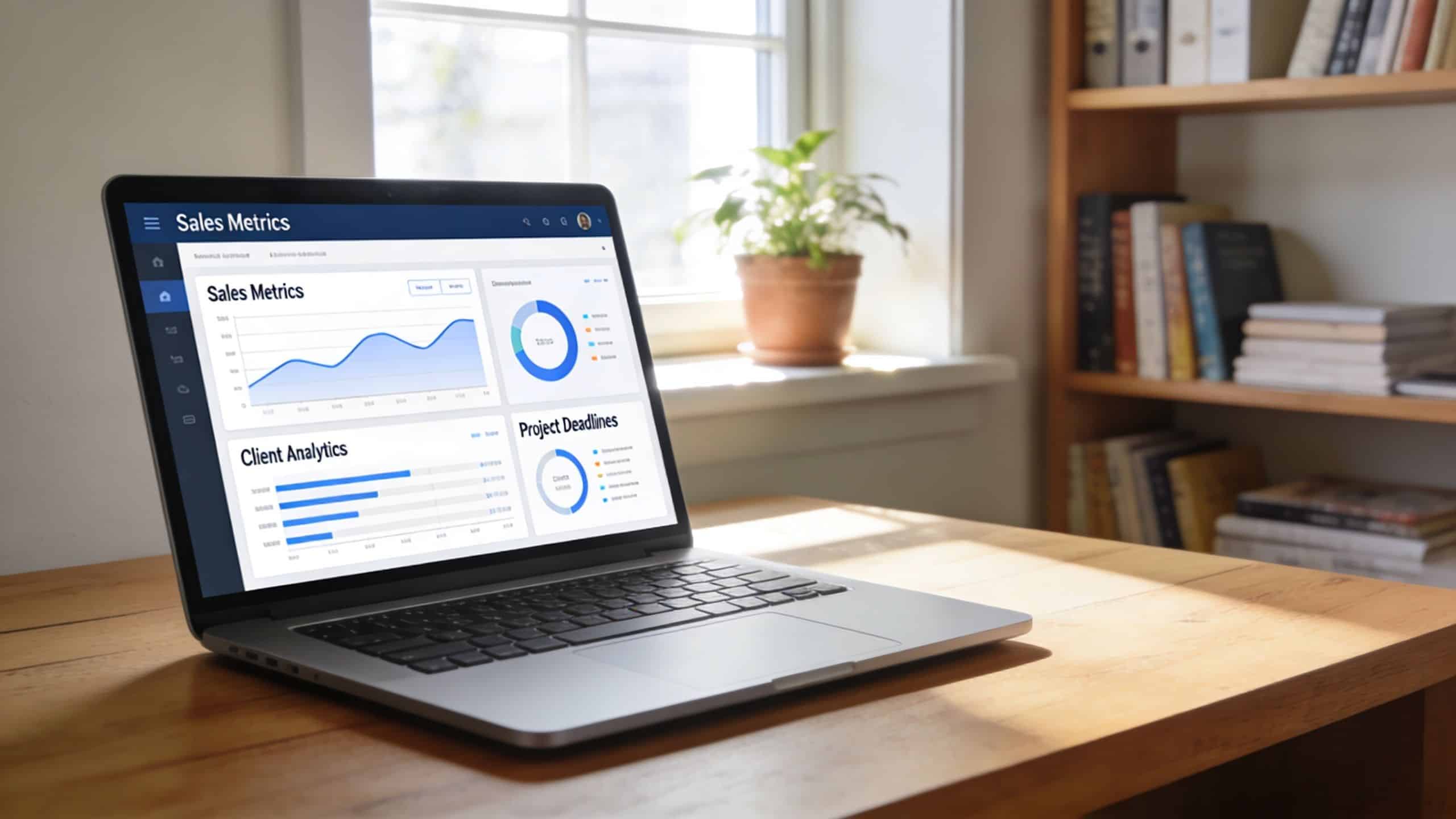
An e-commerce seller uses the service differently. Returns, supplier mail, packaging notices, and customer correspondence all need a reliable intake point. The owner may not want returns coming to a house or apartment, and may need a cleaner way to separate keep, forward, and discard decisions.
Then there’s the mobile business owner. A consultant who travels, a remote team member, or a digital nomad still needs a dependable mailing address even when they’re rarely in one place for long. A virtual address gives them that anchor.
Here’s how those use cases break down in plain terms:
- Startup and freelancer use: keep a home address off routine business materials where allowed.
- E-commerce use: create a more structured mail and package flow for business operations.
- Travel-heavy use: maintain continuity while working from different locations.
The identity verification step most people ask about
The legal step that confuses most first-time customers is USPS Form 1583. This form authorizes a commercial mail receiving agency to receive mail on your behalf.
It’s not a strange extra requirement. It’s a standard identity verification step tied to this kind of service.
People often assume the form will be difficult, but in practice the process is usually straightforward when the provider walks you through it. If you’re comparing services, ask whether they help with completion and notarization. For local customers, help with that step can remove most of the friction.
If you want to understand that part before signing up, this page on how to notarize USPS Form 1583 for free covers the process in more detail.
A virtual address isn’t anonymous mail receiving. It’s authorized mail receiving with identity verification.
That legal distinction is a good thing for business owners. It helps create a structured, legitimate setup rather than an informal workaround.
Getting Started With Your Business Mail Boutique Address
Once you’ve decided a virtual address fits your business, setup is usually much simpler than people expect. The main task is choosing a provider whose workflow matches how you handle mail.
A simple setup path
Start by choosing the mailbox plan that fits your volume and habits. A solo consultant may mostly need envelope handling and occasional forwarding. An online seller may need more package receiving and more frequent dashboard activity.
Then complete the signup and identity verification. That usually includes your mailbox application and USPS Form 1583. If you’re looking at local options, AnyTime Mailbox service through Business Mail Boutique is one example of a provider setup that combines a street address with digital mail management.
After activation, update the places that matter most first:
- Business formation records: where permitted and appropriate
- Website contact details: if you want a public-facing mailing address
- Banking and vendor correspondence: so important mail starts flowing to the new location
- Customer returns or supplier shipments: if those are part of your business
The last step is learning your dashboard habits. Decide what you want scanned, what should always be forwarded, and what can usually be discarded. The smoother those rules are, the more useful the service becomes.
Why a local provider can be useful
National platforms can work well for some businesses. But a local provider adds one advantage that’s easy to overlook. You can blend remote access with real-world pickup.
That matters if you want to pick up a package the same day, talk to someone face-to-face about a delivery, or handle related services in one stop. For a small business, that kind of convenience can save more hassle than a feature list shows.
A local business center can also be practical when your mail connects to other tasks, such as printing forms, shipping outgoing packages, notarizing documents, or finishing paperwork during the same visit. Instead of treating mail as an isolated service, you turn it into part of your operating routine.
If you’re ready to separate your business mail from your home life, Business Mail Boutique LLC offers street-address mailbox services, digital mail handling, package receiving, shipping, printing, and related office services in Sugar Land. It’s a practical option for entrepreneurs who want one local place to receive, manage, and act on business mail.

Related posts

Custom Engraved Coffee Mugs and Etched Mugs: A Guide
Custom Engraved Coffee Mugs and Etched Mugs: A Guide
You need a mug fast. Maybe it's a retirement gift for someone who's been drinki...
PrintScan Authorized Fingerprinting Service Center Guide
You've probably got a form in one hand and a deadline in the other. A new job wants a background check. A licensing board needs prints....
Top LiveScan Fingerprinting in Sugar Land: 2026 Guide
LiveScan Fingerprinting in Sugar Land
You're usually looking for livescan fingerprinting in sugar land because something is already ...