
- Print Business Cards in Sugar Land – Same Day Service
- Copying Services
- Document Printing, Finishing & Lamination in Sugar Land
- Flyers
- Print Banner in Sugar Land | Same-Day Banner Printing Near Me
- Graphic Design
- Photo Printing
- Postcard Printing
- Document Printing
- EDDM Full Service Postcards
- FotoZoomer Large Format Printing


Baby Passport Photos.
Get perfect baby passport photos with this practical guide. Learn official requirements, DIY tips, common mistakes, and pro options for stress-free results.
Businessmailboutique
11645 S. Hwy 6
Sugar land, Texas 77498 United States (US)
Email: info@businessmailboutique.com
Route
You’ve got the baby on a white sheet, the phone is charged, and one parent is trying to smile through the chaos while the other says, “Hold still for two seconds.” That’s the starting point for baby passport photos, not a neat checklist on a government page. The rules are simple on paper, but the job on your floor is mostly about timing, framing, and getting one usable frame before the crying starts again.
The good news is that this is usually a workflow problem, not a photography talent problem. Once you know what passport systems reject, you can stop guessing and set up a shoot that gives you usable options fast. For a quick extra reference on how families handle other baby-related routine decisions without turning it into a marathon, I’ve found tips from Feed Mom & Me useful as a reminder that the simplest path is often the most repeatable one.
Table of Contents
- Why Baby Passport Photos Are Trickier Than They Look
- Official U.S. Requirements Every Parent Should Know
- Setting Up a DIY Photo Station That Actually Works
- Common Mistakes That Get Baby Photos Rejected
- DIY at Home Versus Professional In-Store Service
- Submitting the Photo Without Last-Minute Surprises
Why Baby Passport Photos Are Trickier Than They Look
The classic parent setup looks almost ridiculous after the first attempt. You lay out baby clothes, pull a white sheet across the floor, open the camera, and the newborn immediately acts like this is the least acceptable request in history. The frustration makes sense, because passport photo rules were built around an adult face, then relaxed only enough to make infant photos possible, not easy.
That mismatch is why so many baby passport photos fail for reasons that have nothing to do with whether the baby is “photogenic.” The U.S. framework still expects a good likeness, a plain background, uniform lighting, and centered geometry, and the official U.S. passport photo guidance keeps those basics in place. For infants under 12 months, the rules bend a little on expression and eye openness, but they do not bend on visibility, centering, or image quality.
The three failure modes that matter most
In practice, rejected photos usually come from one of three places. First, the geometry is wrong, meaning the head is too big, too small, or too low in the frame. Second, the expression and eye situation gets awkward, especially if someone assumes a baby must stare straight ahead like an adult.
Practical rule: For babies, start with framing and light. If the geometry is wrong, the photo is dead before anyone even worries about expression.
Third, the file itself creates friction after the picture is taken. That’s the part parents miss most often, because the baby looked fine on the screen, but the upload portal wants a particular digital format or a clean print that doesn’t pass inspection. A lot of guides obsess over the photo moment and skip the operational headache, which is getting one image that survives the rules after the shutter click.
That workflow is where timing, helper roles, and retry strategy matter. A sleepy baby, one person holding attention, and another person shooting the frame usually works better than trying to force a studio-style pose. If you also need a practical reference for other document photo formats, Business Mail Boutique’s ID photo requirements guide shows how strict frame rules can look simple on paper and still trip people up in real use.
The baby itself is only part of the problem. The primary task is producing one compliant frame that fits a strict template, survives review, and does not fall apart when the file gets uploaded or printed. For parents who want a few real-world handling ideas beyond the photo rules, tips from Feed Mom & Me can be useful for the broader baby-care side of getting through the errand without turning it into a full-day project.
Official U.S. Requirements Every Parent Should Know
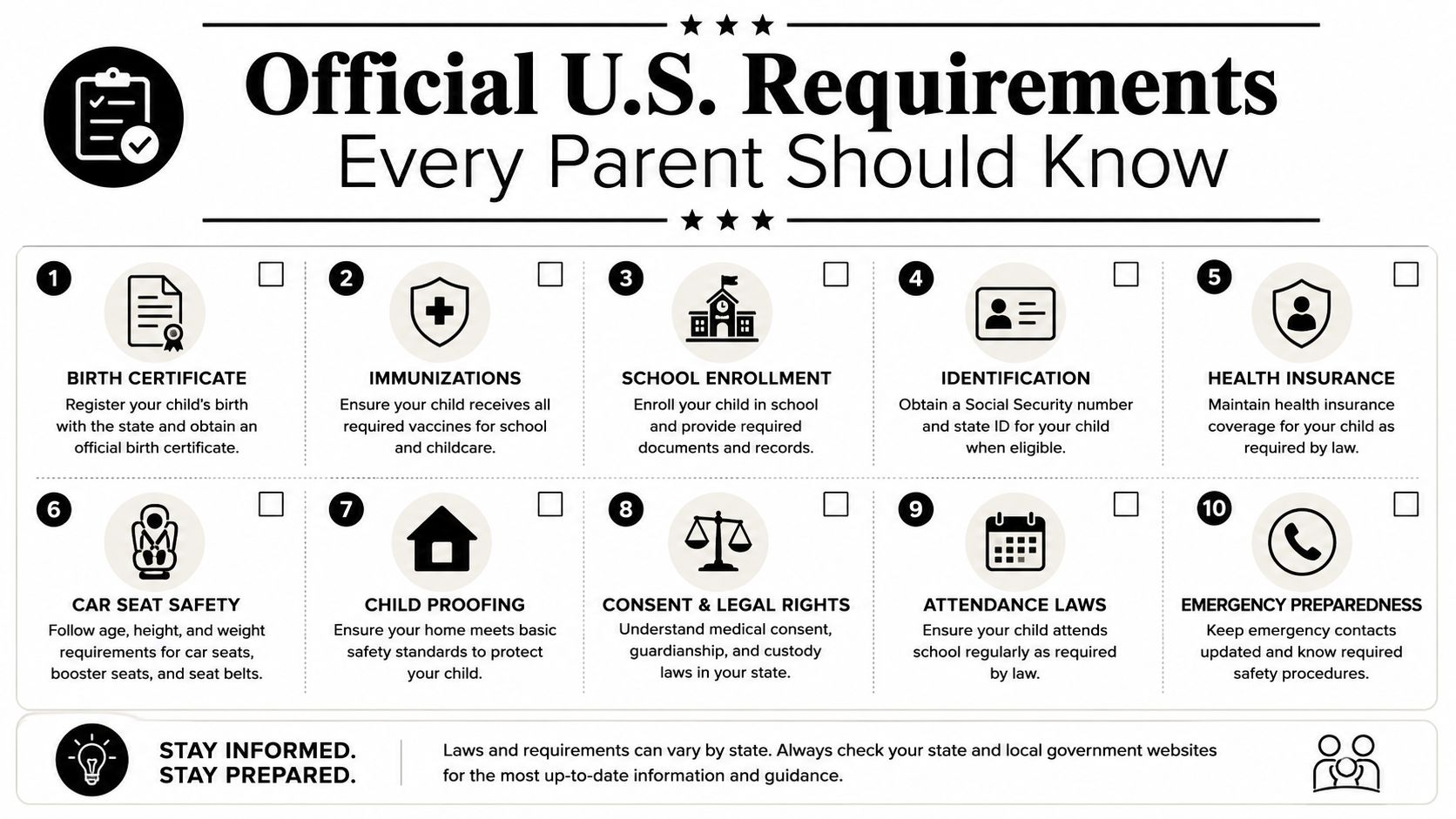
A baby passport photo fails for small reasons that parents can see and inspectors can catch. The frame has to match the U.S. template closely, so the photo must be color, taken within the last six months, printed at 2 × 2 inches (51 × 51 mm), with the head measuring about 1 to 1 3/8 inches (25 to 35 mm) from chin to crown, and placed against a plain white or off-white background. The image also needs uniform lighting with no facial shadows or reflections, and it must be a good likeness rather than a retouched or altered image (official passport photo page).
For babies, the expression rule has a little flexibility, but only a little. A neutral look is still the target, yet infants under 12 months do not have to keep their eyes fully open the way adults do. That means a brief squint, a fuss, or a slightly uneven expression does not automatically ruin a newborn photo, while blur, the wrong size, or a shadow across the face still can.
The practical trade-off is simple. You are not trying to pose a baby like a studio portrait subject, you are trying to get one image that fits a strict document template and survives review. That is why timing, helper roles, and retry strategy matter more than camera gear. For a plain-English comparison of passport and ID photo expectations, this passport and visa photo requirements guide is useful because it shows how rule sets look straightforward until you have to make them work with a moving infant.
The short version is simple. U.S. baby passport photos still have to look like passport photos, with a little more tolerance around baby behavior than adult portraits get.
Other countries do not always follow the same playbook. The UK uses a 45 mm by 35 mm photo, with the face around 29 to 34 mm from chin to crown, and the photo has to be taken within the last month, not the six-month window used in the U.S. UK guidance also gives very young children more flexibility, including looser eye and gaze expectations for under-1s (UK baby passport photo guidance). If you are preparing for travel outside the U.S., the document standard matters more than the baby’s age alone.
Remember this before every shoot: correct size, correct recency, clean background, even light, centered face, and no editing.
A quick reference video can also help you see the framing and setup.
Setting Up a DIY Photo Station That Actually Works
A home setup works best when it removes decisions. Pick a spot near a large window with indirect daylight, not direct sun, because direct sun creates hard shadows and makes babies uncomfortable. The goal is even light across the face, not dramatic light that looks fine on a phone screen and then gets flagged later.
Build the background first
A white or off-white background can be improvised in minutes. A fitted sheet pinned to a wall works, and a foam board leaned against a chair works too if the room is short on blank wall space. If you can see wrinkles, toys, patterns, or color spill in the frame, the background is too busy for a document photo.
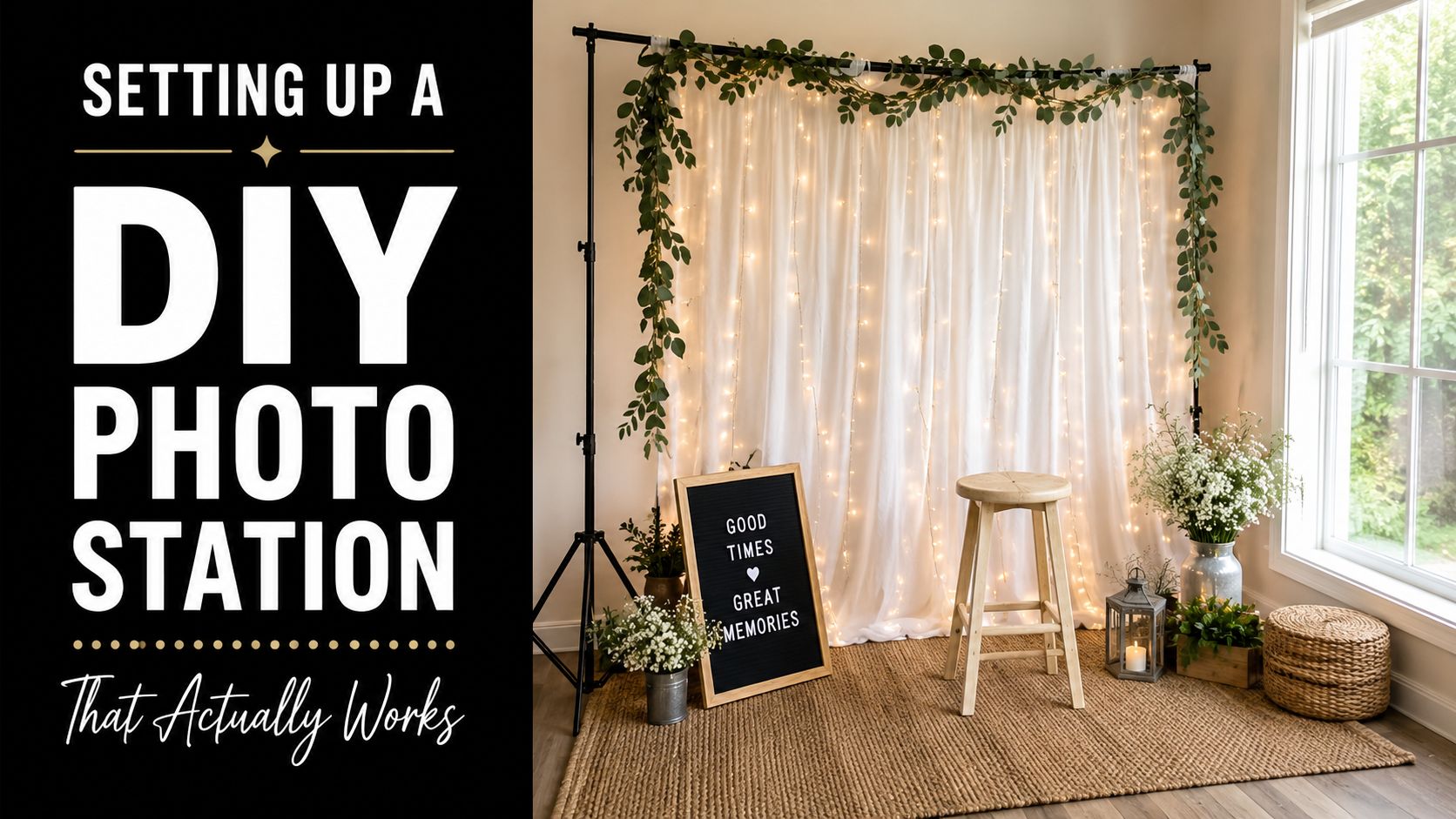
How the baby is placed matters less than keeping the face visible and the camera aligned. A newborn can lie on a parent’s lap, sit in a car seat with a sheet behind it, or rest in a bouncer if the head stays centered. The camera should be at the baby’s eye level or just above, not pointed down from a steep angle that makes the head shape look wrong.
Use two people, not one
A two-person team usually beats a solo parent every time. One person handles the camera, and the other keeps the baby calm by making noise, holding a toy just above the lens, or keeping the baby’s attention in the right direction. That second person should stay out of the background and out of the frame, because hands creeping in from the side create another problem to edit around later.
Operational truth: The baby doesn’t need a long photoshoot. The baby needs a fast one.
Take a burst of frames instead of hoping for one perfect shot. In a single 10-minute window, shooting 30 to 50 frames is a practical way to give yourself enough choices, especially when the baby blinks, wiggles, or turns at the wrong second. If the baby starts to get worked up, stop, reset, and come back later. Forced patience almost always leads to worse pictures.
For printing help after you’ve got a keeper, a local shop like Business Mail Boutique’s photo printing services can be part of the fallback plan when you don’t want to handle the resize-and-print step yourself.
Common Mistakes That Get Baby Photos Rejected
Most rejected baby passport photos fail for boring reasons, not dramatic ones. The baby doesn’t need to be perfect, but the image does need to be clean, centered, and readable as a document photo. The fastest way to diagnose a bad frame is to ask whether the problem came from the camera, the lighting, the props, or the person holding the baby.
| Common Mistake | Why It Gets Rejected | Quick Fix |
|---|---|---|
| Blurry or pixelated image | The face isn’t sharp enough for identity checks | Hold the phone steadier, use better light, and shoot at higher resolution |
| Head-size error | The face is too close or too far from the lens | Step back, then crop to the correct 2 × 2 frame |
| Shadows on the face | Overhead or side lighting hides facial detail | Move to indirect window light and face the light source more evenly |
| Pacifier or bottle visible | The mouth area is obscured | Remove the pacifier and retake after a calm reset |
| Hats or headbands covering the hairline | The face is partly blocked | Use nothing at all unless there’s a specific medical or religious reason |
| Parent’s hands in the frame | The photo no longer looks like a clean document image | Support the baby from outside the frame and shoot straight on |
The easiest mistake to catch is blur. A phone held too close or moved during the click makes the face soft, and a soft face is a bad identity image. The fix is simple, but people skip it because they’re focused on getting the baby to look forward instead of checking whether the image is crisp enough to print.
Some photos fail because the baby looked upset. More often, they fail because the camera wasn’t ready.
Head size is the next one to check. If the baby fills too much of the frame, you can’t crop the image into the required passport template without chopping off space around the face. If the baby is too small in the shot, the face may end up below the required head-height range once you print or resize it.
Pacifiers, bottles, and visible hands are the other common avoidable issues. They turn a clean ID image into a portrait of a moment, and passport systems don’t want a moment. They want a face.
The best gut-check is blunt. Ask yourself: would this photo pass if the baby were 35 years old? If the answer is no because the framing is off, the lighting is bad, or someone’s hand is visible, don’t submit it.
DIY at Home Versus Professional In-Store Service
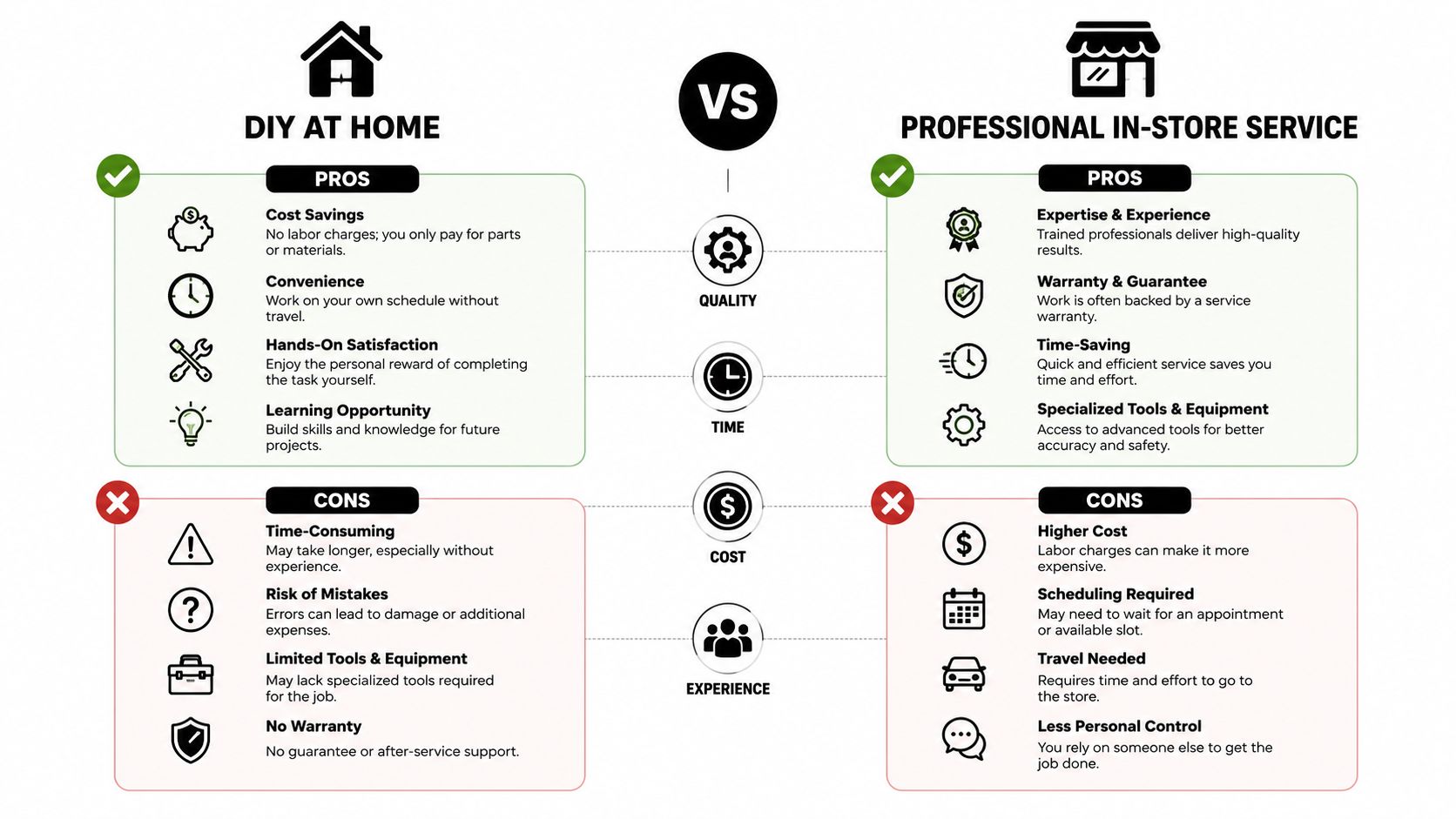
DIY makes sense when the baby is calm enough to give you repeated tries and the parent has patience for cropping, resizing, and printing. It’s free, it works around naps, and it lets you take dozens of frames without feeling like every click has to be the one. If the baby falls asleep in a usable position, a home session can be the easiest route.
Professional service makes sense when the margin for error is thin. A shop with passport-photo experience knows the current State Department specs, can fix framing and lighting faster, and can print the photo at 2 × 2 inches without making you wrestle with sizing software. For first-time applicants, people on a deadline, or babies who are past the newborn stage and harder to position, that handoff is often worth it.
How the decision usually shakes out
Use DIY if:
- Your baby is cooperative, even briefly, and you can reset without stress.
- You’re comfortable checking size and crop, not just taking the picture.
- You have time to retake, print, and review before the appointment.
Use a professional shop if:
- You need the photo today and don’t want to troubleshoot file settings.
- You want a second set of eyes on framing and compliance.
- You’d rather avoid the print step and leave with a ready-to-submit photo.
For local walk-in help, a shop such as Business Mail Boutique’s passport photo processors fits the kind of on-demand service parents look for when the baby won’t cooperate at home. That kind of counter-service setup is less about glamour and more about removing avoidable steps.
The question isn’t whether DIY is “better.” It’s whether you want to spend your energy solving the photo or solving the logistics around the photo. When the baby is fussy, a cleaner process usually wins.
Submitting the Photo Without Last-Minute Surprises
After the shot, the file format becomes the new trap. For online submission, U.S.-focused guidance says the image must be square, in the 600 × 600 to 1200 × 1200 pixel range, JPEG, color, recent, and unedited (digital baby passport photo guidance). That’s the part many parents miss, because the picture can look fine on a phone and still fail when the portal checks dimensions or file characteristics.
The friction is worse in online workflows outside the U.S., where automated systems can reject an image before a human ever sees it. That’s why it pays to validate the file before submission instead of assuming the visible image is enough. If the image needs aggressive cropping, retouching, or resaving through multiple apps, you’re increasing the chance of a hidden rejection.
For an in-person appointment, bring the printed photos in a small envelope, the baby’s previous passport if you’re renewing, proof of citizenship, and a credit card for any applicable fees. Clean the baby’s face before you leave, skip a last-second outfit change, and plan for a diaper change and snack before the appointment window opens. Arriving 10 minutes early helps prevent the rushed, red-faced version of the photo that no one wants.
Best final check: If the file looks clean, the print is the right size, and the baby’s face is visible without props, you’re probably done.
If you’ve made it this far, the hardest part is usually over once the photo is accepted. For parents in Sugar Land who’d rather hand the job to a storefront team that handles passport and ID photos, printing, and other document services in one stop, Business Mail Boutique LLC is one practical local option to call before you make a second attempt at home.
If you want a smoother path than trial-and-error, contact Business Mail Boutique LLC and ask about passport and ID photo help before your appointment. A quick in-store check can save you from printing the wrong size or submitting a file that fails on the last step.

Related posts

Perfume Bottle Engraving Sugar Land | Same-Day Service
Same-Day Perfume Bottle Engraving in Sugar Land.
Custom Perfume Bottle Engraving in Sugar Land — Same-Day Personalized Gifts
Make a...

Leather Portfolio Engraving in Sugar Land | Custom Initials
Custom Leather Portfolio Engraving in Sugar Land: Personalized Initials for Corporate Gifts
A professional portfolio is something ...

Corporate Watch Engraving in Sugar Land | Business Mail Boutique
Custom Watch Engraving in Sugar Land: Meaningful Gifts for Employee Appreciation
A personalized watch can turn a company’s thank-you i...