
- Print Business Cards in Sugar Land – Same Day Service
- Copying Services
- Document Printing, Finishing & Lamination in Sugar Land
- Flyers
- Print Banner in Sugar Land | Same-Day Banner Printing Near Me
- Graphic Design
- Photo Printing
- Postcard Printing
- Document Printing
- EDDM Full Service Postcards
- FotoZoomer Large Format Printing


ID Photo Requirements for Passports & Visas
Businessmailboutique
11645 S. Hwy 6
Sugar land, Texas 77498 United States (US)
Email: info@businessmailboutique.com
Route
Confused by ID photo requirements? Our guide covers passports, Texas driver’s licenses, and visas. Get your photo right the first time and avoid rejection.
You’re usually only one small step away from a finished application when the photo problem shows up. The passport form is done, the visa paperwork is uploaded, or you’re heading in for a license update, and then someone says the photo won’t work. Maybe the background isn’t plain enough. Maybe the crop is off. Maybe the picture is recent, but your face no longer matches it closely enough.
That’s why ID photo requirements frustrate people so much. The rules look simple until you see how exact they really are. A photo can look perfectly fine to a person and still fail because the lighting creates a shadow, the head is scaled wrong, or the image doesn’t match the agency’s biometric checks.
The practical way to handle this is to treat the photo as part of the application, not an afterthought. If you’re organizing application files, scanning supporting pages, or need to convert images to PDF for related paperwork, keep the same mindset throughout. Clean files, correct format, no last-minute guessing.
Your Guide to Perfect ID Photos
Most photo rejections come from things that don’t feel important when you’re standing in front of the camera. A slight smile. Hair drifting across one eye. A wall that looks white but photographs beige-gray. Those details matter because official ID photos aren’t portrait photos. They’re standardized identity images.
I’ve seen the same pattern again and again. Someone uses a phone at home, checks the picture on a bright screen, and assumes it’s good enough. Then the crop shifts during printing, the background shows texture, or the face takes up the wrong amount of the frame. The application gets delayed over a photo that looked “close enough.”
A compliant ID photo isn’t about looking glamorous. It’s about being easy for an agency, scanner, and reviewer to accept without hesitation.
This guide is built around what saves time. Not just the rules, but the reason those rules exist. That includes passports, U.S. visas, and practical local concerns around Texas driver’s license and state ID photos. If you understand why agencies care about size, lighting, expression, and recency, you’ll make better choices the first time and avoid the expensive loop of retakes, reprints, and resubmissions.
The Universal Rules of Compliant ID Photos
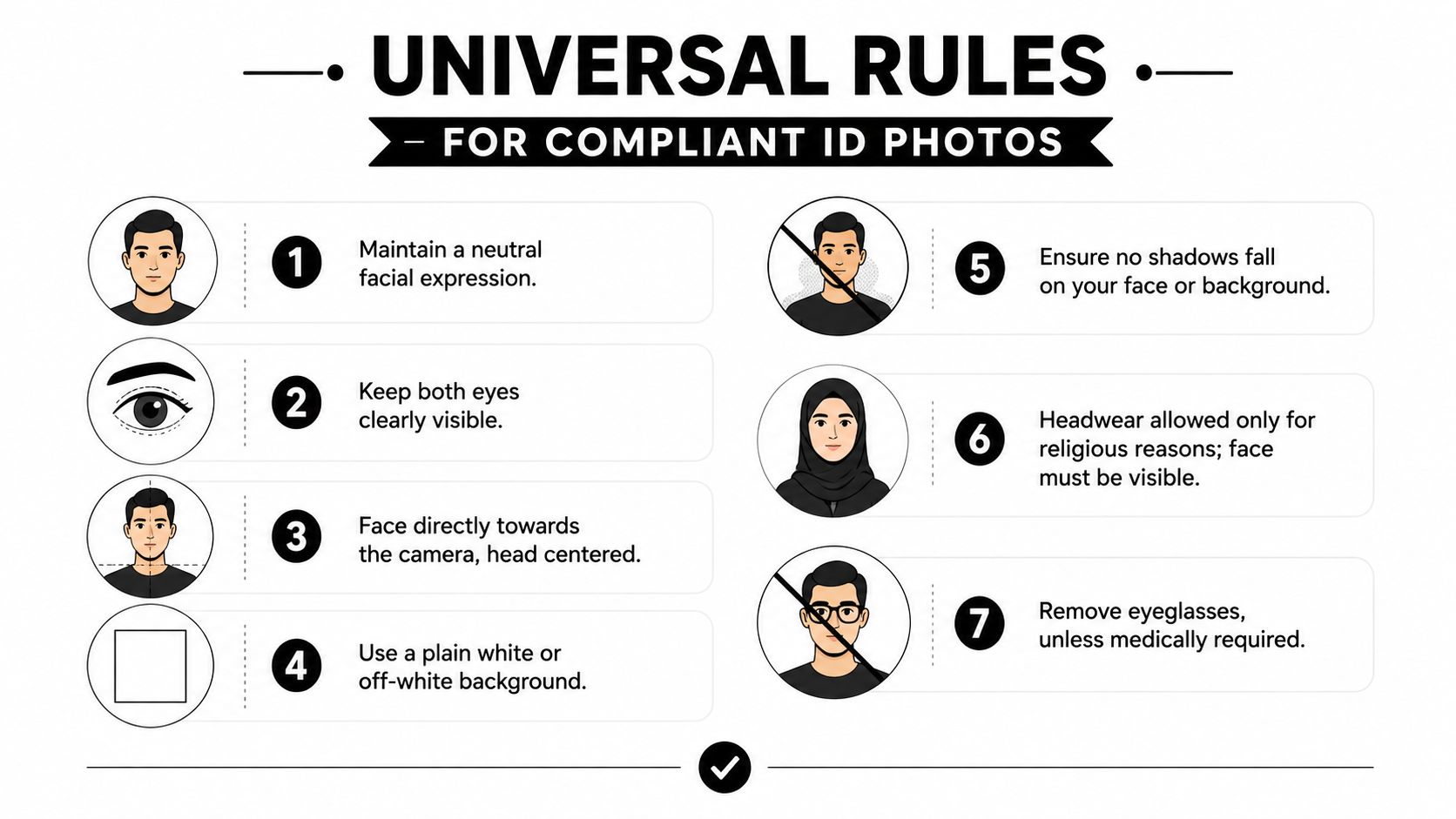
Why the rules are so strict
Across countries, passport and visa photos usually fall into one of two size standards: 2 x 2 inches (51 x 51 mm) or 35 x 45 mm, and a plain light-colored background is widely required to support automated facial recognition, as summarized by this overview of global travel document photo standards. That consistency isn’t random. Agencies want a clean, repeatable image that software and human reviewers can interpret the same way every time.
Think of the photo as a visual fingerprint. It needs to strip away distractions and present your face in a format machines can read reliably. Background clutter, angled faces, shadows, fashion glasses, and expressive poses all add noise to the image. Noise creates doubt, and doubt leads to rejection.
A good working rule is simple: if something changes the shape, visibility, or lighting of your face, assume it may cause trouble.
The checklist that matters most
Use this mental checklist before you take the photo or hand it over for printing.
- Plain background: Use a white or off-white background with no visible pattern or objects.
- Direct face position: Look straight at the camera. Keep your head centered.
- Neutral expression: Relax your mouth. Don’t grin, smirk, or raise your eyebrows.
- Eyes fully visible: Keep both eyes open and unobstructed.
- Even lighting: Avoid shadows on your face and on the background.
- No casual headwear: Hats and similar items usually create problems unless there’s a qualifying religious or medical reason.
- Keep the face clear: Hair, frames, and accessories shouldn’t block facial features.
Practical rule: If the photo draws attention to anything other than your face, it probably needs to be retaken.
A lot of people focus only on dimensions and forget the basics that trigger rejections first. In everyday use, the most reliable setup is boring on purpose. Straight posture, simple background, flat lighting, and no styling choices that cover the forehead, cheeks, jawline, or eyes.
If you want a document-specific reference before you book or print, Business Mail Boutique’s passport and visa photo requirements page is a useful checkpoint for the core standards people most often need.
Specific Requirements for Common Documents
The details change depending on the document. This often causes confusion. A photo that works for one application may still be wrong for another because the crop, file, or acceptance process is different.
U.S. Passport Photos
For U.S. passports, the photograph must be exactly 2 x 2 inches (51 x 51 mm), and the head size must measure between 1 inch and 1⅜ inches (25–35 mm) from chin to crown, according to this summary of U.S. passport photo requirements. That same source notes digital submissions must be 600 x 600 to 1200 x 1200 pixels.
The same standards also call for a color photo, a plain white or off-white background, recent appearance, and photo-quality paper for printed versions. Uniform lighting matters. So does posture. Face the camera directly, keep both eyes open, and show your full face without shadows.
Head coverings get special attention. Religious or medical exceptions can apply, but the face still has to remain fully visible and unshadowed.
Texas Driver’s License and State ID Photos
Texas driver’s license and state ID photos work differently in practice because the photo is typically captured through the licensing process rather than brought in as a printed passport-style image. That changes the workflow, but not the underlying logic. The camera still needs a clear, current, front-facing image that shows your face cleanly.
What usually works best for a Texas DPS visit is basic preparation:
- Wear simple clothing: Avoid anything that competes with your face.
- Keep hair controlled: Don’t let it fall across your eyes or cheeks.
- Skip distracting accessories: Large earrings, hats, and bulky items often create avoidable issues.
- Settle before you look up: If staff are moving quickly, make sure you’re ready before facing the camera.
Texas applicants often assume they need a polished portrait. They don’t. They need a readable identity photo. Clean grooming beats over-styling every time.
U.S. Visa Photos
U.S. visa photos closely track passport standards, which is why many people treat them as interchangeable. The size is still 2 x 2 inches (51 x 51 mm), and the head must still fit within the accepted range described above. For digital submissions, file preparation matters just as much as the photo itself.
Here’s the side-by-side view that helps most:
| Requirement | U.S. Passport | Texas Driver’s License/ID | U.S. Visa (Digital) |
|---|---|---|---|
| Photo size | 2 x 2 inches (51 x 51 mm) | Captured through licensing process | 2 x 2 inches (51 x 51 mm) |
| Head size | 1 inch to 1⅜ inches (25–35 mm) | Must show face clearly in camera capture | 1 inch to 1⅜ inches (25–35 mm) |
| Background | Plain white or off-white | Plain, uncluttered appearance works best in capture setting | Plain white or off-white |
| Expression | Neutral, eyes open | Calm, forward-facing expression works best | Neutral, eyes open |
| Digital specs | 600 x 600 to 1200 x 1200 pixels for digital submissions | Agency capture process controls output | 600 x 600 to 1200 x 1200 pixels for digital submissions |
If you’re juggling several applications, don’t assume one file can be reused everywhere without checking the exact submission method.
Another point people miss is that some government and proctored verification systems reject a digital ID, virtual ID, or a photo of an ID card when the process requires the actual physical document, as described in the AAMC identification requirements guidance. That’s separate from your portrait photo, but it causes the same kind of delay. Read the upload instructions precisely.
Common Rejection Reasons and How to Avoid Them
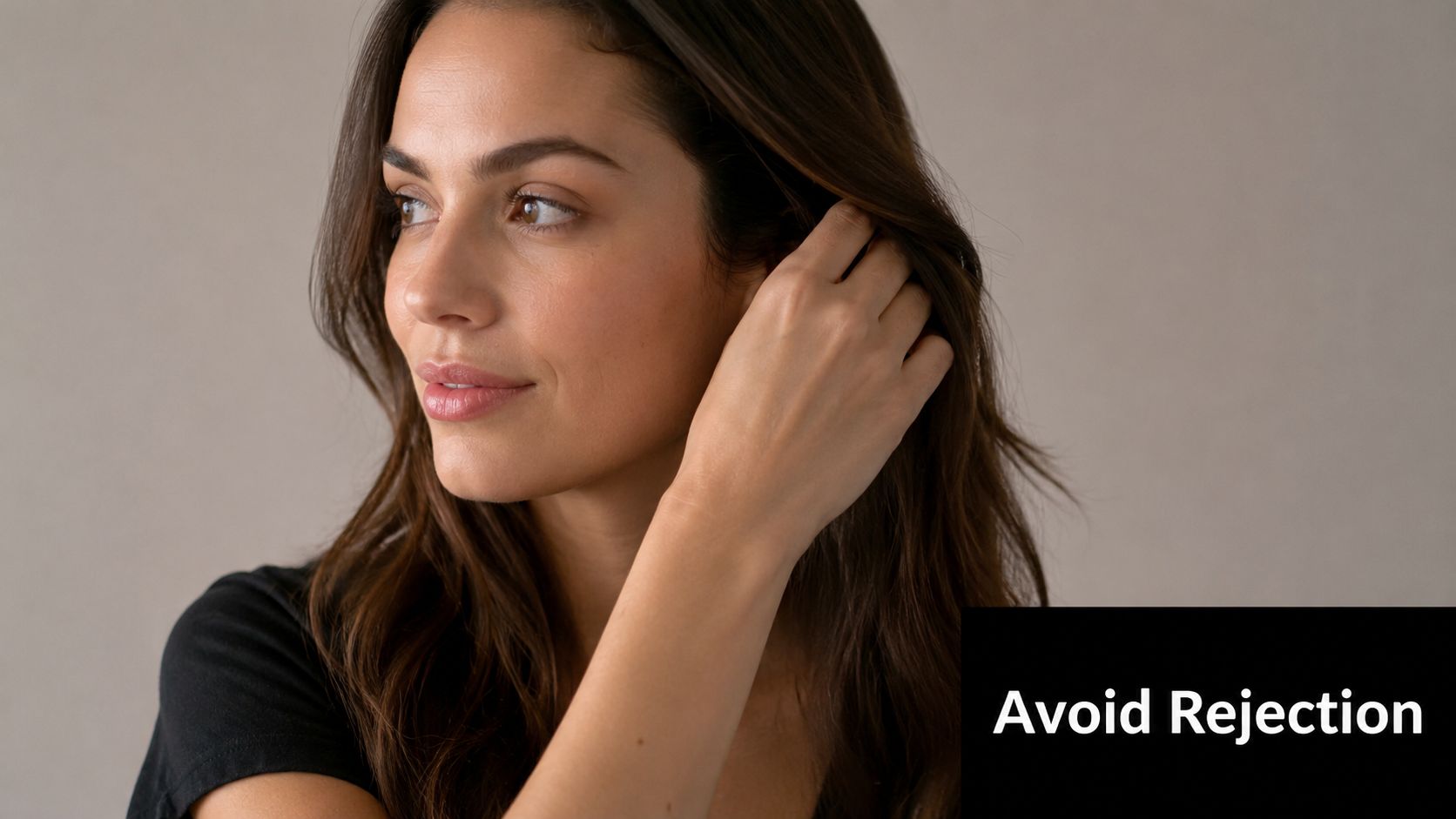
The most common mistake is assuming that “good enough” counts. It usually doesn’t. Agencies and verification tools aren’t judging whether the photo is flattering. They’re checking whether it’s standardized, current, and easy to match to a real person.
What gets rejected most often
These are the problems I’d fix first if I were reviewing a photo before submission:
- Shadows on the face: A shadow can change how facial contours read in the image.
- Background shadows or texture: The background should disappear, not compete.
- Hair covering features: If hair hides the eye area, cheeks, or jawline, the image becomes harder to verify.
- Smiles and exaggerated expressions: Even a friendly expression can change the geometry of the face enough to create issues.
- Bad centering or crop: If the face sits too high, too low, or too small, the photo can fail technical review.
- Improper accessories: Headphones, fashion hats, and similar items create avoidable rejection risk.
People also get caught by glare, especially from glasses or shiny skin. The camera may see a bright patch where a human still recognizes a face. That’s one reason simple lighting and a matte-looking finish matter so much in practice.
The fastest way to ruin an otherwise acceptable ID photo is to let one “small” issue slide because it seems harmless on your phone screen.
A short explainer is helpful if you want to see how agencies think about photo compliance in action:
The rule people miss after a facial change
A recent date on the photo doesn’t automatically make it acceptable. Official U.S. visa guidance states that photos older than 6 months are rejected if they don’t reflect current appearance, and a new photo is specifically required after significant weight loss or gain or significant facial surgery, even if the photo falls within that time window, according to the U.S. visa photo guidance.
That catches people off guard because they think the rule is only about age. It isn’t. It’s about recognizability. If your face has changed in a meaningful way, replace the photo.
Plainly put, don’t argue with a photo that no longer looks like you. Retake it and move on.
DIY Photo Booth Apps vs Professional Services
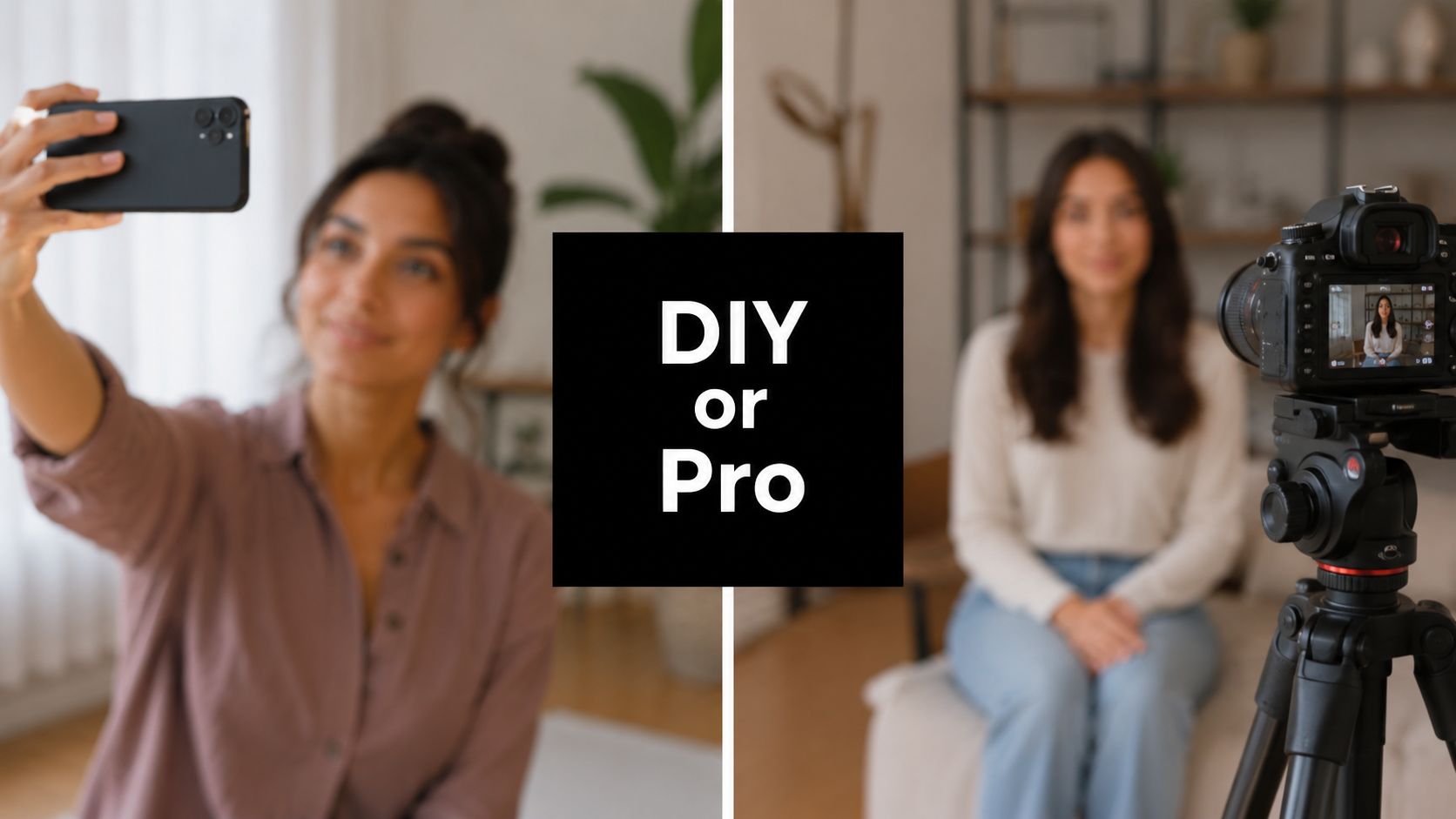
DIY photo apps are tempting because they promise speed. Some do a decent job with guides and crop overlays. If you already have soft lighting, a clean background, a steady camera position, and a good printer, they can work for some users.
Where DIY usually goes wrong
The trouble starts with precision. For U.S. passport and visa applications, the head size must be between 1 inch and 1 3/8 inches from the bottom of the chin to the top of the head, and the U.S. Department of State notes that going outside that range can trigger automated biometric rejection because the facial feature scaling no longer matches recognition standards.
That’s the part apps don’t fully solve. They may help you crop, but they can’t always fix poor camera angle, weak lighting, facial shadow, paper quality, or a print that shifts slightly during output. Many failed home photos look almost right.
When professional help makes sense
Professional service makes more sense when the application matters more than the experiment. A trained operator can check the crop, watch for lighting problems, and catch the little mistakes people miss themselves. That’s why many people use a local service for passports, visas, and similar documents instead of gambling on a home setup. One example is Business Mail Boutique’s passport photo processing service, which handles compliant passport-style photos as part of a broader document services workflow.
If you’re comparing image tools more broadly, especially for business portraits rather than government IDs, this roundup of high-quality AI headshot solutions is useful context. Just don’t confuse a polished headshot with a compliant government photo. They solve different problems.
Get Your Perfect ID Photo Today in Sugar Land
If you’re in Sugar Land, the easiest path is usually the one with the fewest chances to get it wrong. ID photo requirements are strict for a reason. The image has to work for a reviewer, a scanner, and sometimes a biometric system, all without ambiguity.
A simple local option
For local residents who’d rather skip trial and error, passport photos in Sugar Land on Hwy 6 gives you a direct place to handle the photo step cleanly. That’s especially helpful when you’re already juggling printing, shipping, notarization, or other errands and don’t want the application slowed down by a preventable photo issue.
The smartest move is simple. Arrive with your basic grooming done, wear something uncomplicated, and let the photo be handled with compliance in mind instead of guesswork. That’s how you save time, avoid repeat submissions, and walk away with a photo you can use.
If you need a compliant passport or ID photo without the usual hassle, Business Mail Boutique LLC offers a practical one-stop option in Sugar Land for document-related services, including photo help that fits into the rest of your application day.

Related posts

Custom Memorial Glasses Engraved in Three Hours in Sugar Land
When a customer needed eight personalized glasses for a memorial, Business Mail Boutique completed the engraving or...

Custom Martini Glass Engraving in Sugar Land, TX
Custom Logo Engraving on Martini Glasses in Sugar Land, Texas.
Business Mail Boutique recently completed a beautiful custom engravin...

Custom Engraved Wine Glasses for a Golf Club Event in Sugar Land, TX
Custom Engraved Wine Glasses for a Golf Club Event in Sugar Land.
Custom wine glass engraving in Sugar Land, TX at Business Mail Bouti...