
- Print Business Cards in Sugar Land – Same Day Service
- Copying Services
- Document Printing, Finishing & Lamination in Sugar Land
- Flyers
- Print Banner in Sugar Land | Same-Day Banner Printing Near Me
- Graphic Design
- Photo Printing
- Postcard Printing
- Document Printing
- EDDM Full Service Postcards
- FotoZoomer Large Format Printing


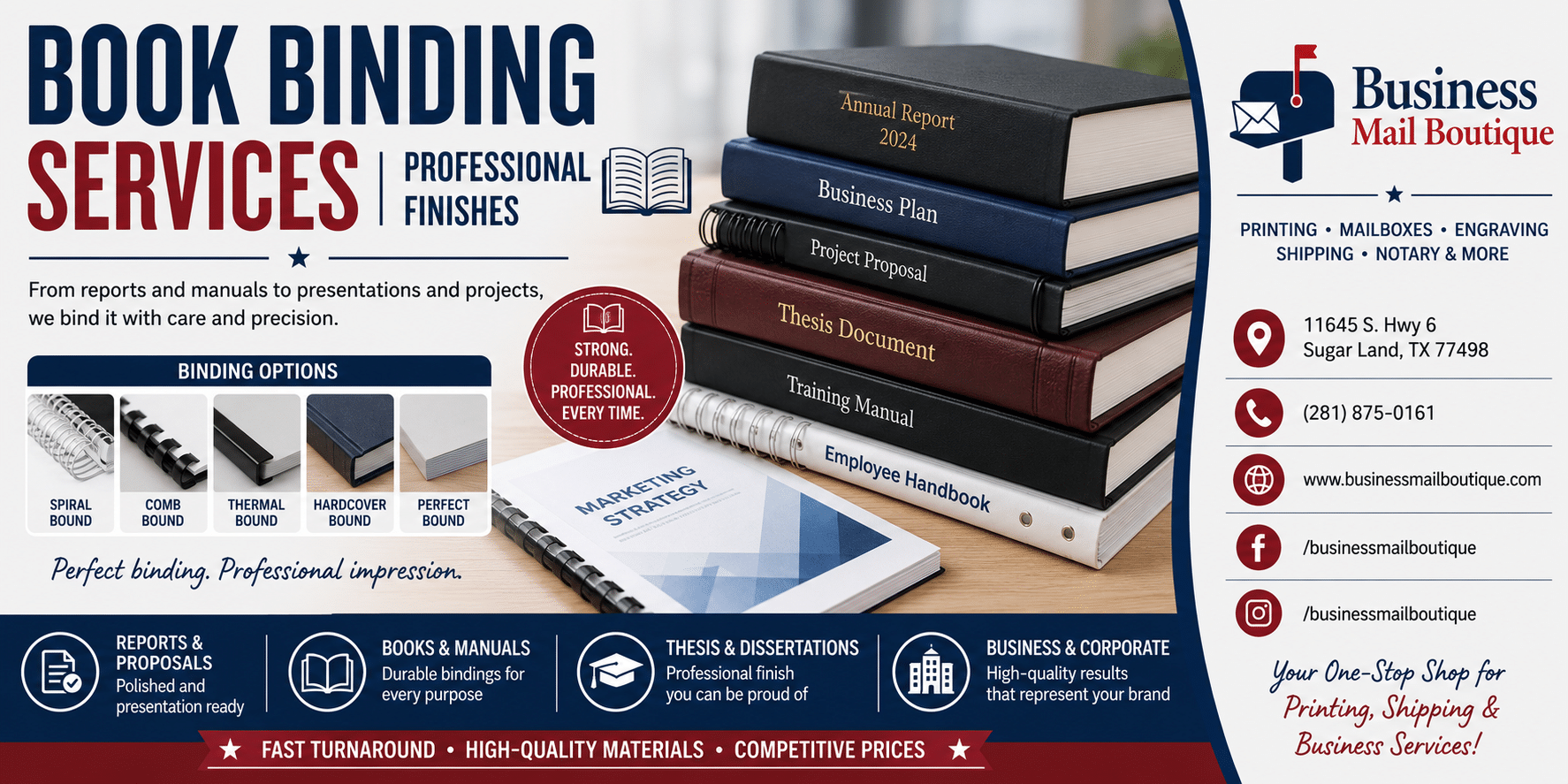
Book Binding Services Professional Finishes
Businessmailboutique
11645 S. Hwy 6
Sugar land, Texas 77498 United States (US)
Email: info@businessmailboutique.com
Route
Need professional book binding services for your reports or proposals? Our guide covers everything from choosing the right binding type to file preparation.
You can write a strong proposal and still lose the room with a weak finish. On screen, everything looks sharp. In print, a stapled packet can sag, shift, and signal “draft” before anyone reads the first page.
That is when many small business owners realize book binding services are not cosmetic. Binding affects how a document feels in the hand, how well it holds up, and how seriously it is taken. A client proposal, employee handbook, training packet, and board report each ask the reader to use the document differently. The binding should make that easier.
A good local print shop helps you choose the right finish without making the process complicated. You do not need a massive print run to get a polished result. Digital printing now dominates short runs of 50 to 1,000 units, while offset only becomes cost-effective at around 1,500+ copies according to Lahlouh’s overview of binding and print methods. That matters for small businesses because it makes custom, professional finishing practical even at modest quantities.
One useful outside perspective comes from the lessons from the printing sector, especially the idea that production choices shape how people experience the final product. That applies just as much to a sales deck as it does to a published book.
Introduction Beyond the Stapler Why Professional Binding Matters
A stapled packet says “temporary” even when the content is important. A properly bound document says the opposite. It tells the reader this piece was meant to be kept, reviewed, and used.

That matters in ordinary business situations. A proposal needs to sit neatly on a conference table. A training manual needs to survive repeated handling. A leave-behind sales booklet needs to open cleanly instead of springing shut. When the binding fits the purpose, people notice the document less as an object and focus more on the message inside it.
Practical rule: If the reader will spend more than a few minutes with the document, binding becomes part of the user experience.
Professional binding also solves small frustrations that hurt credibility. Loose pages get out of order. Margins disappear into the spine. Thin reports look awkward when they’re forced into the wrong format. Those aren’t design problems. They’re production problems.
Small runs aren’t a barrier anymore. Local print shops can bind short quantities for presentations, policy manuals, pitch books, financial packets, church programs, committee reports, and onboarding guides without pushing you into a large-volume order. That’s where book binding services become a practical business tool instead of a specialty add-on.
The right finish doesn’t need to be extravagant. It needs to match the document’s job.
Choosing the Right Binding Type for Your Project
A small business owner brings in a 22-page proposal on Friday and needs it in a client meeting on Monday. The first instinct is usually to ask for the most polished option. In practice, the better decision comes from three questions first. How will people use it, how long does it need to hold up, and what can the schedule support?
Binding is a trade-off. A format that looks refined in a boardroom may be annoying on a desk. A low-cost finish may work perfectly for internal use but feel underdressed in front of a client. Small businesses usually get the best result by matching the binding to the job the document has to do.
Start with use, not appearance
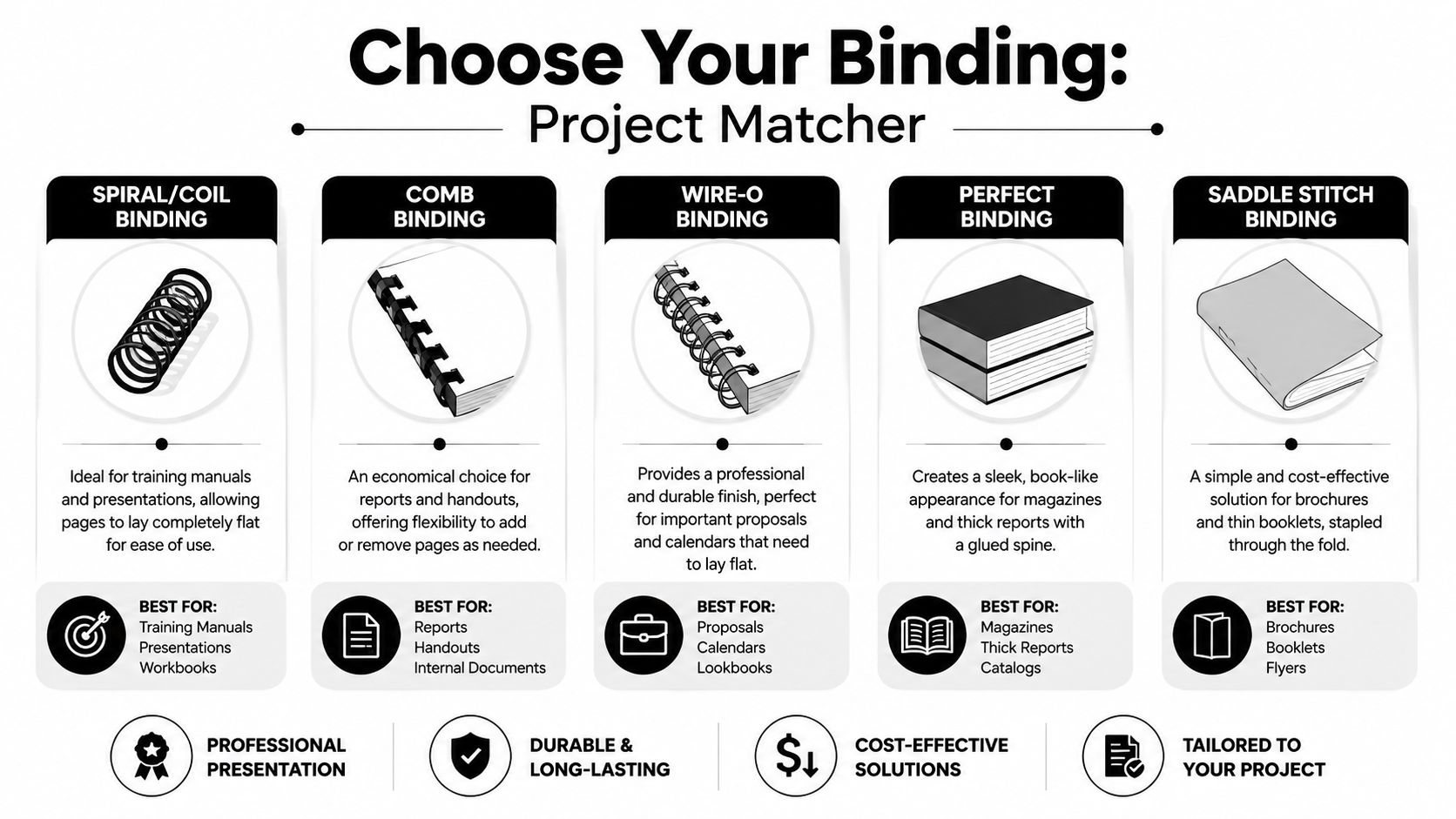
Coil or spiral binding is the workhorse for documents that need to stay open while someone is using them. Training manuals, field guides, workbooks, price books, and operating procedures all fit here. Coil costs more than saddle-stitch, but it earns that difference back in daily usability. If the document will be opened hundreds of times, coil is often the safer choice.
Comb binding works best for internal documents that change often. Policy packets, classroom materials, committee books, and draft manuals are common examples. It is usually easier to revise than coil because pages can be added or replaced, but the plastic spine is less durable and less polished. If you are weighing those two options, this comparison of comb binding vs coil binding gives a practical side-by-side look.
Wire-O binding is what I recommend when presentation matters and the document still needs to open flat. Sales proposals, investor packets, annual summaries, and presentation books often land here. Wire-O looks cleaner than comb and more formal than plastic coil, but bent wire can be a problem if the piece will be stuffed into bags or handled roughly.
Perfect binding gives a report or book a square spine and a more finished shelf look. It suits longer handbooks, catalogs, softcover books, and reports that are meant to be kept rather than worked from. The trade-off is usability. Perfect-bound books do not lie flat well, and short page counts often look thin and underbuilt in that format.
Saddle-stitch is the economical choice for slim documents. Event programs, short booklets, newsletters, mini catalogs, and leave-behind marketing pieces are typical fits. It is fast, clean, and cost-effective for lighter page counts. Once the book gets too thick, though, the folded spine starts to fight the format.
Book Binding Method Comparison
| Binding Type | Typical Use | Lays Flat? | Durability | Cost and Timing Notes |
|---|---|---|---|---|
| Saddle-stitch | Booklets, newsletters, short programs | No | Light to moderate | Usually one of the lower-cost and faster options |
| Perfect binding | Thicker reports, catalogs, softcover books | No | Moderate | Better for longer documents and usually slower than simple booklet work |
| Comb binding | Internal reports, editable manuals, office documents | Partially | Moderate | Budget-friendly and easier to revise later |
| Coil binding | Training manuals, workbooks, reference guides | Yes | Strong for active use | Good value when the piece will be handled often |
| Wire-O binding | Client proposals, calendars, presentation books | Yes | Strong | Higher presentation value, usually at a higher unit cost |
| Case binding | Long-life books, archival or premium projects | No | Highest | Best for durability, but overkill for many small business jobs |
Common mistakes small businesses make
The first mistake is buying for appearance alone. A perfect-bound proposal can look sharp, but if your client needs to set it open beside a laptop and take notes from it, Wire-O usually works better. I have seen businesses pay more for a format that made the document harder to use.
The second mistake is ignoring revision risk. If your team is still editing pricing, staff lists, or procedures, a permanent binding style can force a full reprint after one small change. Comb or coil may be less elegant, but they can be the smarter buy while the content is still moving.
The third mistake is forcing a short deadline into a slow production choice. Some bindings are faster to produce than others, especially in a local shop handling short runs. If the meeting is in two days, the best option is often the one that can be printed, finished, and checked properly without rushing the job.
A good rule is simple. Client-facing and short often calls for Wire-O or a clean saddle-stitched booklet. Internal and heavily used often points to coil or comb. Longer documents meant to live on a shelf usually justify perfect binding.
If you are also building a book-length file and want a plain-language reference outside the print shop context, this guide for busy authors can help you understand how document structure affects the finished piece.
Preparing Your Print-Ready Files Correctly
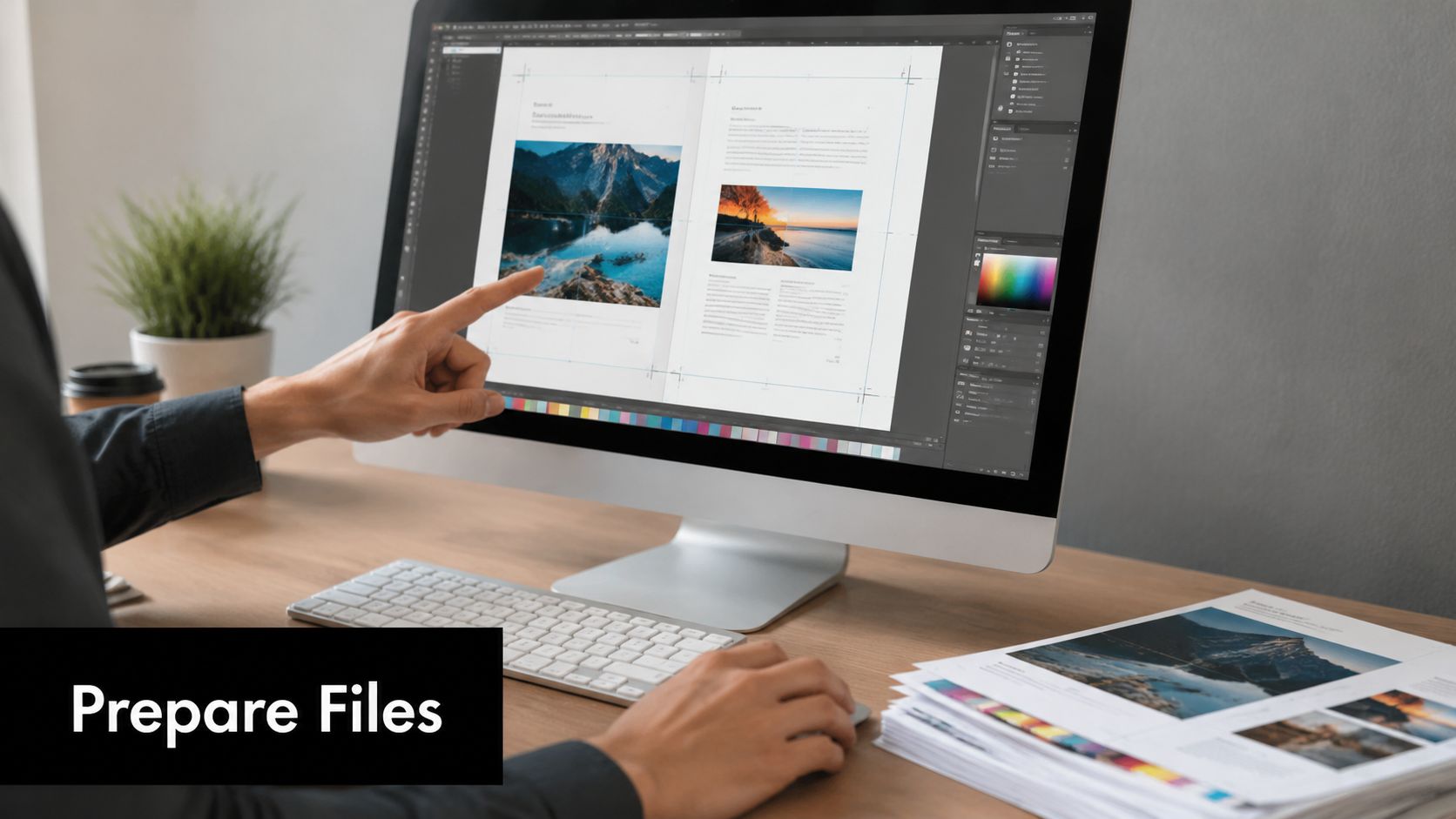
A small business usually notices file setup problems at the worst moment. The proposal is approved, the meeting is booked, and then the proof comes back with page numbers buried near the binding edge or a cover that does not line up after trimming. Those are preventable problems, but only if the file is built for print from the start.
Build the file around the finished piece
Start by deciding how the document will be bound, then set the page up to suit that method. This is the step many first-time buyers miss.
Coil, comb, and Wire-O all take space along the binding edge. If charts, footers, or page numbers sit too close to that side, the document may still print, but it will be awkward to read once holes are punched. Perfect binding creates a different problem. The glued spine pulls some content inward, so narrow inner margins can make text feel cramped near the gutter.
I tell customers to stop judging the file at 100 percent on a screen. Print a few sample pages, stack them, and hold them as if they were finished. That quick test catches margin problems faster than another round of zooming in and out.
Perfect-bound work also needs more planning time than punched bindings. The cover has to wrap correctly, the spine width has to match the final page count and paper choice, and any late change can affect trimming. If your content is still shifting, ask the shop whether a temporary proof or a faster binding style makes more sense before you commit.
If you’re formatting a longer document and need a solid reference outside the print world, this guide for busy authors covers the fundamentals of organizing pages, margins, and clean exports in a way that also helps business users building handbooks or reports.
Send the file your printer can actually run
A press-ready PDF is usually the safest handoff. It holds fonts, image placement, and page order more reliably than an editable office file. Unless your printer asks for native files, send the PDF first and keep the source file available only in case revisions are needed.
This matters even more when one shop is handling several pieces for the same project. A client packet might include a bound proposal, tabbed inserts, and matching leave-behinds. In that case, working with a provider that also handles professional brochure printing for small businesses can reduce version mix-ups and keep color and finishing instructions in one place.
Your final export checklist
Use this checklist before you send the file:
- Check inside margins: Leave enough room on the binding side so text, charts, and page numbers do not crowd the spine or punched holes.
- Confirm page order: Submit pages in normal reading order unless the shop specifically asks for printer spreads.
- Review the cover file: Bound jobs with a wraparound cover need the front, spine, and back set up as one accurate layout.
- Inspect bleed pages: If color or images run to the edge, extend the artwork past trim so cut variation does not leave white edges.
- Embed fonts and use print-quality images: Missing fonts and low-resolution graphics slow proofing and can force last-minute fixes.
- Name files clearly: Include the project name and version so your printer does not have to guess which PDF is current.
This walkthrough is also helpful before export:
Send one clean PDF, one clear set of production notes, and one contact person for approvals. That saves time and cuts down on preventable rework.
Good file prep saves money in a local print shop because it reduces proofing delays, reruns, and rushed corrections. It also gives you better odds of getting the first set back ready to use, which is what most small businesses need.
Selecting Materials That Enhance Your Document
Binding holds the piece together. Materials decide how it feels, how it wears, and whether the finished document matches the purpose. Small businesses often focus on the binding style first and leave paper until the end. That’s backwards. Paper and cover stock shape the result just as much as the spine does.
The broader market tells the same story. The global bookbinding materials market is valued at USD 9.48 billion in 2026 and projected to reach USD 12.68 billion by 2034, expanding at a 3.70% CAGR, according to Fortune Business Insights on bookbinding materials. That market includes adhesives, covers, threads, and related components. For a small business buyer, the takeaway is simple. Material choice is not a minor detail in print production.
Paper changes more than appearance
A proposal printed on thin stock can feel temporary even if the design is strong. A training manual on the wrong interior stock may tear, dog-ear, or show heavy bleed-through after repeated use. Matte papers usually make text-heavy documents easier to read under office lighting. Gloss or coated sheets can help image-heavy materials look sharper.
Shop-floor advice: Choose interior paper based on how the document will be handled, not only on how it looks in a sample book.
For internal manuals, readable text stock usually beats flashy finish. For sales packets or presentation books, a heavier cover and cleaner-feeling interior often create a better first impression. If people will write on the pages, choose a stock that accepts pen easily.
Cover materials should match the job
A frequently handled guide often benefits from extra protection. Clear front covers, heavier printed covers, laminated covers, and sturdier backers all change how long the piece lasts. Lamination is especially useful when documents move between hands, vehicles, workstations, or job sites. If you want to compare protective finishing options, this overview of document lamination choices helps clarify where lamination adds value and where it’s unnecessary.
A simple internal report doesn’t need every upgrade. A leave-behind proposal usually deserves a better cover than a temporary meeting packet. That’s the right way to think about materials. Match the build to the life of the document.
The Ordering Process Demystified
Ordering custom binding is much easier when you treat it like a production handoff instead of a vague print request. The smoother orders all have the same trait. The client tells the shop exactly what the document needs to do.
Local print centers can usually handle more variety than many buyers expect. The equipment side of the industry is also expanding. The global book binding machines market is projected to grow from USD 1.6 billion in 2025 to USD 3.0 billion by 2035, reflecting a shift toward more advanced, high-speed systems, according to Future Market Insights on book binding machines. In practical terms, that means local shops can often offer more finishing options and quicker handling than people assume.
What to send with your order
Include the file and the production details in the same message or order form. Don’t make the shop pull specifications out of you one at a time.
- State the quantity clearly: Even small changes in quantity can affect the print method and finishing plan.
- Name the binding method: Coil, comb, Wire-O, saddle-stitch, perfect binding, or another format.
- List material preferences: Cover stock, inside paper feel, lamination, clear covers, back covers, or tabs if needed.
- Explain the use case: “Client proposal,” “employee handbook,” and “training manual for daily use” each point the shop in a different direction.
- Give the deadline accurately: Rush work is possible sometimes, but the production path depends on the finish.
If your project may eventually move into single-copy or low-volume replenishment, it helps to learn about print on demand with Novelium. That model isn’t the same as local custom binding, but it helps clarify when repeatable digital workflows make sense.
What to ask before production starts
Ask for a proof if the project is important enough that a margin issue, cover shift, or stock mismatch would be costly. Confirm turnaround before you approve production, not after. Ask whether your chosen binding lies flat, allows page changes later, or requires curing time.
A good local order conversation is short but specific. You’re not buying “binding.” You’re buying a finished object with a job to do.
FAQs About Professional Book Binding
Can I add or remove pages after my document is bound
Yes, if you choose a format that allows changes. Comb binding is usually the easiest to reopen and update, which makes it a practical choice for training packets, policy manuals, and price books that change every quarter. Coil, Wire-O, saddle-stitch, and perfect binding are harder to revise cleanly once the job is finished.
If updates are likely, say so before production. That one detail can change the recommendation right away.
What’s the most durable option for something used every day
Case binding lasts the longest, but it is not always the right fit for a small business document. It costs more, takes longer, and makes the most sense when the piece needs a hard-cover presentation or long shelf life.
For everyday handling, I often point clients toward coil or Wire-O instead. A handbook or desk reference that opens flat and stays open during use usually holds up better in real working conditions than a format that looks more formal but fights the user every time they turn a page.
What’s the difference in cost between coil and comb binding
The price gap is usually small on short business runs. Page count, document size, cover stock, and quantity affect the total more than the difference between those two binding styles.
The choice is functional. Comb works well if you expect page swaps later. Coil is usually the better fit for manuals, workbooks, and reports that need to fold back and survive regular handling.
When does it make sense to upgrade from perfect binding to a more durable option
Upgrade when the document will be handled often, reused over time, or handed to clients as a reflection of your brand. Perfect binding looks clean on proposals, thicker booklets, and leave-behind pieces, but it is not my first choice for a manual that gets opened every day or tossed into a vehicle or job bag.
A more durable format often saves money over the life of the project. Replacing worn copies, reprinting cracked spines, or dealing with pages that pull loose costs more than the original binding decision. TPS1 on binding solutions gives a useful overview of how different methods hold up under repeated use.
Judge binding by how the document will be used, not just by what keeps the first invoice low.
If you’re planning a client proposal, handbook, booklet, or training manual and want a second set of eyes before printing, Business Mail Boutique LLC can help you narrow the binding method, materials, and file setup so the finished piece matches the way your business uses it.

Related posts

Custom Memorial Glasses Engraved in Three Hours in Sugar Land
When a customer needed eight personalized glasses for a memorial, Business Mail Boutique completed the engraving or...

Custom Martini Glass Engraving in Sugar Land, TX
Custom Logo Engraving on Martini Glasses in Sugar Land, Texas.
Business Mail Boutique recently completed a beautiful custom engravin...

Custom Engraved Wine Glasses for a Golf Club Event in Sugar Land, TX
Custom Engraved Wine Glasses for a Golf Club Event in Sugar Land.
Custom wine glass engraving in Sugar Land, TX at Business Mail Bouti...