
- Print Business Cards in Sugar Land – Same Day Service
- Copying Services
- Document Printing, Finishing & Lamination in Sugar Land
- Flyers
- Print Banner in Sugar Land | Same-Day Banner Printing Near Me
- Graphic Design
- Photo Printing
- Postcard Printing
- Document Printing
- EDDM Full Service Postcards
- FotoZoomer Large Format Printing


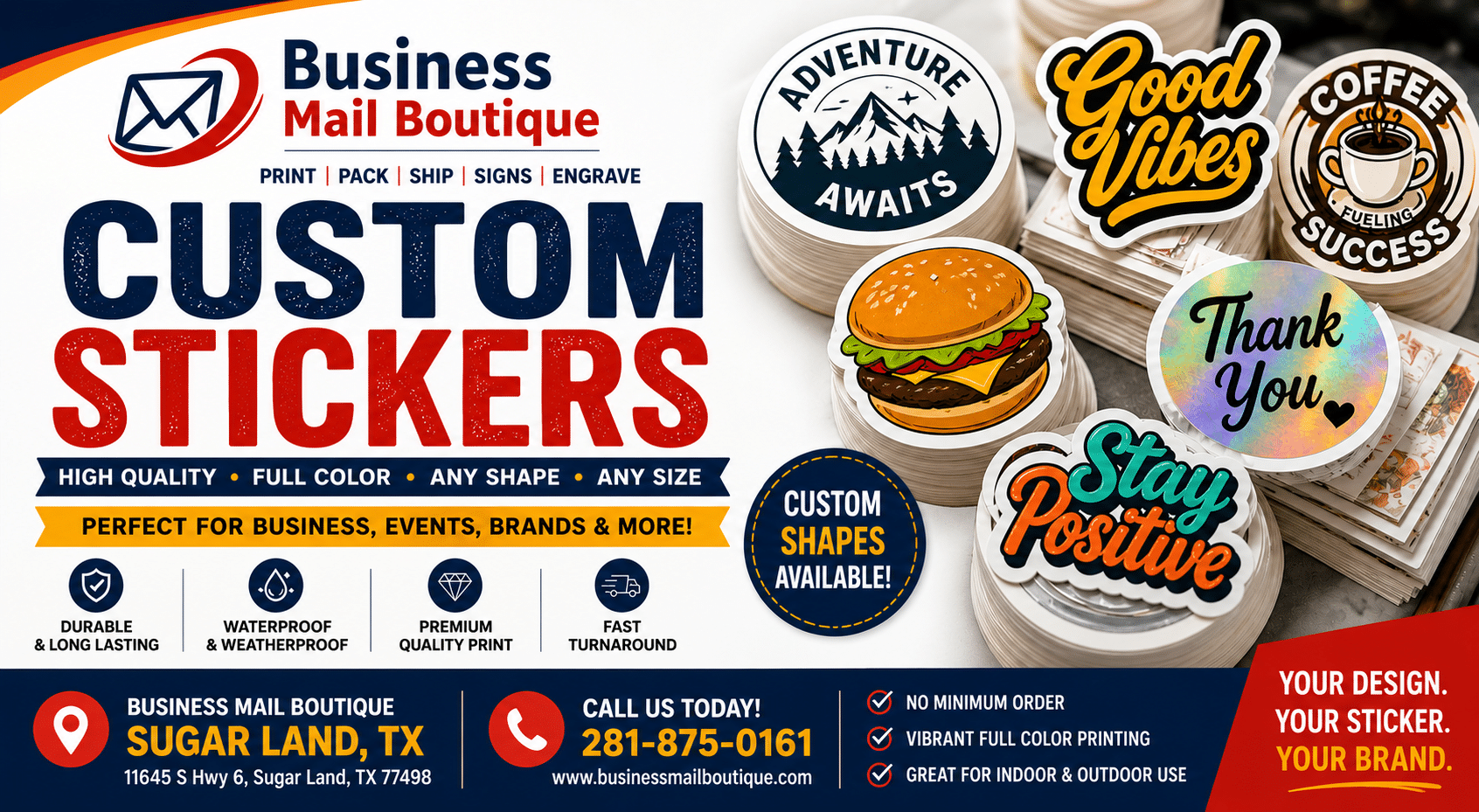
Custom Stickers & Label Printing in Sugar Land | 2026 Guide
Businessmailboutique
11645 S. Hwy 6
Sugar land, Texas 77498 United States (US)
Email: info@businessmailboutique.com
Route
You’ve probably been here already. You have a product ready to sell, event materials almost finished, or a stack of outgoing packages on the counter, and then one small detail starts slowing everything down. You need labels that look professional, stickers that actually hold up, and a way to get orders packed and shipped without making three separate stops.
That’s where custom stickers & label printing becomes more than a design decision. It becomes an operations decision. The right sticker can help a candle jar look retail-ready, make a bakery box feel branded, organize inventory, seal shipping boxes, or turn a plain mailer into something customers remember.
For a small business in Sugar Land, the biggest mistake isn’t ordering stickers. It’s ordering the wrong kind, sending poor artwork, or treating printing and shipping as two unrelated jobs. They aren’t. If you sell products, run events, ship orders, or manage local marketing, your stickers and labels need to fit the whole workflow.
Table of Contents
- Why Custom Stickers Are Your Secret Marketing Weapon
- Decoding Your Sticker Options Materials Finishes and Adhesives
- How Your Stickers Are Made Printing and Cutting Explained
- Preparing a Perfect Print File to Ensure Great Results
- Your Step-by-Step Guide to Ordering in Sugar Land
- Creative Sticker Ideas to Grow Your Business
Why Custom Stickers Are Your Secret Marketing Weapon
A clean logo on a box, bottle, envelope, or shopping bag does more work than many business owners expect. It gives a product a finished look. It helps people remember your brand after the sale. It also turns ordinary packaging into something that feels intentional instead of rushed.
That matters because customers handle stickers differently than digital ads. They touch them, peel them, save them, and see them repeatedly on products, packaging, laptops, folders, jars, and mailers. A printed label doesn’t disappear with a scroll.

The market growth behind that demand is real. The global market for custom stickers reached USD 1,601.7 million in 2024 and is projected to hit USD 2,900.4 million by 2030, growing at a 10.4% CAGR, driven by small and medium-sized businesses using them as a cost-effective branding tool, according to UPrinting’s sticker market statistics.
A small format with a lot of jobs
Custom stickers pull double duty because they can work as both branding and utility. One order might cover:
- Product labels for jars, bottles, pouches, and boxes
- Packaging seals that make shipping boxes look branded
- Promotional giveaways for trade shows, school events, and local pop-ups
- Operational labels for inventory bins, pickup orders, and return instructions
A flyer usually has one job. A sticker can handle several.
Practical rule: If a sticker doesn’t support a business goal, don’t print it. Every design should either help sell, identify, organize, or ship something.
Why local businesses benefit most
Large brands can spend heavily on custom packaging from the start. Small businesses usually need a more flexible path. They want shorter runs, faster turnaround, and the ability to revise designs without sitting on old inventory.
That’s why stickers are often the smartest first move. A plain kraft box becomes branded with a label. A generic mailer looks custom with a seal sticker. A startup product can test its look before committing to larger packaging runs.
For Sugar Land sellers, there’s also a practical advantage in keeping sticker planning close to shipping and fulfillment. If you’re mailing products, samples, or event kits, your labels need to work with the way your orders move out the door. Online-only printers can print. They usually can’t help when you also need packing, shipping labels, drop-off coordination, or a same-trip solution.
Decoding Your Sticker Options Materials Finishes and Adhesives
Most first-time buyers think the design is the hard part. It usually isn’t. The harder decision is matching the sticker to the job. A beautiful label can still fail if the material wrinkles on a bottle, the finish shows every fingerprint, or the adhesive leaves residue where you didn’t want it.
The easiest way to think about sticker selection is this. Material is the body, finish is the surface look, and adhesive is the grip.

Start with where the sticker will live
If the sticker will stay indoors on dry packaging, paper can make sense. It’s often a good fit for bakery boxes, thank-you seals, event handouts, and short-term labeling. Paper works well when cost matters and the surface won’t deal with moisture or heavy abrasion.
Vinyl is the usual choice when durability matters. If a sticker may face water, handling, outdoor use, or rough shipping conditions, vinyl is the safer bet. That’s why it’s common for decals, branded packaging, outdoor promotions, and containers that go in coolers or delivery bags. For examples of how local vinyl applications are used, see these custom vinyl stickers in Sugar Land.
BOPP and similar film labels are a strong middle ground for product packaging. They work well on bottles, jars, cosmetics, food containers, and personal care products because they look polished and handle moisture better than basic paper stocks.
Finish changes the feel
Finish is like paint sheen on a wall or car. It doesn’t just change appearance. It changes how the brand feels.
Here’s a quick comparison:
| Option | Best for | Trade-off |
|---|---|---|
| Gloss | Bright colors, bold branding, retail-style packaging | Shows glare and fingerprints more easily |
| Matte | Minimal branding, premium packaging, softer look | Colors feel more muted than gloss |
| Laminated surface | Stickers that face rubbing, moisture, or repeated handling | Adds cost and may be unnecessary for short-term use |
Gloss is often the pick when you want colors to pop. Matte works well when you want something quieter and more refined. Neither is automatically better. The better choice depends on where the sticker goes and what kind of impression you want to make.
Matte usually looks more upscale on candles, skincare, and boutique packaging. Gloss usually looks stronger on drink labels, promotional stickers, and colorful logos.
Adhesive decides whether it stays or peels cleanly
Adhesive is where many first orders go wrong. Business owners focus on shape and finish, then realize too late that the sticker either won’t stay put or won’t come off cleanly.
A simple way to choose:
- Permanent adhesive works for product labels, shipping applications, inventory labels, and anything that needs to stay in place.
- Removable adhesive makes sense for temporary promotions, window applications, event labels, or situations where clean removal matters.
- Application surface matters as much as the adhesive itself. Cardboard, glass, plastic, metal, and textured paper all behave differently.
Sustainability is also becoming part of the material conversation. Demand for eco-friendly labels has grown, with 42% of US SMBs seeking green options and a 30% increase in demand for eco-friendly adhesives over the past five years, according to Searles Graphics on custom labels and stickers. If sustainability matters to your business, ask about recycled content, lower-impact materials, and whether the label stock fits your packaging surface.
How Your Stickers Are Made Printing and Cutting Explained
Printing method affects price, color consistency, turnaround, and how flexible your order can be. For most small businesses, the primary concern isn’t which process sounds most industrial. It’s which one fits a short run, fast edits, and practical reorder cycles.

Why digital printing fits small business orders
Digital printing has changed custom stickers & label printing because it handles short runs and custom artwork without the setup burden that older methods often required. According to Market Data Forecast’s stickers market report, digital printing now accounts for 20% of all label production, supporting cost-effective, high-quality, personalized runs.
That matters for businesses that need flexibility more than volume. If you’re testing a seasonal label, changing product names, updating a QR code, or printing event-specific decals, digital printing is usually the practical fit.
Here’s the trade-off in plain language:
- Digital printing is strong for fast changes, smaller batches, and colorful short runs.
- Thermal printing is useful for simple monochrome shipping and barcode work, but it isn’t the right tool for rich full-color branding.
- Traditional longer-run methods can make sense in other contexts, but many smaller brands don’t need that kind of setup for everyday sticker orders.
Die-cut vs kiss-cut
Cut style changes how the final sticker looks and how customers use it.
A die-cut sticker is trimmed all the way around the final shape. If your logo is shaped like a coffee cup, the whole sticker follows that outline. These feel custom and are popular for handouts, merch, and branded giveaways.
A kiss-cut sticker cuts the sticker itself but leaves the backing sheet larger, usually as a square or rectangle. That makes peeling easier and gives more room around delicate shapes, small text, or complex outlines.
| Cut type | What it looks like | Good use cases |
|---|---|---|
| Die-cut | Final shape follows the design edge | Logo stickers, giveaway decals, branded merch |
| Kiss-cut | Sticker shape on a larger backing | Intricate artwork, easier peeling, retail handouts |
If the sticker is part of a customer experience, die-cut often looks sharper. If the design has fine edges or tiny elements, kiss-cut is usually easier to handle.
Good cutting depends on good setup. The cut line has to be clean, intentional, and matched to the artwork. That’s why file prep matters so much. The machine can only follow the path it’s given.
Preparing a Perfect Print File to Ensure Great Results
Bad files waste time. Worse, they waste material and turn a simple sticker order into rounds of corrections. Most print problems don’t come from the press. They start in the artwork.
For precise cutting, designs need to be in vector format, with at least 300 DPI and a 1/8-inch bleed area. If they aren’t, misalignment can lead to 15-20% material waste from off-center cuts, based on PLCTX label stock specifications.
The three file details that matter most
Vector artwork matters because it keeps edges clean and gives the cutter an exact path to follow. Logos built in Adobe Illustrator, EPS, AI, or clean PDF formats usually behave better than low-resolution screenshots or copied images from social media.
Resolution matters because pixelated files print exactly the way they look when enlarged. If the image looks fuzzy on screen when you zoom in, it won’t sharpen in print. A minimum of 300 DPI is the safe baseline for sticker work.
Bleed is the extra artwork that extends past the trim edge. That small extension protects you from tiny cutting shifts that would otherwise leave a white sliver around the sticker.
A customer may never notice perfect bleed. They will notice a white edge around a dark label.
A simple handoff checklist
Before sending artwork to print, check these points:
- Use the right file type. AI, EPS, SVG, or print-ready PDF is safer than a phone screenshot.
- Outline fonts when possible. That prevents font substitution issues if the print system doesn’t have your typeface installed.
- Keep important text inside the safe area. Don’t place tiny text right against the cut line.
- Build the cut path clearly. If the sticker is custom-shaped, the cut line should be separate and obvious.
- Ask for review help if you’re unsure. A quick preflight check is easier than a reprint.
If you don’t have a clean file yet, working with a design service is often cheaper than forcing a weak file into production. For artwork cleanup, logo placement, or setting up a print-ready file, graphic design support can help turn rough artwork into something production-ready.
Your Step-by-Step Guide to Ordering in Sugar Land
Ordering stickers shouldn’t feel like a guessing game. The smoother process starts with knowing the application first, then the material, then the file. Not the other way around.
For local businesses, the biggest advantage is workflow. You’re not just buying printed pieces. You’re trying to get products labeled, packed, and out the door.

Step one through proof approval
A clean ordering process usually follows this path:
- Define the use first. Is this for product packaging, box seals, event handouts, mailing labels, or outdoor decals?
- Choose the build. Material, finish, adhesive, size, and cut style should match that use.
- Submit the artwork. A print-ready file speeds everything up, but file review can catch common setup issues.
- Review the proof carefully. Check spelling, sizing, color expectations, shape, and placement before approval.
This is also the stage where practical questions matter more than creative ones. Will the label wrap around a jar cleanly? Does the sticker need to survive refrigeration? Will it be peeled often? Is the barcode readable? Those are production questions, not branding questions, and they matter just as much.
Where local ordering saves time
A lot of small businesses don’t struggle with printing alone. They struggle with the handoff between printing and shipping. According to Walmart Business Print’s discussion of labels and stickers, 68% of SMBs identify label-printing integration with shipping services as a major pain point, and a hybrid print-and-ship center can reduce operational costs by 20-30% through bundled, in-house services.
That’s the gap many online printers don’t solve. You can get labels from one vendor, boxes from another, then still need to print shipping labels, pack orders, and find a carrier drop-off.
A local workflow is simpler:
- Get a quote for the sticker job through this quote request form.
- Approve the file and print details after review.
- Pick up or move straight into fulfillment if the stickers are part of outgoing orders.
Business Mail Boutique LLC is one local option for that kind of integrated workflow because it handles print services along with packing, shipping, carrier drop-offs, and related business-center services in one Sugar Land location.
The most efficient sticker order is the one that fits the rest of your process. If the labels are for outgoing orders, plan printing and shipment together from the start.
Creative Sticker Ideas to Grow Your Business
The strongest sticker programs usually start with one need, then expand. A bakery begins with ingredient labels. Then it adds box seals. Then thank-you stickers for holiday orders. Small wins stack up fast when the sticker is solving a real business problem.
Practical uses local businesses overlook
A home-based candle seller often starts with the product label alone. That works, but the better system usually includes a second sticker for the shipping box and a smaller insert or seal that reinforces the brand during unboxing. The product arrives looking coordinated, even if the outer packaging is plain.
A realtor can use custom stickers on presentation folders, open house packets, and leave-behind materials. A QR code sticker on printed handouts gives prospects an easy bridge from paper to listing details without redesigning every flyer from scratch.
Food businesses have another practical use. Labels can carry ingredients, flavor names, handling notes, or pickup identifiers while also making containers look consistent across a menu. The right label reduces verbal confusion at pickup because the container already tells the customer what they need to know.
Use stickers to solve small operational problems
Some of the most valuable sticker uses aren’t flashy at all. They keep the business organized.
- Order staging labels help separate local pickup, delivery, and shipped orders.
- Return instruction stickers save time on repeat customer questions.
- Fragile or handling labels make packing intent visible without handwriting every box.
- Seasonal promotional stickers let you update packaging for markets, holidays, or limited-run products without replacing the entire package design.
Compliance matters too. If your label needs product names, contact details, handling instructions, or other required text, design the sticker around readability first. Decorative layouts are fine until the critical information becomes too small to use.
One good rule is to split jobs when needed. Use one sticker for branding and another for operations if combining everything creates clutter. A clean brand label plus a simple shipping or inventory label often works better than forcing both jobs into one crowded design.
Custom stickers & label printing works best when it’s tied to daily operations. Not just marketing. Not just decoration. It should help you ship cleaner, sell better, organize faster, and look more established every time a customer touches your product or packaging.
If you need help turning a rough idea into a print-ready sticker order, Business Mail Boutique LLC handles packing, shipping, printing, and business services in Sugar Land. Bring the use case first, whether that’s product labels, box seals, event stickers, or shipping-related labeling, and the job can be built around how your business works.

Related posts

Vinted Go Pickup & Drop-Off Sugar Land | Business Mail Boutique
Business Mail Boutique Is Now an Official Vinted Go Pickup and Drop-Off Location in Sugar Land, Texas
Business Mail Boutique is ex...

Custom Acrylic Awards Sugar Land | Same-Day Engraving
Custom Acrylic Awards in Sugar Land, TX — Same-Day Engraving at Business Mail Boutique
Recognize outstanding work, celebrate a mil...

Perfume Bottle Engraving Sugar Land | Same-Day Service
Same-Day Perfume Bottle Engraving in Sugar Land.
Custom Perfume Bottle Engraving in Sugar Land — Same-Day Personalized Gifts
Make a...