
- Print Business Cards in Sugar Land – Same Day Service
- Copying Services
- Document Printing, Finishing & Lamination in Sugar Land
- Flyers
- Print Banner in Sugar Land | Same-Day Banner Printing Near Me
- Graphic Design
- Photo Printing
- Postcard Printing
- Document Printing
- EDDM Full Service Postcards
- FotoZoomer Large Format Printing


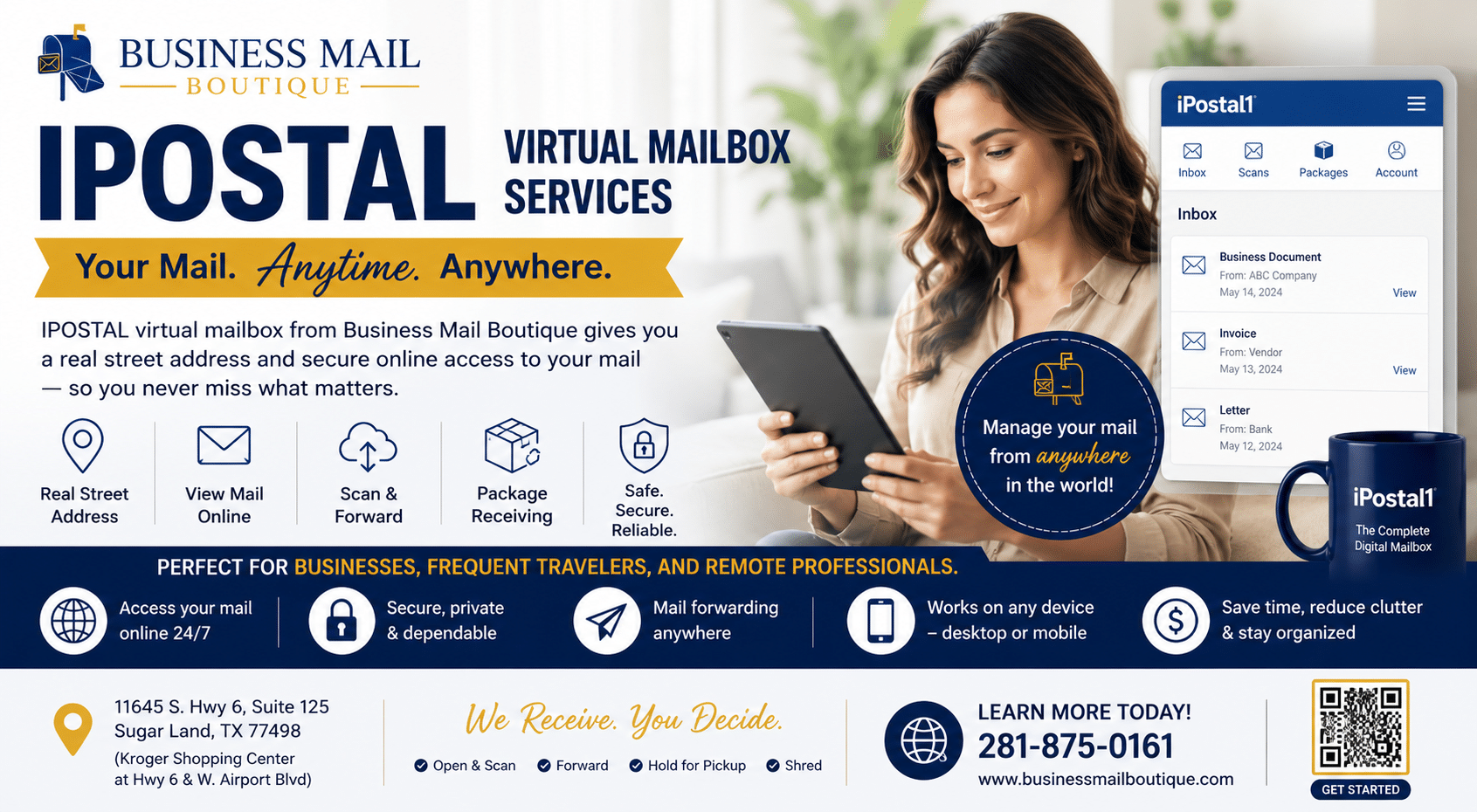
A 2026 Guide to the ipostal 1 Virtual Mailbox
If you’re running a business from home in Sugar Land, there’s a good chance your mailbox is doing work it was never meant to do. Client letters land next to grocery coupons. Packages arrive while you’re out. Your home address ends up on invoices, filings, and public business records when you’d rather keep that private.
That’s usually the moment people start looking up ipostal 1.
The appeal is easy to understand. You get a real street address, digital mail handling, and the ability to manage incoming mail without being tied to one location. For freelancers, e-commerce sellers, consultants, and small teams, that can solve a very real problem. But if you’re local, there’s another question that matters just as much. Is a fully digital mailbox enough, or do you also need the practical value of a nearby place you can walk into when something urgent comes up?
Table of Contents
- Your Business Address Is Overdue for an Upgrade
- How a Virtual Mailbox Works
- Key iPostal1 Features for Modern Businesses
- A Step by Step Guide to Using iPostal1
- Understanding iPostal1 Pricing and Plans
- Security Legality and When to Use a Virtual Address
- The Local Advantage for Sugar Land Businesses
Your Business Address Is Overdue for an Upgrade
You are at a client meeting in Sugar Land when a package lands on your porch, a bank letter slips into your home mailbox, and a customer later copies your house address from an invoice. For a lot of small business owners, that is the moment the current setup starts feeling too small.
A home address can work at the beginning. Then the business becomes real in a very practical way. More mail arrives. More packages show up. More people see the address tied to the business.
A freelance designer may need sample deliveries handled while she is out with clients. A mobile notary may want to keep his residence off public business records where possible. An online seller may want a return address that looks more polished than an apartment number. These owners may not need a full office, but they often do need a better mailing setup.
ipostal 1 fits that need for many businesses. It gives you a street address for business use and adds online controls for the mail that arrives there. For an owner who works from home, on the road, or between job sites, that can feel like replacing a single metal mailbox with a front desk and an online control panel.
Why owners pay attention to services like ipostal 1
The appeal is not just about tech. It is about creating separation.
When business mail goes to your home, every piece of correspondence lands in the same stream as grocery coupons, family mail, and personal deliveries. That makes it harder to protect privacy, stay organized, and present a consistent business image. A dedicated business mailing address helps draw a line between work life and home life.
For a Sugar Land owner, there is also a second question. Do you want a fully digital service, or do you want a local place where digital convenience is paired with in-person support? That distinction matters more than many people expect.
Practical rule: If your mailing address affects privacy, client confidence, or package handling, your current setup probably deserves a closer look.
Common signs your current address is no longer working
A business address usually needs an upgrade when a few repeat problems start showing up:
- Privacy feels thinner than it should. Your home address appears on forms, invoices, or public-facing business materials.
- Deliveries arrive at the wrong time. You are with customers, out making calls, or away from home when carriers stop by.
- Business and personal mail mix together. Important documents get buried in the daily pile.
- Your address does not match the image you want to present. A dedicated business address often looks more established and easier to trust.
For many owners, the primary benefit is not fancy software. It is better boundaries.
That is also where the local Sugar Land perspective matters. A national digital platform like ipostal 1 can be a good fit if your main goal is remote access and flexibility. A local option such as Business Mail Boutique may make more sense if you want those digital tools plus a real nearby team, package handling, and the reassurance of being able to walk in and talk to someone face to face.
How a Virtual Mailbox Works
Think of a virtual mailbox as a remote mailroom with a digital dashboard. Your mail still arrives physically. What’s different is what happens after it arrives.
Instead of you standing at a box, opening envelopes, sorting papers, and deciding what to keep, the service handles the intake and lets you give instructions online.

What happens when mail comes in
With ipostal 1, customers choose from about 4,250+ physical mailing addresses worldwide, and those addresses are real street addresses rather than P.O. boxes. iPostal1 also says those locations can receive deliveries from USPS, UPS, FedEx, and other carriers, which makes the service useful for both letters and packages, as described on the iPostal1 main service pages.
When an item arrives, the outside gets scanned as an image. You receive a notification, then decide what you want done with it.
That decision step is where many readers get confused, so here’s the simplest way to think about it.
Your choices after an item is scanned
Once you see the envelope or package in your account, you typically choose an action such as:
- Open and scan it if it’s a document you need to read now.
- Forward it if you need the original paper or package sent to you.
- Hold it if it isn’t urgent.
- Discard it if it has no value.
This setup helps you avoid forwarding everything blindly. If a piece of mail turns out to be junk, you can deal with it digitally before paying to move paper around.
It helps to think of the envelope image as a decision screen, not the final document.
Why this model works for busy owners
A local contractor, for example, might be at job sites all week. If permit paperwork, invoices, and parts shipments arrive at different times, he doesn’t need to stop everything and drive across town just to check whether the item is important. He can review incoming pieces remotely and decide what deserves immediate handling.
That saves time, but it also creates better control. You know what arrived, you know when it arrived, and you can act on it without waiting until the end of the day.
Key iPostal1 Features for Modern Businesses
For a small business owner, the actual value of iPostal1 is not mail receipt by itself. The value is control. Instead of letting envelopes pile up until someone has time to sort them, the service turns each arrival into a task you can review and act on online.
That shift matters more than it may sound at first.

Access from anywhere
iPostal1 says users can manage mail 24/7 via an app or website, which appeals to owners who are rarely sitting in one office all day. If you split time between home, client visits, job sites, and vendor runs, your mailroom effectively travels with you.
For a Sugar Land business owner, that can solve a simple but expensive problem. Important mail no longer waits until you are physically back at the office to be noticed.
Mail becomes a digital record
The platform also turns paper into files you can organize and revisit. Some plans include unlimited secure cloud storage for scans, according to the iPostal1 digital mailbox features page.
In practice, that means a paper invoice can become a searchable record. A compliance letter can be reviewed the same day. A document you may need again next month is less likely to disappear into a drawer.
It works a lot like moving from a stack of sticky notes to a shared online checklist. The information is still the same. What changes is how easy it is to find, sort, and act on it.
Where different businesses get practical value
The same features can help different kinds of businesses for different reasons:
- Home-based businesses: They can use a business-facing address instead of putting a home address on public materials.
- Owners who travel often: They can review incoming mail remotely and forward only the pieces worth paying to ship.
- E-commerce sellers: They can receive both mail and packages through one service.
- Small teams: They can keep incoming business mail in one system, even if staff work from multiple locations.
Local perspective: Digital mail helps most when speed and visibility matter more than holding the paper in your hand right away.
A feature that sounds small but changes daily use
One helpful detail is the item-by-item view. You are not dealing with “today’s mail” as one lump. You are dealing with one license notice, one check, one supplier letter, or one returned package.
That makes decisions faster. It also cuts down on the mental clutter that comes from treating every envelope as equally urgent.
For some Sugar Land businesses, that convenience is enough. For others, digital access works best when paired with a nearby place you can visit if a package needs pickup, forwarding help, or in-person support. In that setup, the digital workflow is similar, but the local setting adds a physical access point when you need one.
If you are comparing providers, the paperwork side matters too. This guide on how to notarize USPS Form 1583 for free helps explain one of the setup steps that often slows new users down.
A Step by Step Guide to Using iPostal1
Many people understand the concept of a virtual mailbox but find the initial setup steps challenging. Once those are clear, daily use is usually straightforward.

Step 1 Choose your address and plan
The first decision is location. You pick the address you want to use, then choose the plan that fits your personal or business needs.
At this stage, don’t focus only on appearance. Think about use. If you’ll receive occasional letters, your needs look very different from someone getting regular packages, client mail, or vendor correspondence.
A simple checklist helps:
- Business use: Do you want this address shown on your website, invoices, or public records?
- Mail type: Will you mostly receive envelopes, packages, or both?
- Urgency: Do you need fast digital review, physical forwarding, or occasional pickup?
Step 2 Complete mail authorization
To let a provider receive mail on your behalf, you’ll need to complete the required authorization paperwork. That’s the part many people delay, even though it’s essential.
If you’re trying to sort out that requirement, this guide on how to notarize USPS Form 1583 for free can help you understand the process in plain language.
If your authorization isn’t completed correctly, your mailbox setup can stall before your first piece of mail ever arrives.
Step 3 Update your mailing details
Once your account is active, you’ll start using the new address where it makes sense. That may include customer-facing materials, vendor accounts, subscriptions, marketplace settings, or general correspondence.
You don’t have to change everything at once. Many owners start with lower-risk mail first, then move important contacts after they’ve confirmed the workflow feels right.
Step 4 Review your first incoming items
This is the point where the service starts to feel real. Mail arrives, you get notified, and you see the exterior image in your dashboard.
From there, you decide what action to take. Important letter? Request a scan. Product sample you need in hand? Forward it. Obvious junk? Discard it.
A short video can make the daily workflow easier to picture:
Step 5 Build a routine around the mailbox
The biggest mistake isn’t choosing the wrong platform. It’s failing to create a habit for checking and acting on incoming items.
A simple routine might look like this:
| Task | Good habit |
|---|---|
| Morning review | Check new notifications before client work starts |
| Document handling | Scan only what needs immediate reading |
| Package decisions | Forward or schedule pickup based on urgency |
| Cleanup | Discard nonessential mail instead of letting it pile up |
After a week or two, the process usually feels normal. Mail stops being a pile and becomes a list of decisions.
Understanding iPostal1 Pricing and Plans
A Sugar Land owner comparing mail options usually asks a simple question first. What will this cost me each month?
With iPostal1, the answer depends less on the headline price and more on how you use the mailbox. The base plan gets you the address and the online dashboard. After that, you may pay for specific handling requests such as scans, forwarding, or storage. It works a bit like a utility bill. Light use can stay modest. Frequent requests can push the total higher than you expected.
As noted earlier, iPostal1 offers entry-level monthly pricing for virtual mailbox service, with higher business-oriented tiers above that. The important part is not just the starting number. The important part is what the plan includes at your location and what actions trigger extra fees.
What the monthly plan usually covers
The base fee generally pays for two core pieces:
- a mailing address you can use for receiving mail
- access to the digital mailbox platform where you view and manage incoming items
For a home-based consultant or solo operator, that setup can be enough. If you mainly want a cleaner business address and only check mail occasionally, the pricing model may feel reasonable.
For a business that gets frequent mail, returns, samples, or vendor documents, the base fee is only the starting point.
Where extra charges usually appear
The easiest way to understand virtual mailbox pricing is to separate “having the mailbox” from “asking the mailbox staff to do something.”
Common add-on costs may include:
- opening and scanning mail contents
- forwarding letters or packages to another address
- storing items for a longer period
- handling higher package volume
That distinction matters. A low monthly rate can look attractive until your real workflow involves repeated scans and regular forwarding.
Here is a practical way to view it:
| Business type | Likely usage pattern | Cost risk |
|---|---|---|
| Freelancer or independent agent | Light mail, occasional scans | Usually easier to predict |
| Traveling consultant | Frequent digital review, periodic forwarding | Moderate variable costs |
| Ecommerce seller | More package handling and storage needs | Higher chance of extra fees |
If you are still comparing formats, this guide on a private mailbox vs PO box for business use can help clarify which setup fits your mail habits before you focus only on price.
How to budget without getting surprised
Before you sign up, answer two questions.
- How much mail will I receive in a normal month?
- How often will I need someone to scan, hold, or forward physical items?
Those answers tell you more than the advertised starting price.
A remote business with light document flow may do well with a digital-first service like iPostal1. A Sugar Land company that wants both digital convenience and a real counter for pickups, face-to-face help, or package questions may prefer a local option with a physical presence, such as Business Mail Boutique. That hybrid model can be easier to budget for when your needs go beyond basic mail viewing.
Price matters. Fit matters more. The right choice depends on whether your business mostly needs online access, or whether you also benefit from having a nearby place where real people can help with the physical side of mail.
Security Legality and When to Use a Virtual Address
This is the part owners should slow down and read twice. A virtual mailbox can be extremely useful. It can also create headaches if you assume a real street address will be accepted everywhere for every purpose.
The key issue is classification.
iPostal1 explains that while it provides a real street address, acceptance for bank accounts, state filings, or IRS correspondence can vary because the address may be treated as a CMRA, or Commercial Mail Receiving Agency. That compliance nuance appears on the iPostal1 virtual mailbox information page.
What a CMRA means in practical terms
A CMRA isn’t the same thing as a post office box, but it also isn’t automatically the same as a traditional office suite in every compliance setting.
That’s where confusion starts.
For daily mail handling, a CMRA-style address can work well. For some registration and verification tasks, an institution may ask more questions or require something else.
Good use cases for a virtual address
A virtual address often makes sense when you need:
- Mail privacy: You don’t want your home address circulating publicly.
- Business presentation: You want a cleaner address on customer materials.
- Remote operations: You work from multiple places and need mail access online.
- Mail triage: You want to review items before deciding what deserves forwarding.
Situations where you should verify first
There are also cases where you should confirm acceptance before you commit:
- Bank onboarding: Some banks apply strict identity and address verification rules.
- State filings: Requirements can differ by filing type and jurisdiction.
- Registered agent needs: A mailing address and a registered agent address are not always the same thing.
- Marketplace or processor checks: Platforms may have their own standards for business addresses.
Don’t assume “real street address” means “accepted for every legal, banking, and licensing purpose.”
If you’re comparing mailbox types, this overview of private mailbox vs P.O. box differences is useful because it clarifies what each format can and can’t do.
The safest way to decide
Use a virtual mailbox for what it’s clearly built to do: receiving, managing, scanning, forwarding, and organizing mail. Then verify special compliance uses one by one.
That small step can save you from changing addresses later, redoing paperwork, or getting stuck during onboarding with a bank or agency.
The Local Advantage for Sugar Land Businesses
A Sugar Land business owner might review mail on a phone in the morning, then need to pick up a package, notarize a document, or ship an order before lunch. That is the true comparison here. It is not just online access versus old-fashioned mail handling. It is whether your mailbox setup matches how your business operates in this city.
iPostal1 fits businesses that want to manage mail remotely and keep physical errands to a minimum. If you work from home, travel often, or rarely need to touch the mail itself, that model can be a practical choice.
But many local businesses have one foot online and one foot in the physical world.

That is where a nearby provider can feel easier to live with day to day. A digital mailbox gives you visibility. A local business center gives you visibility plus a place to go when the next task is physical, urgent, or unusual.
A local option often makes more sense if your routine includes any of the following:
- Picking up time-sensitive packages in person instead of waiting for forwarding
- Combining mailbox service with shipping in one stop
- Handling add-on tasks like notary, printing, fingerprinting, or passport photos during the same visit
- Speaking with someone face to face when a delivery, forwarding request, or ID question needs clarification
For Sugar Land readers comparing both models, digital mailbox service with local in-person support can be worth a close look. It gives you the online mail management that attracts people to iPostal1, while keeping a physical storefront available when business does not stay neatly inside an app.
That balance matters. A consultant who travels three days a week may be perfectly happy with a fully digital setup. A small e-commerce seller, contractor, or family-run office may prefer a hybrid arrangement because the mailbox is only one part of a longer errand list.
If your business runs almost entirely online, ipostal 1 may be enough. If you still ship products, sign documents in person, print materials, or need occasional walk-in help, a local hybrid option usually fits the day-to-day reality better.
If you’re weighing ipostal 1 against a local mailbox solution, Business Mail Boutique LLC gives Sugar Land businesses a way to compare both worlds in one place. You can explore digital mailbox service, private mailbox options, shipping, printing, notary, and other office services based on what your business needs.

Related posts

Custom Memorial Glasses Engraved in Three Hours in Sugar Land
When a customer needed eight personalized glasses for a memorial, Business Mail Boutique completed the engraving or...

Custom Martini Glass Engraving in Sugar Land, TX
Custom Logo Engraving on Martini Glasses in Sugar Land, Texas.
Business Mail Boutique recently completed a beautiful custom engravin...

Custom Engraved Wine Glasses for a Golf Club Event in Sugar Land, TX
Custom Engraved Wine Glasses for a Golf Club Event in Sugar Land.
Custom wine glass engraving in Sugar Land, TX at Business Mail Bouti...