
- Print Business Cards in Sugar Land – Same Day Service
- Copying Services
- Document Printing, Finishing & Lamination in Sugar Land
- Flyers
- Print Banner in Sugar Land | Same-Day Banner Printing Near Me
- Graphic Design
- Photo Printing
- Postcard Printing
- Document Printing
- EDDM Full Service Postcards
- FotoZoomer Large Format Printing


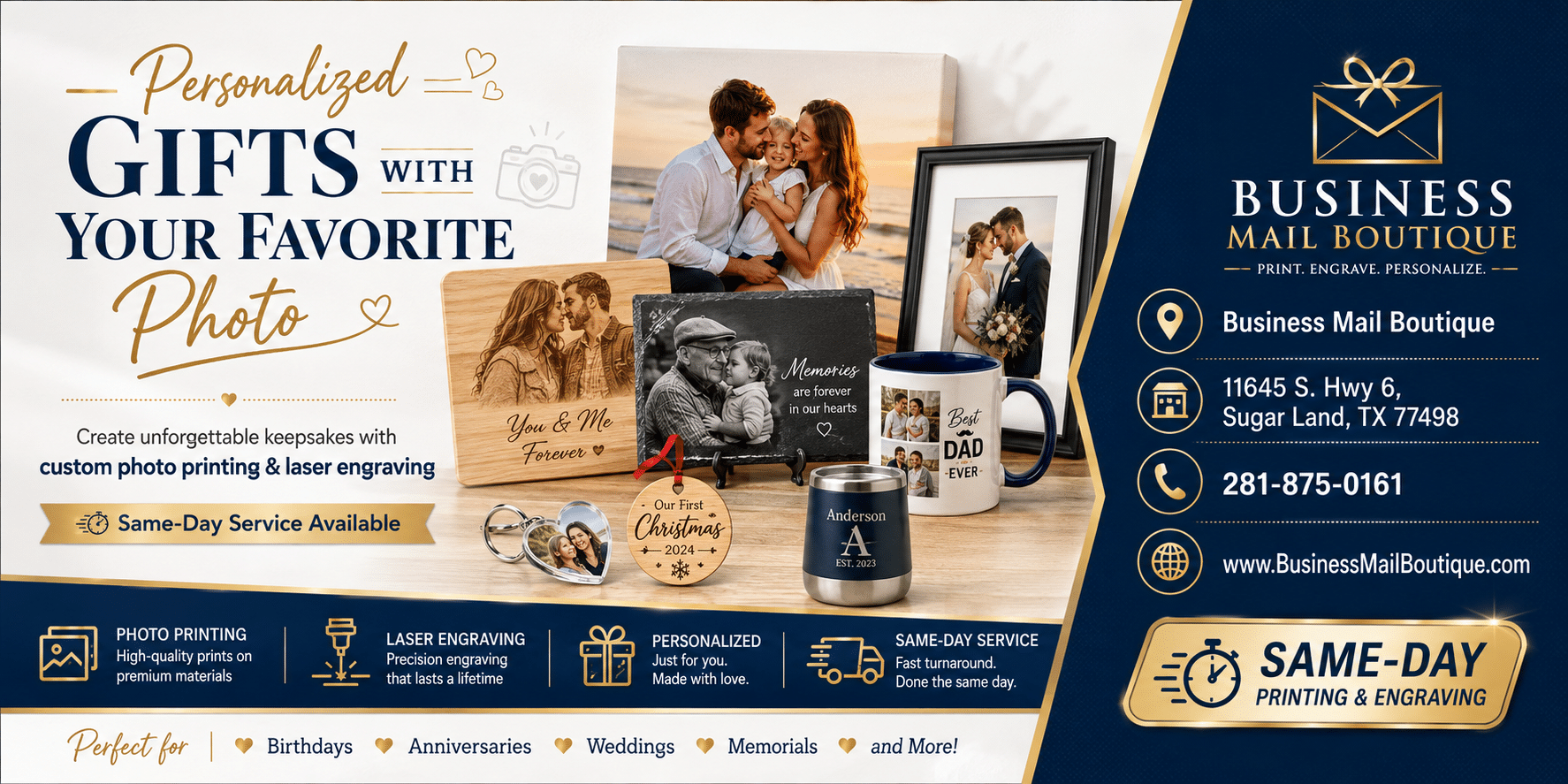
Personalized Gifts with Photo.
Create stunning personalized gifts with photo using our step-by-step guide. Learn image prep, print methods, and pro tips for memorable custom presents.
Businessmailboutique
11645 S. Hwy 6
Sugar land, Texas 77498 United States (US)
Email: info@businessmailboutique.com
Route
You’ve got a stack of photos on your phone, a birthday, anniversary, or holiday coming up, and you’re trying to turn one good memory into something people will keep. That’s where personalized gifts with photo either work beautifully or end up in the back of a drawer. The difference usually isn’t the sentiment, it’s whether the gift fits the person’s daily life and whether the image is prepared for the substrate it’s printed on.
Choosing a Photo Gift That Actually Gets Used
The most common mistake I see is buying for the occasion instead of the routine. A mug for someone who makes coffee every morning gets used. A decorative piece for someone who never rearranges their walls usually gets stored, admired once, then forgotten. The right personalized gift with photo fits the recipient’s habits first, and the memory second.

A remote worker often gets more real value from a desk-friendly item than from wall decor. That can mean a mug on the desk, a compact photo block near a monitor, or another object that stays in the line of sight without demanding new space. If you’re considering wall art, a curated option like ready-to-hang wall art can make sense for someone who already treats their office or hallway as a display area.
Practical rule: if the person won’t naturally interact with the gift during a normal week, the emotional value has to do all the work, and that rarely lasts.
Families are a different case. A photo book gets reopened, passed around, and compared against old milestones, so it can outlast a single-image object that just sits there. I’ve also seen gifts work better when they reflect a shared habit, not just a shared face. A kitchen-oriented household responds differently than a home office household, and that matters more than most buyers admit.
For lightweight, repeating-use items, even a small branded touch can help the gift stay visible. If you’re thinking in terms of practical handouts or small keepsakes, the internal guide on custom photo magnets for marketing gift ideas is a useful reminder that placement matters as much as image choice.
The cleanest way to choose is to ask three questions before you upload anything:
- Where will this live? Desk, kitchen, shelf, bag, or wall.
- How often will it be touched? Daily use beats occasional display for many recipients.
- What does this person already keep nearby? Choose a format that matches the space they already use.
A good personalized gift doesn’t force a new habit. It slides into an existing one.
Preparing Images for High-Quality Output
The image is where most bad outcomes begin. A gift can have the right concept and still look cheap if the file is soft, cropped badly, or pulled from a messaging app export. For close-up printed items, the working benchmark is 300 DPI, and that matters because small-format gifts still reveal blur, blocky edges, and compression damage very quickly. The practical guide from Giftenova also notes that around 2 megapixels can be enough for a 2×2 inch acrylic photo block, while 4 megapixels or higher is better for a 6×4 inch plaque (source).
Start with the original file
Use the original camera image whenever possible, not the version forwarded through text or chat. Messaging-app exports often strip detail and introduce compression artifacts that show up as mushy skin tones, fuzzy edges, or strange blocks in darker areas. The file may look fine on a phone screen, then fall apart as soon as it’s printed at gift size.
The best workflow is simple. Open the original file, check the subject, and crop only after you know what the final product needs to show. If the image needs room for names, dates, or a short caption, leave negative space in the frame instead of forcing text into a crowded composition. That habit saves a lot of failed proofs.
Useful habit: crop for the product, not for the camera roll. A square mug wrap, a vertical plaque, and a landscape canvas punish different framing mistakes.
Match size, orientation, and color early
Image size should be checked against the product format before you approve anything. A portrait image that looks strong in an album can feel awkward on a panoramic board, while a busy background can swallow a short message. Keep the focal subject obvious, keep contrast strong, and avoid backgrounds that compete with the face or the logo.
If you need to process a batch of uploads for a larger order, a tool that can resize up to 100 images helps keep the prep work manageable without making you start over on every file. For layout-heavy pieces, the internal guide on photo collages design and print is also worth using as a reference point before you lock the artwork.
The last check is color. A bright screen can flatter an image that won’t print well, especially when the source photo already has shadows or mixed lighting. If the skin tone looks odd on the preview, don’t ignore it. Fix the source file first, because the printer can’t rescue a bad capture.
Comparing Print Methods and Finish Options
The method matters as much as the image. I’ve seen the same photo look polished on one substrate and flat on another, because the print process didn’t suit the material. For personalized gifts with photo, the main choice usually comes down to sublimation, laser engraving, or traditional photo printing, and each one solves a different problem. If you’re comparing options, the internal overview on digital printing gives a useful frame for how printed output behaves before it reaches the final product.
Side by side trade-offs
| Method | Best Materials | Color Quality | Durability |
|---|---|---|---|
| Sublimation | Ceramics, coated items, some fabrics | Strong for full-color imagery on compatible surfaces | Good for everyday use when the substrate is right |
| Laser engraving | Wood, metal, some crystal-like materials | No color, only marked detail | Very durable because the mark is permanent |
| Traditional photo printing | Paper, photo panels, canvas, framed pieces | Best for detailed portraits and accurate likeness | Depends on finish, mounting, and handling |
Sublimation works well when you want color to live inside the surface rather than sit on top of it. It’s a natural fit for mugs and many coated blanks, but it’s not the answer for dark surfaces or every material. Laser engraving does the opposite. It gives permanence and a clean, tactile finish on wood or metal, but you lose the image color, so it’s better for initials, line art, logos, or simplified photo treatments.
Traditional photo printing is still the strongest option for detailed portraits, especially when likeness and facial nuance matter. That’s the route I’d take for family photos where skin tones, eyes, and soft backgrounds need to stay faithful. It also gives you more flexibility with mats, frames, and display styles, which matters when the gift is meant to feel personal rather than novelty-driven.
Good rule: if the photo itself is the star, choose a method that preserves detail. If the name, date, or shape is the star, engraving or simplified decoration can work better.
For creators looking at garment-based personalization, DTG printing for creators is another relevant comparison point because it shows how print method changes the final feel on soft goods. That same thinking applies here. The substrate decides how much color, texture, and permanence you get.
The finish is the last part people underestimate. Gloss makes some images pop but can create glare. Matte is calmer and easier to view in bright rooms. A textured surface can hide minor flaws, but it can also soften the image. The right finish depends on where the gift will live, not just how it looks in the preview.
Streamlining the Design and Customization Process
The cleanest photo gifts usually come from fewer decisions, not more. Over-customization is where people create trouble for themselves, especially on phone-first checkout pages where every extra photo, caption, and decorative element makes the layout harder to read. The strongest pattern is still one photo plus one message, because it keeps the design legible and reduces crop problems.
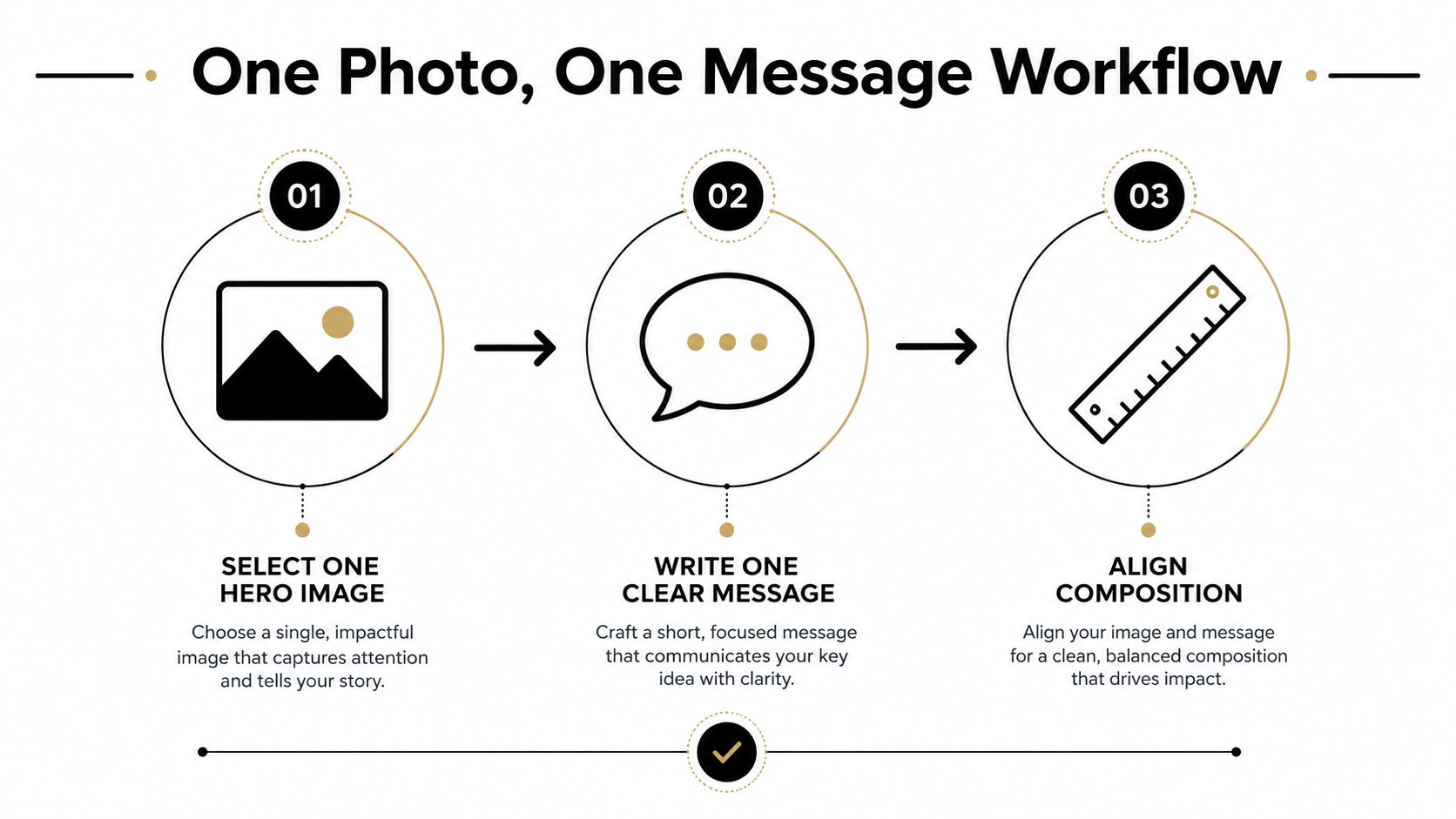
Select one hero image
Choose one image with a clear subject and a simple background. If the face is tiny, the photo is already fighting the format. If the background has too many competing objects, the gift will feel cluttered before it’s even printed. One strong image usually beats a collage that tries to say too much.
Write one clear message
Short text prints better than long copy. A name, date, or brief line usually lands harder than a full paragraph, because the gift needs to be readable at a glance. If you have a sentimental message that runs long, move the fuller note to a card and keep the print itself restrained.
Align composition before checkout
Use the preview. That step saves the most money because it catches bad crops, awkward spacing, and orientation mismatches before production starts. A vertical family portrait will not always fit a horizontal product, and a wide photo can look empty on a narrow item.
A lot of customization mistakes come from trying to make one image do too much work. The better move is to match the photo to the product, then stop. If the item is for a kitchen, desk, or bag, the design should be immediately legible in that environment. If the item is for display, the composition can breathe a little more.
When I’ve seen the smoothest orders, they all had the same discipline. One image, one message, one final preview, then print.
Understanding the Photo Gift Market Size
The market behind these products is larger than many buyers expect. One recent estimate values the global personalized gifts market at USD 34.03 billion in 2026, with a projection to USD 61.66 billion by 2035 at a 6.7% CAGR (source). In that same source, photo gifts account for about 42% of market volume, and more than 55% of purchases now occur via online channels. That mix points to a category that is both broad and heavily shaped by digital ordering.
Older market tracking shows the same direction. It placed the global market at US$25.8 billion in 2020, with a forecast of US$43.3 billion by 2027 at 7.7% CAGR, and it projected the photo personalized gifts segment to grow at 8.8% CAGR over that period (source). That is not a side business. It is a major share of a market measured in tens of billions.
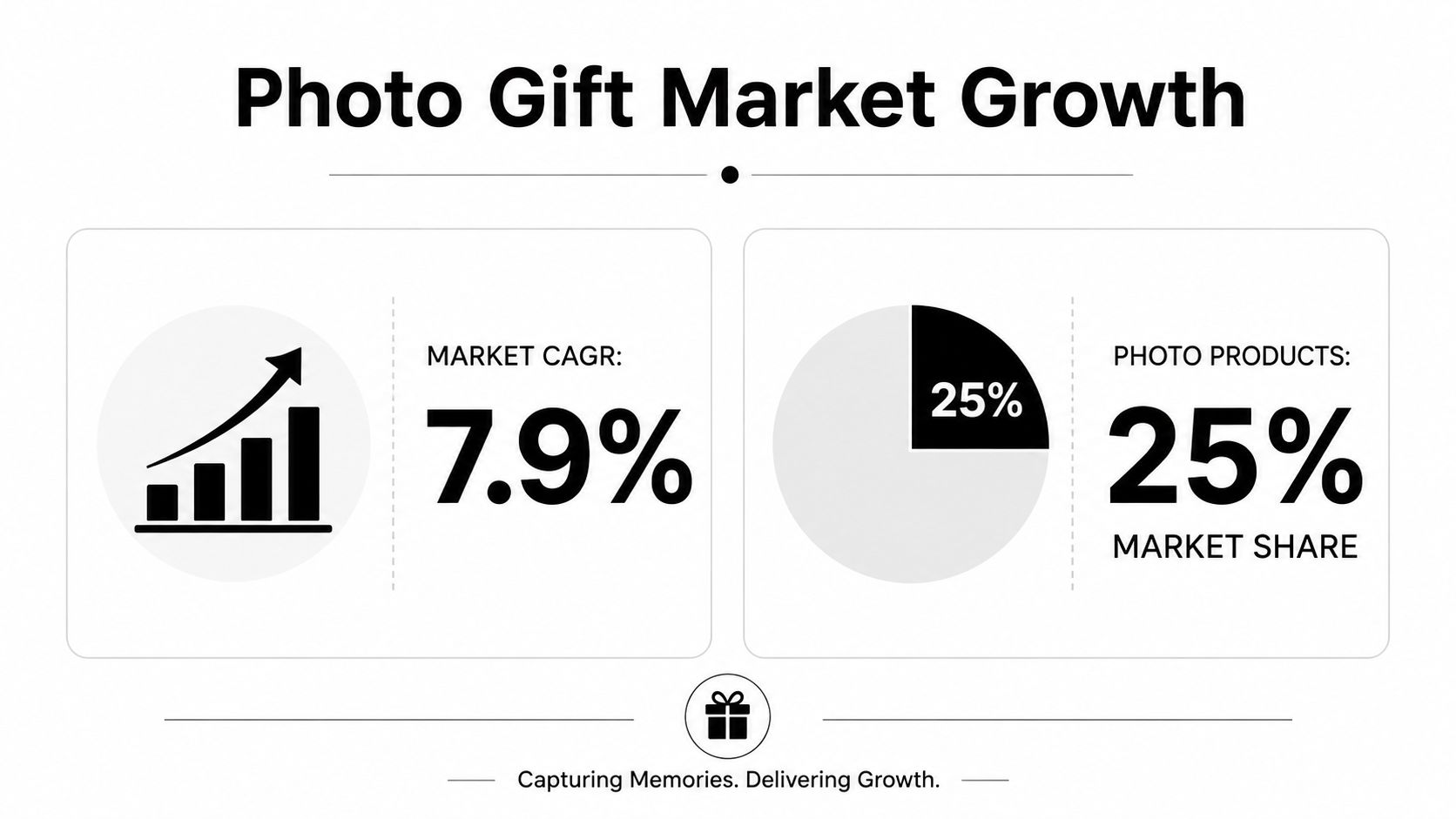
The U.S. market shows the same pattern. A 2020 industry report estimated the Personalized Gifts market in the U.S. at US$7.6 billion, while later forecasts put it at USD 8.919 billion in 2024 and USD 15.185 billion by 2030 or USD 9.69 billion in 2024 and USD 14.56 billion by 2030, depending on the outlook used (source). Another U.S. estimate expects growth of USD 5.27 billion from 2024 to 2029 at a 9.9% CAGR, and it says the online channel held the largest revenue share in 2022 (source).
For buyers, that scale has a practical effect. There are more formats to choose from, faster ordering paths, and more pressure on sellers to get quality right the first time. It also explains why photo gifts are now sold year-round instead of feeling like a holiday-only purchase. The market has made customization routine.
Packaging, Presentation, and Delivery Options
A photo gift doesn’t end when the print is done. It ends when the recipient opens it, handles it, and decides whether it feels thoughtful or flimsy. I pay as much attention to packaging for fragile pieces as I do to the image itself, because chipped mugs, cracked ornaments, and bent prints can ruin a clean production job in one delivery.
Local pickup makes sense when timing is tight or when the gift is delicate enough that you don’t want a long transit chain. Shipping works when the item is packed correctly, cushioned well, and labeled clearly. The choice usually comes down to risk and convenience, not just speed. A last-minute desk item is a different problem from a glass keepsake.
The presentation layer doesn’t need to be expensive. A neat insert, tissue, or simple outer wrap can make a photo gift feel intentional without adding much cost. What matters is that the first touch feels deliberate and the item doesn’t rattle around inside the box.
A gift that arrives intact already feels more valuable before the recipient even sees the photo.
For sellers and local buyers, one practical option is to combine production and pickup in a single stop, especially when the item is being personalized alongside other print or shipping tasks. That’s where a service counter that handles packing, printing, and handoff in one place keeps the process simple. It’s also why some customers use Business Mail Boutique LLC for photo prints, engraving, and same-day local production when the gift has to leave the shop quickly.
If you’re gifting something breakable, keep the box tighter than you think you need. Extra movement inside the package is what causes most damage, not the outer carton alone. For a finished photo gift, a clean arrival is part of the design.
If you want a photo gift that’s produced cleanly, packed properly, and handled with the same care you’d expect from a print shop, visit Business Mail Boutique LLC and ask about photo printing, sublimation, and custom engraving options. They can help turn a favorite image into a gift that fits the recipient’s daily life, not just the occasion.

Related posts

Custom Memorial Glasses Engraved in Three Hours in Sugar Land
When a customer needed eight personalized glasses for a memorial, Business Mail Boutique completed the engraving or...

Custom Martini Glass Engraving in Sugar Land, TX
Custom Logo Engraving on Martini Glasses in Sugar Land, Texas.
Business Mail Boutique recently completed a beautiful custom engravin...

Custom Engraved Wine Glasses for a Golf Club Event in Sugar Land, TX
Custom Engraved Wine Glasses for a Golf Club Event in Sugar Land.
Custom wine glass engraving in Sugar Land, TX at Business Mail Bouti...