
- Print Business Cards in Sugar Land – Same Day Service
- Copying Services
- Document Printing, Finishing & Lamination in Sugar Land
- Flyers
- Print Banner in Sugar Land | Same-Day Banner Printing Near Me
- Graphic Design
- Photo Printing
- Postcard Printing
- Document Printing
- EDDM Full Service Postcards
- FotoZoomer Large Format Printing


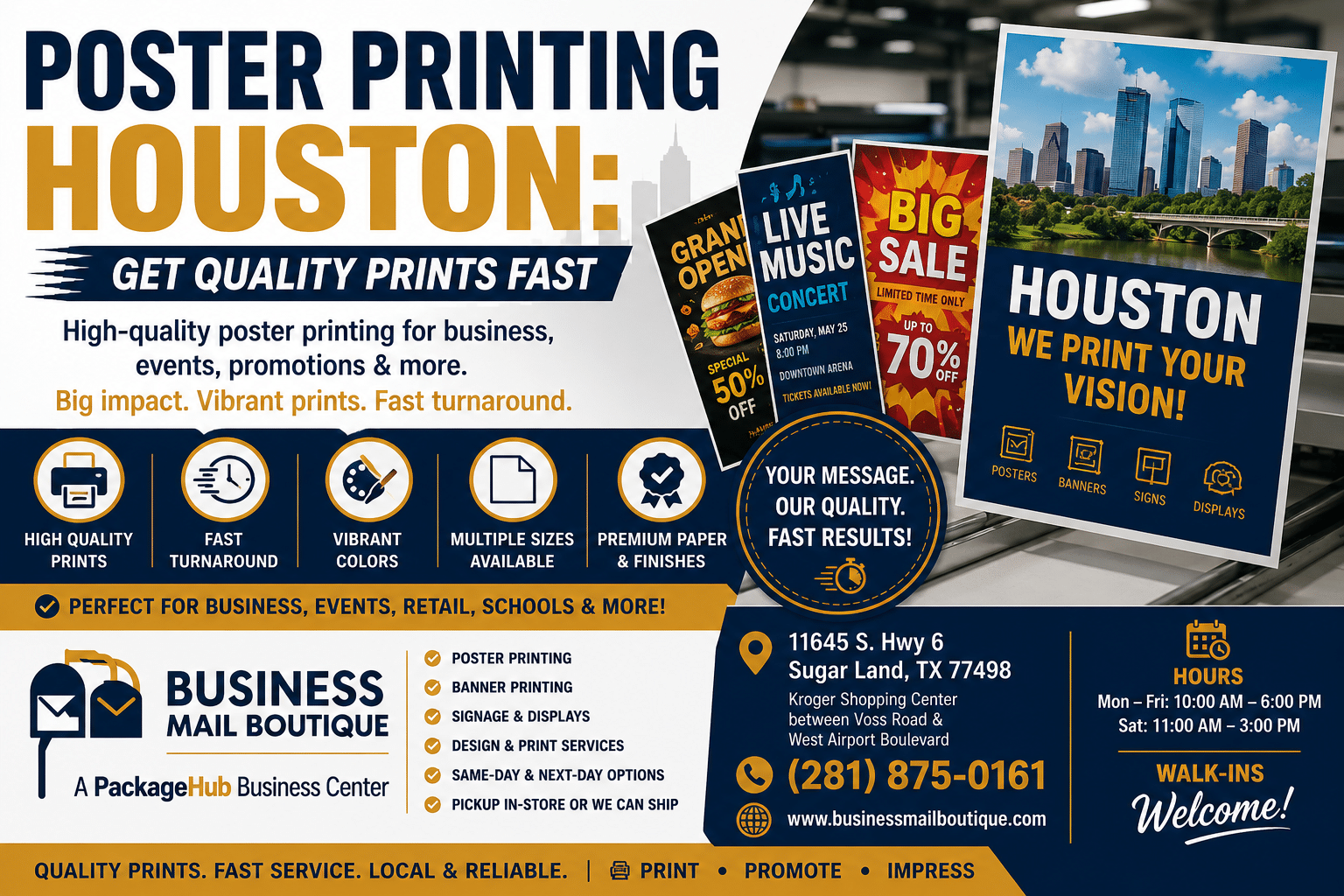
Poster Printing Houston: Get Quality Prints Fast
11645 S. Hwy 6, Sugar land, Texas 77498, United States (US) - Phone: 281-875-0161 Email: info@businessmailboutique.com
Route
For poster printing in Houston, there’s a good chance you need something on a real deadline. Maybe a retail promo has to go in the window today. Maybe a trade show panel needs to be ready before load-in. Maybe your presentation is set, but the poster file still isn’t.
That urgency is normal. In Houston, poster printing isn’t a fringe service tied only to school projects. It’s part of how local businesses, event teams, and academic groups get visible fast. A provider operating at 11645 S. Hwy 6, Sugar Land, Texas 77498 reflects how established this market is in the city’s commercial corridors, and Rice University’s workflow shows the same thing from the institutional side: users are told to contact the DMC at least two weeks ahead, posters are limited to 8 feet, and the campus runs three 36-inch wide plotters to handle demand, according to Houston poster printing market context.
The practical difference is simple. A poster can be either a quick output file or a useful piece of communication. The second one takes better choices on size, material, finishing, and file prep. That’s where significant time and money can be lost.
Table of Contents
- Need a Poster Printed in Houston Start Here
- Match Your Poster to Your Goal Sizes Materials and Finishes
- The Perfect File Prep Checklist for Flawless Posters
- Understanding Poster Costs and Timelines in Houston
- Putting Posters to Work Creative Marketing Ideas
- Fast and Friendly Poster Printing in Sugar Land
- Houston Poster Printing FAQs
Need a Poster Printed in Houston Start Here
A lot of poster jobs start the same way. Someone realizes the event is closer than they thought, the original file isn’t quite right, and now they’re trying to get something printed without gambling on quality.
That might be a restaurant getting ready for a weekend special, a vendor heading to the George R. Brown Convention Center, or a presenter trying to bring a polished board into the Texas Medical Center. In all three cases, the pressure isn’t just “print this.” It’s “make this look right, make it ready on time, and don’t let a file issue ruin the day.”
That’s why poster printing in Houston works best when you treat it as a workflow, not a commodity order. Local demand has long been split between business use and academic use, and the city has the infrastructure to support both. You can see that in the established Westheimer corridor and in university print operations that run on lead times, equipment capacity, and size limits rather than casual walk-up assumptions.
Don’t judge a poster order by the advertised price alone. Judge it by whether the printer can catch the problem you didn’t know was there.
One of the smartest things you can do before placing an order is spend a few minutes clarifying design project goals. That doesn’t need to be formal. A few clear answers on audience, display location, viewing distance, and deadline will save more trouble than endless back-and-forth about paper after the file is already built.
Match Your Poster to Your Goal Sizes Materials and Finishes
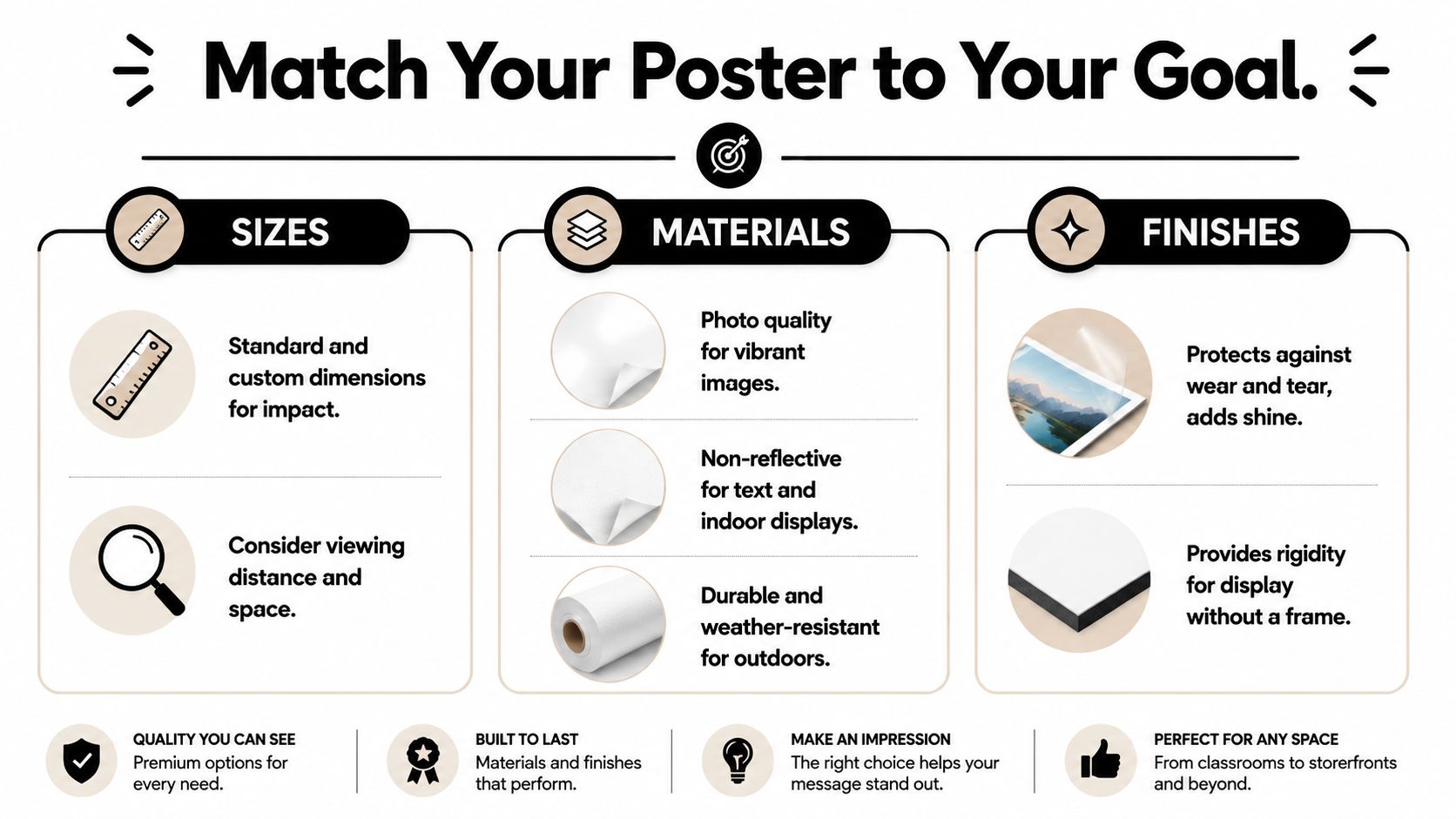
The wrong poster spec usually comes from choosing what sounds good instead of what fits the job. Size, material, and finishing should follow the goal. A poster for a lobby isn’t built the same way as one for a storefront window or a trade show easel.
Start with the size that fits the job
The most efficient standard sizes are 11″ x 17″, 18″ x 24″, 24″ x 36″, and 27″ x 40″ because they line up with common roll widths and reduce waste, which helps speed and cost control, as noted in this standard poster size guide.
Here’s a practical way to think about them:
| Poster size | Best use | What works well |
|---|---|---|
| 11″ x 17″ | Counter signs, in-store promos, event notices | Short messages viewed up close |
| 18″ x 24″ | Easel signs, lobby messaging, directional displays | Balanced size for text and graphics |
| 24″ x 36″ | Retail windows, event promos, menu features | Strong visibility without feeling oversized |
| 27″ x 40″ | Movie-style promos, bold visual campaigns | Better when imagery carries the message |
If you’re ordering for a business campaign and need broader large-format options, it’s worth reviewing wide-format printing services for Sugar Land businesses to compare how different display formats fit different use cases.
Practical rule: Choose the smallest size that still reads comfortably from the actual viewing distance. Bigger isn’t always better if the wall, stand, or window is doing half the work for you.
Choose material based on where the poster lives
For indoor short-term use, paper is often enough. It prints cleanly, looks good, and keeps cost manageable. That’s fine for classroom presentations, indoor events, and promotions that will be up briefly.
For heavier handling or more demanding environments, move up the durability scale. Mounted prints make sense when the poster has to stand on an easel or stay rigid without a frame. Fabric works well when portability matters and you want a cleaner presentation look. For moisture or repeated contact, ask specifically about tear- and water-resistant media.
Pick a finish that helps people read it
Finish matters more than most customers expect. It’s comparable to interior paint.
- Gloss looks lively and can make color pop, but overhead lights and storefront glare can fight it.
- Matte is easier to read under bright lighting and usually works better when text matters.
- Satin sits in the middle. It keeps some visual richness without the full glare of gloss.
If your poster is going under track lighting, in a bright lobby, or near a front window, matte is usually the safer choice. If it will be photographed, glare control matters even more.
The Perfect File Prep Checklist for Flawless Posters
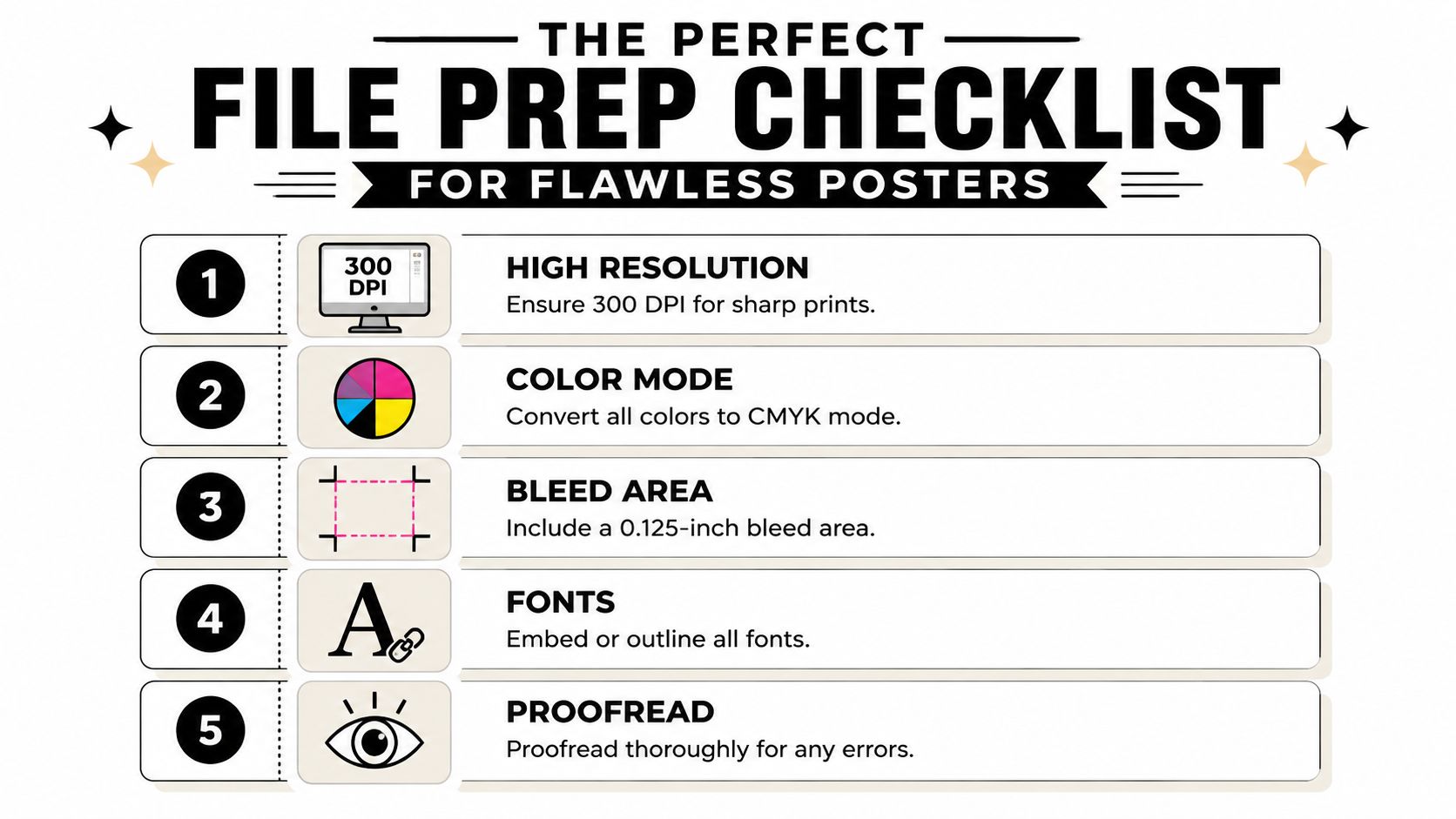
A good press can’t rescue a weak file. Most poster problems show up before printing starts, and they usually come from one of five avoidable issues.
Check the file before you send it
Use this checklist before you upload anything:
- Resolution first. For posters, 300 DPI is the safest target for sharp output. Low-resolution photos might look acceptable on a laptop and still print soft or pixelated at full size.
- Convert RGB artwork to CMYK. Screens display color differently than printers produce it. If color accuracy matters, don’t leave that conversion to the last minute.
- Add bleed. A 0.125-inch bleed area gives the printer room to trim cleanly. Without it, thin white edges can appear around the finished poster.
- Embed or outline fonts. Missing fonts can reflow text, break line spacing, or substitute something ugly without warning.
- Proofread at full size mindset. Tiny errors become very visible on a large print. Dates, phone numbers, QR codes, and event names deserve a second pass.
If your artwork started as individual image files, a simple utility to convert JPEG to PDF can help package the job into a more stable print-ready format before submission.
A second useful reference is this FotoZoomer guide to large-format prints, especially if you’re trying to understand how small design decisions get magnified on bigger output.
Think beyond the print itself
Video walkthroughs help if you’re a visual learner:
File prep isn’t the only quality decision. For event signage, retail displays, or anything that gets handled more than once, ask for UV-cured inks on tear- and water-resistant media. That combination offers a meaningful durability upgrade over standard dye-based output on plain paper, as explained in this Houston poster durability overview.
A poster can fail in two different ways. It can print badly, or it can survive the press and fail in the real world when people carry it, mount it, or expose it to moisture.
Understanding Poster Costs and Timelines in Houston
A Houston event manager orders posters at 9 a.m. for a next-day conference, then finds out the file has low-resolution logos, the requested stock is backordered, and the job needs mounting before pickup. That is how a simple print order turns into a deadline problem.
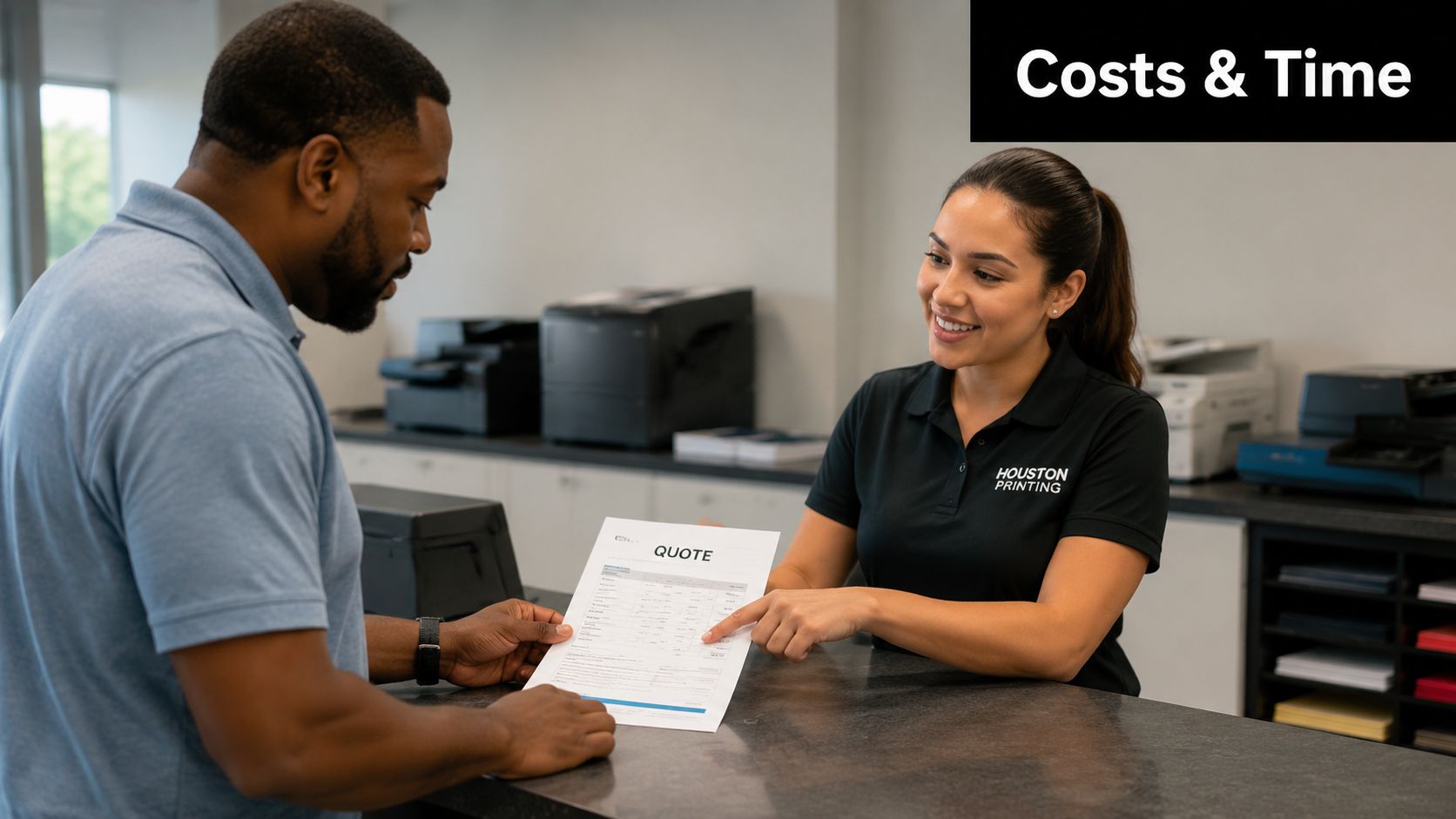
In Houston, poster pricing and turnaround depend less on the word “poster” and more on the exact job. A sales poster for a storefront, a mounted board for a trade show booth, and a presentation print for a campus event may share a size, but they do not move through production the same way.
What affects the price
Four factors drive the quote on most jobs:
- Size: Larger posters use more media and take longer to print and trim.
- Material: Standard paper costs less than synthetic stock, fabric, or mounted board.
- Ink coverage: Heavy background color, photos, and full-bleed designs use more ink than a clean layout with white space.
- Finishing: Lamination, foam board mounting, precise trimming, and packing add labor.
The biggest pricing jumps usually come from material changes and finishing, not from the print itself. An 18″ x 24″ paper poster is one kind of order. That same graphic mounted for a lobby easel or trade show check-in table becomes a different job with different handling time, waste risk, and supply cost.
If budget is tight, ask which spec changes lower the price without hurting the result. In the shop, that often means choosing a standard size, skipping lamination for one-day indoor use, or using paper instead of mounted board when the poster will sit in a frame.
Why turnaround can slip even on “same-day” jobs
Same-day service depends on clean files, available stock, and a finish that can be completed in the time left. If any one of those pieces breaks, the clock changes.
UTHealth describes poster printing turnaround as order-specific and notes that production timing can vary based on proofing and service details in its poster printing service FAQ. That lines up with what happens in real shops every week. The printer may be fast. The file may not be.
Here are the delays I see most often on rush orders:
- Fonts missing or substituted after upload
- Images that look fine on screen but print soft at full size
- Last-minute size changes that force a re-export
- Mounting or lamination added after the order is placed
- Customer pickup windows that do not match production completion
A reliable turnaround starts with a realistic order conversation. If the deadline is firm, say that first. Then confirm the final size, material, and whether the job needs trimming only or presentation-ready finishing. That gives the printer a chance to tell you what is possible before production starts.
The short version is simple. Fast, low-cost, high-touch service rarely all happen at once. For Houston businesses, schools, and event teams, the better question is not “Who is cheapest?” It is “Who will catch the problem before this poster misses the event?”
Putting Posters to Work Creative Marketing Ideas
A poster should earn its space. The strongest jobs aren’t just attractive. They match the location, the message, and the action you want the customer to take.
Houston businesses often need more than a standard glossy print. Trade shows, windows, and lobby displays call for different specs, and the market has moved toward options like fabric posters and mounting when presentation quality matters, as shown on this Houston-area poster service page.
Retail and restaurant promotions
For a boutique sale, restaurant special, or service promo near the register, an 11″ x 17″ or 18″ x 24″ poster usually does the job better than a giant format. Keep the message short. Give the offer room to breathe. Put it where customers naturally pause.
A retail window is different. That’s where 24″ x 36″ starts to make more sense because the poster has to compete with reflections, motion, and distance. If the poster faces sunlight or repeated handling during setup, move away from basic paper if durability matters.
Good poster marketing is simple. One message, one audience, one clear action.
Events trade shows and lobby displays
Trade show posters need to do two jobs at once. They have to attract attention from a few steps away and still hold up under close viewing. That’s why mounted or fabric presentation options often work better than loose paper for booth use.
Lobby displays are less about grabbing traffic and more about reinforcing trust. A clean matte finish usually reads better in professional interiors, especially where lights bounce off glossy surfaces.
For event organizers, posters also work well as support pieces. Use them for check-in areas, sponsor recognition, directional messaging, or branded backdrops where a full sign package would be overkill.
Fast and Friendly Poster Printing in Sugar Land
If you’re in Sugar Land or handling a Houston-area event from the southwest side, local access matters. Being able to call, confirm a file, and pick up on time saves a lot of stress when a deadline is tight.
Business Mail Boutique LLC is one local option for poster and large-format work, and it also handles related services that often come up on the same job, such as shipping, document finishing, and other business-center tasks. If your timeline is compressed, their same-day posters and banners printing in Sugar Land page gives a direct look at that service category.
The store is set up as a one-stop business center, which can be useful when a poster order isn’t the only thing on your list. A lot of customers need print plus shipping, or poster output plus presentation materials, or a quick fix on a file before pickup.
If you want to talk through a job in person, Business Mail Boutique LLC is located at 11645 S. Hwy 6, Sugar Land, TX 77478. You can also call (281) 875-0161 to check turnaround, file setup, and material options before you send anything over.
Houston Poster Printing FAQs
Can you print a Canva poster
Yes, in many cases. Export a print-quality PDF, set the page size to the final poster dimensions, and check that photos and logos were built for large-format output. A design that looks sharp on a laptop can still print soft at 24×36 or 36×48.
Also check bleed if the color or artwork runs to the edge. If Canva exports without bleed, leave a safe margin so nothing important gets trimmed.
What mistake shows up most often
Low-resolution artwork causes the most trouble. Website logos, screenshots, and phone images are the usual culprits. They often look acceptable on screen, then turn blurry or jagged once they are enlarged for a lobby sign, sales display, or event poster.
The other repeat problem is wrong proportions. A file built like an Instagram post does not convert cleanly into a poster. Text spacing shifts, images crop badly, and the layout starts fighting the format.
Should you order a poster or a banner
Choose a poster for indoor displays where image quality matters more than durability. That includes retail promotions, office lobbies, presentations, directional signage, and foam board-mounted event pieces.
Choose a banner if the graphic needs to hang, travel, or hold up under rougher handling. Vinyl makes more sense for pop-up events, outdoor use, repeated transport, or anything that will be rolled and reused.
If you’re unsure, start with the job conditions. Where will it hang, how long will it stay up, and will staff move it more than once? Those answers usually point to the right format fast.
How should you budget for a poster
Budget based on the job, not just the size. A one-day indoor notice can use a basic paper stock. A trade show graphic, investor pitch display, or storefront promotion usually needs better material, cleaner color, and sometimes mounting or lamination.
The true cost comes from three decisions. Size, substrate, and finishing. If the poster supports a sale, a public event, or an important meeting, the cheapest version can create more risk than savings.
Can a local printer help if the file isn’t ready
Often, yes. Local shops can catch page size errors, missing fonts, weak images, and export problems before the job goes to print. That matters when your deadline is tied to an opening, conference, school presentation, or weekend event.
Ask before you place the order. Some printers run files exactly as sent. Others will review the file, flag problems, and tell you what to fix first.
If you need a practical local option for Business Mail Boutique LLC, contact them before the deadline gets tight. They handle posters, banners, wide-format printing, shipping, and other business-center services from their Sugar Land location, which helps when the project includes more than one moving part.

Related posts

Knife & Leather Case Engraving in Sugar Land | Business Mail Boutique
Custom Knife and Leather Case Engraving in Sugar Land — Same-Day Service at Business Mail Boutique
A name can turn an everyday item in...

Custom Brass Plate Engraving in Sugar Land | Business Mail Boutique
Custom Brass Plate Engraving in Sugar Land: A Personal Tribute to Remember
A few carefully chosen words can turn a small brass plate i...

Silver Bracelet Engraving in Sugar Land | Business Mail Boutique
Personalize silver bracelets with names, dates, and hearts at Business Mail Boutique in Sugar Land. Call 281-875-0161 for a quote.
ers...