
- Print Business Cards in Sugar Land – Same Day Service
- Copying Services
- Document Printing, Finishing & Lamination in Sugar Land
- Flyers
- Print Banner in Sugar Land | Same-Day Banner Printing Near Me
- Graphic Design
- Photo Printing
- Postcard Printing
- Document Printing
- EDDM Full Service Postcards
- FotoZoomer Large Format Printing


Real Estate Sign Printing in Sugar LandBusinessmailboutique
11645 S. Hwy 6 Sugar land, Texas 77498 United States (US)Phone: 281-875-0161
Email: info@businessmailboutique.com
Businessmailboutique
11645 S. Hwy 6
Sugar land, Texas 77498 United States (US)
Email: info@businessmailboutique.com
In the competitive real estate market, professional signage plays a vital role in attracting buyers, promoting properties, and building brand recognition. Business Mail Boutique proudly specializes in high-quality real estate signage in Sugar Land, helping realtors, brokers, developers, and property managers create a strong and professional presence throughout the community.
Located at 11645 S. Hwy 6, Sugar Land, Texas 77498, Business Mail Boutique offers customized real estate signs designed to meet the unique needs of each client. From “For Sale” signs and “Open House” displays to directional signs, property banners, and commercial real estate boards, the company provides durable and eye-catching solutions suitable for both residential and commercial properties.
Using modern printing technology and premium outdoor materials, Business Mail Boutique ensures that every sign is weather-resistant, vibrant, and professionally finished. Customers can choose from a variety of sizes, colors, layouts, and mounting options to match their branding and marketing goals. Same-day or fast turnaround services are often available, making it convenient for real estate professionals working under tight deadlines.
What makes Business Mail Boutique stand out is its commitment to customer service, competitive pricing, and attention to detail. The knowledgeable staff works closely with clients to create customized signage that enhances visibility and leaves a lasting impression on potential buyers. Their convenient Sugar Land location also makes pickup and consultation simple for local businesses and agents.
For real estate professionals seeking dependable, attractive, and affordable signage solutions, Business Mail Boutique has become a trusted destination in the Sugar Land area. Whether promoting a new listing, hosting an open house, or marketing a commercial property, their expertly crafted signs help properties stand out and generate greater interest in today’s fast-moving market
You just landed a new listing. The photos are live, the seller wants traffic fast, and you need a sign in the yard before the weekend. This is usually the moment new agents rush the order, upload whatever file they have, and hope the printer sorts it out. That’s how you end up with fuzzy logos, colors that look wrong, and a sign that reads fine on a laptop screen but fails from the street.
Real estate sign printing is simple once you know what matters. Most mistakes come from four places: the message is too crowded, the file isn’t set up for print, the material doesn’t match the weather, or the sign never gets turned into a trackable lead tool. A sign can absolutely pull its weight, but only if you treat it like part of your sales process instead of a box to check.
Table of Contents
- From Listed to Sold Why Your Real Estate Sign Matters
- Designing a Sign That People Can Actually Read
- Choosing the Right Materials and Finishes
- Preparing Print-Ready Files to Avoid Costly Mistakes
- The Ordering Process from Proof to Pickup
- Installation Compliance and Boosting Your Sign’s ROI
From Listed to Sold Why Your Real Estate Sign Matters
The sign in the yard is not just a marker. It’s the piece of marketing that works when your ad budget is paused, when a neighbor walks by after dinner, and when a buyer drives through the area because they like the school zone. If the sign looks sharp, people assume the agent is sharp too. If it looks flimsy or sloppy, that impression transfers to your brand and sometimes to the listing itself.
That still matters in a market flooded with online listings. The U.S. signs and banners industry reached an estimated $16.7 billion in revenue by 2025, and 4% of U.S. homeowners report yard signs as their main source for discovering and purchasing homes, according to UPrinting’s signs and banners statistics. For agents, that means printed signage is still part of the conversion path, not a leftover from the pre-digital era.
A good sign does three jobs at once:
- It identifies the property clearly. Buyers and neighbors know immediately what’s happening.
- It reinforces your brand. Consistent colors, layout, and materials make you look established.
- It moves people to the next step. That could be a call, a website visit, or a QR scan.
Practical rule: If your sign can’t be understood in a glance, it’s decoration, not marketing.
New agents often spend too much energy on adding more information. Veterans usually do the opposite. They cut hard. They keep the main panel clean, use riders for changing messages, and choose materials based on how long the sign will live outside.
If you’re ordering your first batch, start with a repeatable system instead of a one-off design. A standard panel, a rider set, and directional signs save time on every next listing. If you need a reference point for common options, yard signs printing options show the kinds of formats agents typically reorder.
Designing a Sign That People Can Actually Read
Most weak signs don’t fail because of printing. They fail because the design asks too much from the viewer. A passing driver won’t read a mini brochure nailed to a stake. They’ll catch a shape, a word or two, a phone number if you’re lucky, and then they’re gone.
Keep the message brutally short
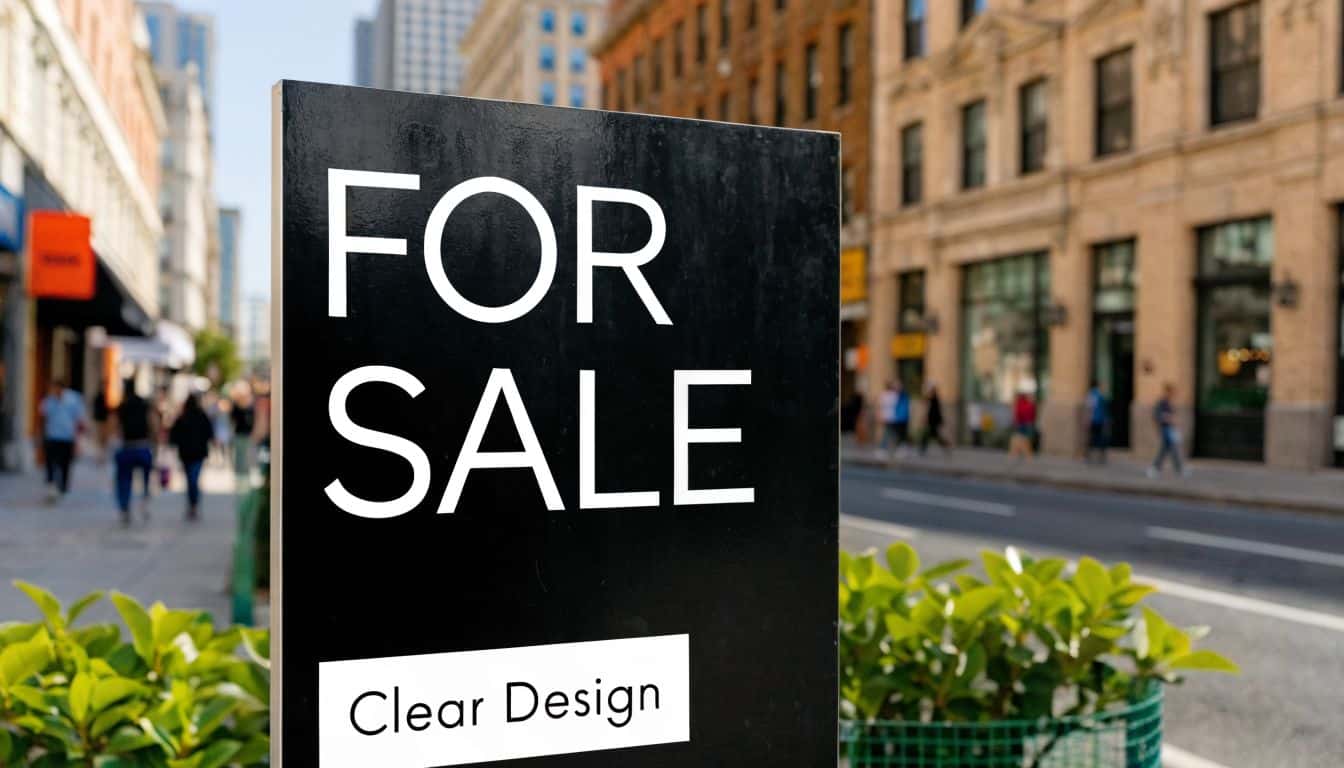
The best real estate sign printing jobs usually start with less copy than the agent expected. On the main sign, keep only what someone needs to recognize the listing and contact you.
A clean hierarchy usually looks like this:
- Primary message such as For Sale, Open House, or Coming Soon.
- Agent or team name if your branding is part of the draw.
- One contact path such as a phone number, short website, or QR code.
- Brokerage branding if required.
What usually hurts readability:
- Too many contact options. If you list phone, email, website, social handles, office line, and a QR code, none of them gets noticed.
- Thin fonts. They may look elegant on screen but disappear outdoors.
- Low contrast colors. Light gray on white, navy on black, and pastel-on-pastel combinations die in sunlight.
For outdoor readability, bold sans serif fonts tend to hold up better than delicate serif styles. Strong contrast also wins. Black on white, white on black, dark blue on white, and other clear combinations stay readable in mixed lighting.
If you don’t have a finished layout yet, it’s smarter to get graphic design help for print projects than to keep patching a crowded file.
A readable sign feels a little oversized and a little underwritten. That’s usually how you know it’s right.
Build for speed not for browsing
Think about how the eye moves across the sign. People notice the biggest element first, then the second, then maybe one detail below. That’s visual hierarchy. If your logo, slogan, headshot, and phone number all fight for top billing, the sign has no hierarchy at all.
Use this quick field test before approving any design:
- Step back. If the main message doesn’t pop first, enlarge it.
- Squint. If the sign turns into a muddy block, fix the contrast.
- Reduce. Remove one line of copy. Then see if the design gets stronger. It usually does.
- Check consistency. Your riders, arrows, and main panel should look like one family.
A short walkthrough on design choices can help if you’re more visual:
One more thing agents learn after a few installs. Photos on signs sound appealing, but unless the sign format is large enough and the image quality is excellent, photos often create clutter. For most residential yard signs, text-led layouts outperform fancy compositions because they communicate faster.
Choosing the Right Materials and Finishes
Material choice is where budget, appearance, and lifespan collide. Agents often ask for the cheapest option first. That’s not always wrong. It is wrong when the sign needs to survive weather, multiple installs, and repeated reuse through your next several listings.
What each material is actually good at
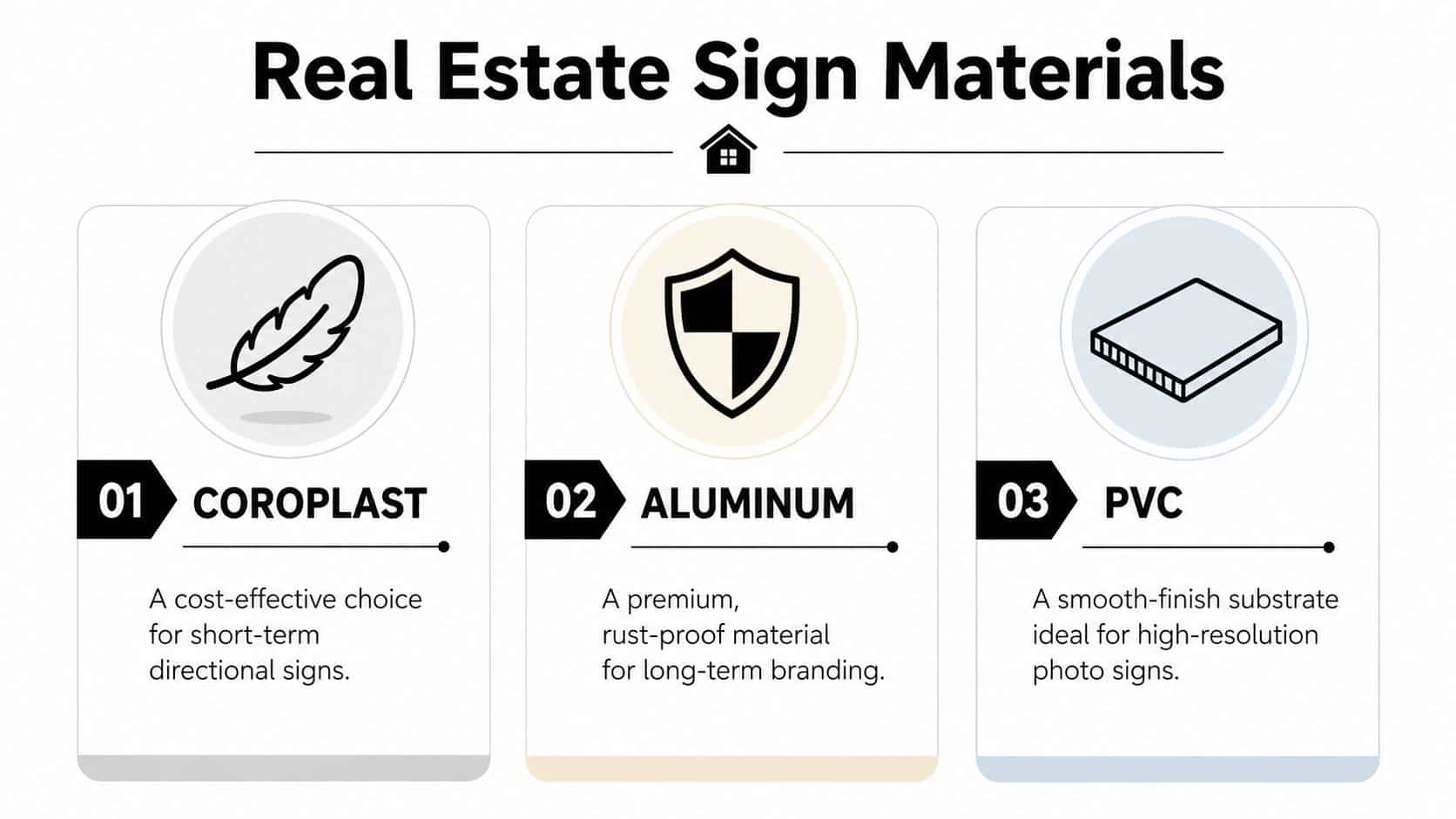
Coroplast is the everyday workhorse. It’s lightweight, easy to carry, and practical for directional signs, open house signs, and shorter-term yard use. If the job is temporary and you need multiple pieces, Coroplast is usually the first thing to consider.
Aluminum is the premium outdoor choice when you want the sign to stay rigid, clean-looking, and weather-tolerant over time. Verified pricing guidance places aluminum signs at $30 to $80 per unit with 3 to 5+ years of durability, while plastic signs run $15 to $40 per unit with 1 to 2 years of life and can warp or fade sooner in harsher conditions, as summarized in AgentFire’s overview of real estate signage materials. In a hot, humid climate, that trade-off matters.
PVC has its place too. It offers a smooth, rigid surface that can look excellent for photo-heavy displays or indoor use. Outdoors, whether it’s the right fit depends on how long the sign will be exposed and how rough the handling will be.
Real Estate Sign Material Comparison
| Material | Typical Cost per Sign | Estimated Lifespan | Best Use Case |
|---|---|---|---|
| Coroplast or plastic sign | $15 to $40 | 1 to 2 years | Directional signs, open house signs, short-term listings |
| Aluminum | $30 to $80 | 3 to 5+ years | Long-term outdoor listings, premium branding, repeated reuse |
| PVC | Varies by job | Varies by use and exposure | Smooth-finish indoor displays or shorter outdoor runs |
For Sugar Land weather, I’d rather see an agent buy fewer durable signs than a larger stack of cheap ones that start looking tired fast. Heat, humidity, rain, and sun punish corners, inks, and edges. That’s where better substrate and protective finishing pay back.
Finishes that affect lifespan and reuse
Material is only half the decision. Finish changes how long the sign stays presentable.
Consider these add-ons based on how you’ll use the signs:
- UV-resistant inks: Useful when the sign will sit in direct sun and needs to hold color.
- Protective coatings: Helpful in humid conditions, especially when you want aluminum to resist wear and corrosion.
- Lamination: Worth considering when the sign will be handled often, wiped down, or reused across listings. If you’re comparing options, lamination services for printed materials are one of the finishing steps that can extend usability.
- Rounded corners or reinforced mounting points: These small details reduce damage during transport and install.
Don’t choose material by unit price alone. Choose it by how many installs, removals, and weather cycles it needs to survive.
Agents who work with eco-conscious buyers sometimes ask about recyclable or lower-impact options. That conversation is becoming more common, and it’s worth having with your printer early because not every shop stocks the same substrates. If sustainability matters to your brand, ask what alternatives are available before the artwork is finalized so the design can be matched to the right board.
Preparing Print-Ready Files to Avoid Costly Mistakes
A clean design can still print badly if the file isn’t built for production. Many avoidable reprints stem from this issue. The biggest offender is color mode.
CMYK first or expect surprises
The most important technical rule in real estate sign printing is simple. Convert your artwork from RGB to CMYK before it goes to print. If you send an RGB file, color shifts are common. A vivid blue logo can come back looking dull or purple instead of matching your brand, as explained in Neo’s guide to common real estate print mistakes.
If your brand depends on a specific color, don’t stop at CMYK. Ask to define the key color with a Pantone PMS code. That gives the printer a clearer target and helps keep your signs, flyers, postcards, and other pieces aligned.
The sign that looked perfect on your phone is not proof that it will print correctly.
Three file checks before you upload
Most production issues can be caught with a short preflight check.
First, make sure the file format is stable. A press-ready PDF is usually the safest option because it preserves layout, fonts, and image placement better than an editable office file. AI and EPS files can also work when they’re packaged properly.
Second, check image and logo quality. If your logo came from a screenshot, social profile image, or cropped website graphic, it may not hold up at sign size. Vector artwork is ideal for logos and text elements because it scales cleanly.
Third, account for trim and edges. If your background color or photo is supposed to run to the edge of the sign, the file needs bleed. Without it, tiny shifts during trimming can leave an unwanted white border.
Here’s the checklist I’d want any new agent to follow before ordering:
- Convert colors: Build or export the file in CMYK, not RGB.
- Lock brand colors: Include PMS references for critical brand colors when exact matching matters.
- Use strong file types: Submit PDF, AI, or EPS when possible.
- Inspect logos: Replace low-resolution assets before they hit production.
- Confirm final copy: Double-check names, numbers, URLs, and rider text.
If a shop catches these issues before printing, that’s not nitpicking. That’s the difference between one order and two.
The Ordering Process from Proof to Pickup
Once the file is ready, the order itself should feel straightforward. The smoother you are on the front end, the faster the shop can move without guessing what you meant.
What the shop needs from you
A useful sign order includes more than artwork. The shop also needs the job details that affect production and installation.
Send these items together:
- Quantity and sign types: Main panel, rider, directional arrows, or any combination.
- Material choice: Coroplast, aluminum, PVC, or a request for recommendation based on use.
- Single-sided or double-sided printing: This changes both production and cost.
- Finishing and hardware needs: Stakes, grommets, lamination, or other install details.
- Deadline: Especially important when the listing goes live on a fixed date.
- Pickup or delivery plan: So the job is staged correctly.
Same-day service is sometimes realistic, especially for simpler yard signs on common stock. More custom work takes longer. Double-sided jobs, specialty materials, or extra finishing steps add handling time even when the print itself is fast.
Why proof approval matters more than people think
The digital proof is your last safe stop. Once you approve it, the printer is no longer interpreting. They’re producing exactly what you signed off on.
Review the proof like this:
- Read every word, including rider text.
- Verify the phone number, web address, and brokerage details.
- Check orientation and spacing.
- Make sure the logo is sharp and the colors look reasonably aligned with your brand intent.
- Confirm the final size and whether the file is single- or double-sided.
A surprising number of problems are simple typos that nobody noticed because they were focused on the overall look. Proofing is slow work, but it’s cheaper than reprinting a full set the day before an open house.
If you’re ordering locally, ask questions while the proof is still open. That’s the best moment to catch whether a rider should be separate, whether the QR code has enough breathing room, or whether a material change makes more sense for the install plan.
Installation Compliance and Boosting Your Sign’s ROI
A sign can be printed perfectly and still fail on the lawn.
I see it all the time. A new agent gets the listing live, drops the sign where the ground is soft, and never checks the street view from a driver’s seat. The result is a panel hidden behind a parked SUV, tilted toward the wrong lane, or placed where the HOA flags it by afternoon. Good print work cannot fix bad placement.
Install for visibility and compliance
Set the sign for the approach, not for your convenience. Drivers need enough time to spot it, read the key info, and connect it to the right property without slamming brakes or making a second pass.
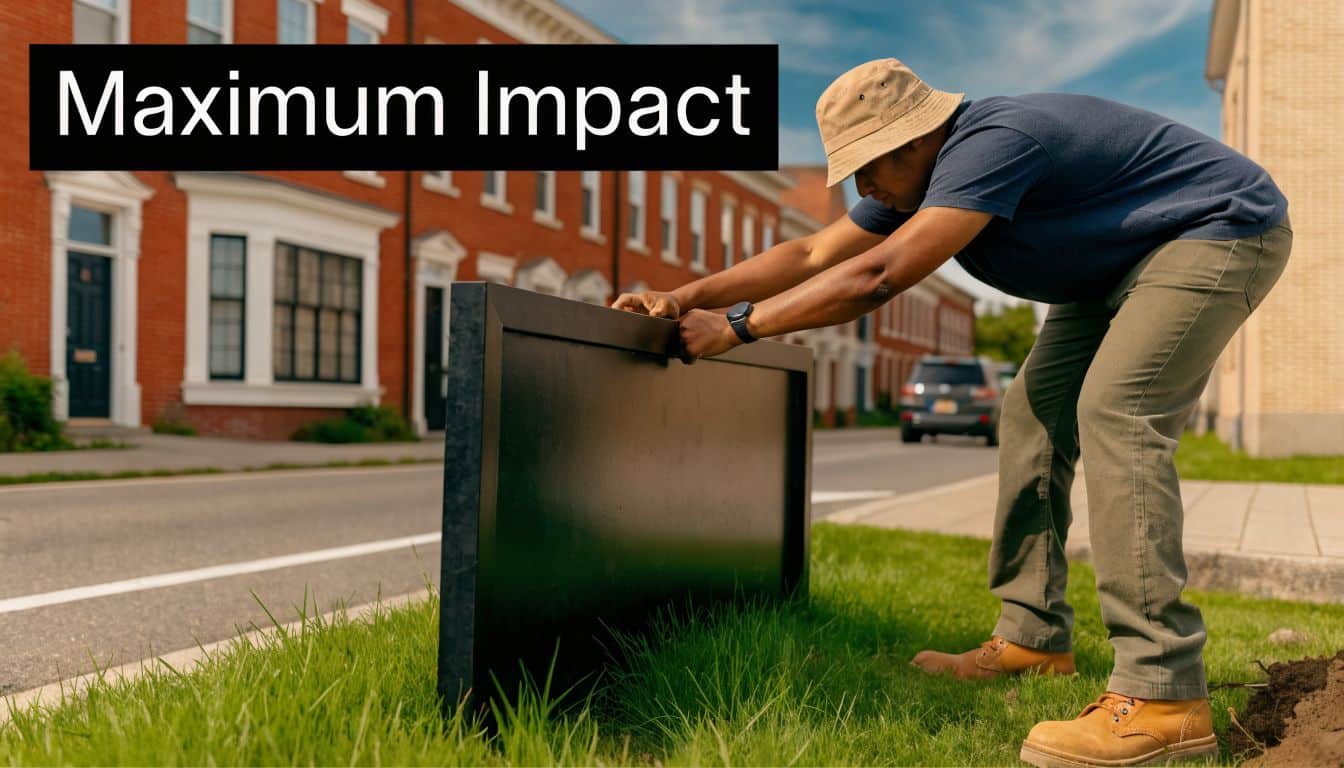
A few field checks prevent the usual problems:
- Walk the curb before you install: Stand where traffic approaches from each direction and confirm the panel is readable before drivers reach the house.
- Keep it above visual clutter: Mailboxes, hedges, utility boxes, and parked cars regularly block lower panels.
- Square the post and panel: A crooked sign looks careless, and buyers notice more than agents think.
- Check local sign rules before install day: Cities, HOAs, and some subdivisions may limit size, placement, lighting, or how long the sign can stay up.
- Watch setback and corner visibility rules: Some municipalities restrict placement near intersections for safety reasons.
Compliance is not busywork. If the sign gets removed, cited, or placed where nobody can read it, your print investment stops working.
Use dynamic QR codes to measure what the sign is doing
This is the part many printers skip. A real estate sign can do more than display a phone number. It can send traffic to a specific page, tell you how many people scanned, and keep working even after the listing details change.
A dynamic QR code points to a destination you can change after the sign is printed. That matters in real estate. You can send scans to the property page this week, switch the same code to an open house page on Friday, and later redirect it to a “just sold” page or a nearby listing without replacing the sign panel.
That flexibility is what makes the sign measurable instead of static.
Use the QR code with a simple plan:
- Send people to one focused landing page: Property photos, price, showing info, and a contact form beat a generic homepage every time.
- Use a QR code service with analytics: Many QR code generators include scan counts, time-of-day activity, location data, and device type. That gives you a basic read on whether the sign is producing interest.
- Label the action clearly: “Scan for photos, price, and tour times” performs better than a bare code with no instruction.
- Leave enough white space around the code: If it is crowded by text, logos, or borders, scan reliability drops.
- Test it outdoors before approval: Check it on multiple phones in daylight, from a realistic standing distance.
Here is where agents usually waste the opportunity. They print a QR code that goes to their homepage, never track it, and have no idea whether the sign produced a lead. A better setup is a dedicated page for that listing with a short form, click-to-call button, and analytics connected to the QR destination. Then you can compare scans against calls, form fills, and showing requests.
That gives you a cleaner answer to a question agents ask all the time: which signs are producing business?
The practical trade-off is space. A QR code needs room, contrast, and a clear call to action. If the panel is already crowded, shrinking the code to make everything fit usually backfires. I would rather remove a minor line of text and keep the code scannable than cram in one more detail nobody can read from the street.
A sign should get attention, survive local rules, and push the next action. When it does all three, it stops being just a marker in the yard and starts acting like a trackable marketing tool.

Related posts

Blueprints Printing Near Me in Sugar Land
Blueprints Printing Near Me in Sugar Land | 2026 Pro Guide
You're probably here because something changed fast. A client approved ...
The Sugar Land Print Shop Guide for Businesses
The Sugar Land Print Shop Guide for Businesses
You’re probably here because something is due soon. The networking event is tomorrow. T...