
- Print Business Cards in Sugar Land – Same Day Service
- Copying Services
- Document Printing, Finishing & Lamination in Sugar Land
- Flyers
- Print Banner in Sugar Land | Same-Day Banner Printing Near Me
- Graphic Design
- Photo Printing
- Postcard Printing
- Document Printing
- EDDM Full Service Postcards
- FotoZoomer Large Format Printing


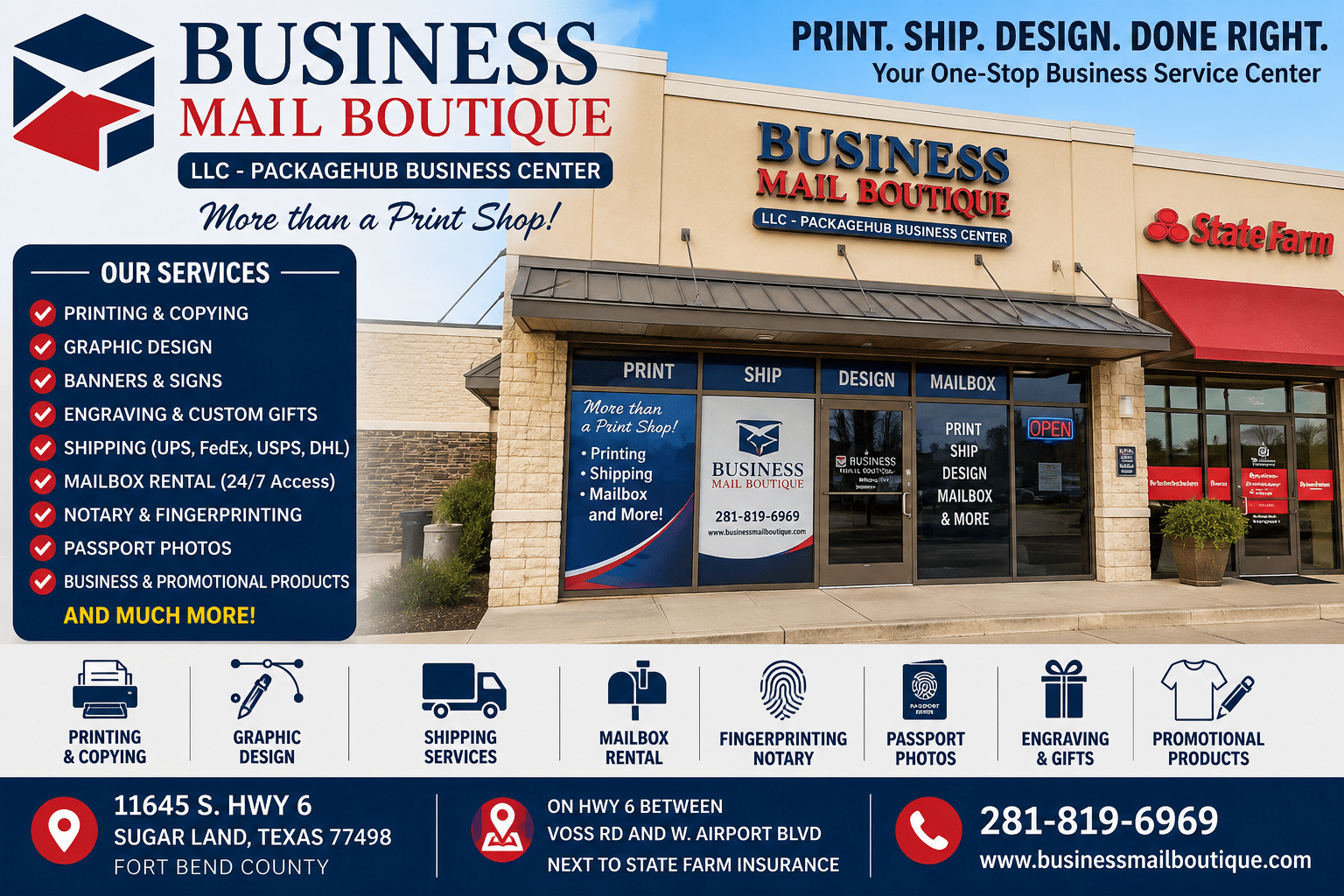
The Sugar Land Print Shop Guide for Businesses
You’re probably here because something is due soon. The networking event is tomorrow. The proposal packet needs to look polished by this afternoon. The realtor signs have to go up before the weekend open house. Or the shipment has to leave today, but the inserts, labels, and presentation materials still aren’t ready.
That’s usually the moment people stop thinking of a print shop as “a place that makes copies” and start treating it like what it really is. A business support tool. For small businesses in Sugar Land, the difference matters. When printing, shipping, mail handling, notary, and finishing services all happen in one place, you waste less time chasing separate vendors and spend more time keeping your business moving.
Table of Contents
- Your Partner in Print From Panic to Professional
- Beyond Business Cards What a Modern Print Shop Offers
- Preparing Your Files for Flawless Printing
- Understanding Print Turnaround Times and Pricing
- The One-Stop Advantage for Sugar Land Businesses
- Personalization and Specialized Services to Stand Out
- Your Local Partner for Printing and Professional Growth
Your Partner in Print From Panic to Professional
A lot of print jobs begin with stress. A contractor realizes the updated plans never got printed. A startup founder notices the trade show booth looks empty without banners. A consultant has a client meeting in a few hours and doesn’t want to slide over a thin stack of home-printed pages with uneven color and bent corners.

The right print shop changes that fast. Not by making promises it can’t keep, but by asking the practical questions that prevent mistakes. What’s the deadline? How many do you need? Is this for handouts, mailing, outdoor use, or a sales meeting? Does the file have enough resolution? Do you need trimming, lamination, binding, or packing after printing?
That’s the difference between ordering ink on paper and working with a partner who understands business use. A flyer for a restaurant grand opening needs speed. A presentation folder for an investor meeting needs clean finishing. A yard sign for a local service business needs visibility from the street and material that can handle outdoor placement.
A good print shop doesn’t just ask what you want printed. It asks what the printed piece needs to do.
Small businesses usually don’t need a giant production run. They need the right item, in the right format, on the right timeline, without spending half the day coordinating separate vendors. That’s where a local print and ship center earns its keep. It turns a scramble into a workable plan, then gets the pieces out the door looking professional.
Beyond Business Cards What a Modern Print Shop Offers
Hearing “print shop” often brings business cards to mind first. Business cards still matter, but they’re only one tool in a much bigger kit. A modern shop handles the pieces businesses use to get noticed, close deals, organize operations, and support events.

By the 1840s, the rise of the penny press pushed print shops to produce tens of thousands of copies per issue, creating a daily print economy tied to advertising, notices, and public announcements. That history still shows up in modern local commerce, where businesses rely on same-day flyers, banners, and cards instead of waiting on long-run offset orders, as noted by the printing industry timeline.
The core categories that matter most
Some printed pieces help you get attention. Others help you look established once attention arrives.
- Marketing essentials help you get in front of people. Think flyers, brochures, postcards, posters, and door-drop pieces for local promotions.
- Branding tools support day-to-day credibility. That includes cards, letterhead, presentation sheets, and printed leave-behinds.
- Large-format items make your business visible from a distance. Banners, yard signs, window graphics, and event signage live in this category.
- Finishing services make materials feel complete. Lamination, cutting, binding, and mounting often make the difference between “usable” and “client-ready.”
If you’re ordering business cards for networking and sales meetings, the print piece has one job. Make it easy for someone to remember you and contact you later. If you’re printing a banner for a weekend event, the job changes. Now you need readability from a distance, stronger material choices, and fast turnaround.
Use the right piece for the job
The easiest way to choose print products is to think in use cases, not product names.
| Service | Primary Use Case | Typical Turnaround |
|---|---|---|
| Business cards | Networking, appointments, leave-behinds | Often fast if file is ready |
| Flyers | Local promotions, menus, handouts | Often same day or short-run |
| Brochures | Detailed service explanations and sales support | Depends on folding and quantity |
| Banners | Events, storefront visibility, trade shows | Varies by size and finishing |
| Yard signs | Real estate, contractors, political and event signage | Usually short-run friendly |
| Posters | In-store promotions and announcements | Depends on size and stock |
| Blueprints | Construction and technical document review | Based on file quality and format |
| Laminated sheets | Menus, price lists, reusable instructions | Slightly longer due to finishing |
Practical rule: Don’t order a product because it sounds standard. Order it because it matches how customers will see it, hold it, or use it.
What doesn’t work is treating every print job like a generic commodity. A handout for a chamber event, a takeout menu, and an engineering plan set all need different handling. Good shops know that. They guide you toward the format that fits the moment instead of forcing one template onto every project.
Preparing Your Files for Flawless Printing
Most print delays start before the press runs. The file arrives blurry, the fonts are missing, the artwork was pulled from a website screenshot, or the design goes right to the edge with no room for trimming. That’s when people assume the print shop caused the problem, even though the issue started in the artwork.

The biggest issue is resolution. Professional print shops maintain a minimum standard of 300 DPI, and that level delivers about 90,000 dots per square inch, which helps printed images look smooth at normal viewing distance. Lower-resolution files can print with blurred edges and visible loss of detail, according to these professional print specifications.
Start with resolution
If your file was built for a phone screen or copied from social media, it usually isn’t ready for print. It may look sharp on a monitor and still fall apart on paper, especially on banners, brochures, or anything with photos and logos.
A few practical checks help:
- Check the original size. A small image stretched larger won’t gain detail.
- Avoid screenshots. They’re fine for reference, not for production.
- Ask before you order. If you’re unsure, a print-ready review is much easier than a reprint.
If you need help getting a rough file into usable shape, graphic design support for print-ready artwork can save a lot of back-and-forth.
PDF beats almost everything else
Customers often send JPGs because they’re easy to attach. That’s understandable, but a PDF is usually the safer option for production. It holds layout more reliably and reduces surprises when the file moves from your software to the printer’s workflow.
Print shops also prefer common production formats such as TIFF, JPG, and PDF, and flattened files with embedded or outlined fonts help avoid errors caused by substitution or missing linked elements. In plain English, if your font disappears or changes, the whole layout can shift.
Here’s what tends to work best:
- Export a high-quality PDF from the design program if you can.
- Embed or outline fonts so text doesn’t reflow.
- Flatten complicated artwork if your software has compatibility issues.
- Package linked files when sending native files for edits.
Bleed is what protects the edges
Bleed confuses people until they see what happens without it. If color or images are supposed to run to the edge of the finished piece, the design needs extra area beyond the cut line. Otherwise, tiny movement during trimming can leave an unwanted white edge.
Think of bleed as safety margin for cutting. Your final piece may be trimmed perfectly, but production always needs room to cut cleanly.
Files that look fine on your laptop can still fail in production if the edges, fonts, or image quality weren’t built for print.
Before sending a job, do one last review. Zoom in on photos. Read every phone number. Confirm dimensions. Make sure the final file is the actual version you want produced. Those simple checks prevent most avoidable print problems.
Understanding Print Turnaround Times and Pricing
People usually ask two questions first. How fast can I get it, and what’s it going to cost? Both are reasonable. Both depend on more than the product name.
The modern expectation for quick print work has deep roots. The Stanhope iron press, introduced around 1800, raised output from 20 to about 200 impressions per hour, and steam-powered presses at The Times reached 1,100 sheets per hour just 14 years later, according to this history of printing technology. Today’s same-day print culture comes from that long push toward speed and volume.
What speeds a job up and what slows it down
Fast jobs are usually simple jobs with clean files. A straightforward flyer on standard stock moves much faster than a folded brochure with heavy paper, trimming, and lamination. The press time may be quick, but finishing adds labor and handling.
Turnaround usually depends on a few variables:
- File readiness matters first. A print-ready PDF moves faster than a file that needs fixes.
- Quantity changes the workflow. Short-run digital jobs are often more practical for urgent local needs.
- Material choice can add time if the job needs special stock, rigid signage, or wide-format media.
- Finishing such as binding, scoring, folding, or lamination extends production time.
Why the cheapest quote often isn’t the best choice
Price follows the same logic. If you compare only unit cost, you can choose the wrong job setup. Businesses sometimes order more than they need, pick the lightest material when durability matters, or submit a bad file that triggers delays and rework.
A smarter approach is to match the print method to the use case. For a short-run handout needed quickly, digital production usually makes more sense. For a long campaign with larger volume, other methods may be worth discussing. The right answer depends on deadline, quantity, and how the piece will be used.
| Factor | Lower cost option | Higher value option |
|---|---|---|
| Quantity | Print only what you need now | Run enough to support a planned campaign |
| Paper | Standard stock | Heavier or specialty stock for stronger impression |
| Finish | Basic cut and stack | Lamination, folding, binding, mounting |
| Speed | Standard turnaround | Rush handling when timing matters |
| Format | Simple flat piece | Custom sizes or multi-part finishing |
A good print shop should explain the trade-off clearly. If you need it tomorrow, that limits options. If the piece will sit in a client’s hands for a week, paper feel and finishing may matter more than shaving a little off the quote. Cost matters. Fit matters more.
The One-Stop Advantage for Sugar Land Businesses
For a small business, the primary challenge usually isn’t the printing itself. It’s the chain reaction after printing. You get the flyers done, then you need envelopes, then shipping labels, then a notarized document, then a secure place to receive returns or business mail. That’s why the one-stop model matters.

The case for integrated service is practical, not theoretical. Outsourcing in-house print and ship operations can cut costs by 20-30%, and hybrid print-and-ship centers can improve retention by an estimated 25% through one-stop convenience. That model is especially relevant for the projected 40 million US freelancers in 2025 who need services such as street-address mailboxes, based on this discussion of print outsourcing and bundled service value.
Where bundled services save real time
A standalone print shop can hand you the finished brochures. That may be enough. But many local businesses need more than production.
Consider a few common situations:
- Event marketing. You print banners, table signs, postcards, and branded handouts, then ship the materials to a venue or team member.
- Client paperwork. You print a contract packet, sign it, notarize it, scan it, and send it the same day.
- Home-based business operations. You use a private mailbox with a real street address to separate business mail from home deliveries and receive packages securely.
- E-commerce workflow. You print inserts or labels, pack outgoing orders, and handle return shipments from one counter.
That’s where an integrated center changes the day. One stop replaces four errands.
Why this model works well in Sugar Land
Sugar Land businesses tend to move across channels quickly. A contractor may need blueprints, yard signs, and package receiving. A tutor may need flyers, a mailbox, and occasional notary support. A real estate agent may need open-house signs, postcards, and fast shipping to a remote closing.
One local option that combines these workflows is promotional products and business support services at Business Mail Boutique LLC, alongside print, shipping, mailbox, and office-service needs. That setup isn’t valuable because it sounds convenient. It’s valuable because it cuts handoffs, reduces mistakes, and helps owners finish more tasks in one trip.
When services are split across different vendors, the owner becomes the project manager. When they’re integrated, the owner gets time back.
The one-stop advantage also helps with consistency. The same place handling your printed inserts, outbound shipments, mailbox receiving, and finishing work has a clearer view of the full job. That reduces the usual “I thought the other vendor had it” problem that eats up afternoons.
Personalization and Specialized Services to Stand Out
Basic print gets the job done. Specialized services help businesses stand out, create better experiences, and solve niche operational problems that standard copy work can’t touch.
That matters because profitability in modern print often comes from unique services, not volume alone. Niche offerings such as passport photos or fingerprinting can yield double the margins, and adoption of short-run personalization technology like sublimation grew 22% in small print centers from 2025-2026, according to this industry discussion on specialized print services.
Personalization that feels useful, not gimmicky
A lot of small businesses don’t need another generic promo item. They need something people keep. That’s where services like laser engraving and sublimation become practical.
Used well, these can support:
- Client gifts such as engraved plaques, branded mugs, or custom desk items
- Internal recognition for employee awards, milestone gifts, and team events
- Event merchandise for local fundraisers, school groups, and community booths
- Branded add-ons for service packages that need a more memorable finish
The important part is relevance. If you hand out something cheap and forgettable, it doesn’t help. If you personalize a useful item that ties back to the relationship, people keep it longer and your brand stays visible.
Specialized support for technical and regulated needs
Some of the most valuable services in a print shop don’t look like marketing at all. Blueprint printing is a good example. Contractors, architects, engineers, and subcontractors don’t need decorative output. They need readable plan sets, the right size, with dependable handling.
The same applies to operational support services. Passport photos, fingerprinting, document finishing, laminating, and notary-related tasks solve real problems for busy people. They may not be glamorous, but they remove friction from a workday.
The strongest print shops don’t rely on one product category. They stay useful to the customer in more than one part of the workweek.
That’s the bigger idea. A shop becomes more valuable when it helps with both visibility and operations. One day that means a banner and a yard sign. Another day it means a blueprint set, a passport photo, or a fingerprinting appointment. Businesses remember the place that solved the awkward tasks nobody else wanted to handle cleanly.
Your Local Partner for Printing and Professional Growth
A good print shop helps you look professional. A great local one helps you operate more smoothly. That’s the key benefit for Sugar Land businesses trying to move fast without looking rushed.
The smartest approach is simple. Send better files. Choose print pieces based on how they’ll be used. Ask about turnaround before assuming every job is same-day. And when possible, work with a place that can handle the rest of the workflow too, including shipping, mailbox needs, finishing, and business support services.
What works better than chasing the lowest price
Business owners lose time when they manage print through trial and error. They re-send files, make extra trips, and fix preventable mistakes after the deadline gets close. That’s expensive in a way that never appears on the invoice.
What works better is partnering with a local provider that can answer practical questions early:
- Is the file printable
- Does this piece need heavier stock
- Will this hold up outdoors
- Can this be packed and shipped after production
- Do I need a street-address mailbox for business mail
- Can I finish the notary or ID-related task while I’m here
The local advantage still matters
Online ordering has its place. But local businesses often need something more responsive than a generic checkout page. They need someone to catch the blurry logo before it prints, suggest a better format for a rush job, or coordinate print and shipping without another email chain.
That’s why a local print shop still matters. Not as a commodity vendor, but as a working partner in day-to-day business operations. When the deadline gets tight, that difference becomes obvious fast.
If you run a small business in Sugar Land, don’t wait until the next emergency order to find your go-to print shop. Start the relationship before the panic. Bring in your next flyer, sign, mail piece, contract packet, or shipping project and get clear advice on the fastest, cleanest way to handle it.
Business owners in Sugar Land who need printing, packing, shipping, mailbox services, notary support, or specialized business services can start with Business Mail Boutique LLC. Bring your file, your deadline, or even just the problem you’re trying to solve, and the team can help you figure out the most practical next step.

Related posts

Printing in Sugar Land
Your Guide to Business Printing in Sugar Land
You're running a business in Sugar Land, you've got a promotion starting tomorrow, and y...

Custom Hats with Logo: A Small Business Guide for 2026
You're probably ordering custom hats with logo for one of three reasons. An event is coming up fast, your team needs to look more put-t...

Real Estate Sign Printing: A Complete 2026 Guide
Real Estate Sign Printing in Sugar Land
In the competitive real estate market, professional signage plays a vital role in attracting b...