
- Print Business Cards in Sugar Land – Same Day Service
- Copying Services
- Document Printing, Finishing & Lamination in Sugar Land
- Flyers
- Print Banner in Sugar Land | Same-Day Banner Printing Near Me
- Graphic Design
- Photo Printing
- Postcard Printing
- Document Printing
- EDDM Full Service Postcards
- FotoZoomer Large Format Printing


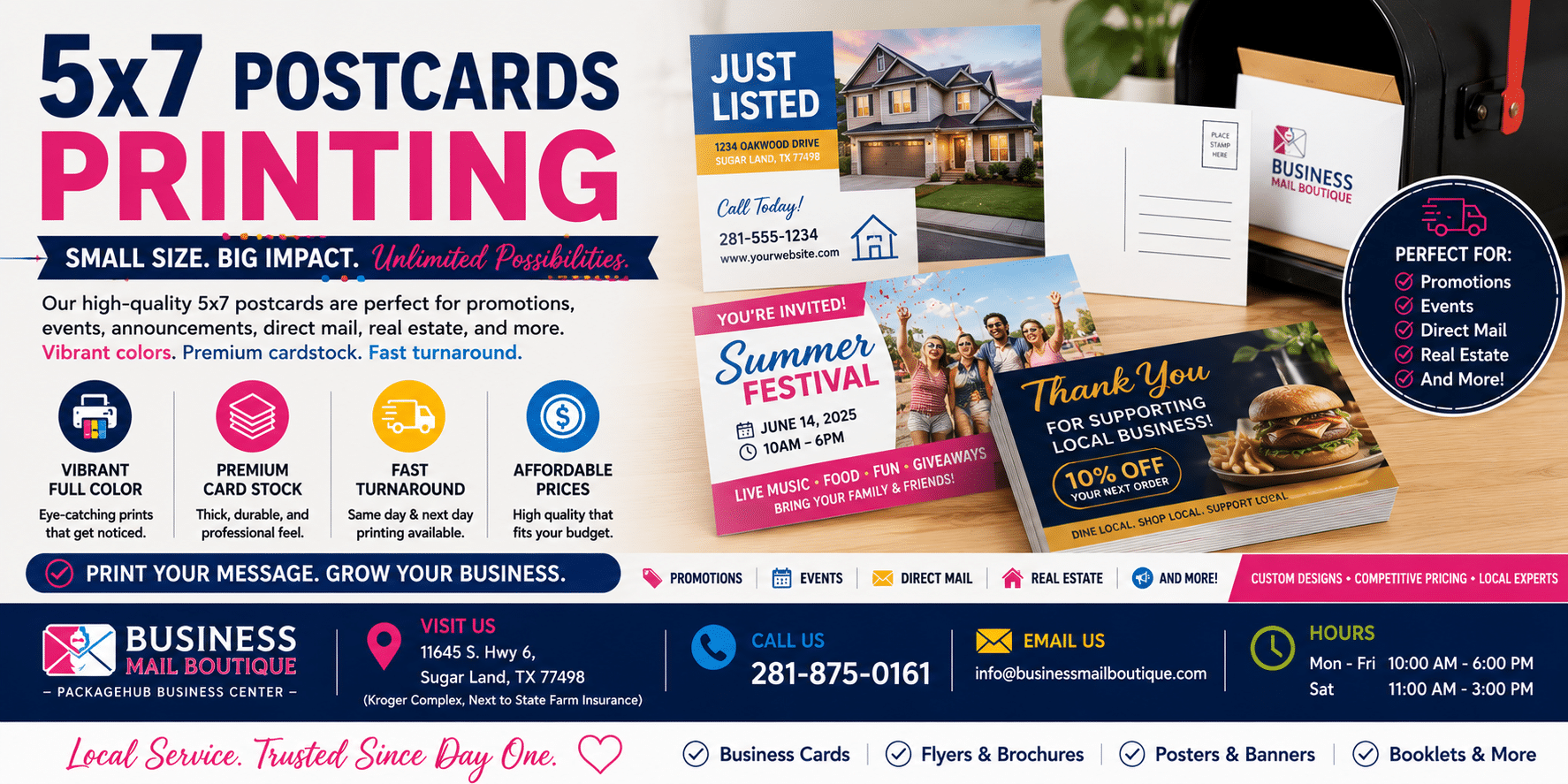
5×7 Postcards Printing: A Complete Guide for Businesses
Businessmailboutique
11645 S. Hwy 6
Sugar land, Texas 77498 United States (US)
Email: info@businessmailboutique.com
Route
Your complete guide to 5×7 postcards printing. Learn how to design, print, and mail them correctly to avoid costly mistakes in postage and production.
You’ve got a promotion to send, a stack of customer names, and a design that looks good on screen. Then the core questions start. What stock should you print on? Why did one printer quote a low print price, but your mailing budget still feels off? And why do some 5×7 postcard jobs end up costing more at the post office than the owner expected?
That last point is where many small businesses get burned. With 5×7 postcards printing, the print price is only part of the budget. Postage, paper thickness, and file setup can turn a simple campaign into a costly redo if you don’t catch them early. A good 5×7 postcard can absolutely be worth it, but only if you plan the whole job, not just the artwork.
Why 5×7 Postcards Are a Smart Marketing Choice
A 5×7 postcard sits in a useful middle ground. It gives you more room than a small card, but it doesn’t push into oversized mailer territory. For most local campaigns, that means you can run one strong image, one clear offer, and a call to action without making the layout feel cramped.
That extra space matters in real business use. Restaurants need room for a featured special and store details. Realtors need room for a property image and agent contact info. Service businesses need room for before-and-after visuals, a short message, and a QR code. Smaller formats force hard trade-offs. The 5×7 size usually doesn’t.
Direct mail also holds up well when businesses need customer acquisition, especially when inbox fatigue is high. One industry reference notes that 2017 direct mail statistics showed 5×7 postcard printing achieved a significantly higher response rate than email, social media, and online paid search advertising, and also notes that the U.S. commercial printing market is projected to grow at a 3.1% CAGR from 2025 to 2030, driven by segments such as direct mail (Axis Flyers on 5×7 postcard printing). If you want a broader small-business view of campaign performance, this guide to direct mail response rates for SMBs is a useful companion.
What makes 5×7 practical for small businesses
- More message room: You can fit a headline, an offer, contact details, and brand visuals without making everything tiny.
- Better shelf life: People often leave postcards on counters, desks, or refrigerators longer than digital ads stay visible.
- Flexible use: The same format works for handouts, counter displays, appointment reminders, event invites, and direct mail.
Practical rule: A postcard only works if the reader understands the offer in a few seconds. The 5×7 format gives you enough space to make that happen without clutter.
Preparing Your Design File for Flawless Printing
The most common production mistake isn’t bad design. It’s a file that looked fine on screen but wasn’t built for trimming. A lot of online print errors start there. One cited finding says 32% of postcard print errors from online orders were due to incorrect bleed or margin settings (UPrinting 5×7 template notes).
Start with bleed, not the artwork
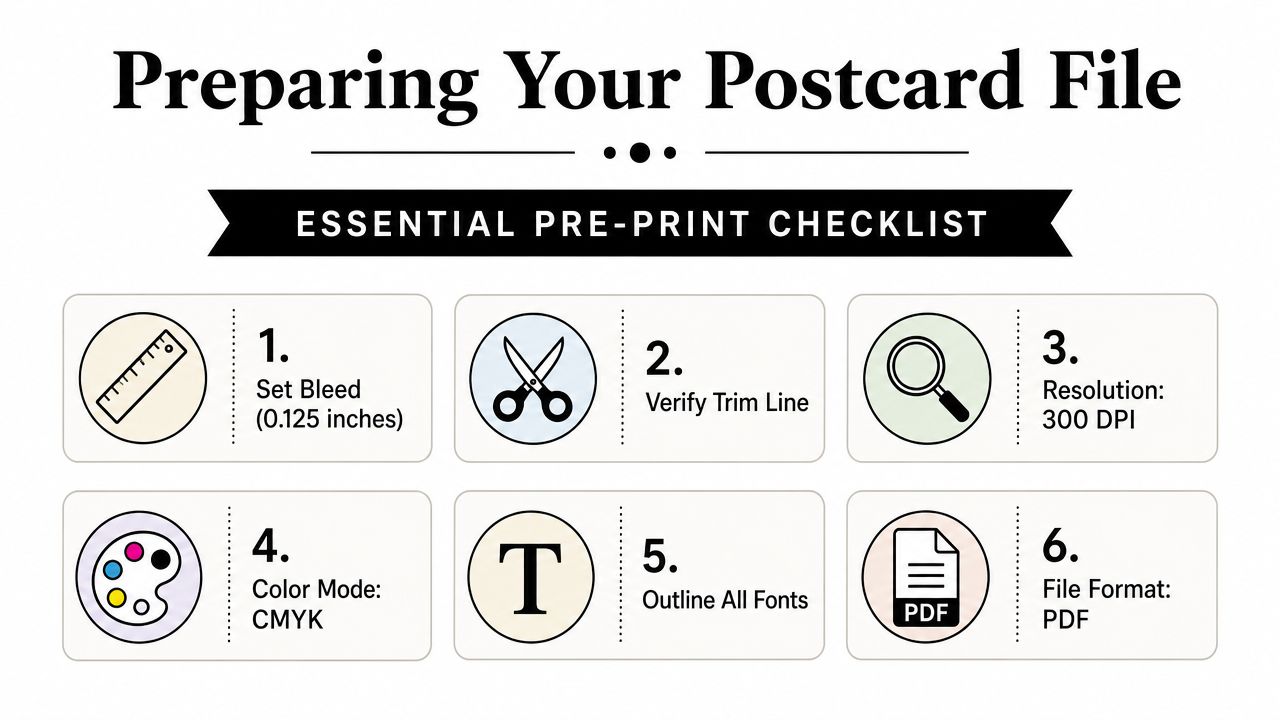
For a finished 5×7 card, you need to design beyond the trim edge. The standard setup is 0.125 inch bleed on all sides, which brings the full file to 5.25 by 7.25 inches. PrintKeg also notes a safe area of 4.75 by 6.75 inches so important text doesn’t get clipped during trimming (PrintKeg postcard size guide).
If that sounds technical, keep it simple:
- Bleed is extra background area that gets cut off.
- Trim line is where the final card is cut.
- Safe area is where your phone number, offer, and logo should stay.
Don’t place borders close to the edge. They make tiny trim shifts look much worse.
If your background photo or color stops exactly at 5×7 with no bleed, don’t be surprised when a thin white line shows up on one side after trimming.
Build a file your printer can use
A print-ready file should be easy for the shop to process without guessing what you meant. In practice, that usually means a press-quality PDF. If your designer sent a PDF but your online tool wants separate image files, a utility that can transform PDF to JPG images can help you extract pages cleanly before upload.
A clean handoff checklist looks like this:
- Document size: Set the full-bleed artboard to 5.25 x 7.25 inches.
- Images: Use high-resolution images so photos don’t print soft or pixelated.
- Color mode: Build for print, not for screens. RGB often shifts unexpectedly in print.
- Fonts: Outline them or embed them so nothing reflows.
- Export: Save as PDF unless your printer asks for something else.
If you’re adding a scan element, this practical guide to a QR code business card design workflow is useful because the same readability rules apply to postcards.
Choosing the Right Paper Stock and Finish
A postcard doesn’t just communicate with the printed message. It also communicates with weight, stiffness, surface feel, and how it handles in the mail. That’s why paper selection is a branding choice, not a last-minute production detail.
Stock affects cost, feel, and mailability
Most small businesses do well in the 12pt to 16pt range. One industry source says 90% of successful 5×7 campaigns use 12pt to 16pt stock for durability without excessive weight, and reports a 95% delivery success rate in major markets like the US and Canada when properly packaged (48HourPrint 5×7 postcard printing).
That lines up with what works on the counter and in the mailbox.
- 12pt stock: Easier on budget and still sturdy enough for many promotional uses.
- 14pt stock: A balanced option when you want more substance without going too heavy.
- 16pt stock: Better when you want a premium feel for higher-value offers, handouts, or appointment cards.
If the piece will be mailed, don’t chase thickness just because it feels impressive. Mailing equipment doesn’t care that a card feels luxurious. It cares whether the piece bends, feeds, and meets classification rules.
Finish should match the job
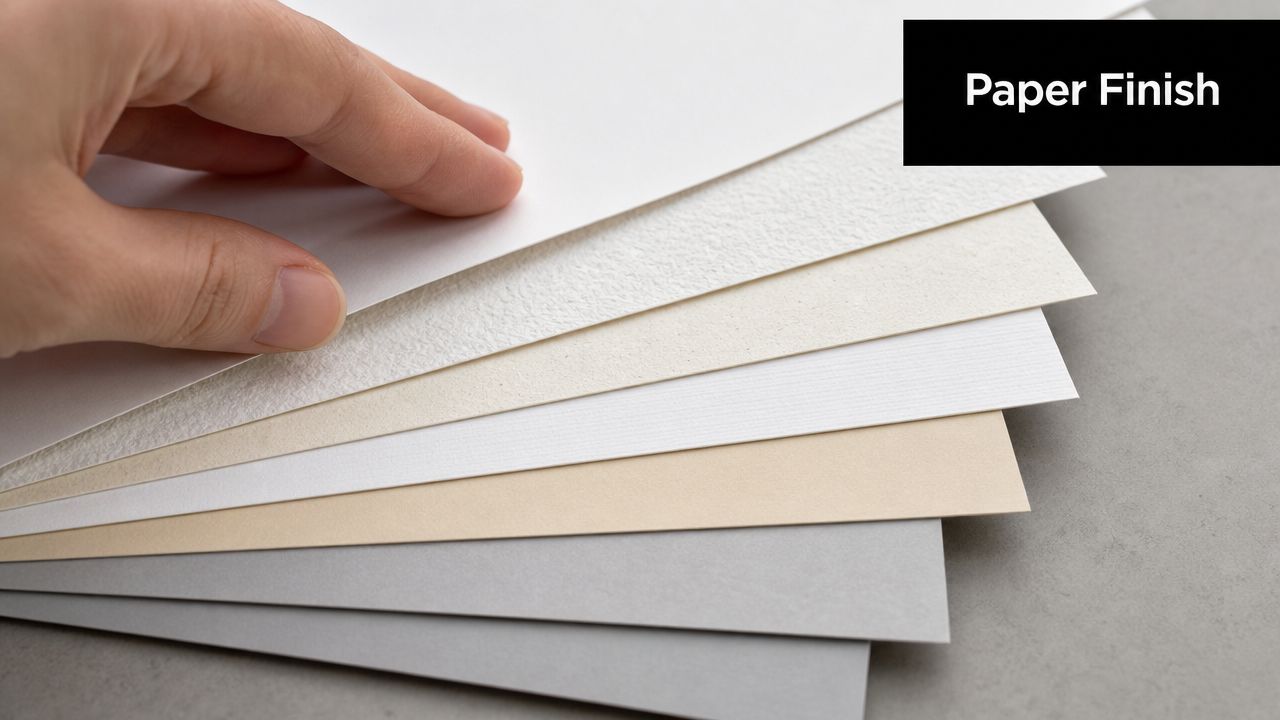
Gloss can make photography pop. Matte feels quieter and more refined. Uncoated stock works when you need people to write on the card.
Here’s the way I’d decide:
| Campaign type | Better fit | Why |
|---|---|---|
| Real estate or food promo | Gloss | Photos usually look richer and sharper |
| Professional services | Matte | Clean, modern, less glare |
| Appointment reminder or RSVP card | Uncoated | Easier to write on |
A lot of owners focus on the front image and forget the back. The back finish matters too. If staff needs to stamp, label, or write on the card, choose a surface that won’t smear or resist ink.
For businesses comparing print materials across mailers, rack cards, and handouts, this overview of marketing material printing options helps frame where postcards fit best.
Ordering Your Postcards for Print and Pickup
Ordering goes smoothly when the file is ready and the decisions are made before checkout. Trouble starts when people upload first and think later. Quantity, turnaround, stock, finish, and mailing method should all be decided together.
What to confirm before you place the order
Start with the use case. Is this card for handouts, counter display, or direct mail? That answer changes your stock choice and may change how many you should print at once.
Before approving the job, confirm these basics:
- Quantity: Don’t order by instinct. Order based on list size, handout volume, or event attendance.
- Sides: Decide whether you need front-only or front-and-back printing.
- Turnaround: Rush production can be worth it for an event, but not for evergreen marketing.
- Pickup or shipping: Local pickup can save time and avoid transit delays.
Small business owners often benefit from seeing actual paper samples before committing. That matters more than most websites admit. A stock that looks perfect on a product page can feel too flimsy or too slick in person.
What a final proof should tell you
A proof isn’t there just to confirm the headline is spelled correctly. It should answer practical questions:
- Is anything too close to the cut edge?
- Does the QR code have enough breathing room?
- Are phone numbers large enough to read quickly?
- Does the back leave room for addressing or mailing indicia if needed?
After you’ve reviewed the visual details, it helps to see a quick production example in motion:
One more point that saves headaches. If you need postcards for a local event, don’t wait until the week of. Fast turnaround is possible, but last-minute jobs leave less time to catch artwork and mailing issues before they become expensive.
Mailing 5×7 Postcards Without Postage Surprises
You approve a 5×7 postcard run at a price that looks reasonable. Then the mailing estimate lands, and the postage line is higher than expected. I see that mistake at the counter all the time, especially with first-time mailers who budget for printing and treat postage like a small add-on.
Why 5×7 is not postcard rate mail
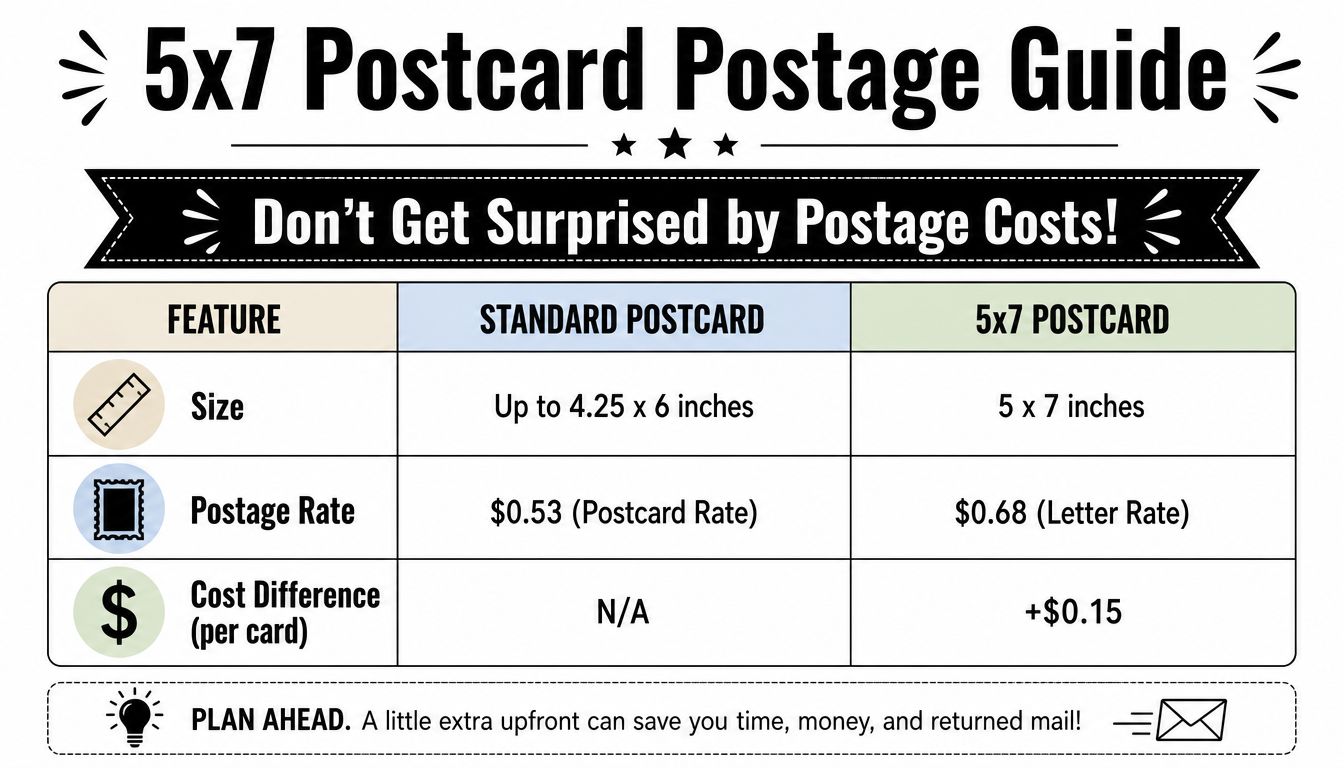
A 5×7 card gives you more design space, but USPS does not treat it like a small postcard. Conquest Graphics explains that 5×7 postcard printing is typically mailed at the First-Class Letter rate, because 5×7 exceeds the size limits for USPS postcard pricing (Conquest Graphics postcard size guide).
That size difference matters more than many small business owners expect. On a short run, the gap may feel manageable. On a few hundred or a few thousand pieces, it can change the economics of the whole campaign.
USPS Mail Rate Comparison 2026
| Mail Type | Minimum Size | Maximum Size | Estimated Postage Rate |
|---|---|---|---|
| Standard Postcard | USPS postcard minimum dimensions apply | Up to 4.25 x 6 inches | Postcard rate |
| 5×7 Postcard | 5 x 7 inches | 5 x 7 inches | Letter rate |
| Larger flat-style postcard | Above letter-style postcard dimensions | Examples include 6×9 | Higher flat-rate pricing |
This is the total cost issue that gets missed. A cheaper print quote on a 5×7 card is not cheaper if you planned the mailing budget around postcard postage.
Bottom line: For 5×7 postcards printing, postage is one of the main costs, not a footnote.
Paper choices can change mailing costs
Paper affects more than feel. It also affects how the mailpiece is processed and whether it stays in the category you planned for.
USPS sets size, thickness, and weight standards for postcard and letter mailpieces, and those physical specs are what determine how a piece is priced and handled (USPS Postal Explorer, postcards and letter-size mail standards). In plain terms, the stock you pick can push a card into a different mailing category, especially if you add heavy coating or other finishing.
I usually tell customers to look at paper and postage together, not as separate decisions. A thicker card may feel better in hand, but that upgrade only pays off if the response rate justifies the added mailing cost.
Use this checklist before you mail:
- Confirm the final mailed piece specs: Ask for finished thickness, not just the advertised stock name.
- Check coatings and finishes: Soft-touch, heavy UV, and laminated builds can change how a card feeds and how it is classified.
- Test one live piece: Mail a sample to yourself before committing to a full drop.
- Price the whole campaign together: Printing, addressing, postage, and any rework should be in the same budget.
The best 5×7 postcard is not always the one with the lowest print price. It is the one that prints well, mails at the rate you expected, and does not surprise you after the boxes are already on the counter.
Troubleshooting Common Printing and Mailing Issues
A 5×7 postcard job usually goes off track in one of two places. The file was not built for print, or the mailing plan was priced before anyone checked the finished piece.
I see this at the counter all the time. A business owner approves the artwork, likes the stock, and orders a few hundred cards. Then the trim is off, the color is flatter than expected, or the postage is higher than the budget allowed. The expensive part is not the reprint by itself. It is the combination of reprint cost, delayed delivery, and postage that no longer matches the original plan.
Print problems and the fix
Problem: Text got cut off near the edge.
Cause: Important content was placed too close to the trim.
Fix: Keep phone numbers, offer details, QR codes, and logos safely inside the cut area. A postcard can shift slightly on press or during trimming, so give critical elements breathing room.
Problem: White slivers showed up on the border.
Cause: The file did not include bleed.
Fix: Extend background colors, patterns, and photos past the final size. That extra image area gives the cutter room to trim cleanly.
Problem: Colors look different from what you saw on screen.
Cause: Screens display light. Printed ink reflects light. They will never match perfectly.
Fix: Export a print-ready file and ask for a proof if brand color matters. This is especially important for restaurants, real estate brands, and franchises that reuse the same color across multiple pieces.
A good-looking design is not enough. Production details decide whether the final card looks professional in hand.
Mailing problems and the fix
Problem: Postage cost came in higher than expected.
Cause: The job was estimated like a cheaper postcard format, but a 5×7 piece often mails at letter rate depending on how it is prepared and entered.
Fix: Build postage into the quote before you approve paper and quantity. Print cost by itself does not tell you the actual campaign cost.
Problem: Some cards were flagged or repriced at mailing.
Cause: The final piece did not match the category the job was planned around. Thickness, stiffness, coatings, and addressing setup can all create problems at acceptance.
Fix: Confirm the finished specs with the printer, then mail or present a sample before releasing the full batch. That quick test is cheaper than correcting an entire run after it is printed.
Problem: The card feels premium but creates mailing headaches.
Cause: The stock was chosen for texture or thickness without checking mail handling.
Fix: Pick paper based on total cost of ownership. A slightly lighter stock that qualifies cleanly and runs without issues often produces a better return than a heavier card with higher postage and more handling risk.
That last point gets missed a lot. Small businesses often focus on print price because it is the easiest number to compare. The smarter comparison is total delivered cost: design setup, print, addressing, postage, and any rework if the piece does not mail as planned.
When 5×7 postcards printing turns into a problem, the format is usually not the issue. The issue is that design, paper, and postage were approved separately instead of as one job.
Business Mail Boutique LLC can help if you need postcard printing, mailing support, or a local place to review stock and finish choices before you order. Visit Business Mail Boutique LLC for printing, shipping, and business service support in Sugar Land.

Related posts

Custom Memorial Glasses Engraved in Three Hours in Sugar Land
When a customer needed eight personalized glasses for a memorial, Business Mail Boutique completed the engraving or...

Custom Martini Glass Engraving in Sugar Land, TX
Custom Logo Engraving on Martini Glasses in Sugar Land, Texas.
Business Mail Boutique recently completed a beautiful custom engravin...

Custom Engraved Wine Glasses for a Golf Club Event in Sugar Land, TX
Custom Engraved Wine Glasses for a Golf Club Event in Sugar Land.
Custom wine glass engraving in Sugar Land, TX at Business Mail Bouti...