
- Print Business Cards in Sugar Land – Same Day Service
- Copying Services
- Document Printing, Finishing & Lamination in Sugar Land
- Flyers
- Print Banner in Sugar Land | Same-Day Banner Printing Near Me
- Graphic Design
- Photo Printing
- Postcard Printing
- Document Printing
- EDDM Full Service Postcards
- FotoZoomer Large Format Printing


Custom 4×6 Cards: A Small Business Guide to Printing
Businessmailboutique
11645 S. Hwy 6
Sugar land, Texas 77498 United States (US)
Email: info@businessmailboutique.com
You’re probably here because you need something simple, fast, and useful. Maybe it’s a stack of appointment reminders for the front desk, a postcard mailer for a neighborhood promotion, handouts for a trade show, or package inserts that don’t feel flimsy. Custom 4×6 cards hit that sweet spot. They’re small enough to stay affordable, large enough to carry a real message, and familiar enough that customers know what to do with them.
For most small businesses, the challenge isn’t whether to print cards. It’s choosing specs that make sense without overpaying, sending a file that won’t cause delays, and getting the finished cards in hand when you need them. That’s where a little print-shop guidance saves a lot of frustration.
Table of Contents
- Why 4×6 Cards Are Your Business Superpower
- Preparing Your Design File for Flawless Printing
- Choosing the Right Paper and Finish
- Navigating Quantity Pricing and Final Proofs
- Getting Your Cards Fast with Local Pickup
- Mailing and Fulfillment for Your 4×6 Cards
Why 4×6 Cards Are Your Business Superpower
A 4×6 card earns its keep because it can do more than one job. A salon can use it as an appointment reminder. A restaurant can use it as a bounce-back offer. A realtor can use it as a mailer. A retail shop can slip it into bags as a thank-you card or coupon for the next visit.
That flexibility is why this size keeps showing up in real businesses, not just design mockups. The 4″ x 6″ format remains a standard postcard size in commercial printing, and major print vendors sell it as a standard postcard because it’s readable, cost-effective to print, and practical to mail. One major provider even describes it as the “handiest and most affordable size” on its standard postcard product page.
Where small businesses use them most
- Direct mail offers: Great for grand openings, seasonal promotions, and local service reminders.
- Counter handouts: Easy to keep by the register without taking over the space.
- Appointment cards: Enough room for business details plus the next visit date.
- Package inserts: A clean way to add care instructions, upsells, or review requests.
- Event leave-behinds: Easier to hand out than a full brochure and less likely to get folded up.
Practical rule: If your message has one main action, call now, visit soon, scan this code, bring this in, a 4×6 card usually handles it better than a crowded flyer.
The smart way to order custom 4×6 cards is to decide three things early. First, how the card will be used. Second, what kind of finish fits that job. Third, whether you need shipping, pickup, or mailing help after printing. Get those choices right, and the rest of the process gets much easier.
Preparing Your Design File for Flawless Printing
A lot of print problems start long before the press runs. They start in the file. The good news is that most issues come down to a short checklist, and once you understand the basics, you don’t need to be a designer to send a clean file.
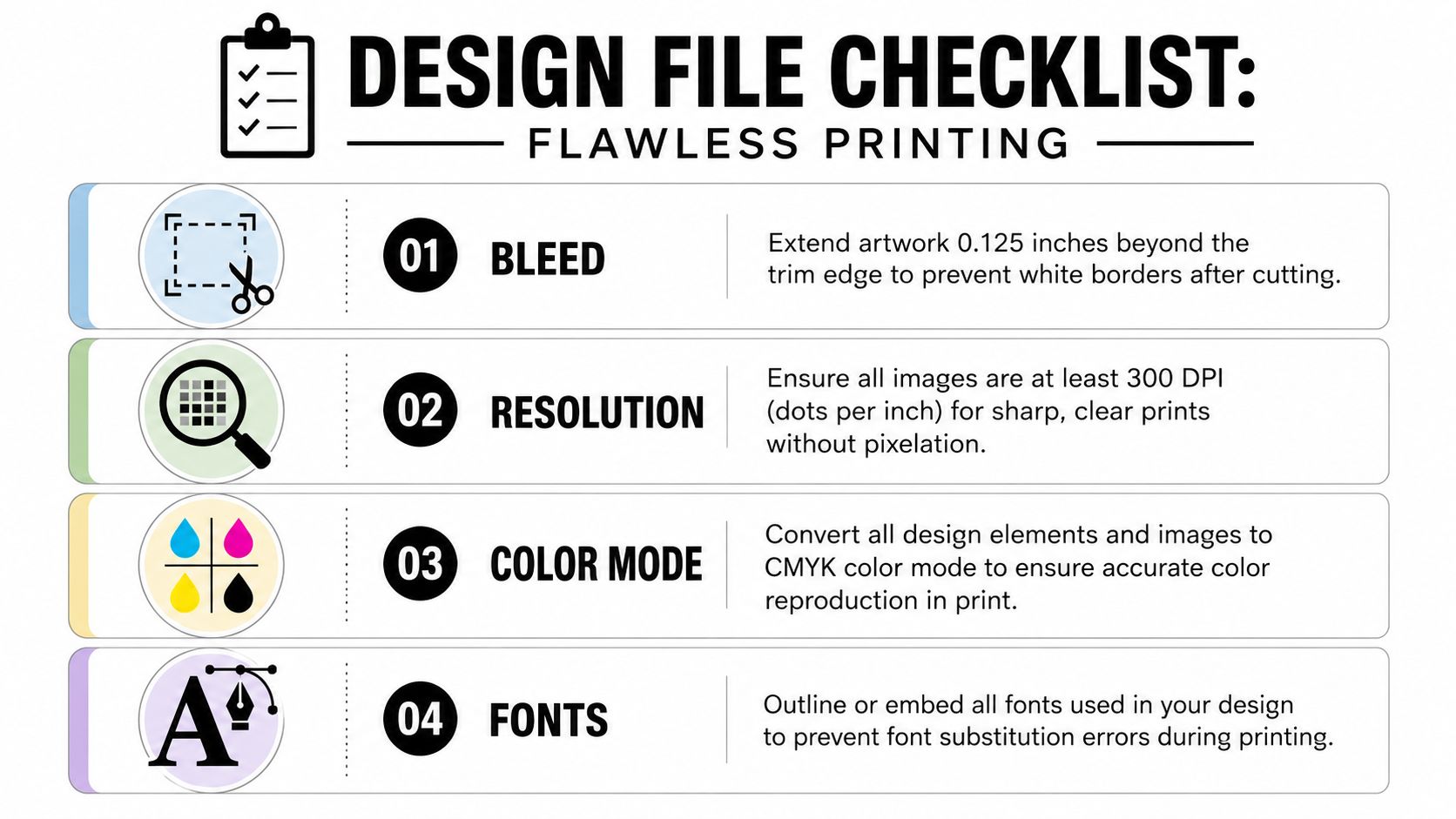
A visual checklist helps. Keep this nearby when you export your art.
Start with the right size and bleed
Your finished card size is 4 inches by 6 inches. That part is straightforward. The part people miss is bleed, which is the extra image area that extends past the trim line.
Think of bleed as safety space for cutting. Paper stacks shift a little during production. If your background color or photo stops exactly at the edge of the final card, even a tiny trim movement can leave a thin white sliver. Extending artwork 0.125 inches beyond the edge prevents that.
Here’s the practical setup:
- Finished size: 4×6
- Bleed: Extend background art past the trim edge
- Safe area: Keep logos, phone numbers, and important text pulled in from the edge
If you don’t have a layout started, it’s often faster to begin with a prebuilt file instead of guessing the canvas settings. A good starting point is PostNitro’s free card templates, especially if you want a blank card framework you can hand to a designer or customize yourself.
Keep images sharp and colors print-friendly
Resolution matters most with photos, logos exported as images, and screenshots. If an image looks barely acceptable on a phone screen, that doesn’t mean it will hold up in print. For custom 4×6 cards, use images at 300 DPI so they print crisp instead of soft or blocky.
Color mode causes a different kind of surprise. Screens use RGB light. Printing uses CMYK ink. Bright digital blues, greens, and neon-looking colors often shift when they hit paper. Converting your artwork to CMYK before sending it gives you a more realistic idea of what the printed card will look like.
This quick video gives a helpful overview of print file prep:
A card that looks perfect on screen can still fail in production if the file has no bleed, low-resolution photos, or missing fonts.
Protect your fonts and final layout
Fonts can break in transit. If you use a typeface the printer’s system doesn’t have, the software may substitute something else. That can shift line breaks, move text, or crowd your layout.
The cleanest fix is to outline or embed fonts before exporting your final PDF. That locks in the appearance. Also zoom in and check these small details before upload:
| Checkpoint | What to look for |
|---|---|
| Phone numbers | No transposed digits |
| QR codes | Test on a real phone |
| Margins | Text isn’t hugging the edge |
| Back side | Orientation matches the front |
| Logos | No fuzzy edges or stretched proportions |
If you want a local file review before printing, some shops will look over setup issues and flag common problems before production. If you’re ordering through a neighborhood provider with broader print services, this kind of local print support can save a reprint.
Choosing the Right Paper and Finish
Many begin by asking which stock looks nicest. That’s understandable, but it’s not the first question I’d ask. The better question is, what is this card going to go through?
A counter card that stays indoors has different needs than a mailer rubbing against sorting equipment and landing in a mailbox. A promo handout with food photography has different needs than an appointment card someone has to write on.
Match the stock to the job
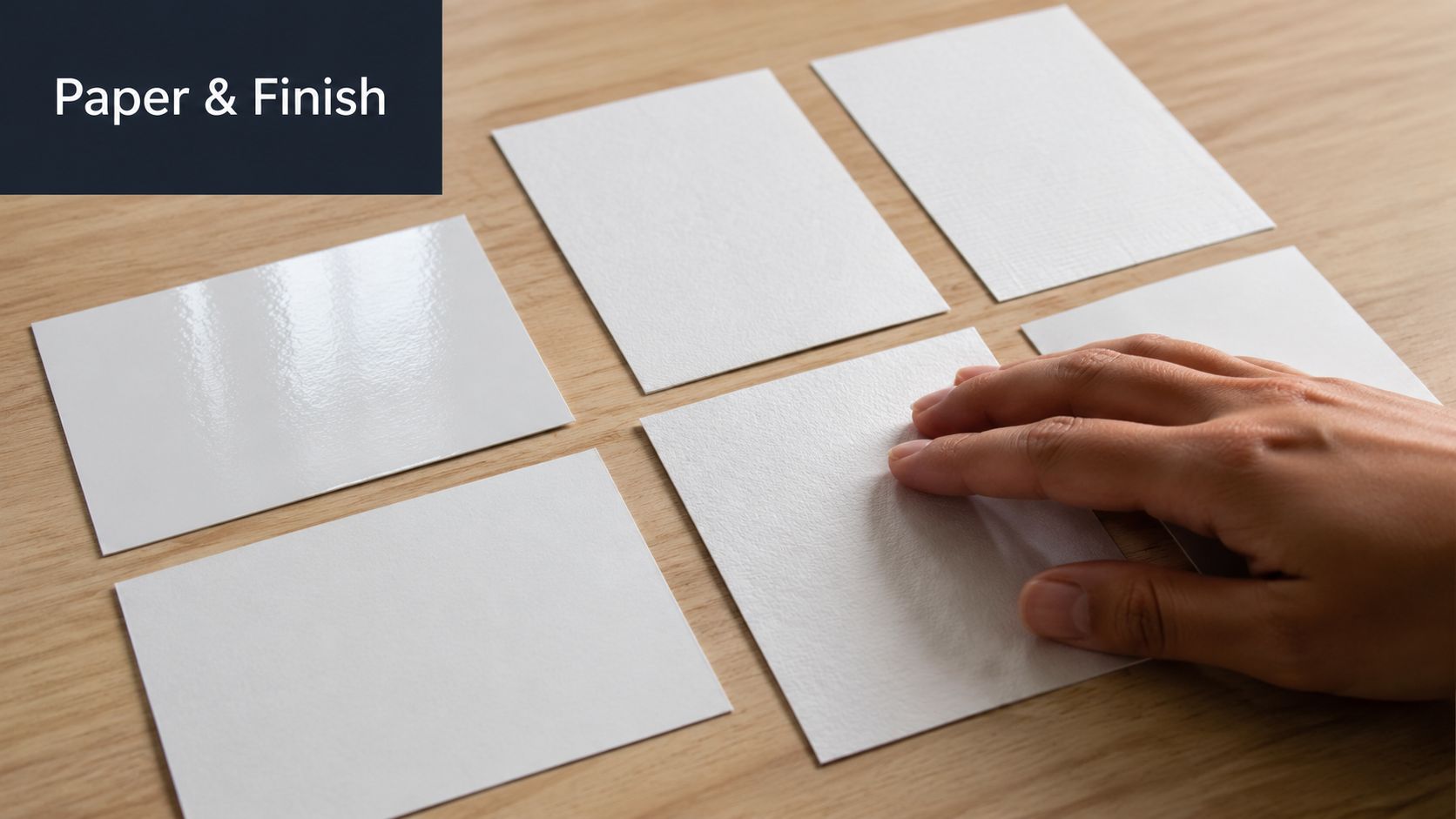
In the market, you’ll commonly see cardstock options such as 10 pt, 14 pt, and 16 pt, plus coated and premium variants on product pages like this postcard listing. Those labels matter less than how the card will be used.
Here’s the practical comparison:
- Lighter standard stock: Often the practical choice for high-volume mailers and large promotional drops.
- Midweight stock: A strong middle ground for front-desk cards, handouts, and leave-behinds.
- Heavier premium stock: Better when touch and first impression do more of the selling, such as boutique retail, photography promos, or premium service brands.
The important trade-off is durability versus efficiency. The purchase decision around paper often gets framed as aesthetic, but in real use the bigger concern is how the card survives handling and transit. The same source notes that heavier stocks aren’t always the best value, especially when postal efficiency and production consistency matter more than maximum thickness, which is why many buyers are moving toward fit-for-purpose specs instead of defaulting to the thickest option on every job.
If the card is going through the mail, “premium” doesn’t automatically mean “smarter.” The right stock is the one that arrives cleanly and does the job without adding unnecessary cost or production issues.
Gloss, matte, and uncoated each solve a different problem
Finish affects both appearance and usability.
Gloss or UV-coated cards usually make photos and saturated colors look more lively. Restaurants, retail promos, and image-heavy event handouts often benefit from that. The downside is practical. Gloss can glare under strong lighting, and it’s usually harder to write on cleanly.
Matte cards are easier to read under overhead lights and friendlier for pens. That makes them a reliable choice for appointment reminders, loyalty cards, service reminders, and anything with handwritten notes.
Uncoated cards feel more natural and tactile. They can suit brands that want a softer, less polished look. They’re also easy to write on, though they won’t give photos the same visual punch as gloss.
A simple way to choose:
| Use case | Usually works best |
|---|---|
| Appointment cards | Matte or uncoated |
| Photo promotions | Gloss or UV-coated |
| Direct mail offers | Standard coated stock |
| Luxury or boutique branding | Heavier stock with a refined finish |
If you can handle paper samples in person, do it. Photos of paper online don’t tell you how slippery gloss feels, how stiff a thicker stock is, or whether a matte surface still looks sharp enough for your brand.
Navigating Quantity Pricing and Final Proofs
Ordering print usually feels more confusing on the business side than the design side. The file may be ready, but then you hit questions like how many to order, whether a larger run is worth it, and what exactly you’re supposed to approve in a proof.
A little restraint helps. Don’t order based only on optimism. Order based on distribution.
How the order usually plays out
A typical small business order starts with a simple estimate. You compare a few quantity levels, notice that higher quantities usually bring the per-card cost down, and then you wonder whether you’re saving money or just buying extras you’ll never use.
That answer depends on how the cards move.
A dentist with a steady appointment flow can usually justify a deeper run of reminder cards because they’ll get used over time. A shop advertising one short seasonal sale should be more careful. Leftover cards with old dates or expired offers aren’t inventory. They’re waste.
A practical way to think about quantity is:
- Count distribution channels. Front counter, handouts, package inserts, local mail, event tables.
- Separate evergreen cards from dated campaigns. Brand cards can sit longer. Event cards can’t.
- Leave room for one proof cycle. Fixing an error before production is always cheaper than discovering it in finished boxes.
What to check before approving a proof
The digital proof is not just a spelling check. It’s your last calm moment before paper, ink, trimming, and delivery are set in motion.
I tell customers to review the proof in two passes. First, look at it like the business owner. Then look at it like the customer receiving it cold.
Use this checklist:
- Business details: Name, phone, website, address, social handles.
- Offer logic: Dates, expiration language, coupon codes, disclaimers.
- Visual alignment: Crooked logos, awkward spacing, text too close to the edge.
- Back-side orientation: Front and back line up the way you intended.
- Readable hierarchy: The main message stands out before the smaller details.
Proofing advice: Read the card once from bottom to top. It sounds odd, but it helps you catch typos because your brain stops filling in what it expects to see.
If several people in the business need to approve it, appoint one final decision-maker. Group proofing is useful until three people make three different changes and the order stalls. One person should own the final yes.
Getting Your Cards Fast with Local Pickup
Speed changes the value of a print job. A card that arrives after the event, after the promotion, or after the sales rep leaves town isn’t cheap at any price.
That’s why local pickup matters more than many first-time buyers expect. Online ordering can be fine for flexible timelines, but small businesses often work inside narrower windows. A networking event gets added to the calendar. An open house moves up. A promo opportunity appears this week, not next week.
Why local turnaround changes the decision
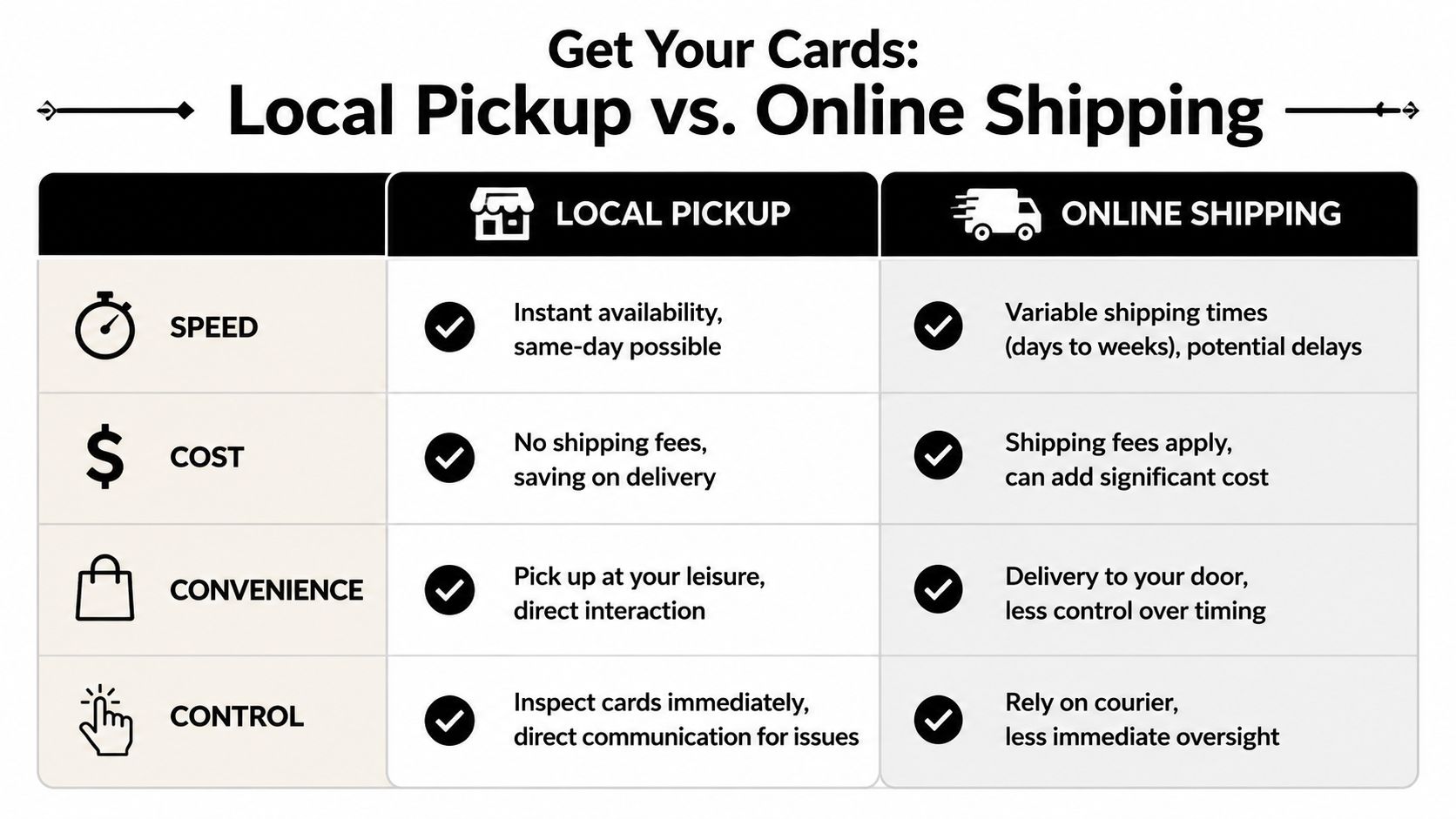
When you pick up locally, you remove a whole layer of uncertainty. There’s no waiting on a tracking scan to update, no weather delay in another state, and no box sitting on a truck while your deadline gets closer.
For businesses around Sugar Land, local ordering can also mean practical options such as same-area print ordering and pickup support. That’s useful when the project isn’t just “print it sometime,” but “I need it ready for a meeting, event, or in-store launch.”
What you gain by picking up in person
Online-only printers usually compete on convenience. Local shops compete on control.
Here’s what that control looks like in real life:
- You can inspect the cards immediately. Color, trim, finish, and paper feel are right in front of you.
- You can fix issues faster. If something needs adjusting, you’re talking to a person, not opening a ticket and waiting.
- You skip shipping fees. That matters more on rush orders and smaller runs.
- You can compare samples before reordering. That helps when you’re deciding between finishes or changing the stock next time.
A lot of buyers think of pickup as less convenient than delivery. For routine office supplies, maybe. For printed marketing pieces with a deadline, pickup often feels easier because you know exactly when the cards are in your hands.
Mailing and Fulfillment for Your 4×6 Cards
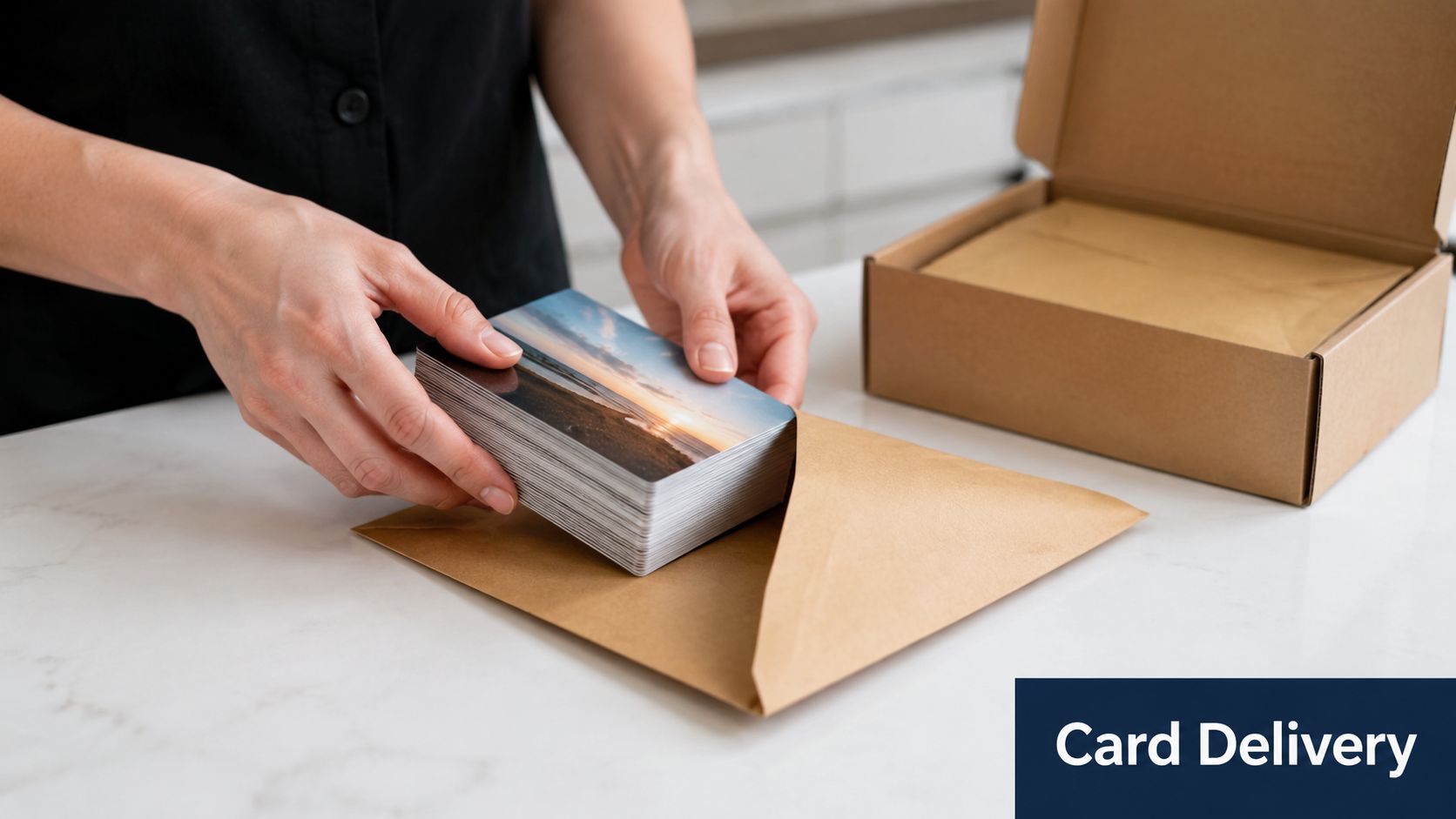
Printing the card is only half the job. The other half is getting it to the right person without creating a messy in-house project that eats up your week.
4×6 cards stand out. They line up well with postcard mailing rules and with the way many small businesses run local campaigns.
Why 4×6 works so well for direct mail
USPS postcard pricing applies only to rectangular mailpieces between 3.5″ x 5″ and 4.25″ x 6″, with thickness between 0.007″ and 0.016″. A 4″ x 6″ card fits within that window, which is why it’s widely used for direct mail and described as the most common standard postcard size in the US and Canada in this postcard size guide.
That matters because size affects mailing practicality. If you want a simple promotional postcard, a reminder card, or a local announcement, 4×6 keeps you in a familiar lane. It’s easy for customers to recognize, easy to sort, and easy to design without wasting space.
The practical mailing workflow
For a small campaign, you can handle mailing in-house. For anything larger or more time-sensitive, it usually makes sense to hand off the repetitive pieces.
The workflow usually looks like this:
- Finalize the print file. Make sure the design leaves room for addressing and postal requirements.
- Prepare the list. Clean names and addresses before printing, not after.
- Choose the delivery method. Postcard mailing, inserts into envelopes, or bundled handouts for local distribution.
- Print labels or addresses. If you need shipping or label support for part of the job, a service such as shipping label printing can help with the operational side.
- Drop at the post office or use a fulfillment partner. This is the step many businesses underestimate because it turns into sorting, batching, labeling, and transport.
If your team regularly ships products as well as mailers, it’s worth reading up on workflow tools such as shipping automation software. Even when your card campaign itself is simple, the broader shipping side of the business often benefits from cleaner labeling and less manual handling.
Business Mail Boutique LLC is one local option that combines printing with shipping and mailing-related services, which can be useful if you’d rather keep design review, print pickup, and fulfillment logistics in one place.
Mailing works best when the print spec and the handling plan match. A beautiful card that smears, scuffs, or creates addressing problems isn’t doing its job.
The best custom 4×6 cards aren’t the fanciest ones. They’re the ones that fit the purpose, arrive on time, and make it easy for your customer to take the next step.
If you need custom 4×6 cards for handouts, direct mail, appointment reminders, or package inserts, Business Mail Boutique LLC can help you move from file setup to printing, pickup, and mailing support without turning it into a multi-vendor project.

Related posts

Custom Memorial Glasses Engraved in Three Hours in Sugar Land
When a customer needed eight personalized glasses for a memorial, Business Mail Boutique completed the engraving or...

Custom Martini Glass Engraving in Sugar Land, TX
Custom Logo Engraving on Martini Glasses in Sugar Land, Texas.
Business Mail Boutique recently completed a beautiful custom engravin...

Custom Engraved Wine Glasses for a Golf Club Event in Sugar Land, TX
Custom Engraved Wine Glasses for a Golf Club Event in Sugar Land.
Custom wine glass engraving in Sugar Land, TX at Business Mail Bouti...