
- Print Business Cards in Sugar Land – Same Day Service
- Copying Services
- Document Printing, Finishing & Lamination in Sugar Land
- Flyers
- Print Banner in Sugar Land | Same-Day Banner Printing Near Me
- Graphic Design
- Photo Printing
- Postcard Printing
- Document Printing
- EDDM Full Service Postcards
- FotoZoomer Large Format Printing


Acrylic Sign Engraving.
Learn how acrylic sign engraving can elevate your local business. Discover tips for durable, professional signs that attract customers in 2026.
Businessmailboutique
11645 S. Hwy 6
Sugar land, Texas 77498 United States (US)
Email: info@businessmailboutique.com
Route
You’ve opened a new office, updated your logo, or booked a tradeshow booth that needs to look finished by next week. The sign seems simple until you’re asked to choose clear or colored acrylic, laser or rotary engraving, frosted or paint-filled lettering, wall mounts or standoffs, and a file format your designer may not have prepared for production.
Acrylic sign engraving isn’t one single process. The machine, sheet type, artwork, finish, and mounting method all change what customers see, what the sign can withstand, and what the shop must charge. This guide focuses on those decisions so you can order a sign that suits your location instead of paying for features that don’t improve the result.
Table of Contents
- What Acrylic Sign Engraving Actually Does
- Comparing Laser Rotary and CNC Engraving Methods
- Acrylic Types and Finish Options Explained
- Design and File Prep That Produces Clean Results
- Typical Sizes Thicknesses and Mounting Choices
- Pricing Drivers and Turnaround Expectations
- Maintenance and Long Term Durability
- Ordering Checklist and a Local Fulfillment Option
What Acrylic Sign Engraving Actually Does
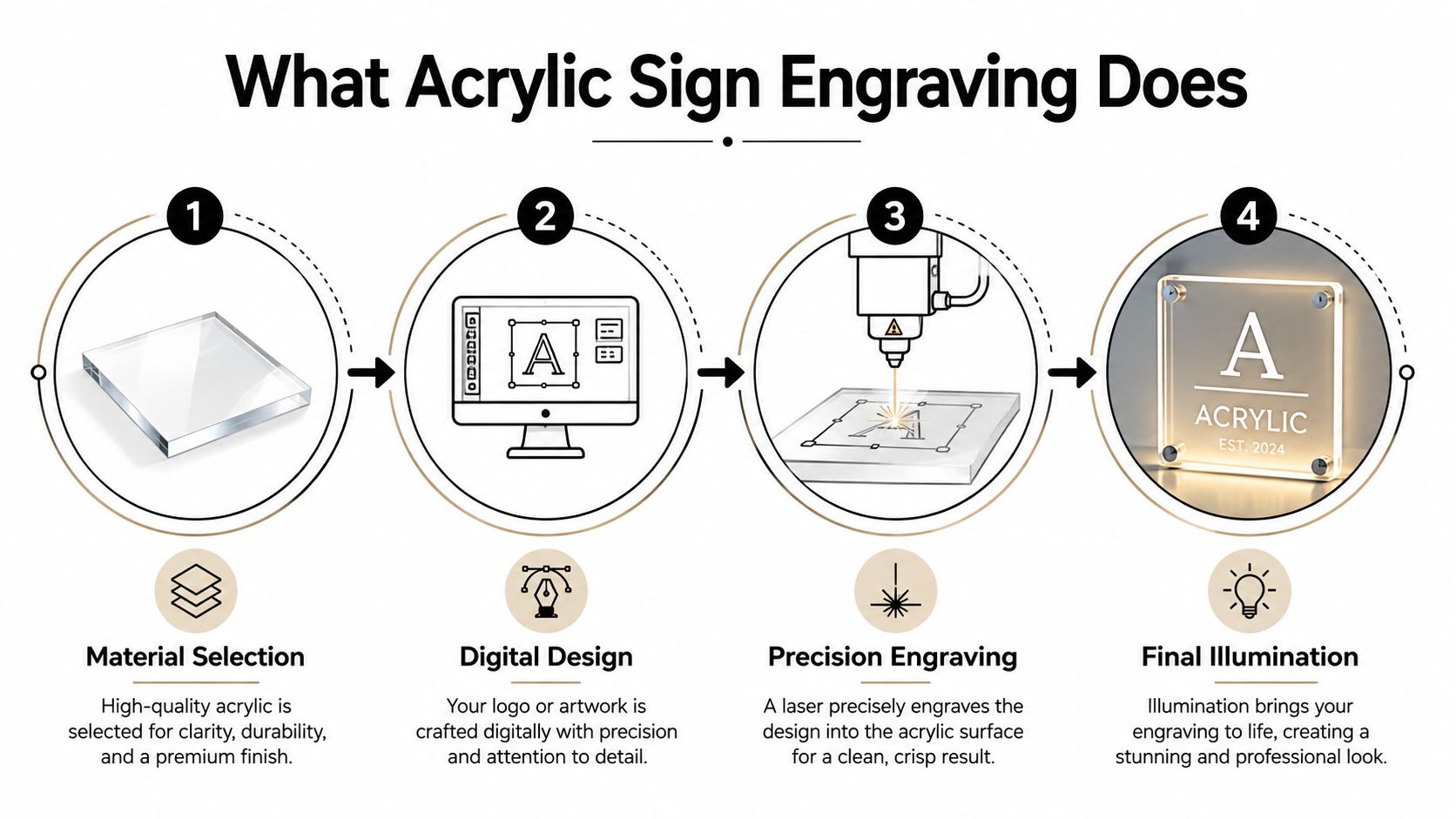
Acrylic sign engraving starts with a flat sheet of PMMA, commonly called acrylic or Plexiglas. A machine then removes or alters material from the surface according to a digital file. The finished mark can be a shallow frosted texture, a recessed groove, or a cut-through opening, depending on the equipment and the result you want.
Acrylic is popular because it combines a glass-like appearance with lower weight and practical machinability. Technical data for PMMA commonly lists approximately 92% visible-light transmission, density around 1.19 g/cm³, tensile strength near 70 to 75 MPa, and flexural strength around 115 MPa. Those properties help explain why fabricators use it for commercial signs, display panels, plaques, and illuminated graphics. The PMMA technical sheet provides the underlying material data.
Three results that look very different
Surface engraving removes only the top layer. On clear acrylic, it creates a white or frosted mark that catches light without making the logo feel carved into the panel. This is usually the right choice for office plaques, edge-lit panels, directional signs, and fine lettering.
Deep engraving removes more material and creates a tactile recess. It suits plaques that need a stronger physical presence or lettering intended for a paint fill, but it takes more machine time and brings greater risk of melting, haze, or uneven depth.
Through-cutting removes material completely. It creates separate letters, holes, decorative outlines, or a shaped panel. Through-cutting is a fabrication operation rather than a darker version of surface engraving, so the shop may use a laser, rotary tool, or CNC router depending on the thickness and geometry.
Acrylic also accepts paint fills, back-painting, polished edges, and LED illumination. That combination lets one material imitate several visual styles, from a quiet frosted logo on a reception wall to a glowing sign in a tradeshow display.
By the time you request a quote, you should be able to specify the engraving method, acrylic type, finish, dimensions, mounting approach, and deadline. Those choices matter more than asking for “an acrylic sign.”
Comparing Laser Rotary and CNC Engraving Methods
The easiest way to choose a process is to start with the finished appearance. A laser is usually selected for a crisp, shallow frost and small lettering. A rotary engraver uses a spinning cutter, so it can create a deeper, tactile channel. CNC routing handles shaped panels, pockets, and cut-through construction where the sign becomes a three-dimensional object.
| Method | Typical Look | Max Depth | Best For | Material Limit | Edge Quality |
|---|---|---|---|---|---|
| Laser | Even frosted mark, fine detail | Usually shallow surface work | Logos, small type, edge-lit panels | Depends on laser power and sheet thickness | Crisp, clean detail |
| Rotary | Tactile groove, often paint-filled | Deeper than a typical surface laser mark | Plaques, engraved lettering, filled graphics | Works across thicker stock when tooling permits | Slightly softer cutter edge |
| CNC | Recessed pockets, shaped panels, through-cut forms | Deep pockets and full cuts | Dimensional signs, layered construction, cut shapes | Better suited to substantial sheet work | Strong geometry, may need finishing |
Laser engraving is non-contact, so the cutter doesn’t press against the panel or create mechanical chatter. It handles fine type well, but it’s not automatically the best choice for a deep pocket. On acrylic, high-quality frosted results generally come from removing the surface layer rather than forcing deep material removal. Practical laser guidance places common starting benchmarks around 10% to 50% power, 200 to 800 mm/min equivalent speed, 300 to 600 DPI, and 0.02 to 0.1 mm line interval, although the correct recipe depends on the machine and material. FacFox’s acrylic processing guidance explains why lower heat and a light surface scratch can produce a cleaner frost.
Rotary engraving gives you a groove you can feel with a fingernail. That makes it useful for paint-filled plaques, but the spinning cutter introduces contact, noise, tooling wear, and a softer edge on tiny details. CNC routing goes further by shaping the sheet itself. It’s the better fit for layered lettering, large cut profiles, and dimensional work, though routing normally creates more chips and demands more cleanup or polishing.
For complicated jobs, a shop’s estimate should account for programming, setup, tooling, finishing, and material handling, not just machine time. Buyers who want to understand how fabrication businesses build those quotes can review these estimating resources for CNC shops. If you’re comparing local services, also look at the difference between laser etching, cutting, marking, and engraving because those terms often describe different results.
Acrylic Types and Finish Options Explained
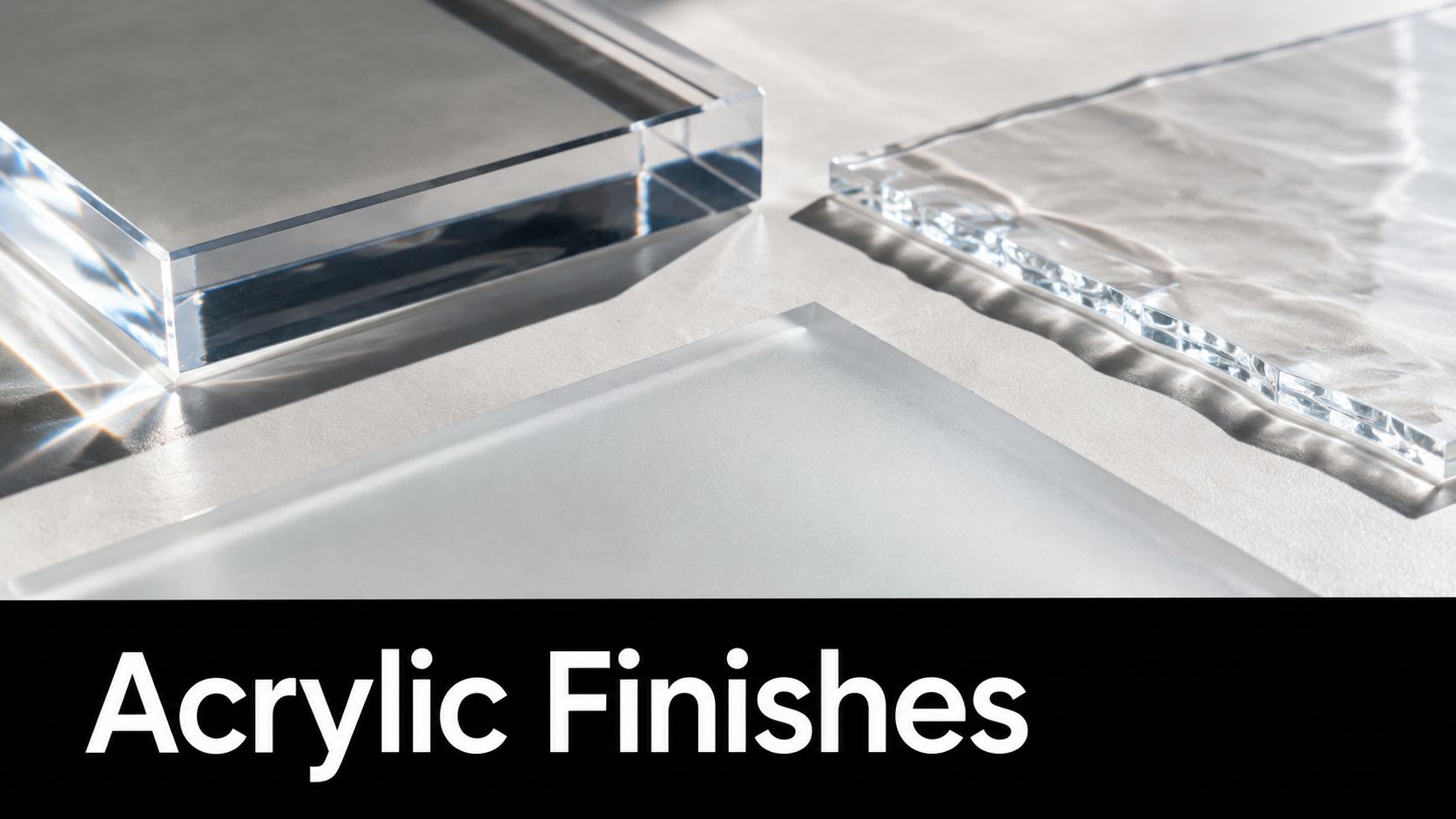
Choosing acrylic is a little like choosing between paint and glass. Cast acrylic behaves more like a surface made to accept a soft, visible texture. Extruded acrylic can be useful for cutting, but it tends to melt and distort more readily during engraving, so it usually needs gentler settings.
Cast acrylic is the usual choice when the goal is a pronounced frosted contrast. Extruded sheet may produce a cleaner cut in some applications, but its engraved mark can look less evenly white. One industry guide summarizes the difference by recommending roughly 15% to 25% power for cast-surface engraving, with lower settings commonly needed for extruded material. The acrylic processing guidance from 1Laser also notes that material thickness, focus, and airflow affect the final result.
Match the finish to the location
Frosted engraving leaves a matte, translucent mark on a glossy sheet. It works well for a reception logo, privacy graphic, office hours, or edge-lit panel because the contrast comes from texture rather than a heavy color block.
Polished edges matter when visitors can see the sides of the panel. A flame, wheel, or other shop finishing process can make exposed edges clearer and more reflective. A wall panel installed in a frame may not need this treatment, while a floating clear sign usually benefits from it.
Paint-filled engraving puts color into a recessed groove. The result reads more strongly at a distance and works well for a directory, commemorative plaque, or branded sign that needs a specific corporate color. The shop must keep the pocket clean and control the fill so paint doesn’t spread onto the surrounding face.
Back-painting coats the reverse side of clear acrylic. From the front, the face can retain a glass-like appearance while the color appears behind it. This is useful for logos, menu panels, window graphics, and designs where you want a clean front surface with a colored field behind the clear material.
A marine service office, dock facility, or waterfront operator may need a sign that handles strong visual exposure and practical cleaning demands. Related applications such as signage for marine, marina, and shipyard businesses often benefit from choosing the finish and mounting hardware together, rather than treating them as separate decisions.
Design and File Prep That Produces Clean Results
A machine can only engrave what the artwork tells it to engrave. A blurry logo, unoutlined typeface, duplicate path, or hairline detail may look acceptable on a monitor but produce gaps, filled counters, or uneven paint pockets on acrylic.
Start with production-safe artwork
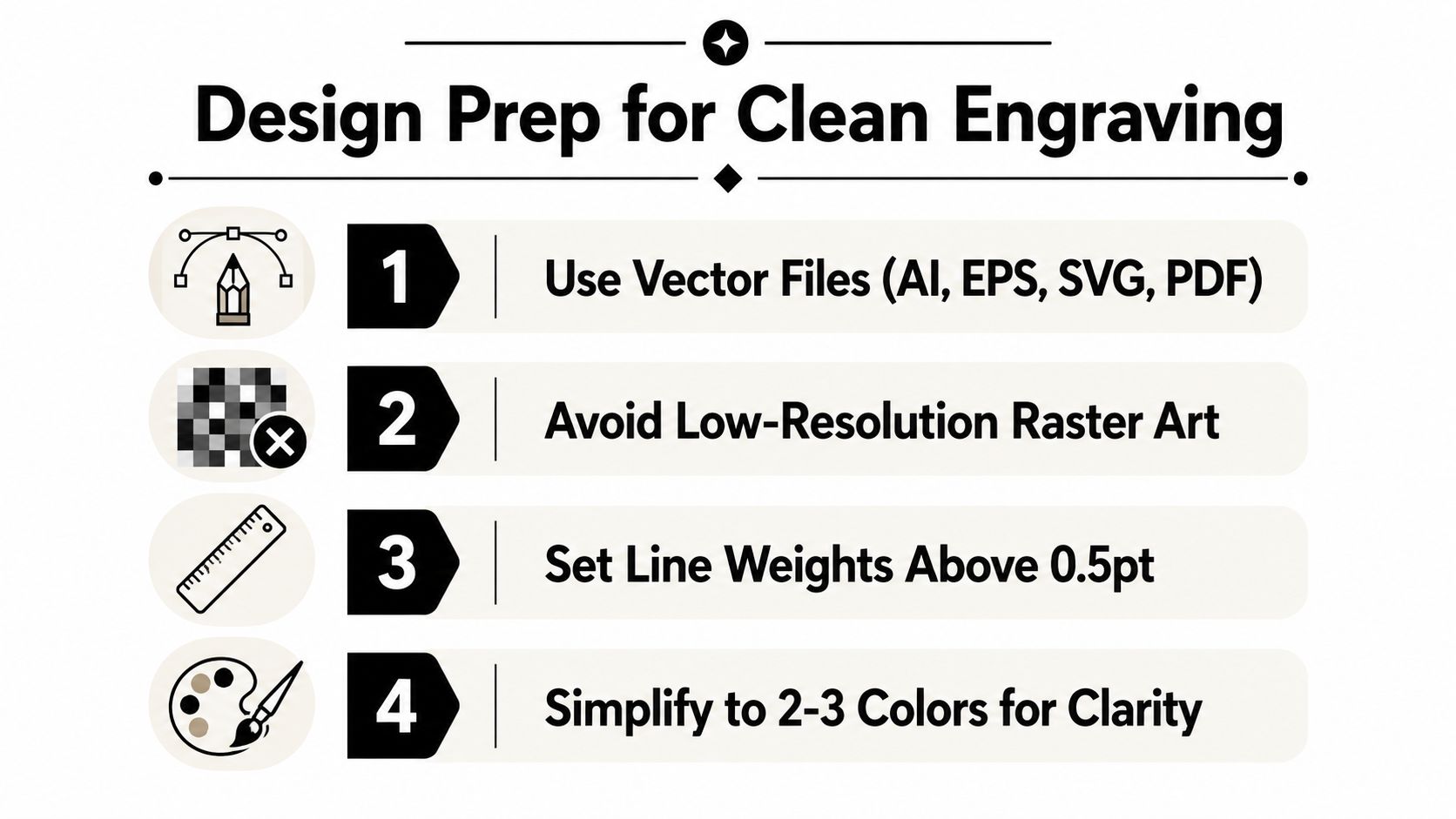
A vector file is the safest default. AI, EPS, SVG, and PDF files preserve paths and allow the shop to scale a logo without turning its edges into visible pixels. Ask your designer to outline fonts, remove stray nodes, close open shapes, and separate engraving, cutting, and paint-fill elements onto clear layers.
A raster image can work for a photograph or textured artwork, but it must be supplied at final size with adequate resolution. The plan notes for this project call for at least 300 DPI at final size for raster work. That requirement is a production rule, not a guarantee that every image will engrave well. A low-detail photo may still need contrast adjustment, cropping, or conversion into a simplified engraving treatment.
Protect fine details before the machine runs
Very thin strokes are vulnerable. Hairline features under 0.5 mm can burn away or fill in during laser work, while rotary and CNC tools may preserve some finer detail if the cutter and material support it. Small counters inside letters, tight spacing, and tiny icons should be reviewed at the actual sign size, not only on a large design canvas.
Keep important artwork at least 3 mm from the panel edge so the border doesn’t look cramped and mounting or trimming doesn’t threaten the design. A 2 to 3 mm bleed can protect backgrounds and color fields when the panel is trimmed or aligned.
Use monochrome artwork for straightforward engraving. If the job includes paint fills, supply clearly labeled color layers and confirm whether the shop expects CMYK or another production notation. Color in a design file can mean engraving depth, cut path, paint color, or a software layer, so a written callout prevents expensive assumptions.
Practical rule: Send the production file with a small visual proof showing what gets engraved, what gets cut, and what gets painted.
Typical Sizes Thicknesses and Mounting Choices
A sign’s dimensions should follow the viewing distance and the wall, not a standard catalog size. A desk plate can be compact and light. A lobby panel needs enough area for readable type and enough rigidity to stay flat. A tradeshow feature wall may need a larger visual footprint but a mounting approach that packs and installs quickly.
| Placement | Typical Size | Thickness | Recommended Mounting |
|---|---|---|---|
| Reception desk | 4 x 6 to 8 x 10 inches | 1/8 inch | Desk stand, base, or small mounts |
| Lobby wall | 12 x 18 to 18 x 24 inches | 1/4 inch | Standoffs, cleat, or concealed hardware |
| Exterior or tradeshow feature wall | 24 x 36 inches and up | 3/8 inch or project-specific | Frame, structural standoffs, or booth hardware |
Let the mounting style support the setting
1/8-inch acrylic keeps a small plaque light and easy to handle. It can work well on a reception counter, but a large unsupported sheet may flex. 1/4-inch acrylic gives a lobby sign more visual substance and rigidity. 3/8-inch material creates a heavier premium feel, though the added weight affects anchors, posts, packaging, and installation.
Half-inch to three-quarter-inch standoff posts create a floating effect and suit a modern lobby or office corridor. They’re usually attached through drilled holes, so the file and hardware layout must agree before production. A flush French cleat keeps the sign close to the wall and can look restrained, but the installer needs a secure attachment surface and accurate leveling.
Metal frames suit larger commercial panels or designs that need a stronger border. Cable or hook hardware works for hanging signs and window displays, where the sign must be removed or repositioned. Drywall may need suitable anchors, masonry needs appropriate fasteners, and a tradeshow frame may favor lightweight hardware that fits the booth system.
Ask for a mounting diagram with the proof. That single document can prevent a sign from arriving with beautiful engraving and no practical way to put it on the wall.
Pricing Drivers and Turnaround Expectations
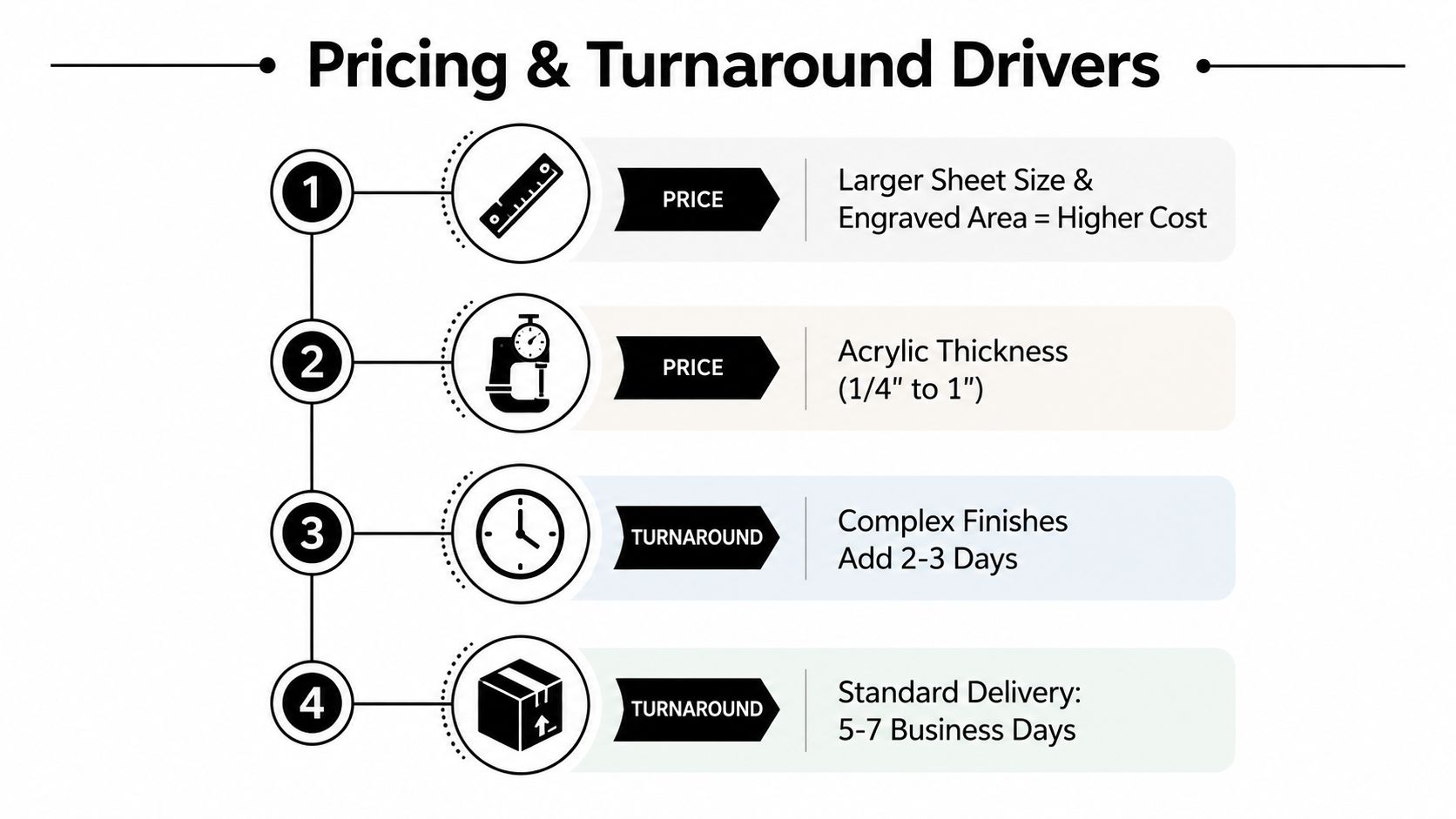
Acrylic sign engraving quotes usually reflect production decisions more than the logo itself. The shop is pricing the sheet, machine time, setup, finishing, handling, and the risk of rework. A small desk plaque with a simple frosted mark is a different job from a large lobby sign with polished edges, paint-filled lettering, drilled holes, and a custom mounting system.
The main cost drivers are:
- Sheet size and engraved area: More material and more machine coverage increase handling and production time.
- Thickness: Thicker acrylic changes material cost, cutting requirements, edge finishing, weight, and hardware.
- Finish complexity: Frosted-only work is generally simpler than polished edges, paint-filled letters, or back-painted layers.
- Quantity: Multiple matching signs can share file preparation and setup, so the per-sign cost may fall after the first unit.
- Artwork complexity: Tiny elements, fine text, overlapping paths, and poor files slow preparation and can require a redraw.
- Deadline: Rush work may require the shop to rearrange production, source material quickly, or limit finishing choices.
A quote that looks unusually low may leave out edge polishing, mounting hardware, proof revisions, or a thicker sheet. Ask whether the price includes the actual acrylic grade, final dimensions, engraving depth or finish, paint, holes, packaging, and installation-ready hardware.
Turnaround depends on the finish
Simple cuts may be possible on a short schedule when the material and file are ready. Standard lobby signs usually need more time for proofing, engraving, cutting, cleaning, and finishing. Large runs and painted finishes take longer because every panel must remain consistent through multiple handling stages.
A buyer can avoid surprises by asking three direct questions: What is included in the quoted finish? What file changes cost extra? What is the latest approval time for the requested deadline? Those answers make competing estimates easier to compare.
For a visual overview of the production workflow, this acrylic engraving video can help a first-time buyer understand why surface marking, cutting, and finishing are separate operations.
Maintenance and Long Term Durability
Acrylic stays attractive when maintenance staff treat it more like a polished plastic surface than a piece of ordinary glass. Dust can be removed with a clean microfiber cloth. For fingerprints or light residue, use mild soap solution or a dilute isopropyl alcohol solution with light pressure, then dry with a lint-free cloth.
Ammonia-based glass cleaners can attack the appearance of polished or painted edges, and abrasive pads can create fine scratches that scatter light. Don’t scrub a frosted mark aggressively, because the textured area can collect residue and become visually uneven.
Indoor and outdoor care are different
Indoor signs normally avoid the strongest weather exposure, while exterior panels face sunlight, moisture, temperature changes, dirt, and contact from visitors. Standard acrylic can remain clear and colored for years, but the exact service life depends on the grade, exposure, color, mounting, and cleaning routine. For outdoor work, ask whether the supplier offers a UV-stable grade or cap-stock construction rather than assuming every clear sheet will age identically.
A shallow scratch may be improved with a staged polishing process using appropriate compounds. Deep gouges, damaged paint fills, and cuts through the face generally can’t be erased without changing the surface or remaking the panel.
Care instruction for maintenance teams: Use a soft cloth and mild solution. Avoid ammonia, abrasive pads, dry rubbing on gritty surfaces, and improvised solvents.
Keep the sign away from sharp tools during cleaning and installation. If a panel is frequently touched, mounted near a doorway, or exposed to merchandise and equipment, specify a finish and thickness that account for contact rather than relying on cleaning to reverse damage.
Ordering Checklist and a Local Fulfillment Option
Take this checklist to the sign shop or send it with your inquiry. Each answer removes one assumption from the estimate.
- What are the finished dimensions? Provide width, height, orientation, and any rounded corners or custom outline.
- Which acrylic do you want? Confirm clear, colored, translucent, cast, or extruded sheet.
- What thickness suits the location? Match the sheet to the sign size, rigidity, weight, and mounting hardware.
- What should the face look like? Choose frosted engraving, deep engraving, paint-filled lettering, back-painting, polished edges, or a combination.
- Which elements are engraved and which are cut? Mark those operations separately in the artwork.
- Is the file production-ready? Send AI, EPS, SVG, or PDF artwork with fonts outlined and stray paths removed.
- What colors should the shop use? Add written color callouts for paint fill, back-paint, or layered pieces.
- How many signs do you need? Include matching panels, duplicates, directional signs, or future phases in the request.
- How will the sign be mounted? Specify standoffs, cleat, frame, cable, hooks, desk base, or another system.
- Where will it be installed? Identify drywall, masonry, glass, exterior wall, reception counter, or tradeshow frame.
- When must it be ready? Give the event, opening, installation, or delivery date, not only “as soon as possible.”
- Do you need a proof? Request a scale visual showing the engraving, cuts, colors, holes, and mounting position.
Good signage supports more than navigation. It reinforces how customers recognize a business, which is why guidance on brand visibility with quality signs can be useful when you’re deciding whether a simple panel or a more finished installation matches the space.
Business Mail Boutique LLC in Sugar Land can review artwork, discuss whether laser engraving or routing fits the requested result, arrange in-house production or work with a partner engraver, and coordinate finishing and local pickup. Its broader print and mail storefront gives local customers one place to ask file questions, approve a proof, and collect a completed sign. You can review the local service details for custom business signage in Sugar Land before submitting the specifications.
Business Mail Boutique LLC offers acrylic engraving and custom laser-cut signage alongside its printing and finishing services, with file review, proofing, and local pickup available through its Sugar Land storefront. Bring your dimensions, artwork, finish preference, mounting plan, and deadline to Business Mail Boutique LLC to discuss the right production route for your sign.

Related posts

Custom Memorial Glasses Engraved in Three Hours in Sugar Land
When a customer needed eight personalized glasses for a memorial, Business Mail Boutique completed the engraving or...

Custom Martini Glass Engraving in Sugar Land, TX
Custom Logo Engraving on Martini Glasses in Sugar Land, Texas.
Business Mail Boutique recently completed a beautiful custom engravin...

Custom Engraved Wine Glasses for a Golf Club Event in Sugar Land, TX
Custom Engraved Wine Glasses for a Golf Club Event in Sugar Land.
Custom wine glass engraving in Sugar Land, TX at Business Mail Bouti...