
- Print Business Cards in Sugar Land – Same Day Service
- Copying Services
- Document Printing, Finishing & Lamination in Sugar Land
- Flyers
- Print Banner in Sugar Land | Same-Day Banner Printing Near Me
- Graphic Design
- Photo Printing
- Postcard Printing
- Document Printing
- EDDM Full Service Postcards
- FotoZoomer Large Format Printing


How Much Does It Cost to Print Blueprints.
How Much Does It Cost to Print Blueprints. Learn how much it costs to print blueprints with our detailed pricing guide. Compare B&W vs. color, sizes.
Businessmailboutique
11645 S. Hwy 6
Sugar land, Texas 77498 United States (US)
Email: info@businessmailboutique.com
Route
A typical black-and-white blueprint costs $1.10 to $5.00 per sheet depending on size, while color prints can range from $2.20 to $10.00 or more, with same-day service adding extra fees. The final receipt depends less on the word “blueprint” than on the sheet dimensions, color coverage, paper, quantity, and turnaround you choose.
Have you ever sent a plan set to print expecting a simple per-page charge, then discovered that paper upgrades, rush handling, folding, scanning, or delivery changed the total? A Sugar Land contractor facing a permit deadline can pay a modest amount for standard ARCH D black-and-white sheets, yet a larger color set on specialty media can cost several times more before urgency enters the calculation.
The practical answer to how much does it cost to print blueprints starts with a range, not a single price. One pricing guide places 24×36-inch black-and-white prints at $1.25 to $2.50, 36×48-inch black-and-white prints at $2.00 to $3.50, 24×36-inch color line drawings at $3.00 to $5.00, and full-color presentation prints at $6.00 to $10.00 or more per page. See the supporting blueprint printing price guide for the underlying comparisons.
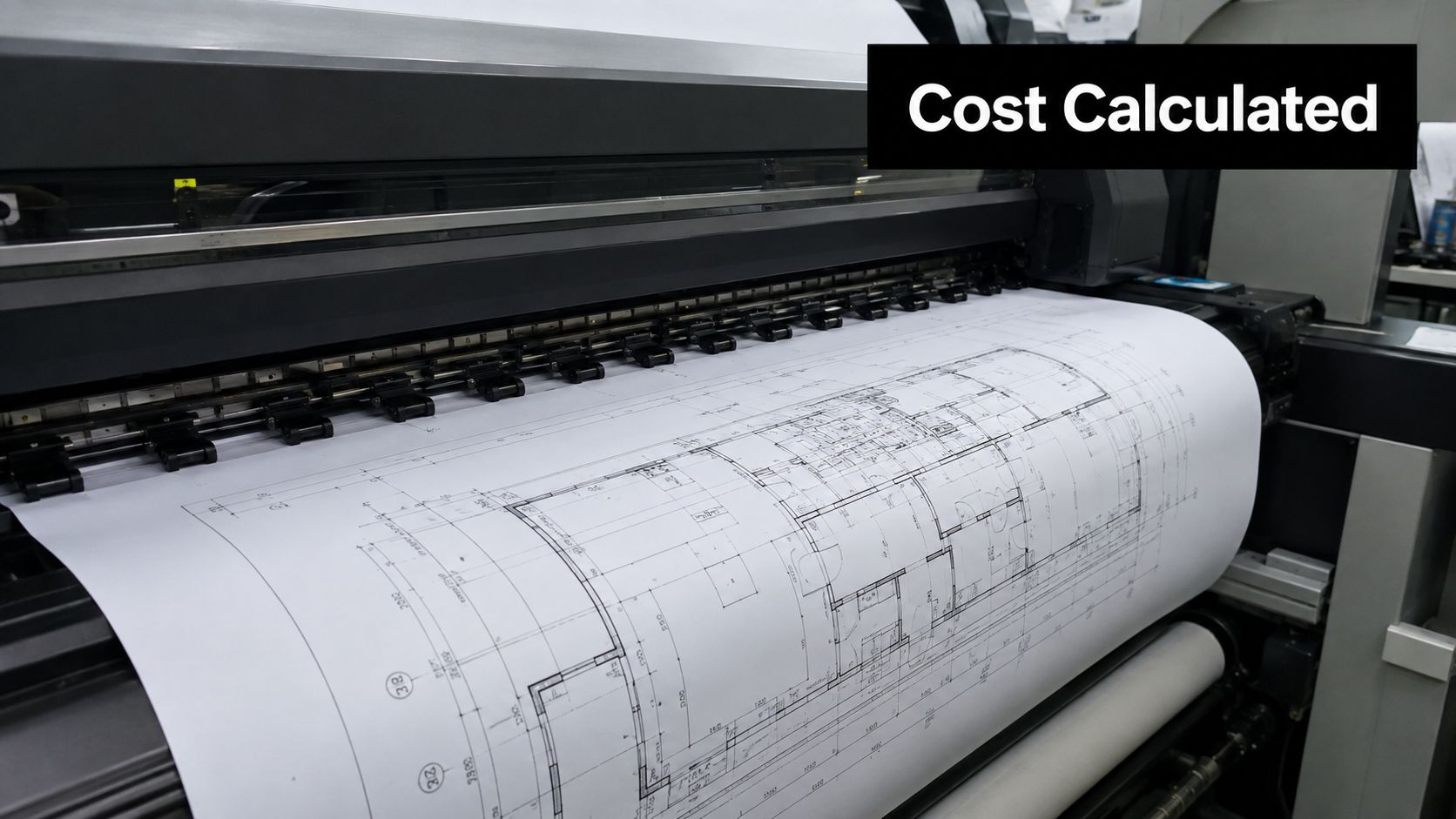
For real estate marketing, the output also needs to communicate room flow and dimensions clearly. Pinnacle Property Media’s floor plan advice is useful when deciding whether a plan is meant for technical coordination, client presentation, or property promotion. Those purposes affect the best combination of scale, color, paper, and finishing.
Understanding Blueprint Printing Costs
A contractor in Sugar Land may upload a permit set late in the afternoon after a city reviewer requests revised drawings. The files may be ready, but the print order still has several cost variables: the dimensions of each sheet, whether the drawings are monochrome or color, the media selected, and whether the shop must complete the order the same day.
The cheapest practical option is usually a standard-size black-and-white working set on ordinary bond paper. A larger sheet with dense color coverage takes more printer time and consumables, so it belongs at the higher end of the range. The HomeAdvisor draftsperson cost guidance illustrates how totals grow as sheet counts and project formats change, rather than remaining tied to one universal page rate.
What changes the quote
A print shop generally calculates the order through a combination of:
- Sheet size: ARCH D and ARCH E sheets use different amounts of media and occupy different printer cycles.
- Color coverage: A sparse color line drawing may cost less than a saturated presentation rendering on the same sheet.
- Paper or synthetic media: Bond is practical for working copies, while durable options serve field use and repeated handling.
- Quantity: A single replacement sheet has a different labor profile from a complete permit package.
- Turnaround: Rush production can add a separate service charge even when the base per-sheet price stays unchanged.
A consumer cost guide places blueprint printing anywhere from $0.06 to $20 per sheet, depending on size and complexity, so broad online averages can be misleading. The useful question isn’t only “What’s the price per sheet?” It’s “What exact file, size, media, quantity, and deadline am I asking the shop to produce?”
Practical rule: Request an itemized quote that separates printing, paper upgrades, finishing, rush handling, and delivery. That’s the fastest way to find the charge that changed your budget.
How Sheet Size Impacts Pricing
Sheet size is usually the strongest starting point for a blueprint quote. ARCH D measures 24×36 inches, ARCH E1 measures 30×42 inches, and ARCH E measures 36×48 inches. As the sheet grows, the printer handles more surface area, more media, and longer print cycles.
The table below combines published pricing examples. The ranges reflect common guide prices, while the specific ARCH D, ARCH E1, and ARCH E figures provide a useful side-by-side reference from wide-format blueprint pricing.
Blueprint Printing Costs by Size
| ARCH Size | Dimensions | Black & White | Color |
|---|---|---|---|
| ARCH D | 24×36 inches | $1.10 to $3.50 | About $2.20 to $6.00 |
| ARCH E1 | 30×42 inches | About $5.00 | About $7.50 |
| ARCH E | 36×48 inches | $2.20 to $5.00 | About $4.40 to $10.00 or more |
These figures aren’t interchangeable quotes. A shop may price an ARCH E1 differently based on ink coverage, equipment, paper, folding, and order volume. Still, the pattern is clear. A larger sheet can cost materially more than a smaller one, and a color version can approach twice the black-and-white rate.
Match the drawing to the job
Use the smallest standard sheet that preserves legibility at the required scale. Reducing an architectural plan too far can make dimensions, notes, and title blocks difficult to read, which defeats the savings. Enlarging every sheet “just in case” can create unnecessary media and handling costs.
For a contractor comparing providers, Business Mail Boutique’s construction plan printing service is a relevant local option to discuss when a project requires wide-format plan production. If you’re preparing a visual document for financing or a presentation, the decision process resembles the way teams evaluate investor deck analytics pricing. The format should serve the audience, not merely make the document larger.
Black and White Versus Color Printing
Black-and-white remains the sensible choice for many working drawings. Lines, dimensions, notes, symbols, and title blocks usually communicate the technical information without requiring a color layer. For permit coordination or internal field review, monochrome printing often keeps the order focused on readability and scale.
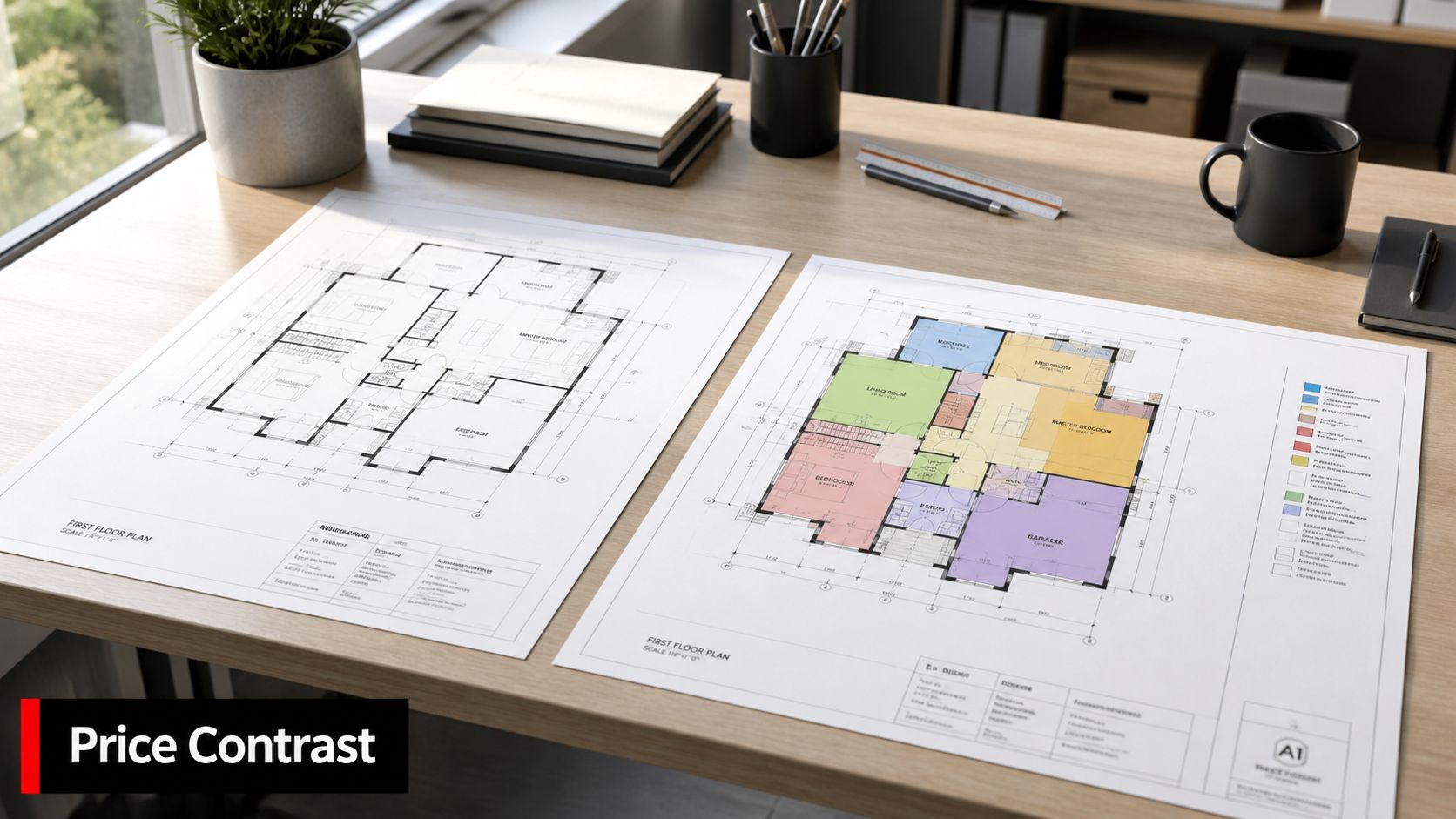
Color earns its place when it separates disciplines, highlights phases, supports client understanding, or creates a presentation-ready visual. A mechanical, electrical, plumbing, or architectural overlay may be easier to interpret when each system has a distinct visual treatment. That benefit has to be weighed against the fact that color coverage increases the production cost.
Published wide-format pricing shows that color typically doubles the cost compared with black-and-white. For example, an ARCH D color line drawing may cost $2.20 to $6.00, while a full-color presentation print can reach $6.00 to $10.00 or more per page, as shown in the color blueprint pricing examples.
Choose color for a reason
The strongest use cases are selective rather than automatic:
- Working drawings: Choose black-and-white when the team primarily needs precise lines and notes.
- Trade coordination: Choose color when visual separation helps multiple disciplines review the same plan.
- Client presentations: Choose color when the drawing must explain a design quickly to a nontechnical audience.
- Permit submissions: Confirm the receiving authority’s requirements before paying for color that may not be needed.
A color line drawing and a full-color presentation print aren’t the same product. The first may use restrained color to clarify information. The second can include broad fills, renderings, and visual elements that consume substantially more ink or toner.
Business Mail Boutique’s color printing cost guide can help local businesses think through the broader color-printing decision. The practical approach is to reserve color for pages where it improves comprehension or presentation, then keep routine duplicates monochrome.
Choosing the Right Paper Type
Paper choice affects the useful life of a blueprint, but it doesn’t need to be complicated. Start by asking where the drawing will be used, how often people will handle it, and whether moisture, dirt, folding, or repeated marking could damage a basic sheet.
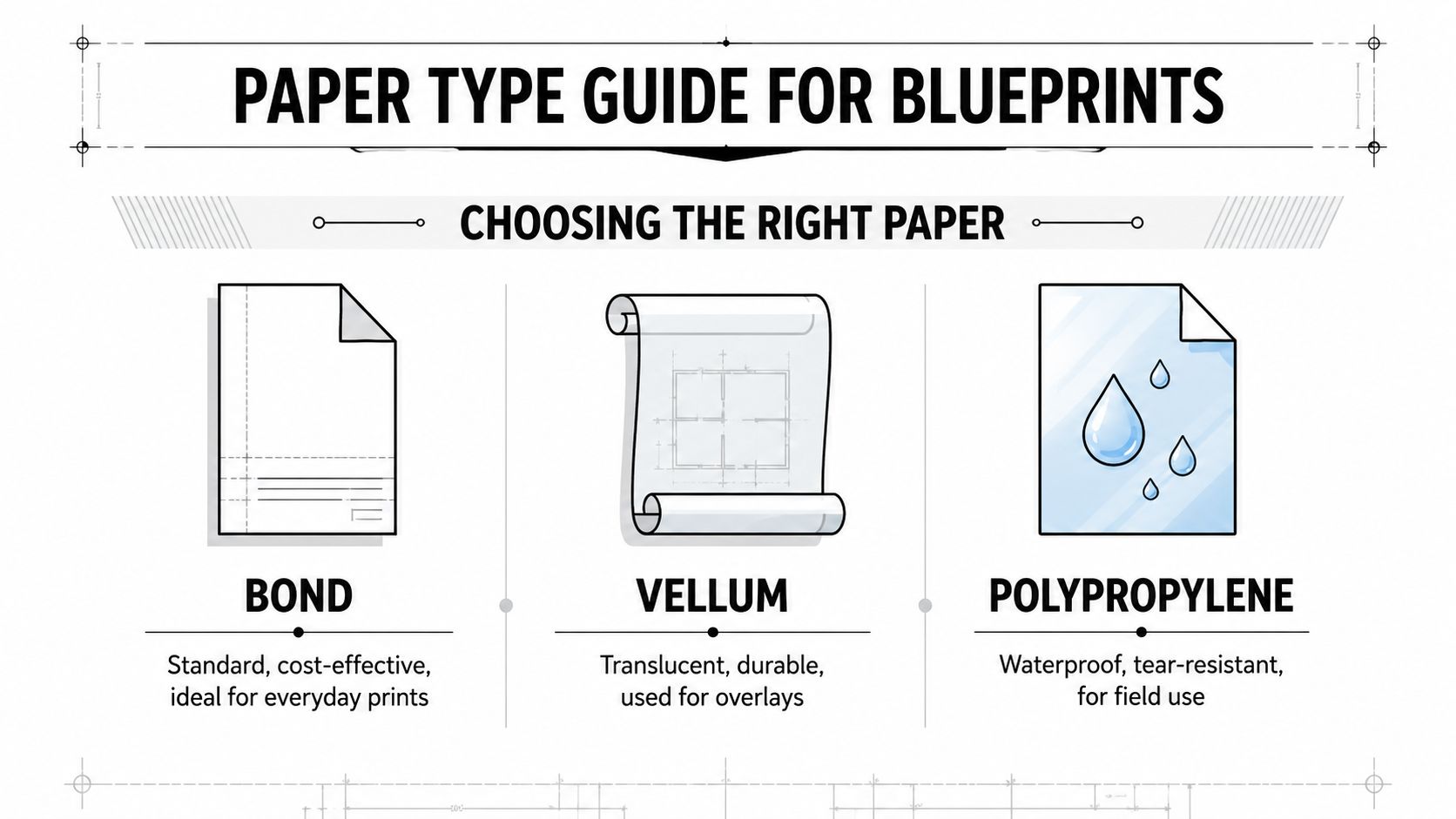
Bond for everyday working sets
Bond paper is the economical default for drafts, office review, and temporary coordination. It works well when the team expects revisions and doesn’t need the sheet to survive harsh conditions. If the drawing will be marked up, replaced after an addendum, or used for a short meeting, a premium substrate may add cost without adding practical value.
Bond also suits larger duplicate sets because the goal is often access for several team members rather than long-term preservation. The limitation is durability. Ordinary paper can crease, tear, or become difficult to read after repeated handling.
Vellum for overlays and formal handling
Vellum occupies the middle ground. Its translucent character makes it useful for overlays, tracing, and layered review, while its feel and durability can suit drawings that receive more careful handling than a disposable working copy. It’s a reasonable choice when the plan needs to remain usable through repeated review but doesn’t require a waterproof field material.
The right question isn’t whether vellum sounds more professional. Ask whether its overlay capability or added resilience solves a real project need. If it doesn’t, standard bond may be the more efficient purchase.
Polypropylene for field conditions
Polypropylene, sometimes described as waterproof or synthetic media, is intended for demanding use. It resists tearing and moisture better than ordinary paper, which makes it appropriate for site plans, job trailers, outdoor coordination, and drawings that must be wiped clean or handled repeatedly.
A sensible media decision follows this order:
- Define the environment. Office review calls for something different from a dusty or damp job site.
- Estimate the lifecycle. Use economical bond for short-lived drawings and durable media for plans that stay active.
- Reserve upgrades for critical sheets. A complete set doesn’t always need premium media on every page.
- Ask about finishing. Folding, binding, or lamination may change handling more than the paper alone.
The Effect of Quantity and Turnaround
Could a small blueprint order cost more per sheet than a complete set? It can. Setup, file handling, and finishing take time whether you print one replacement sheet or a full package. Ask whether the shop charges a separate setup fee, how duplicate sheets are priced, and whether volume pricing applies to complete sets.
A standard 24×36-inch blueprint can cost about $3.00 per sheet, making a 10-page set total $30.00 before shipping or other services, according to HomeAdvisor’s blueprint cost guidance. Residential and commercial permit packages can add up quickly because every sheet contributes to the final receipt. Budget for the full set, not only the first page.
Rush service is a separate purchase
Same-day production requires the shop to interrupt its scheduled queue, assign staff immediately, or reserve wide-format equipment for your files. Rush and overnight fees can add $15 to $100, while total set pricing can range from $15 for small mixed runs to $180 for larger jobs, according to this rush blueprint printing cost guide.
A fixed rush fee affects a small order more sharply than a large one. The base print charge may be modest, but the expedited handling fee can become a large share of the bill. Paper selection can raise it again, especially if the job changes from standard bond to a more durable sheet at the last minute.
Schedule before the deadline: Keep a reviewed PDF set ready, confirm the required sheet sizes, and ask about standard production windows before the permit or meeting becomes urgent.
If speed is unavoidable, send complete instructions with the file. Identify missing pages, color requirements, sheet sizes, folding or rolling preferences, and paper choice at submission. A late specification change can create another proof, another production step, or a delayed pickup. Business Mail Boutique services can help clarify those requirements before the order enters production, while FotoZoomer supports the wide-format printing workflow.
FotoZoomer and Local Printing Solutions
Wide-format production works best when the equipment, file handling, and customer communication fit together. FotoZoomer supports the large-format blueprint workflow by giving local businesses a practical way to submit and produce oversized engineering plans, while a storefront team can clarify dimensions, media, finishing, and turnaround before the order enters production.
What local service adds
A web upload is convenient, but it doesn’t eliminate production decisions. A local business customer may need help determining whether a PDF is set to scale, whether the title block will remain readable, or whether a construction set should be folded, rolled, or left flat. Those questions are easier to resolve when the provider can discuss the job directly.
Business Mail Boutique LLC offers wide-format engineering blueprint printing through FotoZoomer as part of its Sugar Land print and document services. The same location also handles related business services, so a customer can discuss blueprint production alongside document finishing or shipping requirements without treating each task as a separate project.
For teams comparing plan-review software before sending files to print, an Exayard comparison of Bluebeam Revu alternatives may help clarify which digital workflow fits their review process. The printer still needs a production-ready file, but cleaner review and approval upstream can reduce avoidable reprints.
FotoZoomer is also useful when the order includes large-format output beyond a single blueprint category. A local provider can explain available formats and help align the file with the selected media. The FotoZoomer guide to large-format prints provides additional context for businesses planning recurring oversized print work.
The video below offers another visual reference for the storefront and its print-oriented services.
The useful capability isn’t just a faster machine. It’s the combination of consistent file intake, appropriate media selection, clear pricing questions, and local follow-through. That combination helps a small contractor avoid paying for the wrong size or discovering a rush complication after the file is already in production.
Tips to Reduce Your Printing Costs
Producing a set with the wrong size, unnecessary color, missing revisions, or an urgent deadline costs more than the base sheet price. A few minutes of file review can prevent a reprint, a media upgrade, or a rush charge that changes the final receipt.
Prepare the file properly
Open the final PDF and inspect every page at a useful viewing scale. Confirm dimensions, notes, line weights, title blocks, and page orientation. A print shop can reproduce the file it receives, but it cannot tell whether a clipped border or unreadable note was accidental.
Use consistent names for revised sheets. For sets with multiple disciplines, keep the page order clear and identify replacement sheets. This helps staff quote the job accurately and prevents obsolete pages from entering production.
Spend media where it matters
Match the stock to the job rather than upgrading the entire set. Bond suits routine office copies, while vellum or polypropylene makes more sense for drawings that require durability or overlay use. If only a few sheets will be handled outdoors or repeatedly, keep the rest on standard stock.
Separate presentation pages from working pages. A client-facing cover or coordination sheet may benefit from color, while the technical set can often remain black and white. That division preserves clarity without applying a premium process to every sheet.
Control urgency and quantity
Combine related revisions into one organized order when the schedule permits. This limits repeated setup discussions and reduces the chance of paying rush handling for several small updates. Ask whether duplicates or larger sets receive a different rate, because volume pricing varies by provider.
A small order shows why rush service deserves its own line-item question. If printing costs $12 and the rush fee is $25, the order totals $37 before any other handling or delivery charge. The rush portion costs more than twice the base print work, so sending a clean file early can matter more than shaving a few cents from each sheet.
Use this checklist:
- Confirm scale: Verify that the drawing will print at the required dimensions.
- Check the set: Remove obsolete pages and identify replacements.
- Choose media intentionally: Use bond, vellum, or synthetic stock according to the working environment.
- Limit color: Apply it where it improves clarity or presentation.
- Ask for the full total: Include printing, finishing, rush service, shipping, and other handling.
- Plan a buffer: Standard production usually costs less than an emergency order.
FotoZoomer and Business Mail Boutique can help local businesses clarify format, media, and timing before production begins. Ask for the complete total before approving the job, then order the exact set the project needs.
Conclusion and Next Steps
The answer to how much does it cost to print blueprints depends on the complete specification. Black-and-white ARCH D and ARCH E prints can sit within a relatively modest per-sheet range, while larger formats, color coverage, specialty media, and presentation requirements move the price upward. A published comparison places black-and-white ARCH D prints around $1.10 to $3.50 and ARCH E prints around $2.20 to $5.00, with color versions generally higher, as documented in the blueprint size and price reference.
The most useful budgeting habits are straightforward:
- Price the full set: Sheet count often determines the project total.
- Choose the correct size: Don’t enlarge plans without a readability or scale reason.
- Use color selectively: Pay for it when it improves coordination or presentation.
- Match the media to the environment: Bond, vellum, and polypropylene solve different problems.
- Ask about rush charges: Same-day convenience can add a meaningful fixed fee.
- Request an itemized quote: You should be able to see what changes the final receipt.
For a Sugar Land business, the advantage of a local print counter is practical guidance before production begins. You can bring a question about file scale, paper, folding, or delivery and resolve it before the order becomes urgent. That matters especially when the drawing set supports a permit deadline, a client meeting, or active field work.
A reliable blueprint order isn’t merely a stack of pages. It’s a controlled handoff from digital plan to usable project document. Give the printer the correct file, explain the working conditions, identify the deadline, and compare the complete total rather than the headline rate.
Business Mail Boutique LLC offers wide-format blueprint printing through FotoZoomer, along with document finishing, packing, shipping, and other office services in Sugar Land. Visit Business Mail Boutique LLC with your file or contact the store to discuss the required size, color, paper, turnaround, and delivery options before placing your next order.

Related posts

Custom Memorial Glasses Engraved in Three Hours in Sugar Land
When a customer needed eight personalized glasses for a memorial, Business Mail Boutique completed the engraving or...

Custom Martini Glass Engraving in Sugar Land, TX
Custom Logo Engraving on Martini Glasses in Sugar Land, Texas.
Business Mail Boutique recently completed a beautiful custom engravin...

Custom Engraved Wine Glasses for a Golf Club Event in Sugar Land, TX
Custom Engraved Wine Glasses for a Golf Club Event in Sugar Land.
Custom wine glass engraving in Sugar Land, TX at Business Mail Bouti...