
- Print Business Cards in Sugar Land – Same Day Service
- Copying Services
- Document Printing, Finishing & Lamination in Sugar Land
- Flyers
- Print Banner in Sugar Land | Same-Day Banner Printing Near Me
- Graphic Design
- Photo Printing
- Postcard Printing
- Document Printing
- EDDM Full Service Postcards
- FotoZoomer Large Format Printing


Visa & Passport Photo Requirements
Businessmailboutique, 11645 S. Hwy 6, Sugar land, Texas 77498, United States (US) - Phone: 281-875-0161 Email: info@businessmailboutique.com
Route
You’ve filled out the application, checked your documents twice, and now the photo is the one part that feels deceptively simple. That’s where people get tripped up. A visa or passport photo looks like a basic headshot, but official photo standards are rigid enough that one small issue, such as the wrong crop, glare on glasses, a shadow behind the head, or an oversized digital file, can stop an application before it moves forward.
At the counter, I’ve seen the same pattern over and over. People assume any clear photo will work, especially if it came from a phone with a good camera. Sometimes it does. Often it doesn’t. The difference is rarely obvious until the file is uploaded or the print is reviewed against the agency’s rules.
This guide is built to prevent that problem early. It covers the practical side of visa & passport photo requirements, shows what proper framing looks like, includes a printable checklist, and explains how to get compliant print or digital photos locally in Sugar Land without turning a simple errand into a resubmission headache.
Table of Contents
- Why Visa and Passport Photo Rules Are So Strict
- The Universal Rules for All Official Photos
- US Visa & Passport Photo Specifications for Physical Prints
- Digital Photo Requirements for Online Applications
- International Photo Requirements A Quick Reference Guide
- Common Photo Rejection Reasons and How to Avoid Them
- Your Ultimate Pre-Submission Photo Checklist
- How to Get Compliant Photos in Sugar Land
- Frequently Asked Questions about Photo Requirements
Why Visa and Passport Photo Rules Are So Strict
You submit an application, everything looks fine, and then the photo gets flagged for something that seems minor. The head is slightly too small. A shadow falls behind one ear. The crop leaves too much space above the hair. Those details feel picky until you understand what the photo is being used for.
Visa and passport photos are built for identity verification. Officers need an image that can be reviewed quickly, compared consistently, and stored in a standard format across different systems and application types. This standardization makes tiny details critical.
A compliant photo has to do one job well. It must show your current appearance clearly, without anything that makes review harder or introduces doubt about what the officer is seeing.
That is why rules cover more than whether the picture looks clear to you. The background, head position, facial visibility, lighting, crop, print quality, and digital file setup all affect whether the image can be accepted. A photo can look perfectly fine on a phone screen and still fail because the proportions, exposure, or output format are off.
Practical rule: Official photos are for verification first, not portrait style.
This is also where applicants run into avoidable frustration. DIY photos often fail for reasons that are hard to spot without practice, especially crop accuracy, glare, uneven lighting, and file preparation. A professional photo service checks those points before you submit, which is far easier than correcting a rejection later. In Sugar Land, that is also why many customers ask for visual crop guidance, a print-ready checklist, and same-day digital and printed versions at Business Mail Boutique, so the photo is right before the application goes out.
The Universal Rules for All Official Photos
A customer will often show me a photo that looks perfectly fine on a phone, then ask why it was rejected. The answer is usually one of the universal rules. Official photo systems are built to read faces clearly and consistently, so the basics have to be right before size, print paper, or digital file settings even matter.

Expression and gaze
Keep a neutral expression, your mouth closed, and both eyes open. Look straight into the lens. Small changes that feel harmless in a casual photo, such as a slight head turn, a grin, raised brows, or a squint, can make the image unusable for official review.
Posture matters too. Sit or stand upright, keep your chin level, and hold still for the shot. If someone is nervous, I usually have them relax their jaw and take one breath before the photo. That alone often fixes the tense expression that causes avoidable retakes.
Background and lighting
The background should be plain and light, with no visible objects, patterns, corners, or texture. Lighting needs to be even across the face, without shadows behind the head, bright hotspots on the forehead, or one side of the face darker than the other.
This is one of the main trade-offs with DIY photos. A wall may look white in person and still photograph as gray, yellow, blue, or uneven once indoor lighting and phone processing affect the image. A proper setup with controlled background and lighting removes that guesswork. If you want a local option that handles both the capture and compliance check, these passport photo processors in Sugar Land are set up for same-day print and digital orders.
Clothing, hair, and overall presentation
Choose simple clothing that contrasts with the background and does not distract from your face. Reflective fabrics, uniforms unless specifically allowed, and heavy patterns can create problems in the final image. Hair is fine in its natural style, but it cannot cover the eyes or cast heavy shadow across the face.
Keep the photo current. Skip beauty filters, portrait blur, skin smoothing, and heavy retouching. Glasses, hats, and accessories are common trouble spots, so check the specific rules for your destination before the photo is taken.
A quick review before submission saves time:
- Face fully visible: No hair across the eyes, no shadow blocking facial features, no obstruction around the forehead, cheeks, or chin.
- Expression under control: Neutral face, eyes open, direct gaze, closed mouth.
- Clean background and even light: No texture, objects, glare, or uneven exposure.
- Natural image quality: No editing filters, no smoothing, no altered skin tone.
- Recent appearance: The photo should match how you look now.
These are the rules that apply almost everywhere, and they are the reason visual crop diagrams and a printable checklist help so much. Once the universal standards are correct, the country-specific measurements are much easier to get right the first time.
US Visa & Passport Photo Specifications for Physical Prints
A customer usually notices the problem after the photos are already printed. The size looks right at a glance, but the head is a little too small, the crop leaves too much space above the hair, or the print came off a home printer on the wrong paper. That is why printed U.S. visa and passport photos need more than a decent camera. They need accurate sizing, clean output, and a final check before the application leaves your hands.

Print size and crop
For U.S. physical submissions, the print must be 2 x 2 inches (51 x 51 millimeters). The head must also sit within a narrow crop range, measured from the bottom of the chin to the top of the head. That measurement is what causes trouble for many DIY photos.
A phone photo can be sharp and still be unusable once it is printed. I see two repeat problems. The subject stands too far from the camera, which makes the head too small in the frame, or the editor crops too tightly and leaves no breathing room around the face. Both mistakes are avoidable if you check the crop against a visual guide before printing.
A simple crop diagram helps:
| Area | What to check |
|---|---|
| Overall print | Must be square and sized for official U.S. submission |
| Head position | Chin to top of head must fall within the allowed range |
| Centering | Face should sit squarely in the middle, not drifting left or right |
| Eye line | Keep the head level and the gaze straight ahead |
That is one reason our passport photo processing for government-ready prints is set up around measured crop guides instead of guesswork. If the composition is off by even a small amount, it is better to correct it before the print is cut.
Paper quality and recent appearance
The print itself matters as much as the image. U.S. applications expect a color photo on proper photo paper, with clear detail and natural skin tone. Cheap copy paper, dull ink output, and low-resolution reprints create soft edges and muddy contrast that can raise questions even if the pose is correct.
Use a current photo that still looks like you now. If someone recently changed hairstyle, shaved a beard, or started wearing different facial framing, I usually recommend taking a fresh image instead of trying to reuse an older file. It saves more time than arguing with a rejected application.
Some visa cases also ask for two identical physical photos. That detail is easy to miss, especially for applicants who only prepared one set.
A short walkthrough can make the print standards easier to visualize:
The eyeglasses rule that still catches people
Glasses are still one of the most common reasons a customer has to retake a photo.
For current U.S. visa and passport photos, applicants should remove eyeglasses before the photo is taken. Clear lenses do not solve the problem. Reflections, frame edges, and subtle distortion around the eyes can make an otherwise acceptable photo fail review.
If the application calls for a U.S. passport or visa photo, take the glasses off before the photo is taken. Don’t plan to “see if it passes.”
That small decision prevents a lot of frustration. A professional setup also makes it easier to catch other print-only issues early, such as incorrect trimming, weak contrast, or a crop that looked fine on screen but fails once it is on paper. That is exactly why this guide includes crop diagrams and a printable checklist. The goal is to stop rejection before it happens.
Digital Photo Requirements for Online Applications
Online applications reject photos for two different reasons. Some fail the visual review. Others never get that far because the upload system blocks the file first.
That distinction matters. A photo can look acceptable on a phone screen and still fail because the image is the wrong size, the file is too large, the format is unsupported, or the crop is not precisely square.
The file has to pass technical checks first
For U.S. online submissions, the digital image needs to meet a narrow set of technical limits. As noted earlier in this guide, the file must be a square JPEG image, sized within the accepted pixel range, and kept under the portal’s file-size limit. If the image came from a scan of a printed photo, the scan also needs enough resolution to hold detail cleanly.
In day-to-day service work, I see one problem more than any other. Applicants use a perfectly decent printed photo, snap a quick picture of it with a phone, and upload that copy. The result usually shows glare, paper texture, softened detail, tilted edges, or slight keystone distortion. Those flaws are easy to miss until the system rejects the file or the application is delayed for a replacement.
What works in practice
A digital visa or passport image has two jobs. It has to meet the visual rules, and the file itself has to upload cleanly without triggering an error.
A reliable workflow looks like this:
- Start with a true square crop. Do not assume the application portal will fix framing for you.
- Save the file as JPEG. HEIC, PNG, screenshots, and social media exports often create avoidable problems.
- Check the file size before upload. Modern phones often produce files that are larger than government systems accept.
- Keep the image in color. Do not convert it to black and white or apply filters.
- Avoid repeated edits and exports. Each resave can soften detail or add compression artifacts around the face.
A frequent mistake is trying to repair a noncompliant image after the fact. Cropping a rectangular portrait into a square can leave the head too large or too small. Heavy compression can create blotchy skin tones and fuzzy edges around the ears and hairline. Beauty retouching causes trouble too, especially when it changes skin texture, removes shadows unnaturally, or alters facial contours.
Working advice: A digital application photo is a technical file, not just a decent headshot.
That is why our guide includes visual crop diagrams and a printable checklist. People usually understand the rules much faster when they can see the head-size relationship inside the square frame instead of reading measurements alone. And if you are applying locally in Sugar Land, getting the image prepared professionally, with same-day digital and print options at Business Mail Boutique, usually saves more time than troubleshooting upload errors on your own.
If your form uses an online photo upload tool, prepare the image correctly at the start. That is faster than resizing, recompressing, and re-uploading the same file three or four times while hoping it finally clears the system.
International Photo Requirements A Quick Reference Guide
Outside the United States, the biggest mistake is assuming every country accepts the same template. They don’t. Some use a narrower portrait format. Others allow a different head-size relationship inside the frame. Background expectations can also vary.
That’s why a quick comparison is useful before you print or upload anything. If you use a U.S. 2 x 2 image for a country expecting a different rectangle, you can be rejected even if the face is sharp and the lighting is good.
Quick Guide to International Photo Sizes
| Country/Region | Photo Size (W x H) | Head Height | Background Color |
|---|---|---|---|
| United States | 2 x 2 inches | Follow the official crop rules for U.S. submissions | White or off-white |
| Schengen Area | Varies by destination | Check the specific consulate instructions | Usually light plain background |
| United Kingdom | Varies by application type | Check the current government guidance | Plain light background |
| Canada | Varies by document type | Check the current official instructions | Plain background |
| Australia | Varies by document type | Check the current official instructions | Plain background |
| China | Varies by visa category | Check the current consulate instructions | Plain background |
Because this section doesn’t cite country-by-country measurements, the safest professional advice is straightforward. Don’t reuse an old passport photo from another application unless you’ve confirmed the exact destination requirements. Similar-looking standards often have different crop tolerances or aspect ratios.
A few practical trade-offs matter here:
- Fast isn’t always reusable: A photo made for one country may not transfer cleanly to another.
- Digital and print may differ: Some countries accept digital upload but still want a specific print format later.
- Consulate instructions overrule assumptions: If the checklist from the embassy differs from what you used before, follow the current checklist.
When customers need an international visa photo, the best approach is to bring the exact destination requirement page or appointment instructions. That avoids guesswork and prevents a generic “passport photo” from being used where a country-specific visa photo is required.
Common Photo Rejection Reasons and How to Avoid Them
A customer usually finds out about a bad photo at the worst time. The online portal rejects the upload after several attempts, or the application packet comes back because the face sits too low in the frame. By then, the delay is already costing time.
The good news is that photo rejections are usually preventable. In day-to-day photo service work, the same problems show up again and again: bad crop, uneven lighting, distracting background, and over-edited files. Small mistakes matter because government systems and reviewing staff check these photos against tight standards, not casual portrait expectations.
Composition problems
Cropping errors are one of the biggest rejection triggers. A photo can look fine to the applicant and still fail because the head is too large, too small, or positioned off-center. That is why visual crop guides help more than a written size rule alone. They show exactly how much space should appear above the head and around the face.
DIY photos often go wrong at the last step. The picture is taken too far away, then trimmed aggressively. Or it is taken too close, leaving no room to crop correctly without cutting into the hair or chin. A professional setup avoids that problem by framing the shot for the final output from the start, whether the applicant needs a print, a digital file, or both.
Lighting and background mistakes
Lighting causes many borderline failures. Shadows behind the head, glare on the face, dark eye areas, and uneven skin tones can all make the image harder to accept. Official photos need to be plain, clear, and easy to evaluate.
Background issues are just as common. A wall may look white in person but photograph as gray, cream, or textured. Seams, baseboards, corners, and household objects also slip into the frame more often than people expect.
A few practical fixes prevent most of these problems:
- Use even light from the front: One overhead bulb is rarely enough.
- Keep space between the subject and the backdrop: That helps reduce shadow edges.
- Check the full frame before submitting: Look for wall texture, objects, and dark spots near the shoulders or hairline.
Editing and appearance issues
Phone cameras now apply enhancement automatically. That creates trouble. Portrait blur, skin smoothing, beauty filters, heavy contrast, and AI cleanup can all change facial detail in ways that make an official photo unusable.
Outdated photos also lead to rejection. If the applicant has changed hairstyle, facial hair, or overall appearance enough to look different at first glance, a current photo is the safer choice. Saving ten minutes with an old image is not worth redoing the application.
The safest official photo is the one that looks accurate, current, and unedited.
Applicants who want to avoid the back-and-forth of retakes, file resizing, and print problems usually do better with passport photo, fingerprinting, and notary support in one visit. That is especially helpful when the application has a same-day deadline and there is no room for a rejected photo.
Your Ultimate Pre-Submission Photo Checklist
Before you upload a file or staple a print to an application, do one last review. This final pass catches the mistakes people miss when they’re rushing.

Use this as a yes-or-no checklist:
- Correct size: Is the photo prepared in the exact format required for your destination?
- Proper crop: Is your head positioned correctly within the frame?
- Neutral expression: Are your eyes open and your mouth closed?
- Direct gaze: Are you looking straight at the camera?
- Clean background: Is the backdrop plain and free from objects, texture, and shadows?
- No disallowed accessories: Have you removed eyeglasses if the application requires that?
- Current appearance: Does the image still look like you right now?
- No edits: Is the photo free of filters, retouching, and artificial enhancement?
- Right output: If digital, is the file in the required format and size? If printed, is it on proper photo paper?
For applicants who need multiple services in one trip, passport photos with fingerprinting and notary support can simplify the logistics. That matters when the photo is only one part of the application package and you don’t want to make separate stops.
If even one answer is “no” or “I think so,” pause and fix it before submission. Photo issues are much easier to correct at the counter than after a rejection notice.
How to Get Compliant Photos in Sugar Land
By the time applicants search locally, they’ve realized the rules are stricter than expected. The main question isn’t whether a photo can be taken. It’s whether the final print or file will match the application’s exact standard.
DIY versus a dedicated photo service
A phone camera can produce a sharp image. That isn’t the same as producing a compliant one. DIY setups struggle most with crop accuracy, flat lighting, plain background control, and technical export settings for digital submissions.
Photo booths have a different issue. They’re convenient, but they often assume a generic passport template and give you little control over retakes, posture correction, or country-specific adjustments. If the result is slightly off, you may not know until it’s too late.
Here’s the practical trade-off:
| Option | Works well for | Main risk |
|---|---|---|
| DIY at home | People who understand crop and file specs | Background, shadows, wrong export, bad crop |
| Standard photo booth | Fast basic prints | Limited adjustment and inconsistent compliance |
| Dedicated photo service | Country-specific print or digital needs | Requires a stop in person |
A practical local option
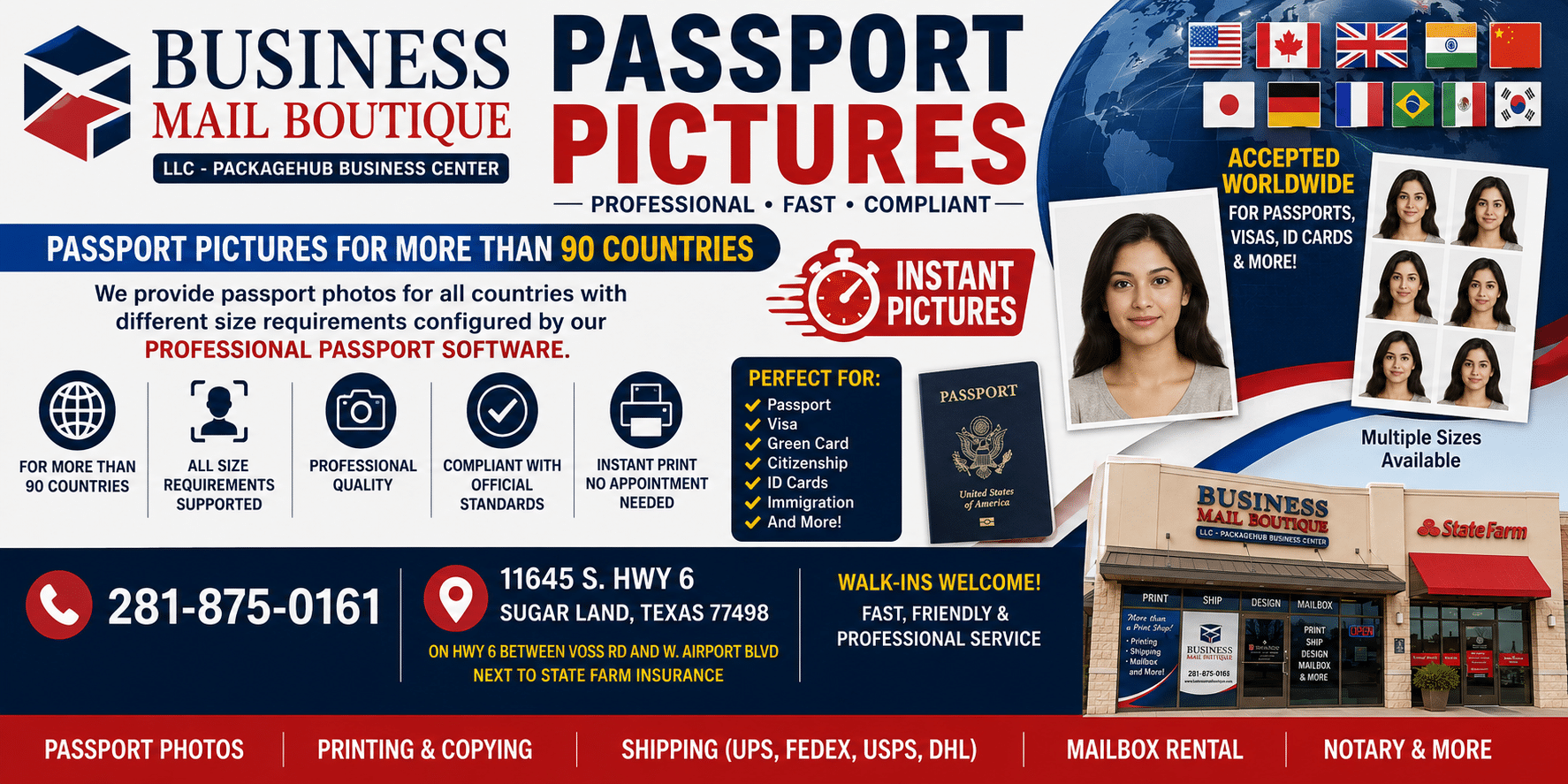
In Sugar Land, one straightforward option is passport photos on Hwy 6 in Sugar Land, where applicants can get same-day print and digital photo service through Business Mail Boutique LLC. That’s useful when you need a compliant image prepared for a passport, visa, or related document and don’t want to troubleshoot the crop and output yourself.
What tends to work best locally is bringing the exact requirement if your application is for a country other than the U.S. That lets the photo be matched to the correct size and presentation from the beginning. If you need both digital and printed versions, ask for both at the same visit so the image stays consistent across formats.
A good local photo service doesn’t just take the picture. It checks the background, posture, crop, and final output before you leave.
For most applicants, that’s the primary value. Not glamour lighting. Not studio styling. Just a clean, compliant image you can submit with confidence on the same day.
Frequently Asked Questions about Photo Requirements
Can I smile in a passport or visa photo
Keep your expression neutral. A soft natural face is fine, but broad smiles, visible teeth, or exaggerated expressions can cause problems because they change facial landmarks and make the image less uniform.
Can I wear a religious head covering
Usually, religious head coverings are allowed if they don’t obscure the face. Your full face should remain visible, and the covering shouldn’t cast shadows or block the forehead, cheeks, or chin outline. Check the specific country’s instructions if your application is not for the U.S.
Is makeup allowed
Yes, if it still reflects your everyday appearance and doesn’t alter your features so heavily that the photo stops looking like you. Keep it moderate. Avoid reflective products, dramatic contouring, or anything that creates glare or changes skin texture in the final image.
What if I changed my beard hairstyle or hair color
If the change is noticeable, use a new photo. The safest standard is simple: the photo should represent how you currently appear when an officer or reviewer compares the image to you in person.
Can I use the same photo for a visa and a passport
Only if both applications accept the exact same size, crop, background, and submission format. Don’t assume they do. Verify first.
Is a professional photo really necessary
Not always, but it often saves time. Official photos fail on small technical details, not just obvious mistakes. If you’re on a deadline or your application is hard to replace, professional handling reduces trial and error.
If you need a compliant visa or passport photo in Sugar Land, Business Mail Boutique LLC offers a practical one-stop option for same-day print and digital photo service, along with other document-related business center services that applicants often need during the same trip.

Related posts

Perfume Bottle Engraving Sugar Land | Same-Day Service
Same-Day Perfume Bottle Engraving in Sugar Land.
Custom Perfume Bottle Engraving in Sugar Land — Same-Day Personalized Gifts
Make a...

Leather Portfolio Engraving in Sugar Land | Custom Initials
Custom Leather Portfolio Engraving in Sugar Land: Personalized Initials for Corporate Gifts
A professional portfolio is something ...

Corporate Watch Engraving in Sugar Land | Business Mail Boutique
Custom Watch Engraving in Sugar Land: Meaningful Gifts for Employee Appreciation
A personalized watch can turn a company’s thank-you i...