
- Print Business Cards in Sugar Land – Same Day Service
- Copying Services
- Document Printing, Finishing & Lamination in Sugar Land
- Flyers
- Print Banner in Sugar Land | Same-Day Banner Printing Near Me
- Graphic Design
- Photo Printing
- Postcard Printing
- Document Printing
- EDDM Full Service Postcards
- FotoZoomer Large Format Printing


Businessmailboutique
11645 S. Hwy 6
Sugar land, Texas 77498 United States (US)
Email: info@businessmailboutique.com
Route
You’re probably here because the yearbook job landed on your desk faster than expected. Maybe you’re a teacher, PTA volunteer, club advisor, office manager, or the person who was “good with Canva,” so now everyone assumes you can turn a folder of photos into a finished book.
That’s a common spot to be in. The hard part isn’t only designing pages. It’s finding a local printer you can trust, understanding what drives the price, and avoiding the kind of small setup mistakes that turn into expensive reprints. For small and medium runs, those details matter even more because you don’t have the cushion of a giant order.
Table of Contents
- Starting Your Local Yearbook Printing Journey
- Making Key Decisions on Binding Paper and Covers
- How to Estimate Costs and Turnaround Times
- Preparing Your Print-Ready Yearbook Files
- Mastering the Proofing and Approval Process
- Your Printable Pre-Order Checklist
- Frequently Asked Questions About Yearbook Printing
Starting Your Local Yearbook Printing Journey
Local yearbook projects usually begin with three messy ingredients. A deadline that won’t move, photos collected from too many people, and a budget that feels unclear until someone finally gives you a usable quote.
That’s why the phrase Yearbook printing near me matters more than people think. You’re not just searching for a machine that can print pages. You’re searching for a partner who can explain options clearly, catch file issues early, and tell you whether your plan fits your timeline before you commit money.
That search has gotten tougher. The U.S. book printing sector saw the number of establishments fall by 28% between 2010 and 2022, according to industry data on book printing establishments. Fewer shops means fewer local choices, especially if you need hands-on help and not just a checkout page.
Practical rule: If your project is under 500 copies, service quality matters as much as price. A cheap quote stops being cheap when the printer is hard to reach, vague about proofs, or unclear about what’s included.
The good news is that the local shops still serving book projects often do their best work on these smaller runs. They know schools and community groups don’t always arrive with perfect files or a locked spec sheet. They’re used to answering the practical questions first.
A smart starting point is to compare shops the same way you’d compare any service provider. Ask about proofing, file setup help, pickup timing, and whether the quote includes finishing. If you want a broader checklist for evaluating neighborhood vendors, this guide on choosing a local print shop in Sugar Land is a useful companion.
Making Key Decisions on Binding Paper and Covers
A printer can’t give you a meaningful quote if you only say, “We need yearbooks.” You need a short spec sheet. Nothing fancy. Just enough detail to define the job.
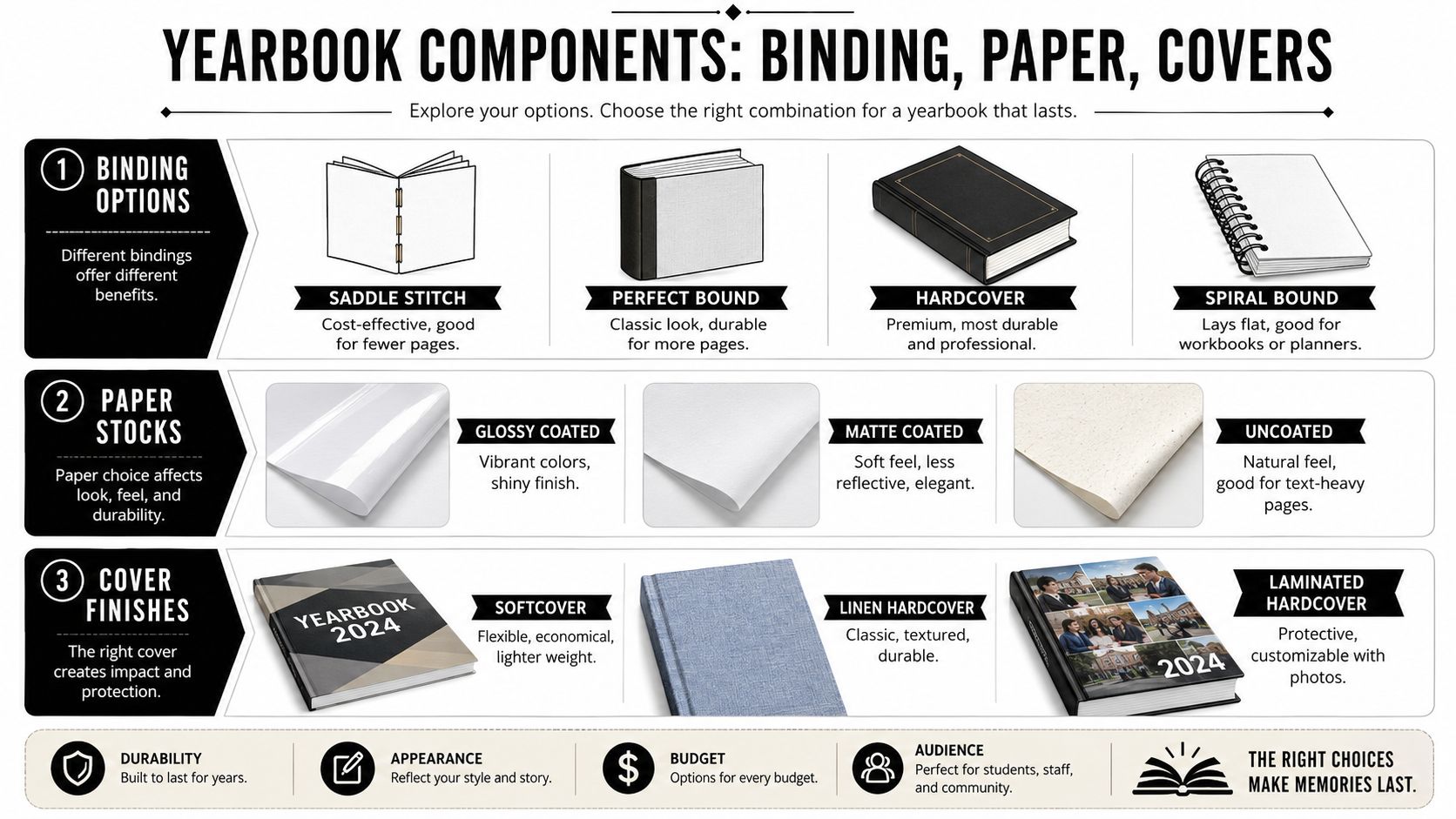
Choose the binding before you ask for a quote
Binding changes durability, appearance, and price faster than almost anything else.
| Binding type | Best for | What works | What doesn’t |
|---|---|---|---|
| Saddle stitch | Thin books | Budget-friendly, simple, fast for lighter page counts | Looks too light for a traditional yearbook |
| Perfect bound softcover | Clubs, camps, smaller schools | Professional spine, clean bookshelf look | Less premium feel than hardcover |
| Spiral or coil bound | Activity books, memory books, planners | Lays flat, easy to flip, practical for signable books | Doesn’t feel like a classic yearbook |
| Hardcover | Schools that want a keepsake | Strongest presentation, durable, gift-worthy | Highest cost and more decisions |
If you’re deciding between spiral and coil style options for a practical book, this comparison of comb binding vs coil binding helps explain how usability and durability differ.
For many under-500-copy projects, the decision often comes down to softcover perfect bound or hardcover. Softcover keeps the project accessible. Hardcover turns the book into a keepsake parents and students are more likely to save long term.
Paper changes both look and budget
Paper is where first-time coordinators either overspend or go too cheap.
- Glossy coated stock: Best when photos do most of the talking. Colors look richer and pages feel more polished.
- Matte coated stock: Good if you want a softer finish with less glare under indoor lights.
- Uncoated stock: Works for text-heavy sections, signatures, and a more understated feel, but photos won’t pop the same way.
A simple rule works well here. If your yearbook is photo-heavy, lean coated. If it includes lots of messages, lists, and write-in space, matte or uncoated might serve you better.
People making memory books or journals often face the same trade-offs around feel, durability, and use case. That’s why this piece on selecting the perfect journal book is worth a look. The product is different, but the decision logic is similar.
Covers set expectations fast
Cover choice tells people what kind of book they’re holding before they open it.
A softcover feels approachable and economical. A laminated hardcover gives you a durable photo-ready surface. A linen or cloth hardcover feels more formal and classic, which some schools prefer for milestone years.
If your inside pages are modest but you want the book to feel special, spend more attention on the cover instead of upgrading every interior choice.
That approach usually gives small-run projects a better balance. Readers remember the cover, the photos, and whether the book holds up over time. They rarely praise paper jargon.
How to Estimate Costs and Turnaround Times
Most small schools don’t delay because they don’t care. They delay because they can’t get a clean answer on cost until late in the process.

What usually drives the final price
For local yearbook printing, the biggest cost drivers are usually:
- Binding choice: Hardcover and specialty covers push the total up quickly.
- Page count: More pages mean more paper, more press time, and often more finishing labor.
- Quantity: Small runs carry higher per-book costs because setup is spread across fewer copies.
- Color throughout: Full-color interiors look great, but they require a more demanding print workflow.
- Proofing and rush needs: Last-minute jobs often cost more because the shop has to move other work around.
Verified pricing examples help anchor expectations. An 8.5×11 laminated hardcover yearbook can cost about $26.57 per unit, while a softcover perfect-bound version is closer to $8.32 per unit, according to yearbook pricing examples from Gorham Printing. The same source also lists cloth-bound hardcover at $41.31 and spiral-bound at $10.11. Those numbers show why spec decisions matter before you approve the design.
A simple way to build a working budget
Use a practical formula:
materials + printing + binding + finishing = per-book cost
per-book cost x quantity = project total
Then add a small cushion for late corrections, upgraded proofing, or cover changes.
Another reality matters for smaller orders. 68% of small schools report delaying projects due to cost uncertainty for small batches, based on the verified data above. That doesn’t mean your project is too small. It means you should ask the printer to separate the quote into clear line items so you can see where the money is going.
A useful quote request should include:
- Quantity range: Ask for pricing at your ideal number and a nearby lower or higher option.
- Binding and cover style: Don’t ask for “hardcover or softcover maybe.” Ask for one quote per defined version.
- Final page count: Even a close estimate helps prevent surprise changes later.
- Proof requirements: Say whether you want a digital proof only or also a physical sample.
- Pickup or delivery: Local pickup can simplify timing and reduce logistical stress.
Turnaround is easiest when decisions are final
Turnaround depends less on raw print speed than on how settled the project is. Files that are missing pages, low-resolution images, and changing headcounts cause more delays than the press itself.
If you know your calendar is tight, read this guide to rush printing near me and same-day success before assuming any printer can save a late project. Rush service works best for simple, finished jobs. It’s much less forgiving when the yearbook still needs edits.
The fastest yearbook is the one that stops changing.
Preparing Your Print-Ready Yearbook Files
A beautiful layout can still print badly if the files are sloppy. Most production problems I see start before the printer touches the job.
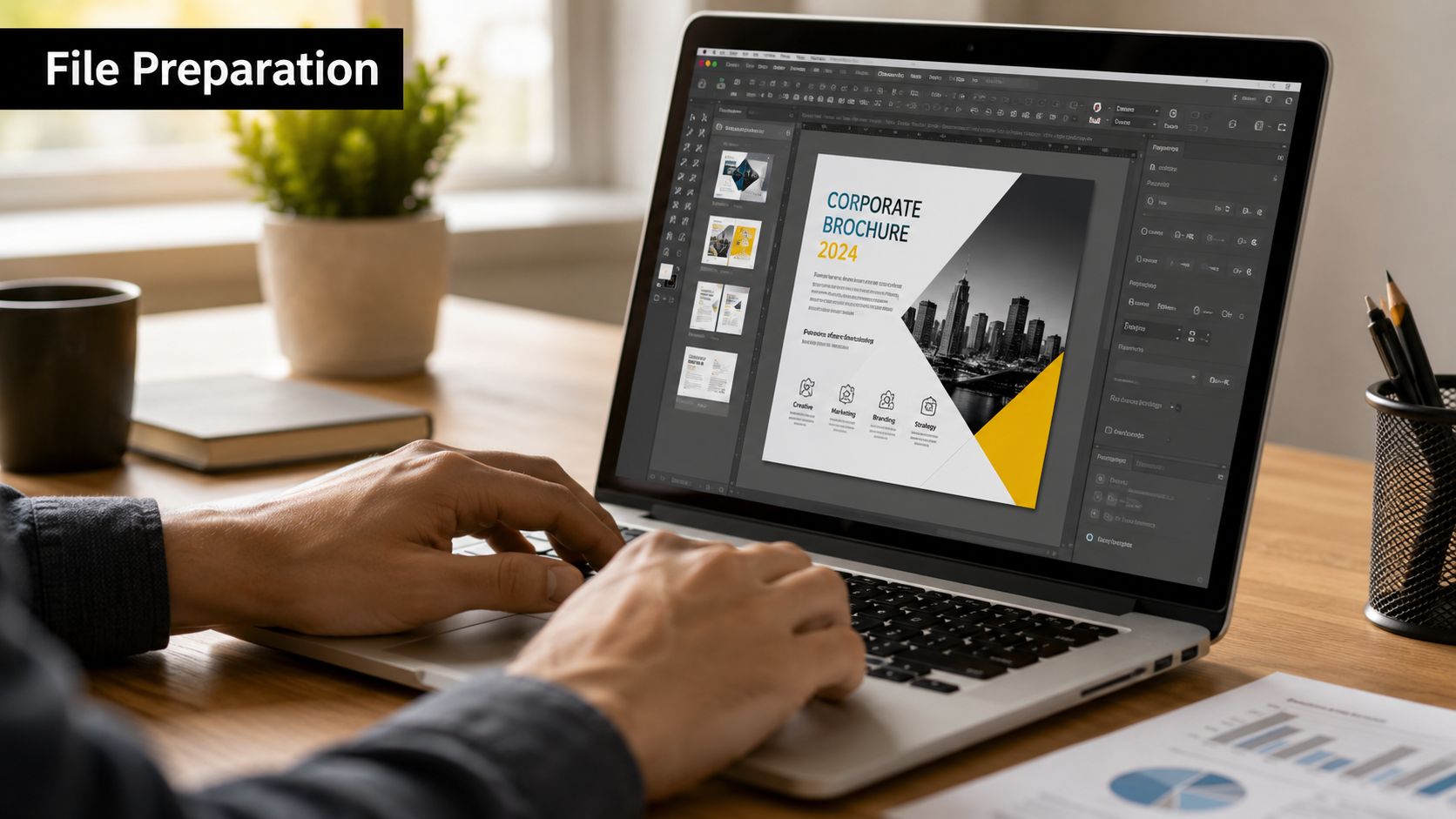
Modern digital workflows reward clean files. The global digital printing market is projected to grow at a CAGR of 11.90% through 2034, according to IBISWorld printing industry data. For yearbook teams, that means one thing in practice. Printers increasingly expect digital-ready files that can move straight into production without repair work.
Build files that print cleanly
Three terms matter more than the rest.
Bleed means background colors or photos extend past the trim edge. If a picture is supposed to run all the way to the edge of the page, don’t stop it exactly at the page boundary. Extend it slightly so trimming doesn’t leave a white sliver.
Safety margin is the opposite idea. Keep faces, names, page numbers, and logos away from the edge so trimming doesn’t cut them off.
Resolution is what keeps photos from looking soft or blocky. For print, use high-resolution images. A yearbook full of social media screenshots and compressed downloads almost always looks worse on paper than it did on a phone.
Here’s the simplest file-prep checklist:
- Use one page size consistently: Don’t mix letter-size pages with random exports from different apps.
- Embed images properly: Missing linked files can wreck a layout at the last minute.
- Check logos closely: If your school crest or sponsor mark looks fuzzy, rebuild it before export. This guide on creating production-ready logos is helpful if you need cleaner artwork.
- Review page order: Front matter, body pages, and end pages should already be in final sequence before you send the file.
Export one solid PDF instead of a folder full of guesses
Send a high-resolution multi-page PDF whenever possible. That gives the printer a stable file with fonts, images, and page order preserved. Individual JPEGs are harder to manage. Native design files can work, but only if the printer has the same software, fonts, and linked assets.
A single organized PDF beats a zip folder full of almost-correct files every time.
This walkthrough can help if you’re still learning the production side of layouts:
Before you send anything, print a few pages on your office printer at full size. It won’t show final color accurately, but it will reveal crowded margins, tiny captions, and awkward image crops fast.
Mastering the Proofing and Approval Process
Proofing is where a careful coordinator saves the whole project. It’s the last moment when changes are manageable.
Know what each proof is for
A digital proof is usually a PDF. Use it to check text, page order, captions, spacing, and whether every page made it into the file. It allows you to catch the practical errors.
A physical proof is for tactile and visual judgment. You’re checking how photos reproduce on the chosen stock, whether the cover feels right, and whether important colors look believable in print.
Color matters more than many teams expect. Printers with G7 Master Color Certification can help reduce the 15% to 20% of yearbook projects that historically face issues due to color inconsistency, according to Yearbook Discoveries on print quality standards. If school colors, team uniforms, and portrait tones matter to you, ask whether the printer uses recognized color-control standards.
Don’t approve color from a phone screen alone. Screens are backlit and forgiving. Paper is not.
What to check before you sign off
Use a structured review instead of flipping through casually.
- Names and captions
Proper names are the most emotional mistakes. Check class officers, award winners, clubs, and seniors first.
- Photo quality
Look for blurry images, dark shadows, odd crops, and screenshots that looked acceptable on screen but won’t hold up in print.
- Page logic
Verify that left and right pages pair correctly, section dividers are where they belong, and no page is duplicated or missing.
- Cover details
Confirm spelling, year, subtitle, and orientation. A cover typo hurts more because everyone sees it immediately.
- Formal approval
Have one person own final sign-off. Group feedback is useful early. It becomes dangerous at the approval stage.
The projects that go sideways usually don’t fail because of one giant problem. They fail because five small unchecked problems slip through together.
Your Printable Pre-Order Checklist
A yearbook order gets easier when everything is gathered in one place before you contact the printer. That means specs, files, proofing expectations, and the practical details around payment and distribution.
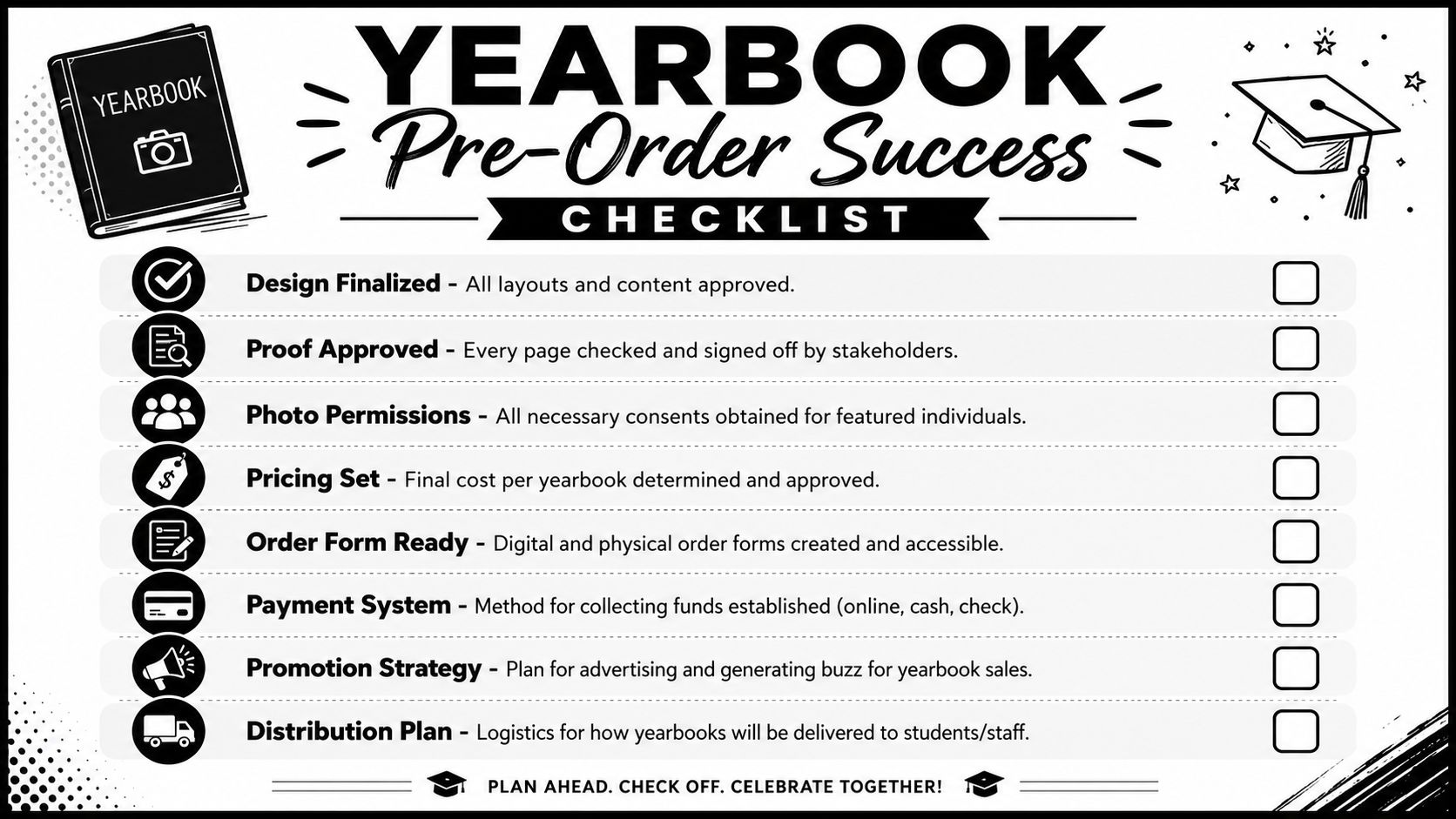
Print this section or copy it into your planning document.
Your go-to checklist
- Project specs confirmed: Quantity, trim size, estimated page count, binding, interior stock, and cover style are decided.
- Design finalized: Every spread has approved text, selected photos, and consistent styling.
- Files exported: The book is saved as a press-ready multi-page PDF.
- Margins reviewed: Bleed extends where needed, and names or faces aren’t parked too close to the edge.
- Proof plan chosen: You know whether you want a digital proof, a physical proof, or both.
- Budget approved: The team agrees on the total spend and understands what the quote includes.
- Order collection ready: Sales forms, payment method, and distribution plan are prepared.
- One final approver assigned: One person has authority to sign off so the printer gets one clear answer.
The best checklist is the one you actually use while talking to the printer, not the one you save and forget.
If you walk into a local shop with those answers ready, the conversation changes. Quotes get clearer, production gets smoother, and you spend far less time chasing avoidable corrections.
Frequently Asked Questions About Yearbook Printing
Is a local print shop better than a large online printer
Sometimes yes, especially for smaller runs and first-time coordinators. A local shop is easier to reach when you need to discuss cover stock, pickup timing, or a file problem. Online-only vendors can work well for standardized jobs, but they often assume you already know exactly what you’re ordering.
Can schools or nonprofits ask for special pricing
Yes, and it’s worth asking directly. Some printers offer education or community pricing, while others may help by suggesting lower-cost specs instead of discounting the whole job. In small-run yearbooks, practical cost reductions often come from smarter binding, page count, and cover decisions rather than a broad percentage discount.
Can I print only a few copies or even one copy
Often yes, but the economics are different. Very small quantities usually cost more per book because setup still takes time. If you only need a few copies for an archive, reunion sample, or family keepsake, ask the printer whether a short digital run is available and whether the cover choices need to be simplified.
If you need local help with printing, packing, shipping, or business services in Sugar Land, Business Mail Boutique LLC is a convenient place to start. Their team handles a wide range of print and office needs with the kind of hands-on service that makes small projects easier to manage.

Related posts

Custom Memorial Glasses Engraved in Three Hours in Sugar Land
When a customer needed eight personalized glasses for a memorial, Business Mail Boutique completed the engraving or...

Custom Martini Glass Engraving in Sugar Land, TX
Custom Logo Engraving on Martini Glasses in Sugar Land, Texas.
Business Mail Boutique recently completed a beautiful custom engravin...

Custom Engraved Wine Glasses for a Golf Club Event in Sugar Land, TX
Custom Engraved Wine Glasses for a Golf Club Event in Sugar Land.
Custom wine glass engraving in Sugar Land, TX at Business Mail Bouti...