
- Print Business Cards in Sugar Land – Same Day Service
- Copying Services
- Document Printing, Finishing & Lamination in Sugar Land
- Flyers
- Print Banner in Sugar Land | Same-Day Banner Printing Near Me
- Graphic Design
- Photo Printing
- Postcard Printing
- Document Printing
- EDDM Full Service Postcards
- FotoZoomer Large Format Printing


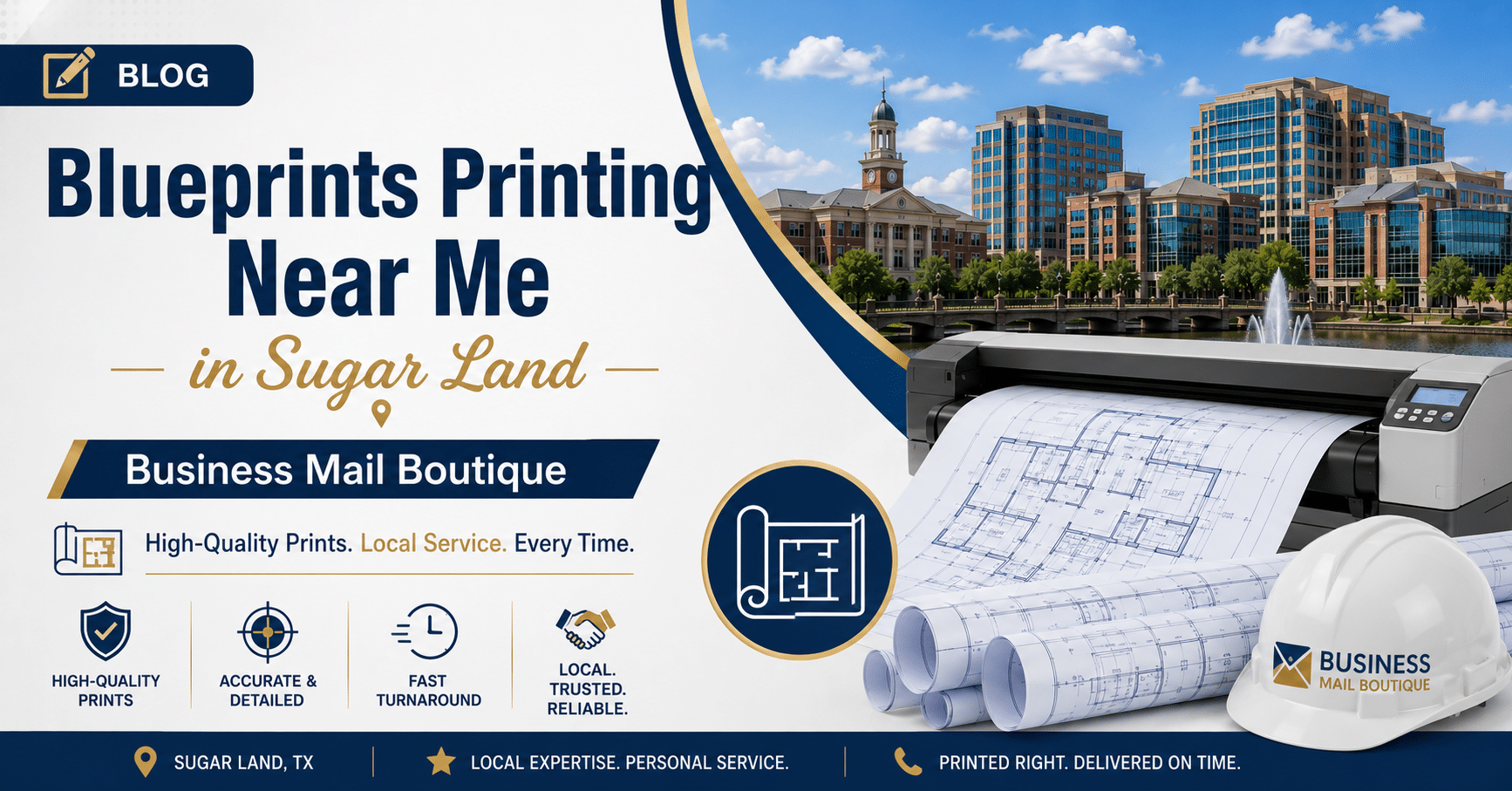
Blueprints Printing Near Me in Sugar Land | 2026 Pro Guide
Businessmailboutique
11645 S. Hwy 6
Sugar land, Texas 77498 United States (US)
Email: info@businessmailboutique.com
Route
You’re probably here because something changed fast. A client approved a revision, a permit set needs one more sheet, or a subcontractor called from the field asking for the latest plans instead of yesterday’s version. That’s when people open a browser, type blueprints printing near me, and hope the closest result can handle construction documents correctly.
In Sugar Land, that search usually isn’t about finding any printer. It’s about finding a shop that understands scale, line clarity, paper choices, pickup timing, and what happens after the prints come off the machine. A good set of blueprints has to be readable on site, easy to distribute, and tied into the rest of the job workflow so the right people get the right version.
Table of Contents
- Your Go-To Guide for Blueprint Printing in Sugar Land
- Preparing Your Files for Flawless Blueprint Prints
- Selecting the Right Size Paper and Color Options
- How to Order Prints Online or In-Store in Sugar Land
- Finishing Pickup and Shipping Your Blueprints
- Understanding Blueprint Prices and Turnaround Times
- Sugar Land Blueprint Printing FAQs
Your Go-To Guide for Blueprint Printing in Sugar Land
A familiar Sugar Land job goes sideways fast. A project manager gets a revised sheet set late in the day, the superintendent needs fresh plans at the site the next morning, and someone assumes any nearby print counter can handle it. Then the file opens with missing fonts, the scale is off, the set needs folding for field use, and half the package still has to be shipped to an engineer working from another office.
Blueprint printing works best when the whole workflow is handled together. Large-format plans need clean line reproduction, consistent scaling, and paper options that match the job, whether that means standard bond for check sets or a more durable stock for repeated handling. Shops that regularly produce construction documents also understand how these orders move in real life, from print queue to pickup, delivery, forwarding, and storage. PRI Graphics’ overview of construction document printing reflects that broader production standard.
For Sugar Land contractors, architects, engineers, and small business teams, that local workflow matters as much as the printer itself. A set may need to be printed, packed, labeled, held for a runner, or sent out the same day. It may also need to be tied into other business tasks, such as shipping bid packages, receiving mail securely, or keeping project documents organized through a mailbox service instead of sending everything to a home address.
That is why wide-format printing through a local provider connected to shipping and business mail services solves a problem that many national order portals miss. The print job is only one step. The handoff after printing often decides whether the plans are useful on time.
If you also manage signs, handouts, or day-to-day office materials, this broader Sugar Land print shop guide for businesses shows how blueprint printing fits into the rest of a working local operation.
Blueprints usually fail before they reach the printer. The common problems are bad file setup, wrong page size, unclear revisions, and rushed handoff instructions.
Preparing Your Files for Flawless Blueprint Prints
A Sugar Land contractor sends a set at 4:40 p.m., needs two full-size copies for a morning site meeting, one half-size check set for the truck, and a labeled package ready to ship to an engineer. If the file is off by even a small amount, the whole job slows down. In practice, blueprint problems usually start in the file, not at the printer.

Start with the right file format
For blueprint work, PDF is the safest option. TIFF and JPEG can work for simple image-based plans, but a vector PDF keeps text, line weights, and fine dimensions much cleaner on large sheets.
If you export from CAD, Revit, Bluebeam, or similar software, keep the original vectors whenever possible. A screenshot pasted into a document might look acceptable on a monitor, but it often prints soft, especially around room labels, dimensions, and detail callouts. I see that mistake more than any other.
A few habits prevent trouble:
- Export as a vector PDF when possible. That keeps linework sharp at full size.
- Use a high enough resolution if the file must be rasterized. Low-resolution files blur fast in wide-format printing.
- Name files by project and revision. “Final.pdf” causes mix-ups. “Riverstone Clinic A2.1 Rev B 05-12-26” does not.
- Keep sheet order clean. If the set should print in a specific sequence, send one organized file or label the files clearly.
- Check orientation before sending. Rotated sheets slow down production and create pickup confusion.
One more practical point. If a file includes presentation pages, spec sheets, or supporting documents that need standard-size copies along with the plans, note that upfront. Shops that also handle color and black-and-white copy services can keep the whole package together instead of splitting the order across vendors.
Check scale before you upload
A clean-looking print can still be wrong. Scale errors are expensive because they are easy to miss until someone is measuring in the field.
Business Mail Boutique LLC offers wide-format blueprint printing in Sugar Land through FotoZoomer, and the same pre-check applies here as it does at any capable print counter. Open the file and inspect it before you send it.
Use this quick pre-flight routine:
- Open every sheet at full view. Do not stop after the cover page.
- Confirm the PDF page size. Match it to the intended output size in the title block.
- Turn off auto-scaling. “Fit to page” is a common reason plans print incorrectly.
- Verify one known measurement. A scale bar, grid spacing, or door opening works well.
- Look for missing layers, screened areas, or faint linework. Civil, structural, and MEP sheets usually reveal these issues first.
- Add clear job notes. If part of the order is for pickup and part needs packing or shipping, say so in the order details.
Centex Printing’s blueprint printing service specifications reflect the same standard many print shops follow. Clean vector files and a basic scale check prevent the avoidable reprints that eat up time late in the day.
That matters even more for local project teams trying to keep the rest of the workflow tight. In Sugar Land, the print order is often tied to shipping documents out, holding a package for a runner, or routing business mail through one location instead of juggling files, tubes, and deliveries across several stops. A file that is ready to print makes that whole chain easier to manage.
Selecting the Right Size Paper and Color Options
A lot of print problems start here. The file is fine, but the sheet size or paper choice does not match how the plans will be used once they leave the counter.
The first decision is size. Contractors usually want a set they can read on the hood of a truck or mark up in the field. Architects may need full-size sheets for coordination or client review. Small businesses ordering site layouts, permit drawings, or lease plans often need something easy to store, scan, ship, or hand off with other project documents.
AlphaGraphics’ overview of blueprint and site plan printing reflects the standard sizes and common media choices used across plan printing, and those same conventions apply at a local Sugar Land print counter.
Here’s a practical reference table for common sizes:
| Size Name | Dimensions (Inches) | Common Use Case |
|---|---|---|
| ARCH A / ANSI A | 9 x 12 | Small reference sheets, inserts, compact sketches |
| ANSI B | 11 x 17 | Half-size check sets, internal review copies |
| ARCH C | 18 x 24 | Smaller construction sheets, detail-heavy review prints |
| ARCH D | 24 x 36 | Standard full-size architectural plan sets |
| ANSI E | 34 x 44 | Engineering drawings requiring ANSI format |
| ARCH E | 36 x 48 | Full presentation sheets, large plans, detailed site layouts |
If the title block says 24 x 36, print it at 24 x 36 unless there is a clear reason to reduce it. Half-size sets are useful for review, but they are a bad surprise when a crew expects full scale. For permit packets, bid sets, and issue-for-construction drawings, matching the intended sheet size avoids confusion later.
Color is the next decision, and it should be tied to function, not preference.
Black-and-white linework on bond paper is still the everyday choice for check sets, field copies, and permit submissions. It is easier on the budget, fast to produce, and usually the right answer for sheets that will be folded, marked up, and replaced as revisions come in.
Color earns its cost when it carries information. That usually means utility maps, phasing plans, civil sheets with multiple systems, shaded renderings, or client-facing presentations where grayscale collapses the hierarchy of the drawing. Dense graphics also print better on paper suited to toner coverage, especially when solid fills or aerial backgrounds are involved.
A simple rule works well:
- Choose bond for line drawings, markups, and working sets.
- Choose coated or matte stock for heavier graphics, color-coded plans, and presentation sheets.
- Choose half-size only when everyone using the set understands it is a review copy, not a field scale copy.
This choice affects more than the print itself. In Sugar Land, a plan set often moves straight into the rest of the job workflow. It may need to go into a tube for shipment, sit at a mailbox for pickup by a runner, or be packed with permits and supporting documents from the same location. Picking the right size and stock at the start makes that handoff easier. If the job also includes flyers, forms, or supporting handouts, these color and black white copy service options help keep everything produced in one place.
How to Order Prints Online or In-Store in Sugar Land
Some jobs are planned and orderly. Others are not. The best ordering method depends on whether you already know your file is production-ready.

Online ordering fits planned jobs
Digital ordering changed blueprint printing for the better. Online platforms now let customers upload plans, choose specifications, and pay remotely, and local turnaround often ranges from same-day to 2 to 3 business days according to The Plan Printer’s overview of digital blueprint ordering.
Online ordering is usually the cleanest option when:
- Your file is already checked. Page sizes, revision labels, and scale have been reviewed.
- You know the specs. Size, quantity, color choice, and paper are already decided.
- You’re ordering from the job site or office. No need to stop work just to place the order.
- You want to stage work ahead. Upload now, pick up later, or line up shipping once production is complete.
This is often the most efficient route for repeat jobs and routine plan sets.
In-store ordering helps with uncertain files
Walk-in ordering helps when the file may need a second set of eyes. If sheet sizes look inconsistent, a rendering needs the right stock, or you’re unsure whether to roll or fold the set, in-person ordering makes the handoff easier.
In-store also helps when you want to:
- Review paper options physically
- Confirm a color choice before full production
- Ask about finishing and packaging
- Catch obvious issues before the queue starts
That’s where local service beats a purely remote workflow. You can sort out practical details quickly instead of trading messages back and forth.
For businesses comparing local print services more broadly, this guide to finding a print shop near me is useful beyond blueprint work.
If the job is straightforward, online ordering saves time. If the file is questionable, walking in can save a reprint.
Finishing Pickup and Shipping Your Blueprints
The print itself is only half the job. Once the sheets are ready, you still have to decide how they’ll travel, who receives them, and whether they’ll stay organized when they arrive.

Rolled sets versus folded sets
Rolled plans work well when presentation matters or the sheets need to remain flat as long as possible. Architects often prefer rolls for client-facing sets, renderings, and drawings that will be reviewed on a table rather than carried around all day.
Folded sets make daily handling easier on active jobs. A folded packet is easier to stack, label, hand off to crews, and carry in a vehicle or tool bag. It’s often the practical choice when multiple people need working copies.
A simple rule helps:
- Roll sets for presentation, cleaner storage, and larger sheets that shouldn’t crease yet.
- Fold sets for field distribution, markup convenience, and easier packet management.
Why shipping matters after printing
Many blueprint providers stop short at this stage. They will print the plans, but the customer still has to figure out how to distribute them securely.
Modern project teams need more than output. They need a reliable way to send controlled documents to owners, engineers, subcontractors, or a second job site without mixing versions.
According to The UPS Store’s architectural printing page, combining blueprint printing with on-site UPS and FedEx shipping supports secure, trackable distribution of controlled documents, which helps reduce the risk of outdated plans being used in the field.
That matters in everyday situations:
- A revised set needs to go to two locations
- An owner’s rep needs a clean copy while the field team gets folded markups
- A remote stakeholder needs trackable delivery
- A mailbox or forwarding workflow is being used to receive project documents consistently
When printing and shipping happen in the same stop, there’s less handoff friction. Fewer loose steps usually means fewer avoidable mistakes.
Understanding Blueprint Prices and Turnaround Times
A contractor walks in at 8:15 a.m. needing two revised sets for a Sugar Land job meeting at noon, one rolled set for the architect, and one folded set that has to ship to a subcontractor by the afternoon pickup. That order can be done, but the price and turnaround depend less on the phrase “same day” and more on how clean the file is, how many sheets are involved, and what has to happen after printing.
That is the part many buyers miss. Printing is only one step in the local workflow. If a set also needs sorting, labeling, packing, shipping, or mailbox forwarding for a project team, those handling steps affect both timing and cost.
What usually affects blueprint pricing
The biggest price drivers are practical, not mysterious:
- Sheet size: Larger sheets use more paper and keep the printer occupied longer.
- Black and white or color: Standard line drawings in black and white cost less than color-heavy sheets, renderings, or utility overlays.
- Paper choice: Bond paper is the common field option. Heavier or coated stocks raise the cost.
- Number of sets: A single set is different from several collated sets that must stay in exact order.
- Finishing and packing: Folding, rolling, banding, labeling by recipient, and protective packaging all add labor.
A smaller order can still cost more than a larger one if it needs color output, special stock, and careful hand sorting. In the shop, labor often drives the difference as much as paper does.
What changes turnaround time
Turnaround depends on production time and decision time.
If the PDF is set up correctly, the page size matches the intended output, and the instructions are clear, a straightforward order moves fast. If we have to stop and verify scale, fix orientation, separate mixed page sizes, or clarify whether a set should be folded or rolled, the clock starts slipping before ink ever hits paper.
As noted earlier by Eastern Engineering, file issues commonly interrupt jobs before printing starts. That lines up with what print counters see every week. The delay usually comes from setup problems, not the machine.
When rush service is worth paying for
Rush service makes sense when the deadline is real and the order is controlled.
Good examples include:
- A revised sheet set needed for a field meeting
- A permit or bid package with a fixed submission time
- A short run with confirmed specs
- A clean file that is ready to print without troubleshooting
Rush service is a poor fit for messy files, unclear instructions, or large multi-recipient jobs that also need packaging and outbound shipping. In those cases, paying extra does not remove the bottleneck. It just compresses the time available to catch mistakes.
The local workflow matters more than people expect
Sugar Land professionals often search for blueprints printing near me and focus on pickup alone. For many jobs, the essential question is broader: do the plans need to be picked up, held for a runner, shipped with tracking, or routed through a business mailbox so project documents stay organized?
That is where a local print shop with shipping and mailbox services saves time in a very practical way. One stop can cover printing, final handling, and distribution instead of pushing those tasks into separate errands. For contractors, architects, engineers, and small business owners juggling active jobs, that usually matters more than shaving a few minutes off press time.
Sugar Land Blueprint Printing FAQs
Can I print blueprints from a PDF?
Yes. PDF is the most common format for blueprint printing, and vector PDFs are usually the safest choice for preserving sharp linework and proper scaling.
What size should I order for standard building plans?
Many architectural plans are printed at 24 x 36 or 36 x 48, but the right answer depends on the original drawing setup. Check the PDF page size or title block before ordering.
Is black and white fine for construction plans?
Usually, yes. Black and white on bond paper works well for line drawings, check sets, and field copies. Color is more useful for renderings, site overlays, and plans where visual separation matters.
Should I roll or fold my prints?
Roll them if presentation and flat storage matter most. Fold them if the set is going to a job site and needs to be carried, stacked, and marked up easily.
Can I order online instead of coming in?
Yes. Online ordering works well when your file is ready and you already know the print specs. In-store ordering is better when you want help checking paper, scale, or finishing details.
Can printed blueprints be shipped to another location?
Yes. That’s often the smartest move when different stakeholders need controlled copies. Shipping with tracking helps keep distribution organized and reduces the chance that older prints stay in circulation.
If you need blueprint printing, shipping, mailbox support, or a practical place to manage project documents in one stop, Business Mail Boutique LLC in Sugar Land is set up for that workflow. Upload files, bring in a set for review, or handle printing and outbound shipping together so your plans get where they need to go with less back-and-forth.

Related posts

Real Estate Sign Printing: A Complete 2026 Guide
Real Estate Sign Printing in Sugar Land
In the competitive real estate market, professional signage plays a vital role in attracting b...