
- Print Business Cards in Sugar Land – Same Day Service
- Copying Services
- Document Printing, Finishing & Lamination in Sugar Land
- Flyers
- Print Banner in Sugar Land | Same-Day Banner Printing Near Me
- Graphic Design
- Photo Printing
- Postcard Printing
- Document Printing
- EDDM Full Service Postcards
- FotoZoomer Large Format Printing


Print Shop In Near Me: A Guide to Local Printing
Businessmailboutique
11645 S. Hwy 6
Sugar land, Texas 77498 United States (US)
Email: info@businessmailboutique.com
Route
You’re usually not searching for a “print shop in near me” because you’re casually browsing. You’re searching because something is due. A flyer has to be ready by tomorrow morning. A banner needs to be on a table before the event starts. Blueprints need to be readable on-site, not stuck in someone’s inbox as a PDF.
That’s where people lose time. They pick the first listing, upload the file, and hope the shop can handle it. Then they find out the place only does basic copies, can’t trim properly, doesn’t offer shipping, or needs file fixes that push the job back a day.
A good local print shop does more than put ink on paper. It helps you choose the right format, catches file problems before they become reprints, and, if it also handles packing and shipping, saves you from making a second stop across town. For small businesses, that difference matters a lot more than a cheap quote on a generic order page.
Table of Contents
- Finding the Right Local Print Shop, Not Just Any
- Decoding Print Services to Match Your Project
- How to Prepare Your Files for Flawless Printing
- Key Questions to Ask Before Committing to a Print Job
- Your All-in-One Print Partner in Sugar Land
- Frequently Asked Questions About Local Printing
Finding the Right Local Print Shop, Not Just Any
A generic search brings up a messy mix of copy counters, shipping stores, specialty sign shops, and national chains. Some are useful. Some aren’t built for the job you have.

Start with a better search
If you need something specific, search that specific thing. “Print shop in near me” is a starting point, not the final query.
Try searches like these instead:
- For rush marketing pieces: “same-day business cards Sugar Land” or “same-day flyer printing near me”
- For larger pieces: “banner printing Sugar Land” or “yard sign printing near me”
- For technical documents: “wide-format blueprint printing Sugar Land”
- For convenience: “print and ship center near me”
Those searches filter out shops that only handle walk-in copies or office documents. They also help you find places that already talk about the service you need, which usually means they do it often enough to troubleshoot fast.
What to look for on the service page
Once you have a shortlist, don’t go straight to price. Check whether the shop shows real signs of production capability.
Look for these clues:
- Equipment photos: If a shop shows wide-format printers, finishing tools, or product examples, that tells you more than a generic stock image ever will.
- Specific services: “Business cards, banners, posters, blueprints, decals, lamination, engraving, shipping” tells you the shop is likely a business center, not just a self-serve copy desk.
- Clear file guidance: Shops that mention bleed, CMYK, PDF setup, or resolution usually spend less time fixing preventable errors.
- Fulfillment options: If they can print, pack, and ship from one counter, that’s useful for e-commerce sellers, event teams, and anyone with multiple deadlines in one day.
Practical rule: If the website can’t tell you what machines, materials, or finishing options the shop offers, call before you upload anything important.
A strong local shop saves you from mismatch. That matters more than almost anything else in the first five minutes of your search.
Decoding Print Services to Match Your Project
Most bad print orders start with a simple problem. The customer asks for a product name when they really need an outcome.
A “poster” might need to be weather-resistant. A “blueprint” might need exact scaling. A “promo item” might need a process completely different from paper printing.

Wide-format means precision, not just size
Wide-format printing covers more than oversized signs. It’s what you use for engineering drawings, presentation boards, posters, yard signs, and roll-fed graphics that need clean detail at larger dimensions.
For blueprints and technical drawings, the file matters as much as the printer. Vector-based formats such as PDF or DWG scale cleanly, while low-quality raster files can fall apart when enlarged. Industry guidance notes that same-day turnaround exceeds 98% for wide-format blueprint orders under 50 sq ft when files meet 300 DPI benchmarks, but improper scaling for ANSI sizes like 36×48 inches leads to a 25-30% rejection rate at shops handling these jobs (wide-format blueprint production details).
That’s why we ask technical customers a different set of questions than we ask someone ordering event signage. A blueprint isn’t just a large print. It has to be readable, proportionally correct, and trimmed without guesswork.
If you’re ordering event handouts or promos alongside signage, it helps to work with a shop that also handles same-day flyer printing in Sugar Land. One order, one file review, fewer chances for something to get missed.
Digital printing works when speed matters
Digital printing is the usual answer for same-day business cards, flyers, postcards, and short-run marketing material. It’s fast, flexible, and practical when you don’t need a long press setup.
This is also where material choices start affecting turnaround. A glossy flyer for a restaurant opening and a matte announcement for a professional service firm may use the same press, but not the same stock or finish. Card thickness, coating, and varnish all change how the piece feels and how quickly it can move through finishing.
Ask for the result you want. “I need a flyer that looks sharp under indoor lighting and won’t smudge at check-in” is more useful than “I need some prints.”
Here’s a quick visual example of how custom print production can branch into different product types and finishes:
Personalization is part of modern print
A lot of local shops now handle more than paper. Sublimation and laser engraving come up often for branded gifts, awards, mugs, plaques, and small-batch promotional items.
The production methods aren’t interchangeable:
- Sublimation works on compatible coated surfaces and is a good fit for photo-heavy mugs and gift items.
- Laser engraving is used when you want sharp, permanent detail on plaques, tags, or specialty pieces.
- Standard print finishing is still the right call for posters, brochures, cards, and handouts.
The more clearly you describe where the piece will be used, who will handle it, and how fast you need it, the easier it is for the shop to match the service to the job.
How to Prepare Your Files for Flawless Printing
Most reprints don’t start at the printer. They start on the designer’s screen. A file that looks fine in a browser preview can still fail once it goes to trim, finishing, or large-format output.
The file rules that prevent expensive mistakes
Start with the basics that printers check first:
- Use CMYK, not RGB. RGB is for screens. Print devices are calibrated for CMYK workflows, so screen-bright colors often shift when they hit paper.
- Build in bleed. For small-format pieces, a 0.125-inch bleed gives the cutter room to trim cleanly without leaving thin white edges.
- Keep images high resolution. For most print work, 300 DPI is the safe benchmark for crisp output.
- Use vector files when possible. Logos, line art, and technical drawings stay cleaner in vector-based PDFs than in flattened image files.
- Embed fonts or outline text. If the shop doesn’t have the font, your file may substitute it and break the layout.

A print-ready PDF is usually the safest handoff format because it preserves layout, embeds assets more reliably, and reduces surprises between design software and production.
What trips up same-day jobs
Rush orders fail for predictable reasons. The common ones are missing fonts, RGB artwork, low-resolution images, and files exported with no bleed.
For same-day business cards, industry data shows 18% of orders need revisions because of font embedding failures or RGB-to-CMYK mismatches, which can create 10-15% delays. The same data shows 14-16 pt cardstock supports a 92-95% success rate for 4-hour turnarounds, while uncoated stock is more prone to smudging in fast production (same-day business card production notes).
That’s why a shop may push back on a file even when it “looks okay” on your laptop. The file isn’t being judged for aesthetics. It’s being checked for whether it can move through production without slowing the whole job down.
If you’re still building the artwork, it helps to hand the project to a team that handles print-focused graphic design support before the deadline gets tight.
A clean PDF sent early beats a rushed correction an hour before pickup.
A simple handoff checklist
Before you upload or email files, run this quick review:
- Trim size is final: Make sure the document size matches the finished piece you ordered.
- Bleed is included: Extend backgrounds and edge graphics past trim.
- Fonts are secure: Embed them or convert them to outlines.
- Images are sharp: Check linked photos, not just the preview.
- Pages are named clearly: Front, back, version, quantity note.
- Special instructions are explicit: Fold, laminate, mount, cut, ship, or hold for pickup.
A few minutes here saves a lot of back-and-forth later. In a busy shop, clean files move first because they can.
Key Questions to Ask Before Committing to a Print Job
A print quote only tells part of the story. The difference shows up in how the shop reviews files, handles revisions, and manages the order when timing gets tight.
Questions that reveal how a shop actually works
Ask direct questions. Good shops answer them easily because these issues come up every day.
| Question Category | What to Ask | Why It Matters |
|---|---|---|
| Proofing | Do you send a digital proof before production for this type of job? | You want one last chance to catch layout, copy, or sizing issues. |
| File review | Will someone check bleed, resolution, and color mode before printing? | This tells you whether the shop prevents errors or simply prints what it receives. |
| Turnaround | What is the realistic turnaround for this exact quantity, stock, and finish? | “Same day” can mean different things depending on trimming, coating, and queue load. |
| Reprint policy | If the issue is production-related, how do you handle reprints? | You need clarity before there’s a problem, not after. |
| Materials | What stock do you recommend for my use case? | The right paper or substrate affects both appearance and durability. |
| Finishing | Can you trim, laminate, mount, bind, or package the order on-site? | Finishing done in-house usually reduces handoff delays. |
| Pickup or delivery | Can you hold, pack, or ship the completed order? | This matters if the printed piece is going to an event, client, or job site. |
Notice what’s missing from that list. “What’s your cheapest option?” usually isn’t the first useful question.
The better question is whether the shop understands the risk points in your order. Cheap prints that arrive late, trim badly, or need to be redone aren’t cheap in practice.
Shop-floor advice: The fastest way to judge a printer is to ask how they handle mistakes. Their answer tells you more than their homepage does.
Why integrated print and shipping changes the decision
For a lot of small businesses, printing isn’t a standalone task. Printed pieces need to go somewhere. Marketing kits have to be boxed. Return labels need to be attached. Product inserts have to be packed with outgoing orders.
That’s why integrated print-and-ship centers solve a real operational problem. According to an IBISWorld industry reference summarized in local market analysis, 15% of small businesses prefer one-stop shops that combine printing and shipping because this can cut logistics overhead by 20-30%, and USPS data showed a 25% increase in small parcel shipping tied to rising e-commerce demand (integrated print and ship demand overview).
Those numbers line up with what we see at the counter. When businesses can print signs, postcards, inserts, labels, and shipping documents in one place, they make fewer trips and lose less time coordinating vendors.
Here’s where integrated service makes the biggest difference:
- Event materials: Print banners, table signs, flyers, then ship the extras to a venue or team member.
- E-commerce orders: Produce branded inserts or thank-you cards, then pack and send from the same location.
- Blueprint and job-site work: Print plans, package them safely, and route them to the field without another stop.
- Office overflow: Handle print, lamination, finishing, and carrier drop-off together.
A local printer becomes a better partner when it can support the whole workflow, not just the first step.
Your All-in-One Print Partner in Sugar Land
For Sugar Land businesses, the most useful print shop isn’t just the one with a nearby address. It’s the one that can handle the full errand in one visit.

What local businesses usually need in one stop
A typical small business order rarely stays simple for long. Someone starts with business cards, then adds flyers. Then they realize they also need a yard sign, a laminated counter sheet, and a shipment going out before pickup closes.
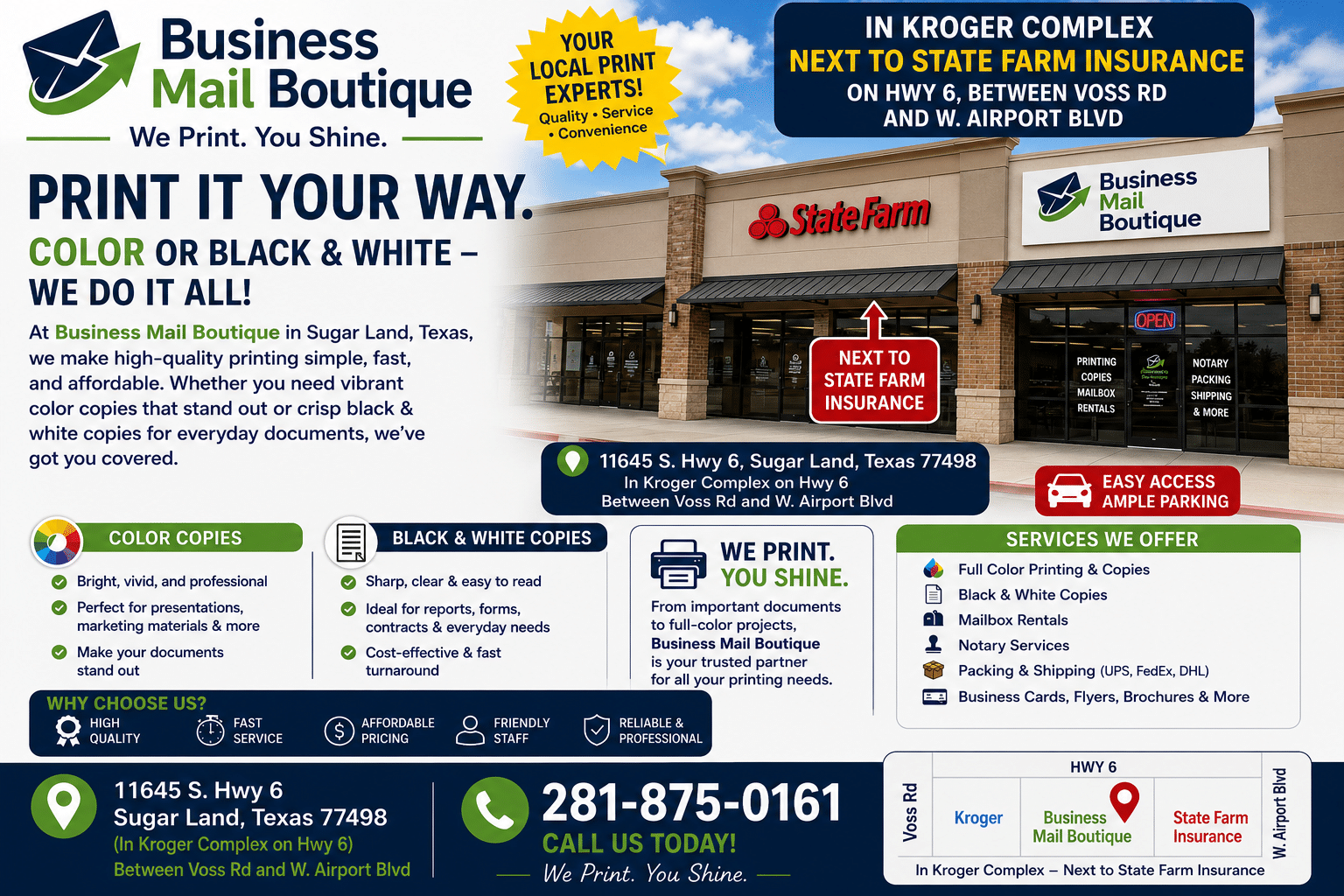
That’s where a full-service center is more useful than a narrow print counter. In Sugar Land, Business Mail Boutique’s print shop services include same-day business cards, flyers, banners, posters, decals, yard signs, and wide-format blueprint printing, along with packing, shipping, mailbox services, engraving, sublimation, notary support, and other business-center tasks.
That combination matters for practical reasons, not marketing reasons. If your marketing handouts, product inserts, return labels, and outgoing packages can all be handled at one location, your workday gets simpler.
Why the one-location workflow matters
We see the difference most clearly with small teams and owner-operators. They don’t have time to drive to one place for printing, another for packing supplies, and another for carrier drop-off.
A one-location workflow helps when you need to:
- Pick the right printed format fast
- Fix a file issue before production starts
- Add finishing such as lamination or trimming
- Package the order securely
- Ship it through UPS, FedEx, or USPS without another stop
The local shop that saves you an extra trip is often the one you keep using.
If you’re typing “print shop in near me,” convenience is already part of the job. The smarter move is choosing a shop that treats printing as one part of a larger business workflow.
Frequently Asked Questions About Local Printing
| Question | Answer |
|---|---|
| Can I walk in with a file on my phone? | Usually, yes. But a print-ready PDF is safer than a screenshot, social image, or compressed text message attachment. |
| What paper finish should I choose for flyers? | Gloss is often used when you want brighter image presentation. Matte or uncoated may fit writing surfaces or a softer look. Ask based on how the piece will be handled. |
| Are local print shops only for businesses? | No. People come in for invitations, posters, photos, signs, personalized gifts, and document finishing all the time. |
| What if I don’t have a finished design? | Many shops can help clean up artwork or guide the setup so the file is printable. It’s better to ask early than to force a weak file into production. |
| Should I choose lamination for posters or signs? | Use it when the piece will be handled repeatedly or exposed to tougher conditions. It adds protection and can improve longevity, depending on the application. |
| Can a print shop also help me ship the finished job? | Some can, and that’s a major advantage for events, e-commerce, and multi-location businesses that need printed materials packed and sent out quickly. |
If you need printing, packing, shipping, mailbox service, or business-center support in one place, Business Mail Boutique LLC is a practical local option in Sugar Land. Bring us a finished file, a rough idea, or a job with multiple moving parts, and we’ll help you sort out the cleanest path from print to pickup or shipment.

Related posts

Custom Memorial Glasses Engraved in Three Hours in Sugar Land
When a customer needed eight personalized glasses for a memorial, Business Mail Boutique completed the engraving or...

Custom Martini Glass Engraving in Sugar Land, TX
Custom Logo Engraving on Martini Glasses in Sugar Land, Texas.
Business Mail Boutique recently completed a beautiful custom engravin...

Custom Engraved Wine Glasses for a Golf Club Event in Sugar Land, TX
Custom Engraved Wine Glasses for a Golf Club Event in Sugar Land.
Custom wine glass engraving in Sugar Land, TX at Business Mail Bouti...