
- Print Business Cards in Sugar Land – Same Day Service
- Copying Services
- Document Printing, Finishing & Lamination in Sugar Land
- Flyers
- Print Banner in Sugar Land | Same-Day Banner Printing Near Me
- Graphic Design
- Photo Printing
- Postcard Printing
- Document Printing
- EDDM Full Service Postcards
- FotoZoomer Large Format Printing



Canvas Photo Printing.
Master canvas photo printing with expert tips on image prep, sizing, materials, and care. Get gallery-quality results from your favorite.
Businessmailboutique
11645 S. Hwy 6
Sugar land, Texas 77498 United States (US)
Email: info@businessmailboutique.com
Route
You’ve found the right photo, chosen a generous wall, and uploaded the file with high hopes. Then the finished canvas arrives with soft faces, muddy shadows, or colors that look nothing like the screen. The disappointment usually isn’t caused by canvas photo printing itself. It comes from decisions made before the printer ever starts, including file resolution, color handling, fabric selection, stretching, and the room where the finished piece will hang.
Professional results require more than clicking “order.” Canvas has a visible weave, absorbs ink differently from glossy paper, and changes how sharpness, contrast, and color appear. This guide focuses on the production problems that cost customers money, along with the practical choices that consistently produce better wall art.
Table of Contents
- Why Canvas Photo Printing Demands More Than Point-and-Click
- Preparing Your Image for Canvas Production
- Choosing Materials and Finishes That Match Your Space
- Navigating the Ordering Process and Quality Verification
- When Canvas Is the Wrong Choice for Your Project
- Installing and Maintaining Your Canvas Print for Maximum Lifespan
Why Canvas Photo Printing Demands More Than Point-and-Click
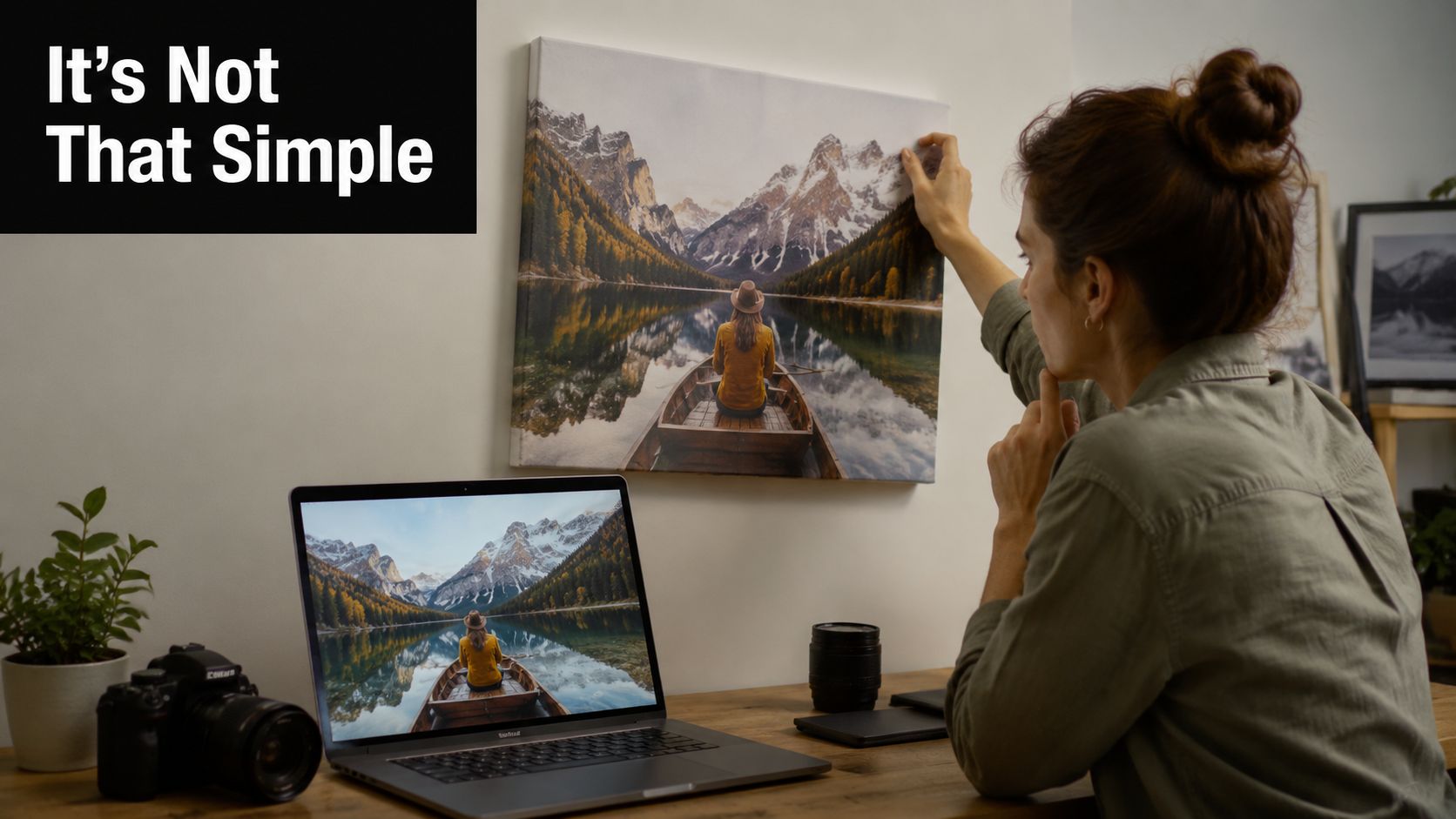
A customer once brought a favorite mountain photograph to a print shop after ordering a large canvas online. The image looked crisp on a phone, and the preview seemed acceptable. The finished piece was expensive, but the sky showed uneven color, the trees looked soft, and the deep shadows had lost their separation. The file wasn’t necessarily unusable. The problem was that nobody had evaluated how that particular image would behave on textured fabric at its final size.
Canvas changes the image
Glossy photo paper preserves fine edges and small tonal transitions with a smooth surface. Canvas introduces a woven texture that softens tiny details while adding a painterly character. That texture can flatter portraits and scenic views, but it can also hide delicate detail or make an already-soft file look visibly blurred.
Dark photographs are especially unforgiving. The weave can compress near-black tonal separation, so adjoining dark areas may merge into one heavy block. A monitor can make those tones appear distinct while the finished canvas loses the difference.
Practical rule: Canvas can disguise minor softness, but it can’t rescue a genuinely undersized or poorly edited image.
The production chain has several points where quality can fall apart:
- File preparation: The image needs suitable pixel dimensions, an appropriate color profile, and enough detail for the chosen size.
- Substrate selection: Loose or coarse canvas can reduce definition and produce an uneven visual surface.
- Printing: Pigment-based ink, accurate registration, and calibrated color handling matter more than a fast output time.
- Finishing: Stretching must be even, edges must be clean, and the frame must resist movement as the environment changes.
- Inspection: Someone should check for banding, streaking, pixelation, misalignment, and inconsistent color before shipment.
What separates a display piece from a rushed product
A professional canvas print doesn’t need to imitate glossy paper. Its strength is the combination of depth, texture, and a softer visual presence. The mistake is expecting canvas to deliver the same micro-detail and black density as a smooth photographic medium.
Canvas photo printing has moved well beyond a niche craft product. One market estimate places the global wall-art and canvas-print market at about USD 74.19 billion in 2025, with a projection of USD 123.40 billion by 2035 at a 5.22% CAGR. The same reporting set describes canvas prints as the largest format at 58% of total wall-art sales, while online channels represent 58% of distribution. These figures come from the canvas print and wall-art market statistics report, and they explain why quality control matters in an increasingly e-commerce-led category.
The history is older than most buyers realize. Canvas photo printing traces back to the 1840s, when an early photograph was reportedly printed on canvas, according to historical and market information on canvas printing. Modern digital production is more scalable, but the underlying lesson remains the same: the material is part of the image, not just a surface underneath it.
Preparing Your Image for Canvas Production
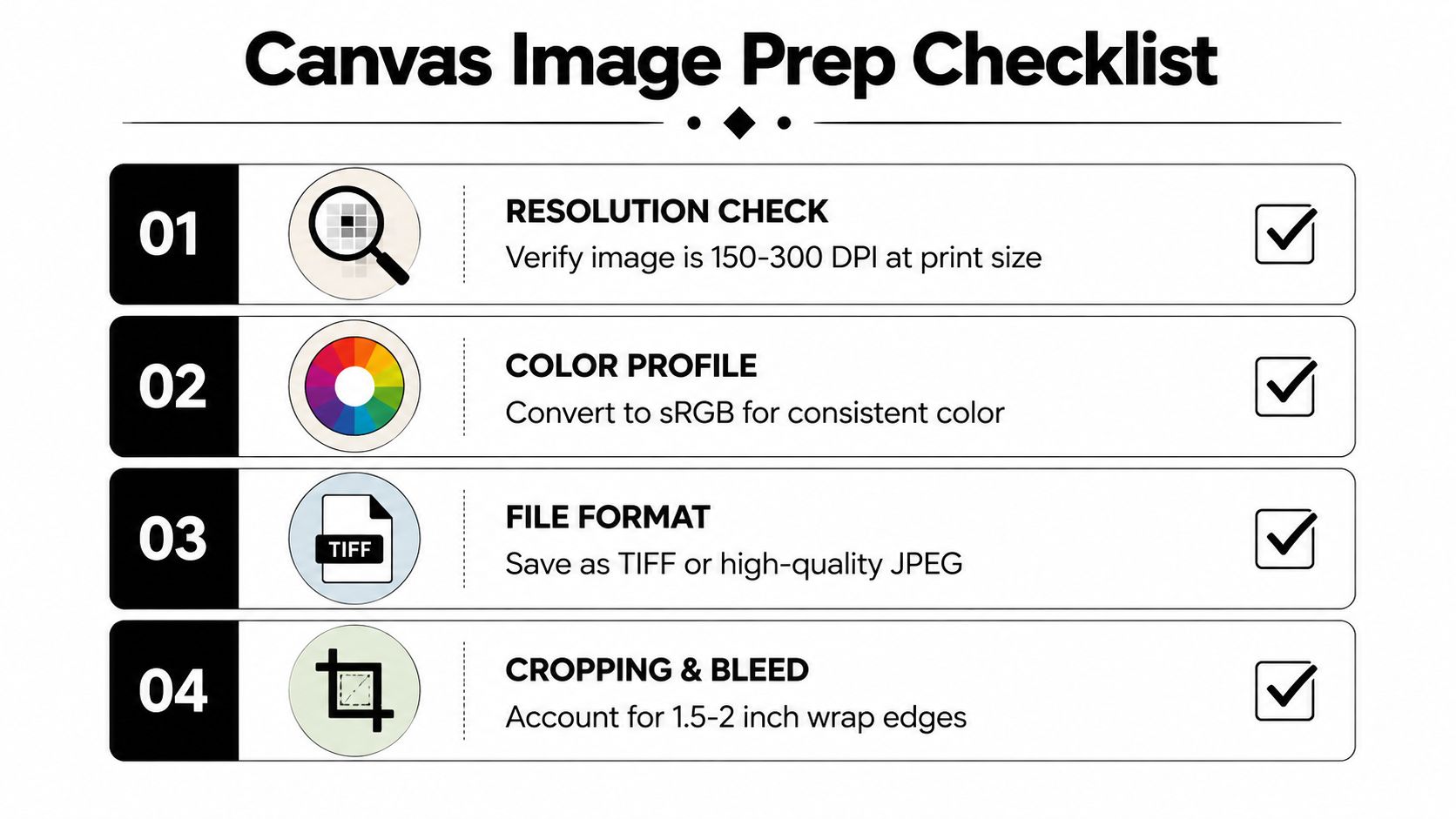
A file that looks sharp on a phone can print soft, crop a face, or lose detail across the stretcher bars. Set the finished physical dimensions first, then evaluate the image against them. Canvas guidance commonly places acceptable output around 100 to 150 DPI, with 150 DPI a stronger target for large-format work viewed from a normal distance, as explained in this canvas print resolution guide.
For a 16 by 20 inch canvas, approximately 1600 by 2000 pixels can work at 100 DPI. A stronger production target is 2400 by 3000 pixels at 150 DPI. These figures describe the file’s pixel dimensions at the finished size, not the size of the image in an editing window. A larger file also does not guarantee more detail if the original is already blurred or heavily compressed.
Run a proper preflight
Inspect the file at its intended output size before uploading. A monitor shows clean pixels, while canvas weave can soften fine edges, darken small details, and change how texture appears.
- Confirm pixel dimensions. Divide each pixel dimension by the intended print dimension to estimate the working DPI. If the result is low, enlarging the file may make it less objectionable, but it will not create genuine photographic detail.
- Check the crop. A canvas gallery wrap uses part of the image around the stretcher bars. Keep faces, lettering, buildings, and other important elements away from the edges.
- Review the color profile. Use the printer’s requested profile. If no profile is specified, ask whether the workflow expects sRGB and how the shop handles conversion. An uncalibrated monitor can make a file appear brighter or more saturated than the printed canvas.
- Inspect compression. Repeatedly saved JPEG files may show block artifacts, especially in smooth skies, skin, and shadow areas.
- Examine dark tones. Lift blocked shadows carefully, but do not flatten the entire image. Canvas needs enough separation for nearby dark values to remain readable through the texture.
- Soft-proof the substrate. A canvas proof can reveal muted saturation, altered contrast, and shadow loss before production.
Photographers who need a deeper explanation of pixel dimensions, output size, and viewing distance can use this photo resolution guide for photographers from sendphoto. For very large images, this large-format printing guide provides further guidance on file preparation before production.
Know when the file needs professional help
A production-ready file has clear subject detail, controlled highlights, readable shadows, and a crop that accommodates the wrap. Retouching is useful when the source contains sensor dust, distracting background objects, facial blemishes that become prominent at size, or shadows with little tonal separation.
Ask the printer to flag a file that is too small rather than enlarging it and hoping the texture conceals the problem. Calibration and registration still matter, even though canvas softens some fine detail. Request a proof when the image is important, unusually dark, tightly cropped, or being produced at a size that pushes the source file.
Choosing Materials and Finishes That Match Your Space
A canvas print can look excellent on the wall and still fail during production. Loose fabric may lower the material cost, but it can show uneven texture, absorb ink inconsistently, and shift during stretching. For demanding work, a tight-weave poly-cotton canvas around 360+ GSM, pigment-based inks, kiln-dried solid-wood stretcher bars, and professional color calibration provide a dependable baseline, as outlined in this canvas print quality and materials guide.
Cotton gives a more natural, art-oriented surface. Poly-cotton blends usually offer better dimensional stability and more predictable stretching. The practical choice depends on the image, room conditions, viewing distance, and how often the finished piece will be handled.
Canvas material comparison
| Canvas Type | Weight (GSM) | Best For | Durability | Price Range |
|---|---|---|---|---|
| Lightweight cotton | Lower-weight construction | Budget décor and temporary displays | More sensitive to handling and environmental movement | Lower |
| Standard cotton blend | Mid-weight construction | Family portraits, scenic views, and general home décor | Balanced stability and appearance | Moderate |
| Tight-weave poly-cotton | Around 360+ GSM | Premium display pieces and detailed production | Stronger handling and stretching performance | Higher |
| Heavier specialty canvas | Varies by supplier | Gallery-style presentation and demanding installations | Depends on coating, frame, and construction quality | Premium |
GSM measures fabric weight, not overall quality. A heavy canvas can still disappoint if the weave is inconsistent, color calibration is poor, or the stretcher bars flex. For temporary signage or a lightweight display, compare canvas with this foam board printing guide for signs, photos, and displays. Foam board is easier to replace, while canvas offers a more finished, textured presentation.
Match the finish to the lighting
Matte finishes reduce reflections and work well near large windows or overhead lights. They also preserve the restrained, tactile character associated with canvas. Semi-gloss finishes can produce stronger color presence, but direct lighting may create distracting reflections that are obvious from common viewing angles.
A UV-resistant coating adds protection, but it does not make the print invulnerable. Light exposure, humidity, positioning, and cleaning still affect its service life. Bathrooms, kitchens, and other damp areas require caution because moisture can affect both the fabric and wooden support structure.
The stretcher frame deserves the same attention as the printed surface. Kiln-dried solid wood helps limit movement, while uneven tension can create ripples, slack corners, or diagonal distortion. For a budget project, reduce spending on decorative finishing before accepting a weak frame or unstable substrate. For a sentimental portrait, commissioned artwork, or commercial installation, saving on construction often creates replacement costs later.
Navigating the Ordering Process and Quality Verification
Ordering errors often happen after the image has already been prepared. The buyer selects a size, accepts an automatic crop, and assumes the preview represents the finished face. It may not show exactly how the edges will fold, where the stretcher bars sit, or whether a person’s face will approach the side seam.
Review size, wrap, and proof details
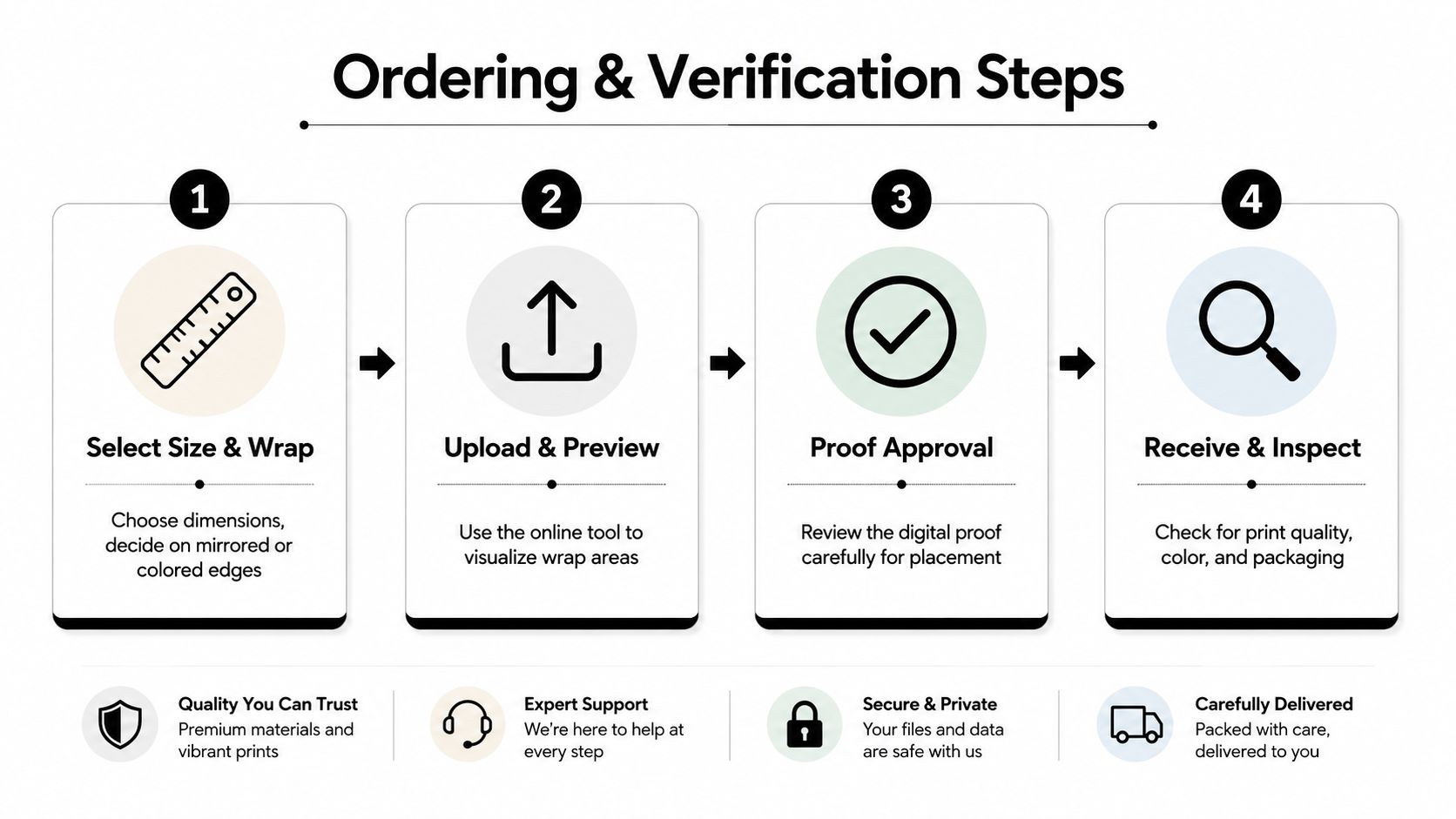
Choose the presentation before approving the order. A mirrored edge can preserve more of the original image on the front, while a colored or extended edge creates a different visual effect. Important content should remain inside the safe area, and text should never sit close to a fold unless the printer has shown the exact placement.
A useful ordering sequence looks like this:
- Select the physical size: Confirm width, height, orientation, and frame depth.
- Choose the edge treatment: Decide whether the wrap uses a continuation, mirror, solid color, or another available option.
- Inspect the preview: Look for faces, hands, lettering, horizons, and architectural lines near the perimeter.
- Request a proof when needed: A proof is particularly valuable for dark images, unusual crops, and high-value projects.
- Confirm finishing details: Ask about coating, frame material, packaging, and whether the print receives a final inspection.
Turnaround language also needs careful reading. “Same-day” may describe printing capacity rather than the complete sequence of preflight, proof approval, stretching, coating, inspection, and packing. A standard schedule may provide more time for a human to catch registration or finishing problems. Speed is useful for a deadline, but it shouldn’t replace quality verification.
Judge value by construction, not just size
A quote should make clear what you’re paying for. Compare the canvas weight, ink type, frame material, edge treatment, coating, proof process, and packaging. A low price can be reasonable when the specification is simple, but a premium price should correspond to identifiable production differences rather than vague claims.
When the package arrives, inspect it before hanging:
- Check the surface under angled light for banding, streaks, scratches, and uneven coating.
- Compare major colors with the approved proof, allowing for the difference between screen light and reflected room light.
- Look for soft corners, loose fabric, warped bars, and uneven tension.
- Examine the edges for clean folds, secure fasteners, and unwanted white slivers.
- Photograph damage and packaging immediately if shipping caused a defect.
For complex cropping, multiple pieces, color-sensitive artwork, or a tight installation deadline, a local provider can offer an advantage because you can discuss the file and inspect samples in person. This guide to choosing a local print shop in Sugar Land outlines the practical questions that help distinguish consultation-led service from an automated upload-only workflow.
When Canvas Is the Wrong Choice for Your Project
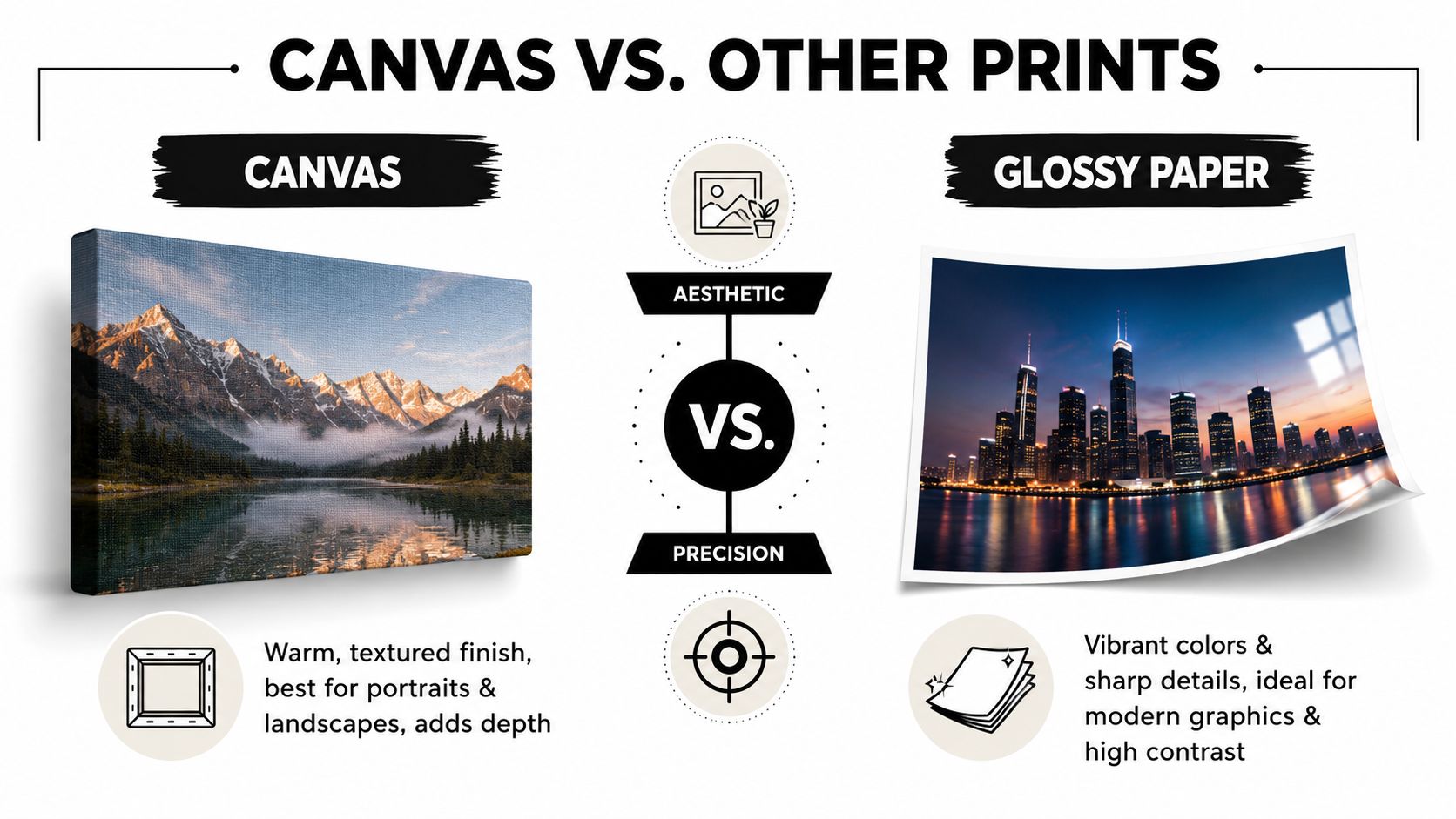
Canvas is popular because it softens an image and gives a room a warmer, more handcrafted feel. That doesn’t make it the correct substrate for every photograph or environment. Buyers who want maximum edge sharpness, saturated color, easy wipe-down maintenance, or a sleek contemporary finish may be happier with metal or acrylic.
Consider the room before the aesthetic
Canvas can be a poor fit for bathrooms, damp kitchens, or spaces with unstable humidity. Moisture may contribute to sagging, surface deterioration, or problems with the wooden support structure. A protective coating helps, but it doesn’t change the basic fact that fabric is more vulnerable to moisture than a sealed hard surface.
High-touch commercial spaces create another problem. Canvas corners and surfaces can collect dust and show wear where people brush past them, especially in busy corridors, hospitality areas, and retail settings. Metal or acrylic may be easier to wipe clean, although both still require careful handling to avoid scratches or chipped edges.
Metal suits images that depend on crisp detail, strong contrast, and an energetic contemporary appearance. Acrylic can produce a sleek, luminous presentation with pronounced color depth, but glare and surface scratching remain considerations. A buyer should ask whether the image benefits from texture or precision before deciding.
Market coverage reflects this shift in preferences. One 2026 photo-printing report projects metal and acrylic wall décor at a 10.74% CAGR, above the broader market average, as described in photo-printing trends for 2026. The same report values the global canvas print market at USD 9.7 billion in 2024 and projects USD 18.3 billion by 2033. Canvas demand remains strong, but buyers are clearly comparing substrates more carefully.
Use a simple decision test
Choose canvas when you want:
- Texture and warmth: Portraits, family memories, and interiors that benefit from a softer presentation.
- Lighter handling: Gallery wraps are often easier to move than rigid display products.
- A less reflective surface: Matte canvas can work well where glare would distract from the image.
Choose metal or acrylic when you need:
- Maximum visual precision: Clean lines, high-contrast graphics, and modern architectural photography.
- Simpler surface care: Hard surfaces are generally easier to wipe than woven fabric.
- A contemporary focal point: Sleek materials often suit offices, galleries, and modern commercial interiors better.
The right answer isn’t the product with the strongest marketing. It’s the one that matches the room, image, maintenance routine, and expected handling.
Installing and Maintaining Your Canvas Print for Maximum Lifespan
A well-made canvas can last for years, but installation and care determine how well it ages. Start by matching the hanging hardware to the print’s size and weight, then match the fastener to the wall. Drywall, plaster, and concrete require different anchors, and a heavy frame shouldn’t rely on a small nail placed without checking the wall structure.
Keep the print away from prolonged direct sunlight, heat sources, damp areas, and rapid temperature changes. Indirect light is safer than a bright window beam, while stable indoor conditions reduce movement in the canvas and stretcher bars. If the piece hangs above furniture, leave enough clearance to prevent repeated contact during cleaning or use.
Clean the surface gently
Dust with a clean, soft, dry microfiber cloth or a gentle soft-bristle brush. Move lightly across the surface rather than pressing into the weave. Don’t spray household cleaner onto the canvas, use abrasive products, or saturate the fabric with water. Moisture can leave marks, soften the coating, or work into the frame.
Inspect the print during routine room cleaning. Watch for:
- Sagging: Loose fabric may need professional re-stretching.
- Warped bars: Movement in the support can distort the image and corners.
- Fading: Relocation away from direct light may slow further change.
- Surface damage: Scratches, scuffs, and coating problems should be assessed before cleaning.
- Loose edges: Detached fasteners can allow tension to deteriorate.
A conservation professional is the safer choice when the surface has staining, mold, water exposure, or significant fading. Re-stretching may make financial sense when the print and image are meaningful but the support has loosened. Replacement is often more practical when the fabric, coating, and image have all deteriorated.
Sustainability deserves attention during the buying decision as well. Canva describes made-to-order production, recyclable packaging, in-country manufacturing where possible, and tree planting for print orders on its sustainability page. Those practices don’t automatically prove that every canvas product has a lower environmental impact, but they show why shoppers should ask how a print is produced, packaged, shipped, and handled if returned. Made-to-order production may reduce unsold inventory, while local fulfillment can change shipping requirements. Ask for specific production information instead of relying on broad environmental language.
Business Mail Boutique LLC offers photo printing on canvas alongside other print and finishing services, giving local customers a place to discuss file preparation, sizing, and presentation before production. Visit Business Mail Boutique LLC to ask about canvas photo printing and arrange a practical review of your project.

Related posts

Custom Memorial Glasses Engraved in Three Hours in Sugar Land
When a customer needed eight personalized glasses for a memorial, Business Mail Boutique completed the engraving or...

Custom Martini Glass Engraving in Sugar Land, TX
Custom Logo Engraving on Martini Glasses in Sugar Land, Texas.
Business Mail Boutique recently completed a beautiful custom engravin...

Custom Engraved Wine Glasses for a Golf Club Event in Sugar Land, TX
Custom Engraved Wine Glasses for a Golf Club Event in Sugar Land.
Custom wine glass engraving in Sugar Land, TX at Business Mail Bouti...